

Make sure you’re not wasting food by chucking it away.
Do you throw out food when it reaches the date on the pack? Well, you could be chucking out perfectly good enough produce – and wasting money as a result.
In fact, there are a few kinds of expiry dates on food, and it’s not always clear what they mean. How do you know when it’s safe to keep eating? Well, here’s a quick round-up.
Some articles on the site contain affiliate links, which provide a small commission to help fund our work. However, they won’t affect the price you pay or our editorial independence. Read more here.
Paid advertisement
What’s the difference between best-before, use-by and sell-by dates?
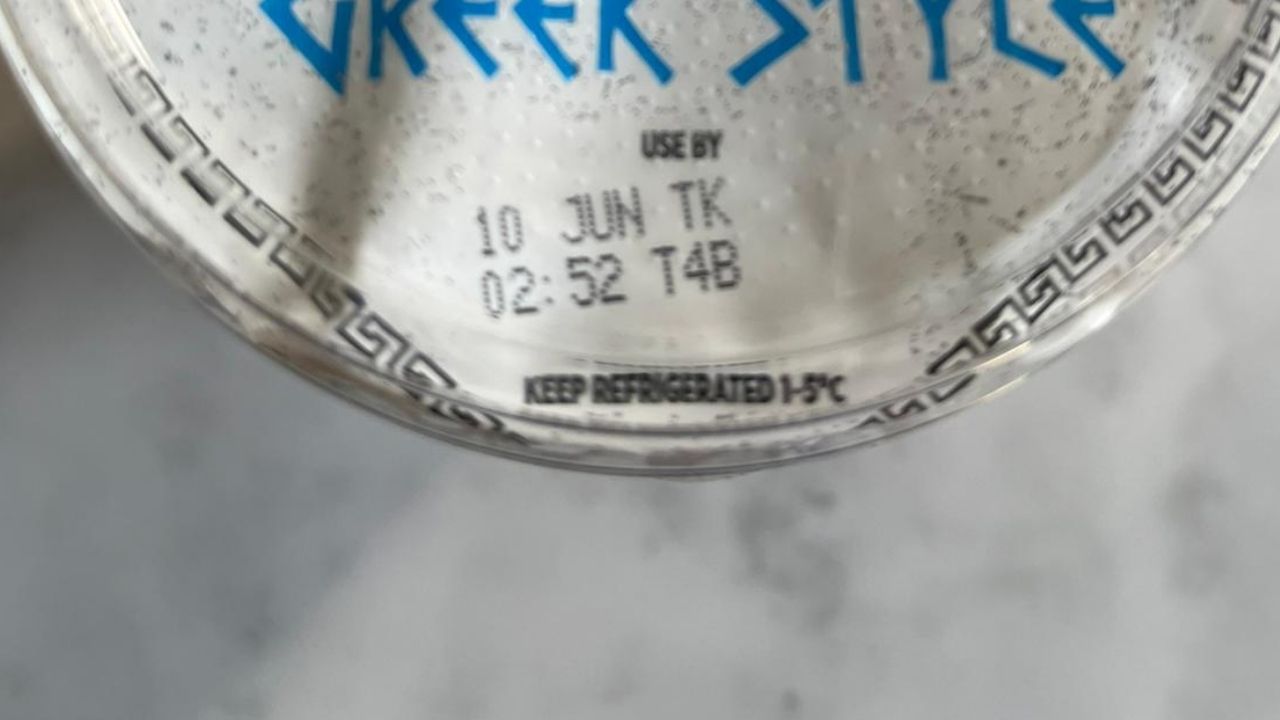
Use by dates
As it suggests, the advice is to actually use the food by the date listed. So, often this is mainly fresh meat or fish, milk, fruit and veg.
It doesn’t mean you can’t eat stuff after the use-by date, but there’s a risk you could get food poisoning – so it’s often best to stick to the date.
I’ve had a look online to see if there are any general rules for telling if something is still ok to eat – but the advice is mixed.
Apparently, some manufacturers factor in a day or two extra as a precaution, while some people swear by the sniff test. However, the only guarantee, as long as the food has been stored properly, is to consume it by the use-by date.
Best-before dates
Anything with a best before date is safe to consume after expiry. However, the manufacturer will only guarantee the quality until the date.
So you shouldn’t get ill if a pack of crisps or tin of beans if out of date. It might not taste great, but there’s every chance it’ll be just fine – especially if it’s only a few weeks past. Some stuff is absolutely fine months later.
Sell-by / Display until dates
The sell-by date is really an indicator for shop staff rather than customers. It doesn’t actually mean anything for the quality or safety of the food. There’s actually been a huge drop in how often we see these as research found they understandably confused shoppers.
How I beat use-by and best-before dates and save money
Chucking out-of-date food away is essentially throwing money in the bin. Here’s how I avoid it. I know some might seem obvious, but I’ve added in some details you might not be aware of for each.
Freeze it
Ignore packaging that says “freeze on day of purchase”. You can freeze anything up until the use-by date as long as you’ve not already opened it.
When you defrost it you should then cook the produce within 24 hours.
I’ll sometimes break up a pack of meat into smaller freezer bags for an individual portion. This means I can get one chicken breast out if I’m cooking for myself, or more depending on how many I need.
You can of course also freeze leftovers, while batch cooking is a great way to use up everything.
Eat it
Right, obvious. But if you keep an eye on use-by dates and plan your meals around those items you won’t be chucking out foods you could have eaten.
Once you’ve cooked meat you’ll also be able to store it for a couple of days until the fridge, even if you cook it on the use-by date.
Invest in a general investment account or stocks and shares ISA (additional fees apply)
FSCS Protected?Yes
Interest on uninvested cash3% on balances up to $50,000, 3.8% on balances over this
Fractional sharesYes
Foreign exchange fee0.7%
Fund feesIf you invest in funds, you'll have to pay fund fees, which cost on average ~0.16% per year, with additional market-spread effects up to 0.05%
OfferYou need to sign up, verify your account and deposit at least £200 to get the free assets. ISA deposits aren't included in the £200 requirement to get the offer.
Authorised and regulated by the Financial Conduct AuthorityYes, FRN 583263
Risk warningThe value of your investments may go up or down. Your capital is at risk. ISA powered by Moneyfarm. ISA rules apply. UK residents only.
Accounts availableGeneral investment account, stocks and shares ISA (additional fees apply)
Get the best of our money saving content every week, straight to your inbox
Plus, new Quidco customers get a high paying £18 welcome offer

Buy cheap out of date food
You rarely see supermarkets sell items past their best before date, but smaller shops and markets will often have cut-price grub that’s just gone out of date.
There are also online retailers such as Approved Food and Yankee Bundles. They sell a huge variety of products for pretty low prices, including big brands. They also sell a lot of stuff that’s seasonally out of date – so post-Christmas, Easter and Halloween there’s an influx of cheap but perfectly good choc and sweets!
It’s well worth taking a look, but don’t get too carried away by the bargain basement prices – you’ll still need to eat or drink the stuff!
Know what you’ve got
If you’re heading to the supermarket, it really does help to make a list of what you actually need, rather than what you think you need.
A quick cheat here is to take a photo of your fridge or cupboards so you can see what’s there.
Be flexible with your meals
A common food tip is to meal plan – it is probably the best way to make sure you use up ingredients.
But I also try to be flexible with what I’ll have for dinner – and this allows me to take advantage of cut-price food that’s about to go out of date.
You see I’m a little addicted to reduced stickers, as I wrote about a few years ago, so I’ll often decide on meals based on what I can pick up on the day, then freeze anything I can’t use that night.
Buy smaller portions
Those big packs might appear to be cheaper, but not if you have to throw half of the contents in the bin.
If you only use some items occasionally, especially store cupboard essentials, it might be better to buy smaller packs – even if they cost more per 100g. In the long run, you’ll save money.
Avoid bulk buying
This is one area I occasionally fall victim to. If I see a really good deal I sometimes buy two or three – usually on condiments (I’m a little sauce obsessed). Mostly it’s fine, but every now and again I get caught out and find I’ve not used them by the best before date.
Obviously, I now know they’ll be okay to keep eating after the best before date (as long as they aren’t open), but even so I do limit how much of the same thing I buy.
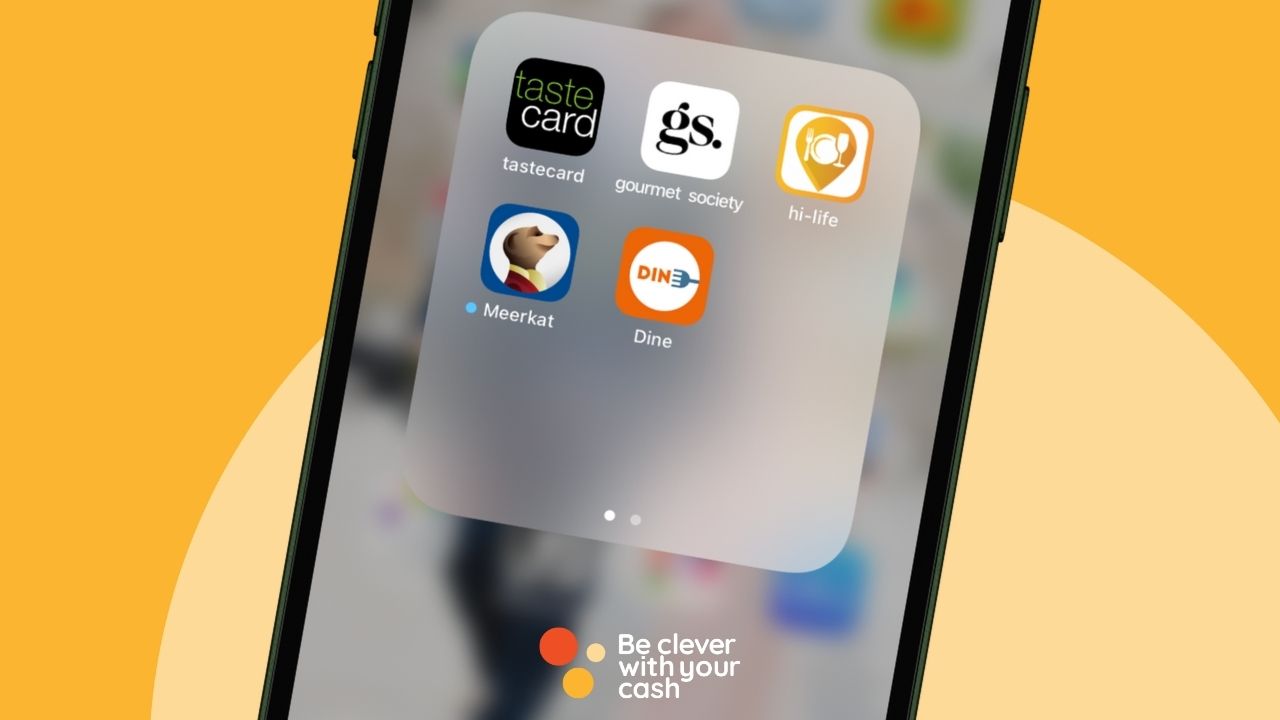
Tastecard, Dine, Meerkat Meals, Gourmet Society and Hi-Life Diners Club all offer good deals on dining out, but are they worth shelling out for?
You know me, I’m always looking for deals and discounts, and dining cards seem like a fantastic way to save some cash when eating out. But could you just be paying for something you don’t really need?
Rather than review them individually, I’ve compared what you get with each of the options and shared not just how much they cost, but whether they represent good value for money.
What restaurant discount cards are available?
There are currently four main options:
Dine Club
Gourmet Society
Meerkat Meals
Tastecard
How do dining cards work?
Sign up for one of the memberships and you’ll have access to discounts at thousands of restaurants in the UK. You can find out which restaurants are participating and what you’ll save via their websites and apps.
Once you join you’ll either be sent a physical card to put in your wallet or a digital card you access via an app on your phone.
Some restaurants require you to book in advance, but plenty allow you to just turn up. Let them know you’ve got one of these cards, present it when you ask for the bill, and you should get the money off your meal. Easy.
What discounts are available?
The offers used to be quite different, but now they are pretty similar. If there’s more than one type of deal it often depends on the individual restaurant which one applies.
Tastecard: 2 for 1 or 50% off, plus 25% off Caffe Nero
Meerkat Meals: 25% off the entire bill, 50% off pizza delivery
Gourmet Society: 25% off the whole bill including drinks, two for one meals or 50% off food
Anything to watch out for?
A few things you need to be aware of:
There are often exclusions on weekends, and some restaurants don’t let you use the card in December
Some restaurants have a limit of two people per card, though some let you use more than one card on a table
You might also have to book in advance
They will auto-renew! Make sure you cancel soon after you buy the card to avoid this as full-price is often (though not always) a rip-off. You’ll still be able to use it for the length of your membership and you can then look for a better deal if you choose to renew
I’ve had restaurants I’ve visited tell me they’re no longer accepting the cards, even though they’re still listed, so it’s worth checking before you turn up
Our podcast
Listen to Cash Chats, our award-winning podcast, presented by Steve Alderton and Editor James Andrews.
You’ll find some restaurants on all or most of the memberships, while others will only be on one.
Ultimately, which is best comes down to where you live and the type of place you want to eat. So if your local fave you often eat at is only with one membership, then that’s possibly the best for you.
There are plenty of chains too. You can check which restaurants are near you on the various websites and apps.
What free trials are there?
Half of the memberships offer free or £1 trials, with periods ranging from 30-days up to 90-days.
A year of Meerkat Meals can be picked up for around £1 using a simple little trick – and you get Meerkat Movies too.
With the others, an annual membership is likely to be the most cost-effective once you’ve had the free trials.
You can also choose to pay month by month for some of the memberships, which works out more expensive over a year, but possibly cheaper if you only need it a few times a year. And the £1.99, 24 hour deal from Dine Club is great to use if you’re not a frequent restaurant goer.
What extras can you get?
Tastecard and Gourmet Society have discounts on cinema tickets and days out whilst Meerkat Meals goes hand in hand with Meerkat Moveis.
The cinema offers tend to be discounted tickets at most major chains and some independents. This is pretty good, but as my ultimate guide to ways to save at the movies shows, there are other ways to save – often with bigger discounts. And you have to be careful that your local cinema doesn’t have an offer that beats this.
Invest in a general investment account or stocks and shares ISA (additional fees apply)
FSCS Protected?Yes
Interest on uninvested cash3% on balances up to $50,000, 3.8% on balances over this
Fractional sharesYes
Foreign exchange fee0.7%
Fund feesIf you invest in funds, you'll have to pay fund fees, which cost on average ~0.16% per year, with additional market-spread effects up to 0.05%
OfferYou need to sign up, verify your account and deposit at least £200 to get the free assets. ISA deposits aren't included in the £200 requirement to get the offer.
Authorised and regulated by the Financial Conduct AuthorityYes, FRN 583263
Risk warningThe value of your investments may go up or down. Your capital is at risk. ISA powered by Moneyfarm. ISA rules apply. UK residents only.
Accounts availableGeneral investment account, stocks and shares ISA (additional fees apply)
Get the best of our money saving content every week, straight to your inbox
Plus, new Quidco customers get a high paying £18 welcome offer
Should you get a restaurant discount card?
I think these memberships can each be really good value – but it mainly depends on four factors:
The price
If you have paid around £40 you only need to eat out two or three times to break even. As long as you’d do that anyway, it’s a no-lose situation and you will start saving afterwards. If you think you’ll use the cinema discounts too, then even better.
The discount
Two for one is great for two people, not for three. And though one card might give you 50% off food, another might give 25% off food and drink. Depending on how much you spend on booze, you might find the lower discount actually saves you more money.
The restaurants near you
It’s always worth checking what’s available near where you live and work as these are the places you’re more likely to visit – and then check if there are other savings you can get for free.
Will you actually use it?
I found that when I lived in London there were so many quality restaurants I wanted to eat at that I rarely used my membership cards. I’d rather enjoy my meal or try something new than go somewhere simply because there was 50% off.
But of course, if your fave place to eat is listed, then these can be brilliant ways to spend less when eating out.
Andy’s top tips
I’d recommend taking out the trials rather than buying one straight away. This will help you see just how much you will use one. If it’s not much, then you know these might not be for you.
And you’ve always got the option with most to take out a monthly membership. Though your savings per meal will be less, you’ll be better off in the long run.
Do try, if you can, do support local restaurants though over the chains. So many are shutting their doors that our support can make a big difference.
We’ll tell you how to find the cheapest flights, give you tips to keep the costs down, and we also lift the lid on all the so-called hacks to make your air travel as cheap as possible.
Some articles on the site contain affiliate links, which provide a small commission to help fund our work. However, they won’t affect the price you pay or our editorial independence. Read more here.
Paid advertisement
Make use of flight comparison sites and trackers
Google Flights, Skyscanner and Kayak are just three of the many flight comparison sites out there that can help you find the cheapest price possible for the flight you want.
If you are particular about a date and a place you want to fly to, then you can set up alerts on all of these sites. Then just sit back and leave the comparison sites to tell you when it’s best to book. If the price drops (or dare we say rises), these alerts will let you know.
Alternatively, if you are not fussed about the exact date you want to fly, then you can use comparison sites to look at a whole month and use this to pick the cheapest dates.
This works too if you’re not set on a particular place as you can simply input ‘everywhere’ as your destination and see the cheapest places to visit in a particular month.
Using this method, you can even find great priced flights in the busiest travel months of the year. For example, input the month of August 2024 into Skyscanner with ‘everywhere’ as the destination and at the time of writing you’ll find return flights available to book for less than £50 to Denmark, Norway, Italy, Luxembourg, Germany and more.
Check for codeshare savings
Codeshares are a type of flight where one airline operates the flight, while other airlines may sell seats on it. Sometimes exactly the same flight is cheaper when you book through one or the other airline. You can check who will be operating the plane by checking the flight number.
That said, you will need to watch out for transatlantic flights as US airlines aren’t part of stronger EU rules on delay compensation – even if you booked via an EU or UK partner.
Book budget flights earlier rather than later
Tickets are often less with budget airlines when they first go on sale. As seats sell, fares tend to increase in price with the most expensive ones close to travel.
However, buying early doesn’t mean they won’t get cheaper, since airlines often run promotions, but generally with budget, the earlier, the better.
Watch out for flight brokers
When you use sites like Skyscanner and Kayak, you’ll usually see prices from third party agencies, and these can often appear to be the cheapest option.
Booking through them should be the same as booking via a travel agency but we’ve seen several stories where the price changes or different flights are booked.There have even been cases where bookings haven’t been even made and customer service has been non-existent.
Do a little research before using one, as most have plenty of customer reviews. If there isn’t a great deal of difference in price, then it might be better going with the airline directly or using a more established agency such as Expedia or eBookers.
To keep the costs down when looking for flights, consider flying indirect routes, as these are almost always cheaper. You can do one way or both ways indirectly.
It is best to book as one trip rather than booking individual legs separately, so you’ll be covered if you are delayed on any flight and will get moved to a later connection.
For peace of mind, it’s always best to choose connecting flights that give you at least one hour to get from plane to plane as you may need to go through customs or pick up your luggage on the way. This varies depending on the country you are passing through, so always allow yourself enough time so you’re not running to your next connection.
Just a heads up, when looking at indirect flights be aware that there are some connecting flights which require you to switch airports. I’ve seen this for US flights where the connection is in New York and you land in JFK but take off on the connecting flight from Newark airport.
You would have the cost and hassle of lugging your cases across New York, making that low cost indirect flight you found, not quite as good as you once thought!
Make a stopover
If you don’t fancy extending your flight time or enduring lengthy layovers in the airport when flying indirect, it could be better to extend the interim stop and spend the night there. You’ll often save some cash and there’s the benefit of getting to visit another destination on your trip.
Go “open jaw”
An alternative to a stopover is an “open jaw”. These flights are booked at the same time but depart from and return to different airports.
A few years back, editor Andy flew from London to San Francisco and returned from San Diego to London. This allowed him to spend a day in San Francisco before getting a separately booked short and cheap flight to San Diego. All three flights combined were actually cheaper than flying direct to San Diego!
To find options look for multi-destination options in search options. Or, if you want to book the additional flights yourself, we also like the site Skiplagged to find potential routes.
Fly into other airports
If a town has multiple airports or if there are alternative airports that are easy to travel to then it’s worth checking prices at each of those for both your departure and arrival. Do check exactly where these are though as you could find you’re adding on more time and money to actually reach your final destination for some.
You may actually find these smaller airports have less queues at passport control as they’re often quieter. I have also found with car hire it has been cheaper to pick up and drop off at the smaller airports. Obviously this is not always the case, but it’s worth checking all the costs involved with travelling before booking your flights.
Keep luggage costs down
The first price given on most airline websites is the cost of the flight without hold luggage, so if you want to keep the flight price as it is, then you need to travel light.
Now there are some circumstances where you have to take hold luggage such as if you have large cosmetics, golf clubs or a big suitcase. But rather than book the upgraded economy ticket to include this, work out the price difference if you add these as extras – it can sometimes work out cheaper.
This can really save cash when booking for multiple people as the airlines apply a seat upgrade to all the tickets you are booking. Since you won’t necessarily need a hold suitcase for each person, you can just book all the travellers at the basic rate and then add on the amount of hold luggage you’ll be taking as an extra.
This is how I book flights for my family as we never need 5 suitcases – I book the most basic ticket and add on 2 additional suitcases.
If you are adding sports equipment as an extra, such as golf clubs, and there’s space, think about packing your clothing and toiletries in with the equipment (up to the permitted weight), rather than paying for an additional suitcase. The additional padding from the clothes protects your sports equipment too!
Get the best of our money saving content every week, straight to your inbox
Plus, new Quidco customers get a high paying £18 welcome offer
Make your carry on luggage allowance go further
Different airlines offer different carry-on luggage weights and size limits, but here are the airlines with the best carry on allowance included in their most basic fare, that we found:
Norse Atlantic 40 x 30 x 15 cm, no weight limit
British Airways 56cm x 45cm x 25cm and 23kg + a personal item like a handbag or small rucksack
Virgin 23 x 36 x 56cm and 10kg plus a personal item small enough to fit under seat in front (no weight specified)
Using the free carry-on luggage allowance to its max, which with some airlines will be a small suitcase and a rucksack, may mean you don’t actually need a large suitcase in the hold and this could save you money.
Make sure you read up on what you can put in your carry-on luggage as there are restrictions on liquids among other things.
Still need more room? Think about stuffing clothes into your neck pillow. You can buy one specifically designed to do this, or if you already have one with a removal cover, ditch the cushion and fill it with pants, socks, t-shirts and other soft clothes and you have a luggage carrier that’s also a comfortable neck pillow – great for those long haul flights.
Don’t pay to book seats when you book your flight
To book airline seats or not to book seats? A question everyone wants answered, but there’s no right or wrong answer.
If you want to ensure you are sitting with your travel companions or, if you have a preference for a particular seat on the plane, then expect to pay a hefty price to guarantee this. The airlines are really cashing in when it comes to seat allocation and you can expect to pay anything from a few pounds to a few hundred pounds to guarantee your seats.
But Which? recently surveyed the major airlines who, all but Ryanair, confirmed they have systems that will always try to seat groups on the same booking together.
So if you check in as soon as you’re able to, you should in theory get to sit together, as long as there are seats available. Now if the flight is busy and lots have decided to pay upfront for their seats, then this may stop you from getting seats together.
But you can keep checking the seat allocation on your flight right up to check-in. By going to the ‘manage my booking’ section of the airline’s website, you’ll be able to look at what seats have been taken and what’s available by doing a mock seat purchase.
The reserved seats will usually be greyed out so you’ll be able to see how much space is available on the flight and make a call as to whether it is necessary or not to pay to reserve seats.
If you’re willing to wait until check-in to select seats, ensure you check in at the soonest you can. This will vary by airline, also by ticket type and even by loyalty card status. For example, BA bronze executive club members get to select seats one week before departure whilst for Blue members and non-members it’s 24 hours.
Check your options if you’re travelling with kids
If you’re travelling with kids, then most airlines will aim to sit you together or as close as they can. Again it’s no guarantee, but they do go out of their way to ensure this happens so you don’t have to pay to reserve seats.
RyanAir is a bit different and allegedly it separates parties unless you pay to reserve seats. To guarantee sitting with your children, they insist you pay to reserve a seat so bear this extra cost in mind before booking.
Make sure you pick a good seat
Before you book your seats, use a site like seatguru to find out which seats are the best and which ones should be avoided, as it maps out each plane and colour codes seats according to how good they are. If they’re colour coded green, then the seat has had a positive review.
Our podcast
Listen to Cash Chats, our award-winning podcast, presented by Steve Alderton and Editor James Andrews.
If you collect the various airline points, then don’t forget to check the price of flights by paying with points in part or in full as you may be able to snag yourself deal.
Most of the time we think you’re better off swapping your Avios into Nectar and shopping around for flight deals, but if you have companion vouchers you may be able to save on your tickets.
Use “incognito” or private browsing
Experts differ with their opinions on whether this actually happens or not but some say that flight websites use tracking cookies when you’re looking for flights to change the price if you’ve searched for the same route a few times. It’s been reported that you might even get higher prices if you use an Apple Mac rather than a PC.
There’s no guarantee you’ll get lower fares, but if you use the incognito option in Chrome or private in Safari you can hide your search cookies from them. Just remember to close the windows and open new ones for each search.
Sign up for deals
Sign up free to Jack’s Flight Club and get an email every week with the best flight deals they have found. There’s also a premium membership at £39 a year where you’ll be sent even more deals. I’ve not signed up for this, but if you have the flexibility with work and family to get away on a whim, it could well be worth it.
Secret Flying is another site worth looking at if you want a rock bottom price for a flight and are open to different destinations.
Beat the queues (and closing branches) by depositing a cheque with a mobile banking app.
It’s been years since I received or wrote a cheque. But during the first lockdown I helped some elderly neighbours with their shopping. And since they were housebound and not online the easiest way for them to pay me was via cheque.
Normally that would mean a visit to the bank in order to deposit to my account, but it actually gave me a chance to try out an online banking feature I’ve been unable to use before.
Since late 2017, some banks have used cheque imaging software to scan your cheques using the banking apps on your phone.
More and more banks now let you do this, and it’s a handy feature for those too busy or unable to head to a bank, or perhaps have seen their local branch close down.
How to pay in a cheque with your banking app
If your bank has the feature (you can see a list of the banks that do and significant banks that don’t below), then it’s a similar process with each one.
You first take a photo of the front of the picture using the app. And once that’s gone through, you take a picture of the back – even if it’s completely blank!
The phone must be completely flat above the cheque, which must also be flat. You need to get the corners lined up to markers on the phone screen. And even if you nail this, it might not be enough. When I first tried it with Halifax it took about seven attempts to get the front to scan.
But once I worked out it needed to be on a dark background it took just seconds to snap each side and hit submit. Far quicker than heading out to the bank and queuing up.
You should see the money in your account by the end of the next working day, as long as you pay it in before a cut-off time (which varies by bank). Of course, make sure you keep the cheque until it has cleared just in case it’s rejected.
Andy’s top bank apps
Banking apps aren’t just useful for paying in cheques. If you’re like me, you’re doing most of your banking on one – and some are much better than others. Here are my top apps for managing your current account:
Banks where you can pay in cheques with your phone
These are the main banks I can find that offer this feature.
Bank of Scotland
Bank of Scotland is one where the app works in exactly the same way as Halifax’s (see below)
Barclays
You’ll find the feature on the Pay & Transfer tab of your Barclays app. You can pay in a maximum of four cheques every seven days, and a cheque can’t be for more than £500.
First Direct
Since there are no branches you’d normally need to go to an HSBC or a Post Office to pay in a cheque with First Direct. However, in June 2020 the bank added the option to do this via the app, or you can also post them to the bank.
Lloyds’s pay-in via the app feature lets you deposit a cheque with the bank in exactly the same way as Halifax.
Monzo
After years where the only options was to send it via the post, since late 2023 you can now pay in cheques up to £500 via the app. For larger amounts you’ll need to post it.
NatWest
Added in May 2021, you can pay in a cheque using the NatWest app. You need to select the account you want to use and you’ll see the option. I found it much harder than on other apps to get the camera to find the cheque and had to put it on a dark background for it to scan.
However, once I finally got far enough to submit the cheque, the app came back saying it “couldn’t process your cheque right now”. I tried a few times before giving up! I’m sure it’s just teething problems at launch but it’s frustrating.
RBS
RBS has the same app and functionality as NatWest, so it’ll follow the same process as above.
Santander
Since late 2022 you’ve finally been able to use the Santander app to pay in a cheque. It has to be less than £500 in value. There’s a £1,000 total cap per day.
Simply go to menu in the top right hand corner and choose “Add money”. Then you’ll be able to take a photo of your cheque up to £500.
TSB
Since spring 2023, you can now scan cheques using the TSB app. Select the Payments tab at the bottom of the screen, then deposit cheque. There’s a £750 daily limit.
Virgin Money
The app for a Virgin Money, allows cheques up to £500 as long as they weren’t signed more than six months ago. You’ll find it via the menu in the top right-hand corner.
Get the best of our money saving content every week, straight to your inbox
Plus, new Quidco customers get a high paying £18 welcome offer
Banks where you can’t pay in a cheque with your phone
Here are some of the notable banks which don’t have this feature. If you can’t get to any of these banks to pay in a cheque, you can head to your Post Office and deposit it there. However, all they’ll do is post it on for you so it can take a while to clear.
Chase Bank
Chase does not have the function to pay in a cheque via the app. In fact there are no ways to deposit a cheque. Instead you’ll need to pay it into a different account and transfer the money across.
Co-operative Bank
You’ll need to visit a branch or post cheques for Co-op Bank.
Kroo
It’s not possible to add a cheque to Kroo at all, so you’ll need to deposit one elsewhere and transfer over.
Invest in a general investment account or stocks and shares ISA (additional fees apply)
FSCS Protected?Yes
Interest on uninvested cash3% on balances up to $50,000, 3.8% on balances over this
Fractional sharesYes
Foreign exchange fee0.7%
Fund feesIf you invest in funds, you'll have to pay fund fees, which cost on average ~0.16% per year, with additional market-spread effects up to 0.05%
OfferYou need to sign up, verify your account and deposit at least £200 to get the free assets. ISA deposits aren't included in the £200 requirement to get the offer.
Authorised and regulated by the Financial Conduct AuthorityYes, FRN 583263
Risk warningThe value of your investments may go up or down. Your capital is at risk. ISA powered by Moneyfarm. ISA rules apply. UK residents only.
Accounts availableGeneral investment account, stocks and shares ISA (additional fees apply)
It’s really simple to open up a new bank account at one of those listed above which do let you pay in a cheque with the app on your phone.
You can either open up a new account and keep your old one, or you can choose to switch using the Current Account Switch Service which moves all your standing orders, direct debits and future payments.
If you’ve recently had a Totum discount card you might be able to renew it or get an Alumni card.
It looks like this hack is back, meaning even non-students can buy a cheap online course and get access to dozens of student discounts.
Or, if you previously took advantage of this trick, or graduated in the last three years, then you might be able to get a new Totum (formerly NUS) card without buying a course! Here’s how:
Some articles on the site contain affiliate links, which provide a small commission to help fund our work. However, they won’t affect the price you pay or our editorial independence. Read more here.
Paid advertisement
What is an NUS / Totum card?
If you’ve ever been a student, you’ll know that your ID often doubled up as an NUS (National Union of Students) card and gave you discounts in shops, cinemas and more.
A good few years ago NUS started charging students to get an NUS Extra card, which as the name suggests, gave even more discounts. It’s since been rebranded to Totum.
The cards also now come with a Tastecard and an ISIC (International Student Identity Card), giving student prices overseas and on travel.
It’s a great way to save, even if there is a £14.99 annual cost plus £1.50 delivery. It’s cheaper to get a three-year card (at £29.99), though that only has the ISIC card for one year.
How much money can I save?
Potentially a huge amount.
Of course, it depends on what you buy. There are still thousands of ways to save. Plenty of high street shops will give a 10% discount, including Leon, Boots and Apple. Add on the discounts you can get at cinemas, theatres, galleries and thousands of shops and you should easily make your money back. Anything after that is a massive bonus.
Unfortunately, some student discounts (eg Young Persons Railcard), require a student ID. And some discounts – such as Spotify and Asos – are only available via sites like MyUniDays and StudentBeans which require a full .ac.uk email address.
Totum alumni card for previous cardholders
If you’re a recent graduate, or if you got a Totum card via the old version of the trick, you should be able to pick up an alumni card. This will give you all the same discounts, without you having to still be at university.
There are a few ways to get this. First you can log in to your NUS/Totum account and see if you’ve got the option to just buy a new card. I had a look at my old account and this was there ready for me to get. One thing I noticed was that this didn’t seem to be an alumni card, but it worked in the same way – as long as I didn’t change my place of study (doing this required a new verification).
It might be that your old log-in doesn’t work anymore as I recall having to change my password when NUS changed to Totum. In that case, try the following.
First thing to do is set up a support ticket with Totum. Ideally you’ll need your card number, but hopefully your email will suffice. You’ll then be sent a verification link to order your new alumni Totum card.
Or if you were an actual student who graduated within the last three years then follow the same link and upload proof of graduation.
This is the best option as you’ll only need to pay for the Totum card itself, and not an online course too.
Get the best of our money saving content every week, straight to your inbox
Plus, new Quidco customers get a high paying £18 welcome offer
Get a new student discount card when you aren’t a student
One of the first articles I wrote on the blog, and one of the most popular for years, was a hack to get a student discount if you weren’t a student. The trick was to sign up for an online course at certain providers where you’d be eligible for the NUS / Totum card.
I first signed up back in 2013 for an online Photoshop card, and repeated it a number of times until these online education businesses were all removed by NUS in 2018. Sad times.
However, since March 2023 it now looks like some online providers are offering access to the Totum card again. I’ve not tried it personally, so proceed with caution.
Which online courses make you eligible for a Totum (formerly NUS) card?
There are a few course providers, found via Reed, which promise eligibility for a Totum card. Ones I’ve spotted in mid-February 2024 include:
Global Edulink
1 Training
Study365
Oxford Home Study Centre
Lead Academy
e-courses4you
e-careers
Prices seem to start at £12 for an online course.
The problem is that for most of these the reference to Totum doesn’t actually appear on the individual course descriptions. Instead it appears on the search results. But I’ve cross-referenced each of these providers and they do appear on the Totum application page.
So hopefully you’ll be able to request a code from the training provider once you’ve paid for your course. You’ll need this to verify on the Totum site that you are doing a course.
Of course there’s a risk that you won’t be able to get the verification code. If that happens then you could try to get a refund on the course bought.
Also be very careful that these providers don’t try to sell you their own student discount card. A number of them have these for between £8 and £14 but they are not the NUS / Totum cards. The only people you should be giving money to are whoever sells you the initial course and Totum’s own website.
Cheapest course I can find (14/2/2024):
The cheapest paid course I can find is £12 – not bad as long as you aren’t bothered about the actual course content. These were all via Reed, though it’s worth checking sites like Groupon and Living Social.
Invest in a general investment account or stocks and shares ISA (additional fees apply)
FSCS Protected?Yes
Interest on uninvested cash3% on balances up to $50,000, 3.8% on balances over this
Fractional sharesYes
Foreign exchange fee0.7%
Fund feesIf you invest in funds, you'll have to pay fund fees, which cost on average ~0.16% per year, with additional market-spread effects up to 0.05%
OfferYou need to sign up, verify your account and deposit at least £200 to get the free assets. ISA deposits aren't included in the £200 requirement to get the offer.
Authorised and regulated by the Financial Conduct AuthorityYes, FRN 583263
Risk warningThe value of your investments may go up or down. Your capital is at risk. ISA powered by Moneyfarm. ISA rules apply. UK residents only.
Accounts availableGeneral investment account, stocks and shares ISA (additional fees apply)
Once you’ve signed up to your course, you can simply apply for a Totum card on the Totum website. You may need to contact the course provider to get the verification or voucher code.
Step 3: Type in the course provider as your place of study. This should auto-populate the box after three characters. Once it appears hit continue.
Step 4: Enter the verification code
Step 5: Here you pick the length of Totum card you are buying and any add-ons (more on these later)
Step 6: Next upload a photo of yourself (this will be displayed on the card).
Step 7: Enter your personal details. You may be asked for a student number or password. You should be able to find this in the account you’ve set up for your online course.
Step 8: You pay! It’s £14.99 for a one-year membership, £24.99 for two-years and £29.99 for three. There’s a £1.50 charge for delivery.
Our podcast
Listen to Cash Chats, our award-winning podcast, presented by Steve Alderton and Editor James Andrews.
You can search the NUS Totum website to see where you can use it, though many businesses won’t be listed there so ask in-store or look for signs.
I’ve shared a list of some of the top places to look here. However, there are a few which I think are particularly special:
Apple student discount
If you’re going to buy an iMac, iPad or Macbook then having an NUS card means you can get the Education Discount worth up to 10% off.
Plus if you buy in August and September you can get a freebie. In 2023 it was an Apple gift card worth up to £120, in previous years it’s been headphones! To use online you click through from the NUS website. More on saving at Apple with a student discount
Boots student discount
Take your Totum card into a Boots store and ask them to link it to your Advantage card. You’ll need to do this each September.
You’ll get up to 2.02% interest on savings, plus a freebies if you switch.
Virgin Money launched its new current account in late 2019, based on the B account from Clydesdale Bank. It has some attractive features such as high interest and fee-free spending overseas, but they’ve not been enough to get me to open an account.
But since late 2020 it got a lot more tempting, offering freebies and discounts to entice customers.
Here’s how the account and offers work and my thoughts on whether it’s worth it. Plus my video takes you through some of the features on the app.
Is the Virgin Money M Plus current account any good?
Let’s take a look at each key feature:
The interest on savings
At 2.02% this is the highest paying easy access account for savings at the moment (by a smidge) so it’s certainly worth considering.
There are a few restrictions. The largest is you will only earn interest on balances up to £1,000. Anything over this will get 0%. That works out as £20.20 in interest a year. Not a huge amount but better than what you’ll get elsewhere.
The linked savings account where you can put further money pays 2.02% on the first £25,000. This is variable but it can be beaten elsewhere. You have the option in this account to set up any number of savings pots within this account, all earning interest. This helps you split your savings out for different goals, such as an emergency fund or holiday.
The switching incentives
*Update 3 October 22 – There’s currently no switching offer from Virgin Money *
Unlike other banks, Virgin Money doesn’t offer cash. Instead it rotates between one or a combination of
Virgin Money is calling this new part of the offer “Brighter Money Bundles” – and it’s available to all Virgin Money Current Account customers – not just new switchers.
The main offer right now seems to be up to £225 off a Virgin Media package. It’s only for new Virgin Media customers and you have to commit to an 18 month contract and pay a £35 set up fee.
I’ve clicked through to see the offers and prices and it does look like prices are slightly lower than going direct to Virgin Media each month, plus there’s between £50 and £100 bill credit on top. It’s worth checking what you can get via a cashback site though for a proper comparison.
There aren’t any other offers listed right now, but it seems they’ll favour Virgin brands such as the gyms, airline and wine.
Fee free spending abroad
Though we can’t really travel right now, this is a really good feature you only see on Starling or Monzo and some credit cards (though Monzo and some credit cards have restrictions on cash withdrawals).
The app positions itself along the lines of the other challenger bank offerings, with savings pots, budgeting features and the ability to tag and track transactions.
You can also deposit a cheque with your phone and it’s compatible with Apple Pay and Google Pay.
But there are plenty of features it doesn’t have, including some of the extras you’ll get with Starling and Monzo such as round-ups, PIN reveal or the ability to freeze your card.
Get the best of our money saving content every week, straight to your inbox
Plus, new Quidco customers get a high paying £18 welcome offer
Should you open a Virgin Money M Plus account?
Let’s start with the good things.
The 2.02% interest is decent as is the linked 1.71% account, especially if you’ve already had the Nationwide FlexDirect account for more than a year. You can’t beat it in an easy access account right now.
If you don’t have a Chase, Starling or Monzo account then it will also be useful for overseas spending.
Both of these make it a decent option, and the switching deal is worth considering. However, if you are going to switch bank I think there are other options you should consider first. In terms of bonuses, I’d go for one which pays cash. You can see the list of the latest ones here.
Then if you’re after a bank to help you budget I’d look at Starling or Monzo.
Our podcast
Listen to Cash Chats, our award-winning podcast, presented by Steve Alderton and Editor James Andrews.
As with other bank switches you’ll need to open a new account with Virgin Money and then use its website to detail which bank account from a different bank you are switching over. Virgin Money will carry out a credit check.
You will have to close this old account completely as part of the switch, but all your money and future payments in and out will be transferred over. This is guaranteed as part of the Current Account Switching Service. You can read more about how bank switching works here.
Invest in a general investment account or stocks and shares ISA (additional fees apply)
FSCS Protected?Yes
Interest on uninvested cash3% on balances up to $50,000, 3.8% on balances over this
Fractional sharesYes
Foreign exchange fee0.7%
Fund feesIf you invest in funds, you'll have to pay fund fees, which cost on average ~0.16% per year, with additional market-spread effects up to 0.05%
OfferYou need to sign up, verify your account and deposit at least £200 to get the free assets. ISA deposits aren't included in the £200 requirement to get the offer.
Authorised and regulated by the Financial Conduct AuthorityYes, FRN 583263
Risk warningThe value of your investments may go up or down. Your capital is at risk. ISA powered by Moneyfarm. ISA rules apply. UK residents only.
Accounts availableGeneral investment account, stocks and shares ISA (additional fees apply)
With automatic saves, can this app help you put money away?
One of the best savings apps over the years has been Chip. A smart autosave feature and often decent interest rates have meant I’ve often been a big fan.
Note often, not always. That’s because it feels like every few months the proposition (and charges) change. Sometimes it’s free, sometimes it’s not, and in recent years there’s been a move to focus on investments over savings.
And the latest revamp means it (once again) won’t be free to use the auto-saving feature. In fact, it’s never been so expensive!
So is it worth getting or sticking with the app to boost your savings?
Some articles on the site contain affiliate links, which provide a small commission to help fund our work. However, they won’t affect the price you pay or our editorial independence. Read more here.
Paid advertisement
What is Chip?
Chip is an automated saving app for your phone or tablet. It analyses your current account and works out how much you can afford to save – and then does it for you by moving the money to a separate account.
It also offers a savings rate of 1.1% AER or a Prize Savings Account with the chance to win up to £20,000.
There are also an increasing number of investment features, though this article is focused just on savings.
How much does Chip cost?
One issue I have with Chip is how frequently they change the cost of using the app. Sometimes it’s free, sometimes you have to pay.
Currently there’s a free tier called “Chip”, which is all you need to access the savings accounts and features. This is the focus of the review.
There’s an additional paid tier called “ChipX” (at £5 every 28 days) which adds investing functionality.
Auto save charges
Rather than make users pay a monthly charge for the entry-level Chip tier (which has happened in the past) there are going to be charges from 12 October 2022 for using different features – including autosaves.
New savings fees
These new charges begin on 12 October 2022
25p per recurring save
45p per auto-save
New withdrawal charges
Two free withdrawals per calendar month
£1 per withdrawal after this
Are the new charges worth paying?
Andy’s Analysis
I’m disappointed Chip has added charges for using autosaves (again). I get that the app needs to make money, and they can’t offer loss leading products. But it’s ridiculously expensive.
An autosave happens every four days. So unless you turn them off or pause them, they will happen 7 times a month or 91 times a year. At 45p per autosave, you’ll pay £3.15 a month or £40.95 a year.
That’s far more than you’ll have paid for this feature on the pre-2022 model. And it’s something no one should be paying especially since the exact same function is available for free via the Plum app.
You’ll also need to be careful if you do use Chip not to withdraw your money more than twice a month, otherwise you’ll get hit with a hefty £1 fee.
How does Chip help you save?
Chip offers a handful of features to boost how much of your money goes into savings.
Autosaves
I really love the “big idea” behind Chip. With automated savings, the app’s “AI” (artificial intelligence – don’t worry it’s not Terminator) algorithm analyses your spending habits, and based on what goes in and out of your account (along with general data about all its users) Chip will suggest an amount you can afford to save each week.
The amount will vary depending on how much money you have in your account and how often you spend it. It could be just a few quid, or a decent chunk. In theory, you shouldn’t really notice that the money has gone.
This is great for those who always plan to save but never get around to it. The autosaves can quickly add up.
But with a 45p charge for each autosave you’re really wasting cash for using the feature. However, if you want to learn more, keep reading.
How often does Chip save money?
By default Chip will suggest savings for you every four days. You can pause auto-saves for a week, two weeks or a custom date up to three months away.
It can take up to three working days for your money to reach the linked account.
How to cancel autosaves
You have until 3pm to choose to stop this payment if you wish. If you’re happy with the suggested amount you don’t need do anything and the money will automatically be sent to your Chip account.
How much can you save with Chip?
Chip says the average is £20. There are five levels of auto-saves, with one being the lowest. By default, you’re at level 3, but it’s easy to switch between them in the app.
Overdraft savings
I’m not a fan of this feature which allows you to move money from your overdraft into Chip. If you do this you’ll likely end up paying huge overdraft fees. Personally I’d avoid activating it.
Minimum balances
This is a handy cap you can put so that Chip won’t every take money out of your connected bank account past a certain balance. This can ensure you don’t ever go overdrawn or not have enough cash for other payments.
Splitting your autosaves
You have the option to choose how much of your autosaves goes into each savings account or goal (more on these later). So you could put 80% into the main savings account, but 20% into another.
Invest in a general investment account or stocks and shares ISA (additional fees apply)
FSCS Protected?Yes
Interest on uninvested cash3% on balances up to $50,000, 3.8% on balances over this
Fractional sharesYes
Foreign exchange fee0.7%
Fund feesIf you invest in funds, you'll have to pay fund fees, which cost on average ~0.16% per year, with additional market-spread effects up to 0.05%
OfferYou need to sign up, verify your account and deposit at least £200 to get the free assets. ISA deposits aren't included in the £200 requirement to get the offer.
Authorised and regulated by the Financial Conduct AuthorityYes, FRN 583263
Risk warningThe value of your investments may go up or down. Your capital is at risk. ISA powered by Moneyfarm. ISA rules apply. UK residents only.
Accounts availableGeneral investment account, stocks and shares ISA (additional fees apply)
Get the best of our money saving content every week, straight to your inbox
Plus, new Quidco customers get a high paying £18 welcome offer
Recurring Saves
This feature lets you choose when you move a set amount over. It can be weekly, fortnightly, every four weeks or monthly.
It’s basically a standing order – but one that charges you 25p for each transfer. So you’d be better off just setting these up with your bank for free, and moving the money to one of the best paying savings accounts.
Savings goals
The savings goals feature is useful in helping you identify what you’re saving for, and track your progress against the targets you set.
You can enter a name, date and amount to help motivate you to keep saving. You can have as many as you want, and allocate how much of your autosaves goes to each goal.
The app then shows you how realistic it is to achieve your savings target by certain dates in the calendar when you’re choosing your savings deadline. Once you set a savings goal, Chip lets you know whether you’re on track to hit your target.
The money isn’t held in separate pots for these goals (as you would with Starling or Monzo). It’ll still sit in whichever account you’ve chosen for your money.
Save streaks
The more you save without cancelling a transfer or withdrawing cash the longer your savings streak will be. In theory, this keeps you motivated to keep on saving, though I doubt you’ll pay much attention.
Chip’s savings accounts
The money you auto or manually save to Chip sits in one of the connected accounts.
There’s the Instant Access saver, which can pay a decent rate – you can see the latest one in our savings best buy tables.
Alternatively, you can put your money in the Prize Saver account. There’s no interest here but you might win a prize between £10 and £10,000. Here’s my full analysis.
The autosave feature is great, but not at 45p per save. There’s no point paying 25p for the recurring saves either.
That leaves it just as an account to maximise earnings on savings. Does it perform? In the past Chip has offered high-interest rates, but the ones currently on offer can be beaten.
Alternatives to Chip
I’d use Plum for autosavings without a charge, and simply set up standing orders for regular payments for savings. Meanwhile Monzo and Starling let you create goals within their “Pots” or “Spaces” features.
Legacy Sky TV plans could be costing you more than you need to pay.
Earlier this year Sky TV shook up its channel list and plans, just two years after the last revamp. The changes, in theory, bring you greater flexibility and potentially save you money too.
Though new customers when signing up would get the new suite of channels, existing customers haven’t been automatically switched over – and will have faced price increases too.
Though the latest changes aren’t too different in price (if you’re paying full price), older packages were much more expensive. You could be paying at least £32 a month for the Variety package or £38 for Box Sets – and getting less channels.
So what can you do about it? Well first a little about the differences
How the new Sky TV packages compare
Sky Signature & Sky Ultimate (2020 onwards)
There are two new TV packages. The prices below are the out-of-contract ones, but it’s likely you’ll get a discount for switching over/signing up to a new 18-month contract.
Sky Signature
In 2020, Sky Signature replaced Sky Entertainment as the basic TV package.
This package costs £30 (though new customers or those who re-contract will currently be able to pay less £5 to start – if not more).
It includes the Box Sets package as standard which was previously £5 extra a month, though you could pick and choose which months you had this.
Sky Ultimate
There’s also a Sky Ultimate package which costs an extra £6 a month (again there are discounts for new customers). You might be getting this a flexible add-on, or you might be signing up to a new 18-month commitment.
Sky Ultimate includes the basic Netflix subscription (which normally costs £5.99 a month). You’ll need to be on Sky Q to get this.
Extras
You have to pay extra for additional top-ups though you can pick and choose these every 31 days.
Sky HD (£6 a month)
Sky Ultra HD & Netflix Premium (£10 a month)
Kids (£5 a month)
You can also add on Sky Cinema channels and Disney +.
Sky Entertainment (2018-2020)
Sky Entertainment was introduced in 2018 and if you have this you’re set up as follows:
Entertainment (£24 a month for most) – all the entertainment and music channels from the Original and Variety packages
Then there were extra top-ups you can add or remove month-by-month.
Kids (£5 extra month)
Box Sets (£5 extra month)
HD Channels (£5 extra month)
Sky Original, Variety or Box Sets (pre 2018)
The previous changes saw the end of these old Sky TV plans:
Original (£20 a month) – the standard Sky TV channels (eg Sky One, Sky Atlantic, Fox)
Variety (£32 a month) – additional entertainment (eg Discovery), kids and music (eg MTV) channels
Box Sets (£38 a month) – The Variety bundle plus box sets and HD channels
Andy’s Analysis
Will you be paying more or less?
If you only want the very basic Sky TV package, Signature will be more expensive than Entertainment.
However if you have any extras such as box sets then it’ll be a similar cost. If you’re on the older Variety pack then you will be saving money and getting more channels.
The change in price also depends on whether you’ve got a discount right now or not. Often if you’re out of contract it also means the price you pay is more than it was when you signed up.
Should you pay for Netflix via Sky?
It’ll be tempting for lots of people to get Netflix as part of their package and pay for your Netflix via your Sky bill. But should you?
Personally I think it’s better to keep it separate as it gives you more control. The Ultimate package locks you in for the first 18 months, meaning you will pay for your Netflix even if you don’t watch it.
The only exception is if you want to add HD channels to your Sky subscription and use the mid-level Netflix package.
Signing up for HD channels on Sky will cost you an extra £6 a month every month. This combined with the Ultimate add-on to get Netflix (another £6 a month) totals £12 a month.
However paying for HD and keeping your mid-range Netflix separate (an extra £8.99 a month) means you’d pay around £2.99 more a month.
You can link your existing Netflix account to your Sky account via the Sky Q box or your Sky account.
What to do if you’re on an old Sky TV package
First, work out what you’re paying for now and how much it costs. You need to get a copy of your bill. It should clearly say what package you are on. If it says anything other than Signature or Ultimate for your TV then you’re on an old bundle.
You then need to find out how much they’ll charge you for the new packages. It’s likely they’ll be offering a discount if you agree to a new 18-month contract.
It can be hard to get through via the phone right now, but you should also be able to see on your online account – or even via your Sky box – whether you’re being offered discounts to switch over to Sky Signature or Sky Ultimate.
Before you agree to a new deal, even if it is a lot cheaper, I think it’s also worth asking why you’ve been overpaying – particularly if you’ve been on an older Variety for the last few years.
You should ask for the money you’ve overpaid back. They might not do this, but you might be able to get a further discount instead or have one of the add-ons (eg HD) given to you for free for a year.
However, it’s better to consider whether it’s even worth staying with Sky at all.
Get the best of our money saving content every week, straight to your inbox
Plus, new Quidco customers get a high paying £18 welcome offer
Invest in a general investment account or stocks and shares ISA (additional fees apply)
FSCS Protected?Yes
Interest on uninvested cash3% on balances up to $50,000, 3.8% on balances over this
Fractional sharesYes
Foreign exchange fee0.7%
Fund feesIf you invest in funds, you'll have to pay fund fees, which cost on average ~0.16% per year, with additional market-spread effects up to 0.05%
OfferYou need to sign up, verify your account and deposit at least £200 to get the free assets. ISA deposits aren't included in the £200 requirement to get the offer.
Authorised and regulated by the Financial Conduct AuthorityYes, FRN 583263
Risk warningThe value of your investments may go up or down. Your capital is at risk. ISA powered by Moneyfarm. ISA rules apply. UK residents only.
Accounts availableGeneral investment account, stocks and shares ISA (additional fees apply)
You’ve got two options. One if you want to stay with Sky, and one if you’d consider leaving. With both you still get the same channels and you should save some serious cash.
I’ve not paid for Sky TV (or Virgin, Talk Talk or BT TV) for six years now. That’s because Sky has another service called NOW TV which has the bulk of the channels, including Sky Atlantic and lots of box sets, and it’s far cheaper.
You pay £8.99 a month for the Entertainment pass. You can actually get it for less through special offers and I never pay more than £5 a month.
Even at full price it’s £21 less every month than the full price Signature pass – which adds up to £252 a year. Even if you manage to get Signature for less, say £25, that’s still £192 a year more than the same channels with NOW TV. You’re also not committed to a 12 or 18-month contract so you can cancel at any time.
You can also buy Kids, Sky Cinema and Sky Sports passes. Kids and Cinema once more work out the same or cheaper than going through Sky and you are also on a 30-day contract.
Sports though is a different case and costs more on NOW TV if you want to watch it at least a few times a week. However there are day and week passes which represent goodvalue, and often discounts on month long passes too.
The big difference between Sky and NOW TV is this is a streaming service, like Netflix or iPlayer. So you can stream live or on-demand, but you can’t record. If you want to record Freeview channels (so BBC, C4, Five etc) then you can pick up a decent Freeview recording box for around £125. This should last you at least two years (ours is still going strong in its fifth year) – which means it’s the equivalent of £5.21 a month for 24 months – and then nothing after. Add that on to the NOW TV pass and you’re still saving decent cash.
Stay with Sky – Haggle for more savings
Ok, so if you want to stay with Sky, then don’t accept the first offer. Even if you are offered a discount to swap over, you might be able to negotiate further savings.
Try to get them on the phone or via live chat and politely tell them you think it’s too much money and ask them to see what they can do.
While you’re at it, if you also pay for movies or sports channels, or get internet too, see if Sky will also offer you a saving on these as well.
If you’re out of contract with Sky then you can help to push your case by saying you’re thinking of leaving. Ask to speak to the retentions department. It’s worth doing five minutes of research to see what other companies are charging.
You will probably have to agree to a new 18-month contract, so do check over the total prices before saying yes. There’s no point accepting free extras if you’re not going to watch those channels or use those services.
The steps to take to avoid your Tastecard auto-renewing.
A Tastecard can save you money when eating out or going to the cinema – I’m a fan. But it’s only decent value for money if you use it.
And sometimes those who don’t use it – or forget they have one – have been caught out by auto-renewals. And even those who remember might find it hard to process their cancellation.
With my trial about to end I thought it was a good time to find out just how you to end your membership and stop it auto-renewing.
Some articles on the site contain affiliate links, which provide a small commission to help fund our work. However, they won’t affect the price you pay or our editorial independence. Read more here.
Paid advertisement
What is Tastecard?
Tastecard is a discount membership where you receive two for one or 50% off at selected restaurants. The more recent Tastecard+ add-on lets you get some pretty decent discounts at cinema chains.
You can normally get a 90 trial for £1 (sometimes even free), or a full year for a discounted £30 or less. After that, prices jump to anywhere between £40 and £105.
In the past Tastecard has had a bad reputation for people trying to cancel. You just have to search Twitter for Tastecard to find someone angry about their membership or free trial autorenewing and not being able to claim a refund.
Now, it is clear in the terms and conditions that once the trial or first year ends, you will auto-renew.
Though it’s not ideal, Tastecard isn’t the only service that does this, so it is down to the customer to make a note to cancel before the membership ends.
But even if you do remember to cancel, it’s not easy to find how to actually do it.
How to cancel a Tastecard membership
So with my Tastecard coming to an end, I made a note in the diary to cancel more than a week before the expiry date. Here’s my video for how I did it.
The good news is they’ve now added an online form to cancel. It took just seconds to fill it in, and my card was cancelled.
How to make sure you don’t get charged auto-renewal fees by mistake
If you have a full membership you could cancel as soon as you get your card. This way you won’t forget and then accidentally get charged for another year. Doing this won’t affect how long your membership lasts – it’ll carry on as normal but stop on the expiry date.
If you’re on a multi-month trial then leave it to the start of your final month to cancel so you definitely get the full trial length you signed up for.
Invest in a general investment account or stocks and shares ISA (additional fees apply)
FSCS Protected?Yes
Interest on uninvested cash3% on balances up to $50,000, 3.8% on balances over this
Fractional sharesYes
Foreign exchange fee0.7%
Fund feesIf you invest in funds, you'll have to pay fund fees, which cost on average ~0.16% per year, with additional market-spread effects up to 0.05%
OfferYou need to sign up, verify your account and deposit at least £200 to get the free assets. ISA deposits aren't included in the £200 requirement to get the offer.
Authorised and regulated by the Financial Conduct AuthorityYes, FRN 583263
Risk warningThe value of your investments may go up or down. Your capital is at risk. ISA powered by Moneyfarm. ISA rules apply. UK residents only.
Accounts availableGeneral investment account, stocks and shares ISA (additional fees apply)