



Own brand medication: save money with the same results

Ignore big name brands and find cheaper alternatives for pills and drugs that do the same job.

Some articles on the site contain affiliate links, which provide a small commission to help fund our work. However, they won’t affect the price you pay or our editorial independence. Read more here.

Off-the-shelf medication

When you’ve got a cold, you’ll ask for Lemsip. When you’ve got a headache, you’ll ask for Nurofen. When you’ve got a hangover, you’ll ask for a Berocca.

Yes they cost more than own brand, but surely that’s because they’re better at making you feel better?

Well, it turns out there’s little or no difference between many similar medications. In truth you’re usually paying over the odds for name recognition. And this isn’t the only time you might be paying more than you need on medication and prescriptions.

To help you make a decision that’s good for your wallet as well as your health, I’ve taken a look at some of the ways you spend too much on medications and how to save some cash.

Branded medicine is one of the biggest rip-offs we fall for. The vast bulk of the time the ingredients used to make the tablet, cream or sachet are pretty much the same as those cheaper alternatives on the shelf below.

There might be slight variations, but it’s unlikely they are enough to make a difference to your ailment.

You might also have to hunt for these cheaper options, generally hidden on lower shelves with the big brands at eyeline and easy to grab.

Our podcast

Listen to Cash Chats, our award-winning podcast, presented by Steve Alderton and Editor James Andrews.

Episodes every Monday.

How much can you save?

Here are a few examples of the price difference I found:

Lemsip vs own brand cold medicine

In Boots, a pack of 10 Lemsip Max sachets will set you back £6.80. The own-brand alternative is just £3.20, saving you £3.60. The ingredients are almost exactly the same. And they’re cheaper again buying the own-brand options in supermarkets.

Nurofen vs own brand ibuprofen

Worse is ibuprofen. Standard Nurofen costs £2 for 16 tablets in Boots. The own-brand version is £1.49. But better still is the value pack at just 55p. And they all contain the same simple ingredient: 200g of Ibuprofen.

The only difference is likely to be in the coating, which won’t make a difference to the effectiveness of the pain relief.

Berocca vs own brand effervescent

Berocca meanwhile costs £5.90 for 15 tablets. The Boots own brand equivalent of the effervescent multivitamin is £1.99 for 20 tablets. That’s 10p per tablet rather than 39p for pretty much the same thing. In fact since the Boots tablets are bigger you actually get slightly higher doses of each vitamin.

Watch this video where I share how to see if items are the same or similar

Exact same products, different packaging

You can even find some products which are exactly the same! In my mini-investigation (i.e. trying to subtly take photos of packaging in Boots) I found an example where the tablets in different packaging were the very same.

Both Panadol Extra Advance and Panadol Period Pain are the same product. They have literally just been put in different coloured packs (you’ve guessed, it’s pink for the period painkiller).

The way to tell is to look for the product line code. This is the letters PL followed by some numbers. If the code is identical then so is the medication. You’ll find this on the box.

Now, these two Panadol items should therefore cost the same, right? Well there’s a 10p difference at Boots (surprisingly it’s the one aimed at women which is cheaper). Ok not much money but you get the idea.

And bigger savings are likely to be found when comparing own brand versions of meds in different shops. It’s possible that you might find the exact same formulation at a far lower price.

When I looked a few years ago, I also found that the Boots, Tesco and Asda cold and flu items had exactly the same PL number but at varying costs. So exactly the same item made in the same factory!

I think it also raises a question as to whether these targeted meds are actually anything other than marketing. You could well be better off with the standard version.

Will a prescription be better or worse?

Hopefully your GP won’t prescribe you standard, everyday items like paracetamol that you can buy for less direct from the shop, but it’s worth double checking. Things like eyedrops, steroid creams and more might cost less without a prescription. A pharmacist will let you know if you’re not sure.

However some items will be cheaper if you can get it prescribed, so if there’s something you’re taking regularly do ask your GP if they’ll do this. And don’t forget prescription subscriptions that can work out cheaper too.

And of course, if you’re outside of England, under 18 or over 60, then you won’t pay for any prescriptions, so see if that’s an option for what you need.

The same goes if you are prescribed anything privately. If your GP will fill out a prescription from them instead, it’ll dramatically cut what you pay.

Black Friday Bootcamp – get yourself fighting fit

The things you should do BEFORE the Black Friday sales begin.

Black Friday is nearly here. Almost. Even though it won’t take place this year until Friday 28 November, the emails are already beginning to filter through and some early sales have begun. This will really ramp up later in the month.

That’s going to bring in a huge temptation to spend money, but also the potential to save money on things you actually need.

If you follow my three steps below, you’ll not only be fighting fit to get the best deals, you’ll also be able to avoid spending money you really shouldn’t.

And when the sales do start we’ll be updating our epic Black Friday and Cyber Monday sales page so keep an eye out!

Some articles on the site contain affiliate links, which provide a small commission to help fund our work. However, they won’t affect the price you pay or our editorial independence. Read more here.

Get your money in shape

This first part is ensuring you are properly prepared financially for the sales.

Check what you’ve got

Obviously you don’t want to spend more than you’ve got. If you have savings you don’t need elsewhere then that’s your fund. But make sure you keep enough back to cater for emergencies.

Consider a cashback payment card

If you are confident you’ll only spend what you can afford, then it’s worth considering a cashback card. You’ll earn a little bit back each time you spend, including some new member bonuses on some cards.

If you don’t have one you still have time to get one. The Trading 212 debit card gives you an instant digital debit card. This offers 1.5% cashback until the end of November (capped at £15 a month) if you opt to auto-invest your cashback

The new Lloyds Ultra credit card offers 1% back for a year, with no cap and the addition of section 75 consumer protection.

A bigger rate could come from American Express welcome bonuses, and you should have time to apply and get your card in time. But to make these worthwhile you have to be able to repay the full amount of spending every month.

Find extra cash

If you think you’ll be short of the funds you need then you’ve still got time to cut back on spending elsewhere or even look to earn a little more. There might also be some cash sitting in forgotten online accounts you can use.

Do your prep

Once you know what you can afford, it’ll help you work out what you are going to buy. This second step is making sure you don’t overpay in the Black Friday sales. Plus how to avoid getting carried away and buying things you don’t need.

Work out what you need

Avoid getting dazzled by a discount – it might not be something you are going to use. That’s a waste of money, no matter how much you use it.

Write a list of what you need and what you’re looking for. This’ll help you avoid endless scrolling through pages and pages of offers.

Think about why you are shopping

A study by the Money & Mental Health Policy Institute found that 54% of those with a recent mental health problem had shopped online to make themselves feel better.

If you find yourself putting something in the basket you hadn’t planned on buying then pause. If you can leave it a few hours, perhaps even a day, you’ve time to think about whether you really want to buy it.

Research what a good price actually is

Often the advertised discounts aren’t the real saving. Just because it says it “was £390, now £199”, it doesn’t mean it really is. This isn’t a random example.

A few years ago Argos had a Dyson vacuum cleaner as one of its headline offers with these exact prices advertised. £190 off sounds great, doesn’t it? In reality, you could have picked it up for £250 just before the sales. So yes, it’s still a good £50 off, but it’s not £190 off. So you need to be wary.

It’s easy to research the items on your list. A simple Google search will give you an idea, or if you want to take it a bit further you can look at the price history. This way you’ll know the real selling price in recent months.

Stop spending money now

If there are things you want to buy, then try to hold off until Black Friday itself. That’s when most retailers save their best discounts. Amazon is a great example, and its Echo, Fire TV and Kindle devices are likely to be heavily discounted – that’s how they get you on the site.

If you really need something now, or there’s a good deal, then, of course, go ahead and buy it. You might be able to claim a refund if the price drops later (more on this later).

Check returns policies

Make sure anything you get early can be returned. If you spot any bigger discounts during the Black Friday weekend you can always get it again at the lower price, and take back your original purchases for a refund.

Make your savings even bigger

Fast forward a few weeks and the sales are finally here. You’ve got your list of what you need to buy and know your budget so you can be more focused on your shopping.

This last part is full of the tricks to make sure you’re getting even more savings when you shop in the sales.

Use cashback sites

Quidco and Topcashback give you a little more when you shop. If you’ve not signed up I’ve deals that’ll get you a combined £40 bonus the first time you use each one.

Don’t forget your cashback card

And if it’s a credit card make sure you pay it off in full when the bill comes. 

Use a discounted gift card

A hack that’s been around for years but has recently got easier, is to buy a gift card at a discount and then use that gift card to pay. Here’s more about the pros and cons of paying this way.

Don’t get carried away

These sales might often have low prices but if you can’t afford it now, wait. You can still get a decent price at other times of the year, possibly even better if you time it right.

Shop with intent

That list you made of things to buy? Stick to that by only searching for those items. Be wary of just browsing.

Try to price match

The John Lewis & Partners’ “Never Knowingly Undersold” price promise is back, and there are other retailers who offer something similar. This can help you bring prices down more – sometimes even after buying.

And there are some shops, including John Lewis, where if you bought from them and the price subsequently drops, you can get the difference refunded.

Our podcast

Listen to Cash Chats, our award-winning podcast, presented by Steve Alderton and Editor James Andrews.

Episodes every Monday.

Avoid Buy Now Pay Later services

I’m really not a fan of services like Klarna. They encourage people to buy more than they can afford, which can cause financial problems down the line.

The only reason they might be handy is if you are getting more than one size of an item and know you absolutely will return the ones that don’t fit. In that case you might be able to avoid paying for those extra sizes at all – though some refunds are taking a while to come through from shops, so don’t bank on this.

Sign up to our newsletter

Our weekly newsletter is worth signing up for anyway, but on the Thursday before Black Friday I’ll share the essentials you need, and hopefully some exclusive discounts.

Check out our ultimate list of Black Friday shops and deals

Our Black Friday deals page doesn’t have anything yet, but it will be updated with early deals when they start to appear. And then as more information is released, a huge list of who is doing what, and some of the top deals. So book mark it now and come back later in the month.

How to watch BT Sport for free and deals to save

BT Sport isn’t the cheapest channel out there but it is possible to pay less, and sometimes even get it for free.

BT Sport is now TNT Sports

TNT Sports replaced BT Sport in 2023, following a merger with Warner Bros Discovery. We’ve got a page with the latest TNT Sports deals and offers so you can carry on watching your favourite sports for less on that channel.

The cheapest ways to watch BT Sport are if you’re a BT broadband / TV or EE mobile customer. There’s a pay-as-you go option for those with different internet and mobile providers.

Here are the best offers right now to save you cash.

BT Sport and Be clever with your cash logo on blue background

Pay as you go passes

BT Sport month pass – £30.99

For the first time, BT has introduced a monthly pass at £30.99 a month. This means you don’t need to have any other service with BT or to sign up to a long contract – though you will have to cancel to stop the subscription rolling over to a new month.

The pass lasts for 30 days and includes all the BT Sport channels and discovery+, including 4K and HDR options if your TV supports it.

Sadly there’s no day pass as you get with NOW TV.

* The price increased from £25 on 17 February 2023

30-day pass via Virgin Media Stream – £16.20

If you get your broadband from Virgin Media then you can pay £18 a month on a rolling 30-day contract (so effectively a monthly pass), and get 10% credited back to your bill. You will need to buy a £35 Virgin Media Stream box though (here’s my review).

Get it with your broadband

If you get your internet services from BT or Plusnet then you can get the BT Sport channels for an extra charge each month. This starts from £15 a month and you can watch via the BT Sport App. It goes up if you also add other BT TV channels and get a Freeview Box to plug into your TV.

If you’re adding it to an existing BT contract then it could mean you start a new contract for all your BT services. Shop around for deals that’ll bring the price down, such as using cashback sites for an added bonus.

Get it via Virgin Media

Virgin Media Stream: £8 per month

You can currently get BT Sport channels for £8 a month via Virgin Stream. It’s a 30-day rolling contract so you can cancel at any time. You’ll get the price for 18 months max, when it will then revert to full price (currently £18).

However you do need to be getting broadband via Virgin Media and there’s a £35 one-off set up charge (this can often be haggled to zero if you call up).

Check out our review of Virgin Media stream to find out more.

Get it with your mobile

If your mobile phone is via EE you can buy passes to watch on your phone using the BT Sport app. You’ll get access to BT Sport 1, BT Sport 2, BT Sport 3, BT Sport/ESPN and BoxNation channels.

There are add-ons that let you watch it via the BT Sport app on your TV or improve picture quality to 4K.

Three months free with EE

EE customers can get the BT Sport app free for three months by texting SPORT to 150. Unless you cancel after this you’ll move on to the monthly paid subscription.

£10 a month mobile pass via EE

Access to the BT Sport app costs £10 a month. You can only watch it on your device and this is just for EE customers.

£15 a month to use BT Sport app on TVs and smart sticks via EE

The next level up is £15 a month the BT Sport Large Screen package lets you watch it on a TV via devices such as a Chromecast, Xbox, Amazon Fire Stick and some smart TVs.

The step-up to UHD/4K viewing is a package called BT Sport Ultimate which costs £20 a month.

10 months Big Screen & BT Ultimate for £15 a month via EE

This season pass lets you watch the channels on your TV and also upgrades picture quality to 4K. It’s £15 a month, so you’re saving £5 a month on the Ultimate package – but you are committing to 10 months.

There’s an early cancellation charge if you want to stop early, which you’ll also be charged if you switch away from EE for your SIM. To get this text SEASON to 150.

“Free” with EE Swappable Benefits

If you have a reasonably expensive “Smart Plan” contract with EE you can choose BT Sport as one of your swappable benefits. However I’d say you’re probably better off shopping around for a cheaper SIM-only deal.

You can pay £5 more to upgrade to the Large Screen package.

Three months BT Sport and Chromecast for £40 via EE (out of stock)

The BT Sport in a Box promotion gives EE customers (on a 12-month SIM-only contract or pay monthly tariff but not 30-day SIM-only deals) three months of BT Sport Large Screen and get a standard Google Chromecast (RRP £30) for £45.

You’re effectively getting a free Chromecast with this deal, though you might want to check out offers for the new Chromecast instead.

If you’ve not had the free trial, those three months will automatically be added to your account when you sign up.

BT Sport on YouTube

Watch the Champions League final for free

For the last five or six years, BT has shown the Champions League final and Europa League final for free via BT Sport’s YouTube channel and on the BT Sport website for free! So anyone can watch without paying.

In 2023 the games are as follows:

  • 31 May: Europa League Final (Sevilla vs Roma)
  • 7 June: Europe Conference League Final (Fiorentina vs West Ham)
  • 10 June: Champions League Final (Manchester City vs Inter Milan)

Free Discovery+ with BT Sport

If you get BT Sport via BT TV, EE or Plusnet, you can get the Discovery+ package for free, which includes Eurosport. This is worth £5.99 a month for £59.99 a year.

This should include the monthly BT Sport pass, but not if you pay Sky and Virgin Media direct for BT Sport. You’ll need to activate the offer here.

How to watch BT Sport on your TV

So how do you get these options on your TV? 

Check for an app on your TV or smart device

You can watch BT Sport on your TV if you have the BT Sport app. This is available on

  • Samsung Smart TVs
  • Amazon Fire Sticks
  • Chromecast
  • Roku devices
  • NOW sticks
  • Xbox
  • PlayStation
  • Apple TV
  • Netgem

Buy an HDMI cable

As long as you have a laptop with an HDMI connector, you can just buy a cable to connect to your TV. This should be the cheapest option – but I prefer the smart stick options!

Sport on other channels

You can watch sport on Sky, Eurosport and Premier Sports. Here’s my guide to the ways to save on each of them.

The best deals

Find our picks of the best offers in our dedicated deals library

Christmas savings schemes: boost your supermarket spending

Asda, Morrisons, Tesco, Sainsbury’s, Iceland and Co-op all offer Christmas schemes, and there’s a trick to get the bonus without risking your cash

The idea behind these supermarket savings schemes is to help people gradually save up some money that can be used at Christmas when food bills are usually higher.

As an incentive, some supermarkets offer a small bonus, normally between 2% and 6%. But you can take advantage of a loophole where you can get the full bonus paid out, yet you’d only need to “save” your cash for a day or two.

Here’s how they work, and how to get the best return possible.

This article might contain affiliate links, which provide a small commission to help fund the blog. However, they won’t affect the price you pay or the blog’s independence. Read more here.

Why I’m not a fan of Christmas saving stamps

First, these are marketed as alternatives to saving at a bank. Well, any money held in a bank is protected if the bank goes bust. If these supermarkets were to go under or you lost the gift card or voucher once it’s been paid out, you’d lose all your money.

You’ve also got less flexibility of how, when and where you spend your savings via these schemes. They tend to require you to spend your stamps in December, and obviously you can only spend them at one retailer.

Not only does that restrict the supermarket you use, but if you have an emergency you can’t use the money you put into stamps for any other reason. You might also not get change from your vouchers, pushing you to buy things you don’t need to hit the voucher value.

There are other options for people who want to save regularly in the build-up to Christmas, with banks and building societies currently paying rates of up to 6%. You can find the best rates in our summary.

So generally I’d say stay clear. But there is a trick where you can avoid most of the pitfalls but gain the free bonus.

Getting the most out of Christmas bonus schemes

Here’s the cash hack. The bonus on these cards isn’t paid until a set bonus day. So it’s only the amount saved on that date that counts. Plus there’s no requirement to save each week or month to use these schemes.

This means you can instead pay in as much as you can (up to the set limits) just before the scheme closes. Literally on the final day if you want.

Say you put in £120. You’ll then be entitled to the same bonus as someone who’s saved £10 a month since last Christmas.

Until you do this, you should be paying your money into a high-paying current account. So you’ll have earnt money in those accounts too. Double win!

But just make sure you’re aware of the risks and limitations with each card, such as deadlines to spend the money on your supermarket Christmas card.

The Christmas saver schemes

We’ve explained each of the main schemes and their deadlines below. But before you try this trick out yourself, do make sure you can spend the amount you save at that supermarket in the time given.

We are talking about small amounts of money unless you buy multiple cards. So it’s only worth the effort if you are shopping at those retailers anyway.

Asda Christmas Savings Card 2025

You can collect your card in-store, and then register it online.

The deadline to add funds onto an Asda Christmas Savings Card is 5pm Sunday, 9 November 2025. The bonus will be applied by 9am on Monday 11 November.

The bonus increases the more you save

  • £1 bonus when you save between £30 and £79
  • £3 bonus when you save between £80 and £129
  • £6 bonus when you save between £130 and £179
  • £9 bonus when you save between £180 and £229
  • £12 bonus when you save between £230 and £279
  • £15 bonus when you save £280 or more (max amount per card)

With this and all the other schemes, those savings are not cumulative. So put £80 on the card and you’ll only get £3, not £1 for the first £70 and another £3 for getting over the £80 threshold.

However, you don’t need to put the money down gradually – you can do it in lump sums. We’ve found that you can put up to £140 in at a time, so you can make two payments to get the full amount available.

The most effective way to do this is to keep your cash in a savings account, and then pay whatever you can afford by 9 November to earn the bonus.

With the highest level (£280) it’s the equivalent of 5.3% extra free. If you only save £79 it’s 1.25% extra.

There’s no limit to how many cards you can have. This could be useful if you’re short of hitting the bottom of a new level. For example, it’s better to have two £30 cards than one with £60.

Also you can use them all year round, not just in December.

BEST VALUE: £280 earns £15 = 5.3% bonus

Asda Rewards Cashpot 2025

Asda has an additional Christmas savings scheme for Asda Rewards members.

The Christmas Saver Cashpot is a feature in the Rewards app that works by allowing you to transfer money earned from your regular Asda Cashpot to the Christmas Saver Cashpot. The maximum amount you can transfer is £300 in total.

There are sometimes ways to get additional bonuses into your cashpot, you’ll find these on the homepage when they come along.

You can transfer money into your Christmas Saver Cashpot until 20 November 2025, and you can convert your Christmas Saver Cashpot into vouchers to spend at Asda, in-store or online, from 27 November until 31 December 2025, after which they will expire.

Co-op Saving Stamps 2025

You buy actual physical stamps with the Co-op scheme. Each stamp costs £1 and you put them in a booklet which you can use at the till whenever you want.

But to get a bonus (£2) you need to have filled a full book, which is 48 stamps. Hand this over at the till and you’ll get £50 knocked off your bill. That’s the equivalent of 4% extra. This bonus is only available in December, though you can use and buy the stamps every month of the year.

There’s no limit to the number of cards you can have, so you can have multiple cards to add stamps to. But make sure you don’t lose your cards as there’s no protection.

So the best option here is to buy 48 stamps just before you want to shop. Stick them all in, then hand it over. As with Morrisons, you will need to spend the full amount. So that’s a shop of £50 or more.

BEST VALUE: £48 earns £2 = 4% bonus

Iceland Bonus Card Christmas boost 2025

This scheme from Iceland runs all year so it isn’t technically a Christmas scheme. You get £1 for every £20 you add to your account, worth 5%. The bonus should be added within 48 hours.

However, once again this year, a Christmas bonus is available. If you hit the savings target of £100 by 11 November, you’ll get a £15 Christmas bonus on top of the standard bonus. You should receive your bonus by 22 November.

You can use the app or pick up a temporary card in Iceland stores, and will be posted a full card once you register online.

It’s a limit of one Bonus Card per customer and there’s a maximum of £1,000 that can be added to your card. Cards expire 24 months after you last use them.

BEST VALUE: £100 earns £15 = 15% bonus

Morrisons Christmas Savers 2025

The Morrisons Christmas card is linked to the Morrisons More app. Morrisons Christmas Saver stamps are purchased in-store by asking the cashier to add your chosen amount of digital stamps to your account. You will need to go online to monitor and manage your savings.

The cut-off point to buy stamps is 31 October 2025. The total saved and bonus added will be converted into a voucher to use in-store or online. You have to select on your My Morrisons account how you’d like to get the voucher.

You also can’t get change from a voucher. So if you have a £100 voucher you need to spend £100 or more in a single transaction at the till.

The maximum bonus you can get is £6. It’s calculated as follows

  • £1 bonus when you save between £49 and £96
  • £3 bonus when you save between £97 and £145
  • £4 bonus when you save between £146 and £193
  • £6 bonus when you save £194

The biggest return is £3 when you spend £97 or £6 when you add £194, gaining you 3%. I’d be wary of adding too much to this card as you need to spend your voucher in a single transaction, and there’s the end of the year deadline to spend it.

BEST VALUE: £97 earns £3 = 3% bonus

Sainsbury’s Christmas Club 2025 (including Argos)

The money you save on the Sainsbury’s Christmas Club card can be used online and in-store at Sainsbury’s and Argos. The bonus is worth 5% on every £50 you save.

The deadline for this one is 1 November 2025. Whatever you have on the card by 11:59 pm that evening will be used to calculate the bonus. There’s a minimum of £50 and a maximum of £500. Here’s how much you’ll get:

Card balanceBonus Value
£0.00 – £49.99£0.00
£50 – £99.99£2.50
£100 – £149.99£5.00
£150 – £199.99£7.50
£200 – £249.99£10.00
£250 – £299.99£12.50
£300 – £349.99£15.00
£350 – £399.99£17.50
£400 – £449.99£20.00
£450-£499.99£22.50
£500 and over£25.00

You can only add money to the card in a Sainsbury’s store, both at a normal and self-service checkout.

The bonus will be added to your card by the end of November and you’ll have until the date printed on the card to use it.

BEST VALUE: every £50 earns £2.50 = 5% bonus

Tesco Christmas Saver 2025

The Tesco Christmas Saver 2025 is live so you can start saving now. Here’s how it works.

You’ll need to opt in to switch your usual Clubcard vouchers for Christmas vouchers before 16 October 2025. 

To earn a Christmas bonus, you can top-up your Clubcard with money throughout the year via the Tesco app or Clubcard website, up to £360. Just click on the Christmas Savers banner on the app or website and select ‘Top up now’. Bonuses are calculated as follows:

  • £1.50 bonus when you save between £25 and £49
  • £3 bonus when you save between £50 and £99
  • £6 bonus when you save between £100 and £199
  • £12 bonus when you save £200 to £360

You get the top-ups and any bonuses sent as vouchers in your November Clubcard statement, alongside any Clubcard vouchers you’ve earned. You can then spend them in Tesco online, in-store or on petrol. You can’t boost them with Clubcard partners.

Clubcard vouchers and top-up vouchers are valid for 2 years, and the bonus vouchers are valid for 3 months.

BEST VALUE: £100 earns £6 or £200 earns £12 = 6% bonus

Saver scheme deadlines

To make sure you don’t miss out, here are the last dates to add money to the schemes for 2025:

SupermarketLast date to add moneyMaximum bonus
Tesco16 October 20256%
Morrisons31 October 20253%
Sainsbury’s1 November 20255%
Asda9 November 20255.3%
Iceland11 November 202515%
Co-op31 December 20254%

Are Christmas Saver Schemes worth it?

Christmas savings schemes can be a pretty good way of earning an extra boost on your money, as well as spreading the cost of Christmas a little. However, with the best earning 6%, except Iceland’s 20% for select people, are there better ways to save for Christmas?

One way could be by getting discounted gift cards using an app like JamDoughnut, HyperJar or Airtime or a cashback site like TopCashback. Right now, some of the above supermarkets let you earn up to 5% with JamDoughnut. Of course, some schemes can get you pretty good returns, but only if you save above a certain amount. You could have additional flexibility using discounted gift cards. Plus, if you haven’t used these before, there are additional welcome bonuses available, including £20 from TopCashback or £4 from JamDoughnut.

The best price comparison and price alert sites for your shopping

Never pay more than you need to when shopping.

We’re used to using comparison sites for things like mobile phone contracts and insurance, but this kind of tool isn’t limited to bills.

You can quickly get a sense of the cheapest prices out there for a huge variety of items – from tech to trainers – with just a few clicks either to locate where you will buy or to use as a benchmark for further deal hunting. And if everything is too expemsive, you can also set up price drop alerts.

So download these apps or bookmark these websites and make sure you check them before you shop.

Some articles on the site contain affiliate links, which provide a small commission to help fund our work. However, they won’t affect the price you pay or our editorial independence. Read more here.

Getting the best out of comparison sites

1. Use more than one

I’ve listed below the main ones I use, but it’s often worth a quick look at a couple of these sites as some retailers won’t appear on them all. You might also want to search a few different permutations if there are different models or colours as the price could vary on those too.

2. Watch for extra costs

We all know that the price you see isn’t always the final price you’ll pay. Fortunately, all the sites listed here will allow you to search with or without delivery. I’d suggest searching without this cost as a default, then if there are extra costs, checking after to see if there are ways to get free delivery.

3. Use the prices as a guide

The lowest price you find might not be the cheapest you can get it. Once you’ve found a handful of retailers with similar low prices, take a look at cashback and voucher code sites to see if you can get the price down even more. Doing this could well make the third or fourth lowest price on the comparison site the cheapest one overall.

4. Check price history

I’ve written before about how price history trackers are essential to work out if you’re getting a good price, so I won’t focus massively on it here. But many of these sites also offer this feature, so it’s worth checking while you’re looking at prices to see whether it’s worth buying now, or waiting for prices to fall.

5. Set price alerts

If you don’t spot a price you’re willing to pay, then some price comparison sites will set alerts for a target price. If the product price does drop to or below this you’ll get an email letting you know.

This can be really handy as it avoids you having to constantly check prices, and reduces the chance you’ll miss out on a great deal.

Sadly it will be limited to the retailers listed on each site, so you might need to have a couple of alerts across a few of the comparison site. And don’t forget to turn them off once you’ve made your purchase.

6. Get the app

Though you could just use your mobile phone’s browser to access these sites, some also have apps. These are particularly handy when you’re out and about as they tend to have barcode scanners, meaning you’ll get the exact product pop up instantly.

The best shopping comparison sites

Google Shopping

Over the years, my go-to price comparison tool has been just to whack the item into my browser bar. As I use Chrome, it defaults to a Google search, so this is the fastest way to see what’s out there – at least in the first instance.

The first results you’ll see are usually adverts, so you’ll want to hit “Shopping” in the filters to get all the results. A search for Sony’s WH-1000XM6 headphones brought up a few different options for the same product, but clicking allowed me to see results from a few more retailers. But be careful you’re not accidentally looking at a similar product that’s listed in the mix.

However, Google Shopping doesn’t show every retailer, or allow you to see price history or set price alerts, which is where these other sites come into play.

PriceSpy

Of them, PriceSpy has the edge thanks to a better price history interface. You can drill down the price changes at individual retailers. Simply click the main price history graph to open up a price history table. 

You can then expand the information for each shop. You’ll not only see what the price changes were, but when they happened, giving you an idea as to whether this is a regular promotion or a genuine special offer.

PriceSpy is also available as an app so you can search prices on the high street too and scan barcodes.

Idealo and Pricerunner

Alternatives such as Idealo and Pricerunner both also have comparison and alert features, but it’s harder to drill down into the price history functionality.

Trolley (supermarkets and cosmetics)

Trolley is useful for any shopping you do at the major supermarkets, along with Boots, Superdrug, Savers and WIlko. Though it’s item by item rather than your whole basket, it’ll help you spot where to go for anything particularly pricey in your basket. You can also use it to check if a special offer really is giving you a discount, or whether it’s the going rate elsewhere.

Just Watch (for digital movies & tv)

Just Watch is essentially a database of streaming services, so you can look for the film or box set you want to watch and it’ll share not only which services have the title, but if you’re buying or renting, the different prices.

There’s a Just Watch app you can download, and even save titles to your watchlist.

Of course, make sure you can’t save more money by using a promo code or special offer. Here’s my list of the best deals for movie rental sites like Chili, Rakuten and Prime Video.

Featured switching deal
Customer rating 3.8/5
  • Switch bonus
    £180 + £30 Amazon gift card
  • Offer ends
    Unknown
  • FSCS Protected? Yes
  • Switch bonus requirements Switch using the Current Account Switch Service and close your old account within 60 days of starting the switch
  • Deposit requirements Deposit £1,500 in the first 60 days from opening the account
  • Direct debits transferred over Set up two Direct Debits before or after the switch from a selected list of household bills
  • Existing customers? Can't have held any Santander current account on 1 January 2025
  • Restrictions Can't have received a switching bonus from Santander already, offer limited to once per person
  • Eligible accounts Open a new or hold an existing Everyday, Edge, Edge Up or Edge Explorer current account
  • £30 Amazon gift card requirements You need to make five debit card transactions within 30 days of opening the account to get the £30 Amazon gift card

The best price alert sites

Price Spy, Idealo and Pricerunner

All three of these allow you to set alerts, and as they’ll be monitoring across multiple retailers you’ve a better chance of bagging a bargain.

Amazon – Camel Camel Camel (alerts and history only)

Since this site will only look at prices on Amazon itself, it’s not a price comparison site. However, Camel Camel Camel will let you look at options direct from Amazon and third parties and set price alerts. You can also track the price history.

I’ve installed an extension into my Chrome browser that lets me quickly see the price history graph without having to open up a separate tab.

If you don’t want to do this then a shortcut to find the items is to copy the product code from the Amazon page URL (highlighted in the pic below). It’s always in the same place. Then paste this into the Camel Camel Camel search bar and you’ll get the exact product you’re looking at.

How to quickly grab the Amazon product code from the URL

Price Drops

You can’t compare prices on Price Drops, but you can set alerts. If you find the comparison sites above don’t list the retailer you’re after, it’s worth a look here.

eReader IQ (for Kindle books)

eReaderIQ is a fantastic site to track price changes on Kindle books. You can search by a specific title and see the price history at Amazon, and you can set alerts to be notified when prices fall.

But you can also use the site to show you titles which are discounted, marked as significant price drops or deals under £1.

Why you need more than one bank account

Having one bank account isn’t just risky, it could be costing you cash.

Lots of people only have one current account. And if they’ve not yet switched it for some free cash, they’ve probably had it for a long time.

But limiting yourself to a single account – whether through loyalty, indifference or simply not knowing you can have more – is a bad idea.

And opening up new accounts can bring benefits when managing and accessing your money – and even making some extra cash.

Keep reading or watch this video to see why I think you should have more than one account. 

Some articles on the site contain affiliate links, which provide a small commission to help fund our work. However, they won’t affect the price you pay or our editorial independence. Read more here.

Can you have more than one current account?

Let’s get this cleared up first. Even though many think they can only have one, there’s actually no limit to how many you can open from different banks. You might even be able to have more than one from the same institution.

Due to my job, I’ve got a number of current accounts (it’s actually up to 23 now), but most of you won’t need anything near that many. In fact even just having two can be enough. 

And there’s very little risk in opening and running multiple accounts. I’ve shared a few things to consider further down the article.

10 reasons to have more than one current account

Here are the main reasons I think you should open up extra accounts.

If your bank has technical issues

We rely so much on online and app banking nowadays that not having access for even a few hours can be much more than an inconvenience.

This week Lloyds, Halifax and Bank of Scotland apps were all down thanks to the Amazon Web Services downtime, and that’s not the first time something like this has happened.

The TSB debacle a few years ago saw people unable to access their wages or pay their rent. Though the length of time the TSB systems were down has been an isolated incident, occurrences of website crashes and app downtime for hours are increasingly frequent at a number of banks.

And the risk of this happening to your bank is the number one reason why I think you should have at least two current accounts. In this second account put enough money in there that you can cover essentials for a few days. If you can put more, then even better.

Make sure that this second account isn’t part of the same group as these tend to share technical systems. So If you’ve got a Halifax account, make sure the second isn’t Lloyds, and visa versa. And the same for Natwest/RBS. I think First Direct and HSBC have different systems but it’s can’t hurt to do the same.

To separate your savings

When I was younger I was guilty of just having all my money in one account – savings and spending. Which meant that I didn’t ever really know how much I had in savings, and it was possible to “accidentally” dip into those funds with everyday spending.

The answer to avoid this is to open up a separate account and move all your savings over. Then set up a standing order to regularly move more money each month.

You could of course put this cash in a normal savings account, but the top rates right now are in a handful of current accounts.

You can get 6% on up to £4,000 with Santander, while there’s 5% for one year on up to £1,500 with Nationwide’s FlexDirect. You can also get even better rates, between 6.25% and 7.1% in linked regular saver accounts with First Direct, Co-op Bank, Lloyds, Nationwide and Zopa that require a current account with that bank.

These are far higher than you’ll get anywhere else for cash savings right now. I’ve written more about the best place for savings here.

To keep your overdraft debt separate

This trick also works if you have a huge overdraft. If you’re regularly in the red, it can be hard to track how much if you’re also spending out of the same account.

But if you open a separate account for your everyday spending, you can begin to treat and manage the overdraft debt as you would any other owed money, such as a loan or credit card. That’ll help you focus on clearing it (especially since you’re likely paying a huge 40% interest on that cash).

To protect your cash from scammers

Sadly there are more and more scams aimed at your bank accounts. From fake phone calls through to phone thefts, you’re at risk if you have all your cash sitting on one place.

Of course, if a crook does get access to one account, they might also be able to access others at the same time, so make sure your accounts are protected in advance.

To manage your money with someone else

Every couple manages their money differently. Some only have their own accounts and that can work fine. But joint accounts are particularly good for joint expenses.

You need to have a chat with your partner about what works best for you, and it could be a joint account is a bad idea – especially since it will link you on things like your credit report.

For help with budgeting

I think it’s worth having a separate account too for your everyday spending. You only move over the cash you want to part with, whether on a weekly or monthly basis. Ultimately this will stop you overspending and also help you keep track of where your cash is going.

There are certain accounts that make this a lot easier. Monzo, Chase, HyperJar and Starling are all really good accounts for this as they also have additional pots or spaces to further break down your spending.

To make some money

If you only want a maximum of two bank accounts a really good option is to make sure one of them is going to be making you money.

There are plenty of accounts offering freebies such as Disney+ and cinema tickets or even money each month. The more of these you have the more you’ll get.

The best is probably a cashback current account. One from Chase will pay you 1% back on supermarket and transport spending via the debit card. The other from Santander earns 1% cashback on your bills. Unless you don’t pay things like Council Tax, energy or broadband bills then you will make money.

To keep switching

I’ve made a lot of cash by switching from bank to bank and nabbing incentive bonuses each time. Now some people struggle with the idea of switching once, let alone repeatedly, and in part that’s because they like the bank they are with.

Well you can get around this by having a separate account that you just use for switching. The offers come and go (there have been none during lockdown), but there’s no harm having an account ready for if/when offers appear.

If you need to go into a branch

I’d also try to ensure one of your accounts – and again this can work if you only have two accounts – has a branch that you can physically walk into if you need to. 

Though I rarely need to go into a branch these days, there are times I do. In the last few years I’ve had to take out a large amount of cash, sign forms and pay in cheques (though as I wrote some banks allow you scan cheques via the app). Going back not too much further, I popped into a Halifax after there were some fraudulent transactions on my card. 

Yes you can cover a lot of this online or over the phone, but I like the option to go into a branch if I feel the need. And if you’ve multiple accounts it’s easy enough to make sure one of those is local.

For fee-free overseas spending

A final one to add to your wallet is an account with Chase, Starling, HyperJar, First Direct, Monzo and others all offering fee-free spending abroad. Here’s more in guide to specialist travel cards.

Multiple current accounts and your credit score

Before applying for a new account, make sure your credit report is up to date and there aren’t any obvious warning signs. This is because you will be credit checked each time you open an account (except with Monzo, Chase or Starling).

It’s worth spacing the applications out rather than doing them all at once. And if you’re thinking of applying for a mortgage in the next six months it’s wise to just hold off until that has gone through. But the risk is minimal.

I’ve written more about how bank switching impacts credit scores here.

Opening up additional current accounts

It’s very easy. You simply pick which account you want to open and go through the application process. You’ll enter details about your address history and income, and share ID such as your passport or driving licence.

Some accounts will let you do this completely online, and will absolutely be the case for digital only banks such as Monzo, Starling and Virgin Money. You’ll probably need to upload photos of ID.

Others might require you to visit a branch with ID to complete the process. I can’t say which ones will and won’t ask for this, but this happened for my Natwest and Barclays applications.

How to manage multiple current accounts

Some benefits that come with additional accounts require things like additional direct debits or minimum payments in every month. But there are tricks to manage this.

You might also struggle to keep tabs of your many accounts, but some banks let you add on accounts from other banks, while there are apps like Snoop and MoneyHub which aggregate all your balances onto one screen. Password managers such as Bitwarden also allow you to safely store all those different passwords and usernames.

And those only really become issues if you are having lots of accounts. If we’re talking about opening just two, three or maybe four accounts you shouldn’t have any problems.

Our podcast

Listen to Cash Chats, our award-winning podcast, presented by Steve Alderton and Editor James Andrews.

Episodes every Monday.

Supermarket Christmas delivery slots 2025

Plan ahead so you don’t miss out on getting your turkey delivered to your door this Christmas

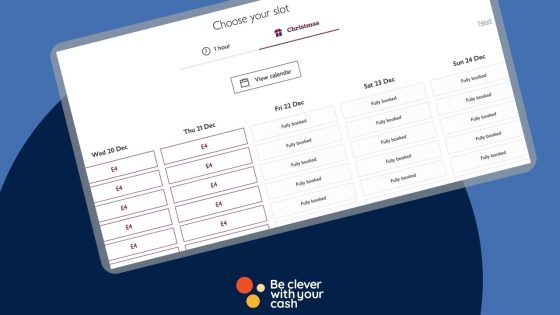
We may not have had Halloween yet, but the supermarkets are already thinking about Christmas! This is the busiest time of the year to get a supermarket delivery, so some supermarkets are already letting you book delivery slots for the festive season.

Here’s which supermarket have confirmed advance booking for Christmas deliveries in 2025, and when we think the rest will follow.

Some articles on the site contain affiliate links, which provide a small commission to help fund our work. However, they won’t affect the price you pay or our editorial independence. Read more here.

Tips to get a Christmas delivery slot in 2025

If you’re planning on hosting this year, make sure to pop the date in your diary and nab the time and date you want your Christmas groceries delivered. And if you do miss out on the slot you want, there’s always collection slots to check out.

In addition, it’s worth remembering that with delivery and collection orders there’s always a risk that they won’t have what you want in stock, so don’t leave it too late for anything you know is essential. In fact, I once booked a collection and there were more than 10 items missing. I popped in-store at the time of collection and found every single item available – it was a frustrating experience. 

With fresh food, you can always buy it earlier and store it in your freezer if the best before or use-by date is sooner than you want to eat it. Here are our tips on the foods you can freeze.

In addition, if you’re prepared to wait to buy your veggies in the final days, a lot of supermarkets reduce their Christmas vegetable prices in the days before Christmas – they could be worth leaving off your delivery.

Don’t forget there are also ways to boost your supermarket spending power at some of the big brands with this savers stamp trick or through buying discounted gift cards.

When can I book a supermarket Christmas delivery slot in 2025?

Confirmed

SupermarketWith Delivery PassAll CustomersAdditional notes
Asda14 October20 October
IcelandN/A6 days ahead of your delivery date
Morrisons1 October10 October
Ocado24 SeptemberTBCSmart Pass customers must have signed up before 1 September
Sainsbury’s16 October23 October
Tesco4 November11 November
Waitrose24 September1 OctoberDelivery Pass customers must have signed up before 1 September

Asda Christmas delivery slots 2025

Confirmed for 2025

Asda has announced that Delivery Pass customers will be able to book a Christmas delivery slot from 14 October, and everyone else from 20 October 2025.

Iceland Christmas delivery slots 2025

Confirmed for 2025

Iceland doesn’t offer super advance bookings, so Christmas delivery slot can be booked six days ahead of your delivery.

Ocado Christmas delivery slots 2025

Confirmed for 2025

Ocado opened its Christmas slots to Smart Pass customers on 24 September, and will be gradually releasing the remaining slots to everyone – although they are not quite saying when this is yet! However it’s only for those who were already Smart Pass members before 1 September this year.

If you are an Ocado Reserved customer, Ocado will be pausing the service between 20–27 December and 31 December–1 January.

Morrisons Christmas delivery slots 2025

Confirmed for 2025

If you have a Morrisons Delivery Pass can book a slot from 1 October. Everyone else needs to wait until 10 October to book a slot.

Sainsbury’s Christmas delivery slots 2025

Confirmed for 2025

If you have a Sainsbury’s Delivery Pass, you’ll be able to book a slot from 16 October. For everyone else it’s 23 October. Sainsbury’s will send an email to customers when they release their slots. Last year it was a week in advance.

Tesco Christmas delivery slots 2025

Confirmed

Christmas delivery slots will be available at Tesco for Delivery Saver customers from 4 November and for all customers from 11 November. You can sign up to Delivery Saver until 3 November for the early access to Christmas delivery slots.

Waitrose Christmas delivery slots 2025

Confirmed

Unlike previous years, Waitrose now offers a delivery saver pass, and these were made available on 24 September 2025. You need to have signed up to this by 1 September 2025 to get access to these advance Christmas slots.

For everyone else it’ll be 1 October 2025.

Your Christmas money checklist

Tips on managing your Christmas budget and getting the best value

Christmas is usually one of the most expensive times of the year. And it tends to creep up on you faster than you think – meaning it’s a good time to start thinking about how much you’ll spend.

In fact, it’s never too late (or early) to get started on your Christmas prep.

Here, we share a Christmas money checklist of the main expenses to help you manage your finances this Christmas season.

We’ve also thrown in some tricks to help you cut costs and make sure you have enough money to cover everything.

Some articles on the site contain affiliate links, which provide a small commission to help fund our work. However, they won’t affect the price you pay or our editorial independence. Read more here.

How to pay for Christmas

This first point on the checklist is possibly one of the most important. Actually it IS the most important. If you don’t know how you’ll pay for Christmas it could cause a world of pain next year.

Decide what you can afford

It’s so easy to overspend, so now is the time to work out not just how much you can afford to spend overall, but also how you want to split that between each individual person and part of Christmas.

To do this, you need to get two figures. First check your bank and savings balances to work out how much money you have now – though don’t assume you can or should put that all to Christmas. There will no doubt be other expenses that need to be covered in the coming months, such as holidays you want to save for. It’s also a really good idea to have an emergency stash for the unexpected costs that always crop up.

Then take a look at how much more you’re going to earn in the run-up. That’s essentially your income each month after taxes, minus your expenses. Again, you might not want to allocate all this extra cash towards Christmas.

Add the existing funds you’ve set aside for Christmas to the money you expect to come in, and the figure left is the budget you have available to spend.

Work out what you want to spend

Next you need to think about what you want to spend. Think about all the aspects that usually come along each year. Obviously there are presents and food to buy, but what about travel, work parties, decorations? We’ve detailed a few of these further down this article.

Then allocate a spending amount to each one. Try to get these as accurate as possible. Once you’ve done that, get a total expected spend.

See where you can spend less

In all likelihood you’ll find this figure is larger than what you’ve budgeted for. In a minute I’ll talk about ways to perhaps find extra cash to help fill the gap. But if that doesn’t work the best option is to find where you can spend less.

That could be mean some hard decisions, but people will not want you getting into debt just to buy more presents or more food.

Talk now to friends and family about the situation (they’ll likely be feeling the pinch too). It could be you agree on price caps for presents, or even decide you’re only going to do a Secret Santa with friend groups rather than everyone buying everyone a separate present.

Look at cheaper ways to borrow

Sadly cutting back is easier said than done for many at Christmas. If you feel it’s not an option for you, and you know you will absolutely spend more than your budget, then at least find cheaper ways to borrow.

With each of these, you should still know how and when you’ll clear the debt next year before you spend. The alternative is the interest and charges will keep adding to the money you borrow, and potentially causing bigger money issues.

So where do you go? Be particularly careful with Buy Now, Pay Later. Though it seems convenient, it’s easy to lose track of how much you owe, and they could tempt you to spend even more than you can afford.

Overdrafts aren’t great either. In fact they could e one of the worst ways to get through Christmas – interest rates are now around 40%. But some banks will offer an interest-free buffer which might help.

You could instead look at a 0% interest purchase credit card. Watch out for interest charges if you don’t clear the balance by the time the promotional zero per cent period ends. You need to know how you’ll repay your spending before that happens.

Or, see if there’s a credit union near you. Though there will be interest charged on your loan it should be one of the most affordable – unlike payday and other high-cost loans!

Can you find a bit of extra cash?

Giving your budget a cash boost is a surefire way to help you cover costs.

Check for forgotten cash

Now is the time to check that you don’t have any money left in your account. It could be Clubcard or Nectar points you’ve accumulated, credit owed from your old energy supplier, or a refund to your John Lewis account. Check out this round-up of places to look for forgotten cash for more.

Get some banking bonuses

One of the best ways to make some easy cash is to switch to a new bank account, with up to £400 on offer. Most of the current deals should pay out just before Christmas, but if not it’ll certainly help when you’re low on funds in the New Year. Here’s my guide to all the latest bank switch offers.

Latest bank switch offers (A-Z)

As of 06/05/2026

Click links for further details and analysis

Apply for a cashback payment card

Many of the welcome bonuses for American Express cards require a heft spend of at least £2,000 in three months, so the next few months can be the best time to get one. And in return you can get up to 5% cashback or extra points worth a few hundred quid.

I always suggest waiting for a boosted offer, though these increased bonuses on the Amex Gold and Platinum cards have just ended, so I don’t know if we’ll see another one this year.

However, remeber you must pay off the balance in full every month to avoid interest charges. If you don’t do this it’s a waste of money.

Here’s our guide to the best cashback and reward credit card offers.

Booking travel

Planning and booking your travel as early as possible can help you save money on your journeys around Christmas time.

Trains

If you know you’re heading to visit family by rail then the earlier you book your tickets the better. Since most trains only let you book 12 weeks in advance, we’re now in the window for both Christmas and New Year.

These go fast, so don’t sit around. Here’s how to make sure you don’t miss out on the cheapest advance tickets.

Flights

Flights are a different matter – and already the cheapest tickets are probably gone. But if you’re still to book, you’ll save money by leaving earlier in December or coming back later in January. Mainly you need to avoid the peak days, though it’s often a bit cheaper to travel on Christmas Day or New Year’s Day.

Cars

Again, book any hire car early. Look on comparison sites for the cheapest prices, and search for any cashback sites, voucher codes and other discounts.

Buying gifts

Probably the biggest expense each Christmas. But if you’re clever with your cash you can get more for your money.

Shop in the sales

Sales will help you get better value. You all know about Black Friday, which seemed to stretch for the whole of November and into December last year. It’s often a very good opportunity to buy presents.

But don’t get caught up in the hype for any sale or promotion – deals aren’t always as they seem. Always shop around and compare prices. Better yet, plan what you’re going to buy well in advance of setting foot in a shop.

Plan for deliveries

Yes, we’re used to online orders reaching us pretty fast, but after Black Friday some warehouses and courier companies struggle to meet the demand. That could mean you have to pay more for guaranteed delivery or need to spend again to replace things that don’t arrive. So the lesson here is simple – don’t leave your Christmas shopping to the last minute!

You can also cut delivery costs with a few tricks, such as ordering to collect in-store, or adding on cheaper items.

Wait for post-Christmas bargains

There are occasions where you’re better off delaying your purchase – even after Christmas day itself! If you’re like me you won’t be able to see everyone before 25 December and end up still visiting people and giving presents right up to New Year’s Eve.

That means you can pick up some gifts – specifically anything Christmassy – for much less if you leave it late. I’ve picked up wrapping paper, chocolates, decorations, novelty jumpers and more at a fraction of the price.

Though the lowest prices will be from Boxing Day onwards, some shops will start discounting this stuff earlier in December.

Buying cards, wrapping and decorations

These are the things that could well get forgotten, so make sure you’ve got them covered to avoid overpaying.

Cards

Ideally you’ll have picked these up in the sales last year. If not, then shop around. Personally, I’d look to get cards directly from charities themselves rather than the big shops as then more of the money goes to the causes.

Or if you really want to save money (and paper), you can create free online cards which can be emailed.

Stamps

A few years back I uncovered the shocking mark-up corner shops are putting on postage stamps.

If you still send Christmas cards, make sure you buy your stamps from authorised retailers. They can’t increase the price.

Wrapping paper

My trick here is to buy plain paper. Whether that’s a blinging gold, bright red, shiny silver or basic brown. The reason? I can use these for other presents throughout the year. They work fine for birthdays, weddings, and pretty much everything.

Decorations

If you still need to buy things for the tree then try to wait as close to Christmas as you can. Everything from baubles to artificial trees is heavily discounted from mid-December. The Christmas a few years ago we picked up a great artificial tree at 50% off on 22 December.

Stock up on next year

Ok, so this is no good for this year, but it’s worth remembering come late December and early January that the biggest savings come not for this Christmas but for the next one. Come the sales you can pick up cards and wrapping paper for next to nothing. Stock up for a fraction of the price.

Buying food & drink

We spend a lot on food and drink over the festive period, but it’s possible to pick up some decent deals.

Book your Christmas delivery slot

Most supermarkets have already opened bookings for Christmas, so if you want a slot you don’t want to leave it much later to secure it. Here’s when each supermarket allows you to book Christmas deliveries.

Boost your budget with Xmas Saver trick

Morrisons, Tesco, Asda and Co-op all run a special boost at Christmas for people who save with them. You can get up to 6%, and you reduce the risks that come with these schemes if you time it right. Here’s what each supermarket is doing.

Plan what you need

If you tend to waste food at Christmas, then the simple answer is to buy less – and this will save you money. Consider who you need to cater for, and work out what you’ll actually need. If you want to make sure you don’t run out then once more get supplies that either have a decent shelf life or can be frozen.

Reduced bargains

Longtime readers and listeners will know I love a good supermarket reduction. And there are very few times for these that are better than Christmas.

That’s because shops will close on Christmas Eve, and might not open again until 27 December. So that’s at least one day, possibly two days, of food that needs to be cleared out.

Of course, supermarkets are on to this and I’m sure there’s definitely less food produced with use by or best before dates of 25 and 26 December.

Even so there are enough bargains to be had as the shops try to clear the shelves. And some of the best bargains are on festive foods. So get some space in your freezer!

Alcohol deals

The supermarkets tend to have a price war on wine, beer and spirits, meaning you can get some low price booze for your celebrations. But these tend to end a few weeks before Christmas. So stock up early. You can keep an eye on the latest deals in our supermarket wine offers round-up.

Money transfer credit cards: can they save you money?

These cards move money from a credit card to a bank account and help you shift non-credit card debts to 0%.

You’re no doubt familiar with 0% purchase or balance transfer credit cards. These can be great options if you need to spread the cost of something really expensive over a few years or to help make it easier to clear card debts.

However, they’re not much help if you’re struggling with things like an overdraft or catalogue debt. The answer instead could be a money transfer credit card.

Some articles on the site contain affiliate links, which provide a small commission to help fund our work. However, they won’t affect the price you pay or our editorial independence. Read more here.

What is a Money Transfer credit card?

Unlike a balance transfer card where the money is moved from one credit card to another, a money transfer card lets you transfer the cash into a bank account of your choice.

You pay a fee for this, typically between 3 and 5%. That means if you transfer £1,000 at 3.99%, you’ll pay £39.90 for the privilege. But compare that to the typical rate of 39.99% you might get charged over a year in an overdraft, you’ll save £359.10.

It’s important you transfer the money to the account you choose and not just use a cash machine. You’ll only have a couple of months to do this.

As long as the card is also a 0% money transfer card you’ll then have a set amount of time to clear the debt from the credit card without any extra interest charges being added on top.

Why you shouldn’t transfer money on a standard credit card

If you aren’t using a specialised money transfer credit card you’ll get hit with all sorts of extra charges. That’s because withdrawing money on a credit card or using it as if it was cash to clear a debt will be regarded as something called a “cash advance”.

The only exception is with a specialist travel credit card like the Barclaycard Reward or Lloyds Ultra card. These allow you to withdraw money from a cash machine without extra fees when you are abroad (though you will be charged interest if you don’t clear the balance). However there are a now quite a few debit cards that’ll let you do withdraw money abroad for free, which might be better options.

Our podcast

Listen to Cash Chats, our award-winning podcast, presented by Steve Alderton and Editor James Andrews.

Episodes every Monday.

How money transfer cards can save you money

Obviously you can use the money for all sorts of spending and debt clearing, but I think these cards are most useful in the following situations.

Clearing your overdraft

So many people treat overdrafts very differently to other debts – they might not even think they’re borrowing money at all.

But changes in recent years mean most overdrafts start charging around 40% in interest, making it one of the more expensive debts available.

There are a handful of 0% overdrafts available, but these are generally just small buffers of £250. And if that’s not enough to cover your overdraft, or you can’t get it, then a money transfer card gives you the option to transfer in money and hopefully wipe out that overdraft.

You still have the same debt to clear but now it’s on a zero percent credit card and you’re not getting charged any interest.

Clearing catalogue debts

Most catalogue debts don’t even come from a catalogue anymore! Instead you’re getting credit to buy straight from a website. Places like Very and JD Williams.

These often start out at 0%, but hit hefty rates if you don’t clear the balance before the 0% period finishes.

It’s worth checking, but most of these services won’t let you clear your balance using a credit card. If that is the case it rules out using a 0% purchase credit card.

If you can use a credit card it does mean you’ll be able to clear the balance to a card without the transfer fee.

But if cards aren’t accepted the Money transfer card is a great alternative. even though you’ll be hit with the fee of around 4%.

Can money transfer cards make you a profit?

Stoozing is where you get the money from somewhere at low or no interest and put it in a savings account to earn interest.

In theory, this is a great hack for those good at keeping track (it’s similar to what I did with some of my student loans in the late 90s). You’re borrowing for free and making money on it.

However don’t forget the transfer fee on these cards is usually between 3 and 5%. And even though interest rates on savings can beat this right now, you’re looking at a very minimal profit.

If you want to learn more, we’ve a guide to how stoozing works.

What to bear in mind

The fee

Unlike 0% purchase cards and some 0% balance transfer cards, all money transfer cards come with a transfer fee. Factor this into the cost and potential savings you’ll make.

The 0% length

If the card is advertised as “up to” x number of months then you might be offered a card with a shorter interest-free period.

The size of the credit limit

There’s also no guarantee you’ll get a limit that’s the same size as your existing debt. You could look at more than one card in this situation, though bear in mind you will need to be credit checked (more on that in a bit).

The size of your debt

On the other hand if your debt is relatively small (perhaps you’ve been working hard to clear it), and at the lower end of overdraft or catalogue interest rates then that transfer fee might not be worth it.

For example, if there’s £200 left on your debt at 19%, and you know you can wipe it out in two months, you’ll pay just under £13 in interest. Meanwhile a card which charges 5% for a transfer will cost £10 in transfer fees. Yes a saving, but possibly not worth it.

How you apply

As with any credit card application, it’s really important you check eligibility first through something called a “soft check”. This will give you an idea of your chances of getting the card in question. More on this here.

How you’ll clear it

You’ll need to at least make minimum payments every month to avoid fees or losing the 0% offer.

Really this monthly amount should be higher than the minimum. You want to aim for the debt to be wiped during the time you’ve got 0%. So £1,000 over 18 months would be £56 a month.

And it’s even better if you pay off more, usually as much as you can each month, and clear it as fast as you can. I’ve written more here about ways to quickly clear credit card debt.

Alternatives to 0% money transfer cards

I mentioned above how a 0% purchase card is better for any big spending you’ve got coming up that you want to spread the cost of, but that’s not your only option.

If you have savings, use those to clear your overdraft, catalogue or other high-cost loans. This option is something many people overlook or are frightened to consider.

So unless you’re earning interest on those savings at a higher rate than the transfer fee, using savings will allow you to avoid the fee, making it a cheaper option.

And if there is an emergency that comes along later, you can look at a 0% purchase or transfer card to help you manage.