

A year ago I received a great deal on my TV, broadband and phone through Sky. It worked out at £10 a month! Well that’s over now so I’ve been researching my different options.
I’ve gone for TalkTalk’s Plus TV deal. After cashback, bonus high street voucher, a 6 month discount and line rental discount, I’ll be paying an average of £22 a month, which is over £200 less than their full price. Plus I’ll have a YouView box to keep after 18 months if I decide to switch again.
If your contract is up soon, here are my tips to make sure you get the best deal.
1. Haggle
The first thing to do is call up your current provider and see what they can offer you. Don’t let them pressure you. Say you need to think about it and get them to call you back. Often there are deals to keep your business, though these are rarely as good as the ones to get new customers.
Sky offered me free internet and half price TV, saving £20 a month, but I decided I could do better elsewhere.
2. Research
Go to a comparison site such as Broadbandchoices.co.uk and enter your postcode. You’ll be able to chose whether you want to compare just phone lines, phone and broadband or both of them and TV. Remember to compare the total price for the year, not the price per month as deals can make that misleading.
3. Cheapest isn’t always best
There are so many cheap broadband and phone line deals out there that it’s worth checking customer service reviews. A few quid extra is probably worth it if you know you’ll get good service.
Watch out for any broadband that has ‘traffic shaping’. This means they’ll cut your speed at busy times of the day.
Likewise, if you don’t stream a lot of TV or download much, you probably don’t need unlimited data. Of course the opposite is true.
4. Do you need TV?
If you’re mainly watching box sets on Netflix or keeping to the standard channels, think about if you really need a TV package.
A year of Sky’s Now TV entertainment service costs £60, and it includes Sky Atlantic. The same basic channels with Sky itself costs over £250. So that’s a pretty good saving. Adding sports and movies will cost even more!
You can see my pick of what’s currently available on Netflix, Amazon Prime and Now TV in our guide to the Best TV you can watch online.
5. Look for cashback and deals
Once you’ve got an idea of the front runners, check out TopCashback and Quidco to see what cashback deals they have. It’s not rare to see over £150 in money back for triple packages.
Many broadband and TV companies also offer high street or supermarket vouchers when you sign up. If you can combine cashback and vouchers, that’s even better!
Then try and time it with a deal that will give you a further discount. Normally these are for the first 6 months or so – don’t get caught about by adverts that make it look like that’s the normal price!
Check terms and conditions to make sure any of these deals are eligible for the package you want.
5. See if you can pay for the line upfront
A final great saving is to pay your line rental upfront for a year. Doing this could save you up to £50. BT and TalkTalk offer this but Sky and Virgin don’t.
The rise of internet touts has made getting a ticket for a gig frustrating AND expensive.
Tickets, even for massive venues, sell out in minutes, and magically appear with hugely inflated prices on secondary sites moments later. Even if the concert doesn’t sell out, tickets aren’t cheap, with the hefty face-value boosted by questionable booking and postage fees. However, you can beat the touts most of time.
Here are my top tips for not just getting a ticket, but getting it as cheap as possible too.
1. Get your ticket before they go on general sale
To cheapest way to get a ticket is to get it before the touts and avoid massive resale fees. Use E-Festivals, Songkick and GetToTheFront, and follow the twitter and email lists of your top acts to know what’s happening and when they go on sale.
You then might be able to grab the tickets before anyone else. Look for presale through fan sites and forums, O2 Priority Tickets or Amex and Mastercard member schemes. If a tour in announced sign up straight away to their mailing list – you might be in time to get a special code.
2. Be ready for when they go on sale
If there’s no presale, you need to be one of the first to try for tickets. These tricks will help.
If the sites require accounts, register and log-in ahead of the ticket release time.
Have more than one browser open at the same time (so Chrome, Safari and Firefox for example) and have different ticket sites open on different tabs in each browser. Use your smart phone, tablet and computer at the same time to give you a better chance of getting through.
And finally, have the pages loaded up well before the published time. Start hitting refresh and keep your fingers crossed.
3. Shop around for the lowest booking fees
Fees are a pain, so if it’s not a hot ticket and not likely to sell out in 2 minutes, shop around.
Booking and delivery fees vary from gig to gig and site to site, so it’s impossible to say which is the best. In the past, I’ve found WeGotTickets and Skiddle have really low fees but few of the big acts.
4. Pay face value when you get them in person
Even better than low fees are no fees, and you can often avoid them if you try the box office in person.
Venues such as the Brixton Academy and the Phones4U Manchester Arena don’t charge any fees if you do this, though you’ll need to pay cash. Stargreen has a free collection service in London, while Tickets-Scotland only charges £1 to collect from their Edinburgh or Glasgow offices (booking fees still apply to both).
5. Be careful of re-selling sites
You can pay through the nose on sites such as Viagogo, StubHub and Get Me In through hidden fees, and I don’t recommend it unless you really want a ticket. If you can leave it to the last minute you can sometimes get a real bargain with people desperate to sell. BE CAREFUL OF ANY SITE YOU’VE NOT HEARD OF – they could well be dodgy.
Fan selling sites such as Scarlet Mist and Twickets keep money away from touts so are worth a punt.
6. Go for free
London’s Rough Trade shops often have free in-store gigs when you buy the band’s new album. Every autumn the iTunes Festival in London gives competition winners entry to 15 gigs by big acts. Pubs around the country have local bands gigging for nothing – they could be the next big thing.
If you’ve the time and don’t mind missing some of the bands, you can register to volunteer as stewards and bar staff at most of the big festivals. You get a ticket in exchange for a couple of shifts. Oxfam handles big ones such as Glastonbury.
Do you find that you’re constantly avoiding sorting out your energy bills? Think it’ll be too much hassle?
Well, it’s actually pretty easy, and could save you hundreds of pounds on your gas and electricity bill for minimal effort.
If you’ve never switched supplier, or had a fix that’s ended, you’re most likely on what’s called a “Standard Variable” – AKA the most expensive – tariff with your utility company. If you think you don’t have the time to look into your bills, or that it’s too complicated to work out, you’re mistaken.
It’ll take you no time at all to find a cheaper deal. Seriously. It’s quick. I’ve literally just done it using the tips below and it took me five minutes. Just five minutes. Ok, I’m a pro at this, but even if you take your time you should be able to sort it in no more than 20 minutes.
And the money you’ll save for this minimal effort? It could easily be hundreds of pounds. I’m paying almost third less than if I’d let my last fix lapse and move onto the variable tariff. That should work out over a year at more than £400 less!
Ok, so I’ve got a large house with high ceilings, and since I’ve gone freelance I’m at home more (and using more energy), so you might not save as much, but it will be close. If you aren’t fixed or you have a fixed tariff that ends soon, I’m confident you’ll be able to save money.
To help you switch with the least pain, I’ve come up with this step-by-step guide. So, stop what you’re doing and make the easiest money of your life!
Find your bills
This is probably the hardest bit! Once you’ve found the unopened post or recovered your long-forgotten log-in details, you’ll be able to see what tariff you’re on and what you’ve been paying.
Go to a comparison site
I like Cheap Energy Club, part of the Martin Lewis empire, as it gives the best results. Some of the others can be a little misleading if you’re half-way through a fix (read my Cheap energy comparison con blogpost for more on this).
All the info you’ll need will be on your bills. To get the most accurate comparison, enter the number of units you’ve used in the last year, rather than the amount you spent.
If this feels like too much hassle (it really shouldn’t) then you could consider an automated switching service at this stage. You put in the details from your bill and you’ll be automatically switched when you can make a saving – though you won’t necessarily be moved to the cheapest option across the whole market. More on these services here.
Take a look at all the options
After the comparison site has finished chugging away, you’ll be presented with quite a few different choices which at first can appear a little confusing.
Check the site is showing you all the deals and in price order (some are paid to put certain companies at the top of the list), then take a look at what’s on offer. Again, I’d really recommend Martin Lewis’s Cheap Energy Club as you don’t have to worry about missing the best deals.
Here’s what you need to consider:
Should you stay or should you go?
Unlike other bills such as broadband and mobile, you won’t be able to haggle yourself a discount, and loyalty doesn’t make the slightest bit of difference.
However, it might not be best to switch. Your current provider might be offering a good price, and you can get yourself moved onto that tariff by giving them a call.
Strangely you might even be able to get paid to fix again with the same company. I’ve done this twice with EDF over the last four years, and once with British Gas, whilst I was under contract, to move to a cheaper deal – and earn cashback on top.
To fix or not to fix
A fix is when you agree a set price per unit for your energy for a fixed period of time. This will normally be cheaper than a variable rate, but not always.
Take a look to see if the fixes have any exit penalties, which are charges if you leave the contract early. If prices do drop significantly (I wish…), you might not be able to move to a cheaper deal. However some suppliers will take on your switching costs, and you can move penalty free 50 days before your fix ends.
And then there’s the question of how long to fix for… I tend to go for 12 months, though if a company offers a longer fix you will likely pay more per unit.
Who supplies your energy doesn’t affect the quality of your gas and electricity, it’s all the same stuff running through your pipes/wires. Even so, apart from what they charge, there are a few other differences.
Decent customer service can sometimes be worth paying a little extra for. I had a nightmare with NPower and I’d never use them again, even if they were the cheapest available.
And if you want to be ethical, green energy will usually cost a little more.
Check for extra savings
You’ll normally get the cheapest price with “dual fuel”, where you get both gas and electricity from the same supplier.
Paying by Direct Debit will normally give a discount, and there could be more savings if you go paperless or opt for a smart meter.
Some comparison sites offer cashback to switch, giving you another £30 or so.
If you have the 123 or 123 Lite account with Santander, you can get cashback on your bill payments too, though there are fees with both accounts. See myarticle on the best current account for cashback on billsfor more information.
Make your decision and wait
Once you’ve decided which one to go for, enter your bank details – you’ll be credit checked – then just wait for it to go through. It will take up to 17 days for the connection to be moved and the savings to start.
You don’t need to let your old company know as the new supplier will do it all for you, though you will need to give a new meter reading.
You might actually pay more or less than the comparison site says as it all depends on how much you use. A cold year will be more expensive, a warm one cheaper. But you’ll still be paying far less than you do right now.
Don’t make one of the common energy switching mistakes
Last year I wrote about some common mistakes people make when they switch energy. It’s all stuff that’s very easy to avoid. Some of it’s been mentioned above, but do take a read of that article too to make sure you’re getting the best possible deal.
Find out the steps to take to get on top of your debts.
Are you worried by your debts? In the latest of my monthly guest posts from subject specialists in my UK Money Bloggers community, I’ve asked Sara from Debt Camel to hopefully make things a little clearer.
Thanks to her 15+ years of volunteering for Citizens Advice, Sara set up her blog and has become a champion for those in debt. In this article she shares the basics you need to cover if your debts are becoming more than you can manage.
You and your debt
Sometimes a debt problem happens if you lose your job or have a business failure, but for many people it’s not so dramatic, things just get a bit worse every month.
Costs go up, your income doesn’t, so the electricity bill gets paid with your credit card. Next month making the minimum payment to your card takes you over your overdraft limit, but payday brings you back down… for a bit…
If this is happening to you, your debts are getting out of control. You may be able to muddle through for a few more months, but each month you are borrowing a bit more. Pretty soon the only new credit you can get will be very expensive – and you don’t want to go near payday loans, logbook loans or guarantor loans.
The sooner you can halt this drift downwards into more debt the better. So here are the practical steps to take:
Look at the debt numbers, even if they are scary
On my website I call this “taking a financial selfie”. You don’t want a beautiful, posed and photo- portrait, you want a record of how things actually are.
Start with those debts – make a list of them all! Not just the credit cards and loans, but also catalogues, car finance, overdrafts, even your mortgage.
Top tip: If you aren’t sure you have a complete list, look at your credit records.
Priority debts are things like mortgage, rent arrears, council tax, utility bills… They are a priority because bad things can happen if you don’t pay them, from losing your home to being sent to prison. The interest rate on that catalogue may be horrible but you won’t get sent to prison if you don’t pay it!
For the non-priority debts, you want to know how much you owe and what the normal monthly repayment is. Add these up – you will need the numbers later.
For the priority debts, you want to note down how much you owe, what the normal monthly repayment is, whether you are behind with any payments (“in arrears”) and if you have already sorted out a repayment plan (£x per month) for these arrears. If you have any priority debt arrears where you don’t have an arrangement in place, you need debt advice on how to deal with them, see below.
Get a first draft of a budget
I suggest you use this budget calculator – it lists things you may have forgotten and converts everything into “months” which is useful if you get some benefits fortnightly or for the once a year bills.
This calculator is mainly aimed at people who need a debt management plan, but don’t worry about that for the moment. Make sure you save them so you can come back to them later.
Top Tip: If you have a partner, get them involved.
There is a bit of knack to putting the numbers in. It’s OK if the figures are rough but not if they are hopelessly optimistic – putting zero in for everything you don’t often spend money on isn’t going to help. Having a look at your bank and credit card statements for the last few months is useful.
At this point you are trying to record what you actually spend, not what you think you ought to. But if you spot you have a standing order that isn’t needed anymore then stopping that is a quick win!
How bad does it look?
So now you have some data, not perfect but good enough to give you an overview. Ignore the details and write down the following five numbers:
income from the calculator
expenses from the calculator – this includes normal monthly payments to priority debts such as rent and council tax. But it excludes any payments to your non-priority debts.
money available for debts – this is income minus expenses.
priority debt repayments – these are any extra payments you have arranged if you are in arrears.
non priority debt payments – the total amount you should be paying each month.
Top tip: if the numbers don’t feel right, you may have missed something out in the budget calculator, or perhaps you put what you spend on food in a week in as the monthly amount?
Now is the money available for debts enough to pay your priority and non-priority debts?
“Caught the problem in time”
If there is enough money to make the debt repayments, you have caught your debt problem in time. Your debts may be uncomfortably large and they may be restricting your lifestyle or stopping you from saving a house deposit, but you don’t yet have a debt crisis.
From here a combination of good budgeting, a few cutbacks and seeing if you can refinance any expensive debts will get your finances back on the road to recovery. Read up about Snowballing – it’s the way to clear your debts as fast as possible and get a great credit record.
“Not quite enough”
If there isn’t enough but it doesn’t seem that far away, then look for improvements to your budget. Fewer takeaways, switch your utilities, cancel the gym membership, change to SIM only when your mobile contract ends … find some ways to save that extra £70 a month. They may be uncomfortable, but the longer you leave it, the worse your position gets.
“Not close at all” – get some debt advice!
If the numbers suggest you are several hundred pounds short, then making a few lifestyle changes probably isn’t going to be enough. Getting some debt advice could really help you here – although there are some “DIY” debt management options, it’s always good to have discussed your situation with an expert first.
Getting debt advice is especially important if any of the following apply:
you have priority debts;
you think your situation may be changing, so you may need a temporary option for a while;
you owe so much you can’t see how you can ever repay it all.
Where to go depends on whether you would prefer face-to-face advice, telephone advice, where you live, whether you are self-employed etc. Check out Debt Help Contacts to see my suggestions – they are all reputable organisations who don’t aim to make money from recommending some debt solutions.
Asda, Morrisons, Tesco, Sainsbury’s, Iceland and Co-op all offer Christmas schemes, and there’s a trick to get the bonus without risking your cash
The idea behind these supermarket savings schemes is to help people gradually save up some money that can be used at Christmas when food bills are usually higher.
As an incentive, some supermarkets offer a small bonus, normally between 2% and 6%. But you can take advantage of a loophole where you can get the full bonus paid out, yet you’d only need to “save” your cash for a day or two.
Here’s how they work, and how to get the best return possible.
Paid advertisement
This article might contain affiliate links, which provide a small commission to help fund the blog. However, they won’t affect the price you pay or the blog’s independence. Read more here.
Why I’m not a fan of Christmas saving stamps
First, these are marketed as alternatives to saving at a bank. Well, any money held in a bank is protected if the bank goes bust. If these supermarkets were to go under or you lost the gift card or voucher once it’s been paid out, you’d lose all your money.
You’ve also got less flexibility of how, when and where you spend your savings via these schemes. They tend to require you to spend your stamps in December, and obviously you can only spend them at one retailer.
Not only does that restrict the supermarket you use, but if you have an emergency you can’t use the money you put into stamps for any other reason. You might also not get change from your vouchers, pushing you to buy things you don’t need to hit the voucher value.
There are other options for people who want to save regularly in the build-up to Christmas, with banks and building societies currently paying rates of up to 6%. You can find the best rates in our summary.
So generally I’d say stay clear. But there is a trick where you can avoid most of the pitfalls but gain the free bonus.
Getting the most out of Christmas bonus schemes
Here’s the cash hack. The bonus on these cards isn’t paid until a set bonus day. So it’s only the amount saved on that date that counts. Plus there’s no requirement to save each week or month to use these schemes.
This means you can instead pay in as much as you can (up to the set limits) just before the scheme closes. Literally on the final day if you want.
Say you put in £120. You’ll then be entitled to the same bonus as someone who’s saved £10 a month since last Christmas.
Until you do this, you should be paying your money into a high-paying current account. So you’ll have earnt money in those accounts too. Double win!
But just make sure you’re aware of the risks and limitations with each card, such as deadlines to spend the money on your supermarket Christmas card.
Paid advertisement
The Christmas saver schemes
We’ve explained each of the main schemes and their deadlines below. But before you try this trick out yourself, do make sure you can spend the amount you save at that supermarket in the time given.
We are talking about small amounts of money unless you buy multiple cards. So it’s only worth the effort if you are shopping at those retailers anyway.
The deadline to add funds onto an Asda Christmas Savings Card is 5pm Sunday, 9 November 2025. The bonus will be applied by 9am on Monday 11 November.
The bonus increases the more you save
£1 bonus when you save between £30 and £79
£3 bonus when you save between £80 and £129
£6 bonus when you save between £130 and £179
£9 bonus when you save between £180 and £229
£12 bonus when you save between £230 and £279
£15 bonus when you save £280 or more (max amount per card)
With this and all the other schemes, those savings are not cumulative. So put £80 on the card and you’ll only get £3, not £1 for the first £70 and another £3 for getting over the £80 threshold.
However, you don’t need to put the money down gradually – you can do it in lump sums. We’ve found that you can put up to £140 in at a time, so you can make two payments to get the full amount available.
The most effective way to do this is to keep your cash in a savings account, and then pay whatever you can afford by 9 November to earn the bonus.
With the highest level (£280) it’s the equivalent of 5.3% extra free. If you only save £79 it’s 1.25% extra.
There’s no limit to how many cards you can have. This could be useful if you’re short of hitting the bottom of a new level. For example, it’s better to have two £30 cards than one with £60.
Also you can use them all year round, not just in December.
BEST VALUE: £280 earns £15 = 5.3% bonus
Paid advertisement
Asda Rewards Cashpot 2025
Asda has an additional Christmas savings scheme for Asda Rewards members.
The Christmas Saver Cashpot is a feature in the Rewards app that works by allowing you to transfer money earned from your regular Asda Cashpot to the Christmas Saver Cashpot. The maximum amount you can transfer is £300 in total.
There are sometimes ways to get additional bonuses into your cashpot, you’ll find these on the homepage when they come along.
You can transfer money into your Christmas Saver Cashpot until 20 November 2025, and you can convert your Christmas Saver Cashpot into vouchers to spend at Asda, in-store or online, from 27 November until 31 December 2025, after which they will expire.
Get the best of our money saving content every week, straight to your inbox
Plus, new TopCashback customers get a high paying £18 welcome offer
Paid advertisement
Co-op Saving Stamps 2025
You buy actual physical stamps with the Co-op scheme. Each stamp costs £1 and you put them in a booklet which you can use at the till whenever you want.
But to get a bonus (£2) you need to have filled a full book, which is 48 stamps. Hand this over at the till and you’ll get £50 knocked off your bill. That’s the equivalent of 4% extra. This bonus is only available in December, though you can use and buy the stamps every month of the year.
There’s no limit to the number of cards you can have, so you can have multiple cards to add stamps to. But make sure you don’t lose your cards as there’s no protection.
So the best option here is to buy 48 stamps just before you want to shop. Stick them all in, then hand it over. As with Morrisons, you will need to spend the full amount. So that’s a shop of £50 or more.
BEST VALUE: £48 earns £2 = 4% bonus
Iceland Bonus Card Christmas boost 2025
This scheme from Iceland runs all year so it isn’t technically a Christmas scheme. You get £1 for every £20 you add to your account, worth 5%. The bonus should be added within 48 hours.
However, once again this year, a Christmas bonus is available. If you hit the savings target of £100 by 11 November, you’ll get a £15 Christmas bonus on top of the standard bonus. You should receive your bonus by 22 November.
You can use the app or pick up a temporary card in Iceland stores, and will be posted a full card once you register online.
It’s a limit of one Bonus Card per customer and there’s a maximum of £1,000 that can be added to your card. Cards expire 24 months after you last use them.
BEST VALUE: £100 earns £15 = 15% bonus
Paid advertisement
Morrisons Christmas Savers 2025
The Morrisons Christmas card is linked to the Morrisons More app. Morrisons Christmas Saver stamps are purchased in-store by asking the cashier to add your chosen amount of digital stamps to your account. You will need to go online to monitor and manage your savings.
The cut-off point to buy stamps is 31 October 2025. The total saved and bonus added will be converted into a voucher to use in-store or online. You have to select on your My Morrisons account how you’d like to get the voucher.
You also can’t get change from a voucher. So if you have a £100 voucher you need to spend £100 or more in a single transaction at the till.
The maximum bonus you can get is £6. It’s calculated as follows
£1 bonus when you save between £49 and £96
£3 bonus when you save between £97 and £145
£4 bonus when you save between £146 and £193
£6 bonus when you save £194
The biggest return is £3 when you spend £97 or £6 when you add £194, gaining you 3%. I’d be wary of adding too much to this card as you need to spend your voucher in a single transaction, and there’s the end of the year deadline to spend it.
BEST VALUE: £97 earns £3 = 3% bonus
Sainsbury’s Christmas Club 2025 (including Argos)
The money you save on the Sainsbury’s Christmas Club card can be used online and in-store at Sainsbury’s and Argos. The bonus is worth 5% on every £50 you save.
The deadline for this one is 1 November 2025. Whatever you have on the card by 11:59 pm that evening will be used to calculate the bonus. There’s a minimum of £50 and a maximum of £500. Here’s how much you’ll get:
Card balance
Bonus Value
£0.00 – £49.99
£0.00
£50 – £99.99
£2.50
£100 – £149.99
£5.00
£150 – £199.99
£7.50
£200 – £249.99
£10.00
£250 – £299.99
£12.50
£300 – £349.99
£15.00
£350 – £399.99
£17.50
£400 – £449.99
£20.00
£450-£499.99
£22.50
£500 and over
£25.00
Paid advertisement
You can only add money to the card in a Sainsbury’s store, both at a normal and self-service checkout.
The bonus will be added to your card by the end of November and you’ll have until the date printed on the card to use it.
BEST VALUE: every £50 earns £2.50 = 5% bonus
Tesco Christmas Saver 2025
The Tesco Christmas Saver 2025 is live so you can start saving now. Here’s how it works.
You’ll need to opt in to switch your usual Clubcard vouchers for Christmas vouchers before 16 October 2025.
To earn a Christmas bonus, you can top-up your Clubcard with money throughout the year via the Tesco app or Clubcard website, up to £360. Just click on the Christmas Savers banner on the app or website and select ‘Top up now’. Bonuses are calculated as follows:
£1.50 bonus when you save between £25 and £49
£3 bonus when you save between £50 and £99
£6 bonus when you save between £100 and £199
£12 bonus when you save £200 to £360
You get the top-ups and any bonuses sent as vouchers in your November Clubcard statement, alongside any Clubcard vouchers you’ve earned. You can then spend them in Tesco online, in-store or on petrol. You can’t boost them with Clubcard partners.
Clubcard vouchers and top-up vouchers are valid for 2 years, and the bonus vouchers are valid for 3 months.
BEST VALUE: £100 earns £6 or £200 earns £12 = 6% bonus
Bonus requirementsTo get the £240 switch offer, you need to complete a full switch with the Current Account Switching Service. Then, within 60 days of your initial switch request, you need to set up two active direct debits, deposit £1,500 into the current account, set up a Santander Regular Saver, and deposit £200 into it.
Regular saver8% (variable) regular savings account. Includes 5% (variable) bonus for 12 months
Existing customers?You can't have held a Santander account on 1 January 2026.
To make sure you don’t miss out, here are the last dates to add money to the schemes for 2025:
Supermarket
Last date to add money
Maximum bonus
Tesco
16 October 2025
6%
Morrisons
31 October 2025
3%
Sainsbury’s
1 November 2025
5%
Asda
9 November 2025
5.3%
Iceland
11 November 2025
15%
Co-op
31 December 2025
4%
Paid advertisement
Are Christmas Saver Schemes worth it?
Christmas savings schemes can be a pretty good way of earning an extra boost on your money, as well as spreading the cost of Christmas a little. However, with the best earning 6%, except Iceland’s 20% for select people, are there better ways to save for Christmas?
One way could be by getting discounted gift cards using an app like JamDoughnut, HyperJar or Airtime or a cashback site like TopCashback. Right now, some of the above supermarkets let you earn up to 5% with JamDoughnut. Of course, some schemes can get you pretty good returns, but only if you save above a certain amount. You could have additional flexibility using discounted gift cards. Plus, if you haven’t used these before, there are additional welcome bonuses available, including £20 from TopCashback or £4 from JamDoughnut.
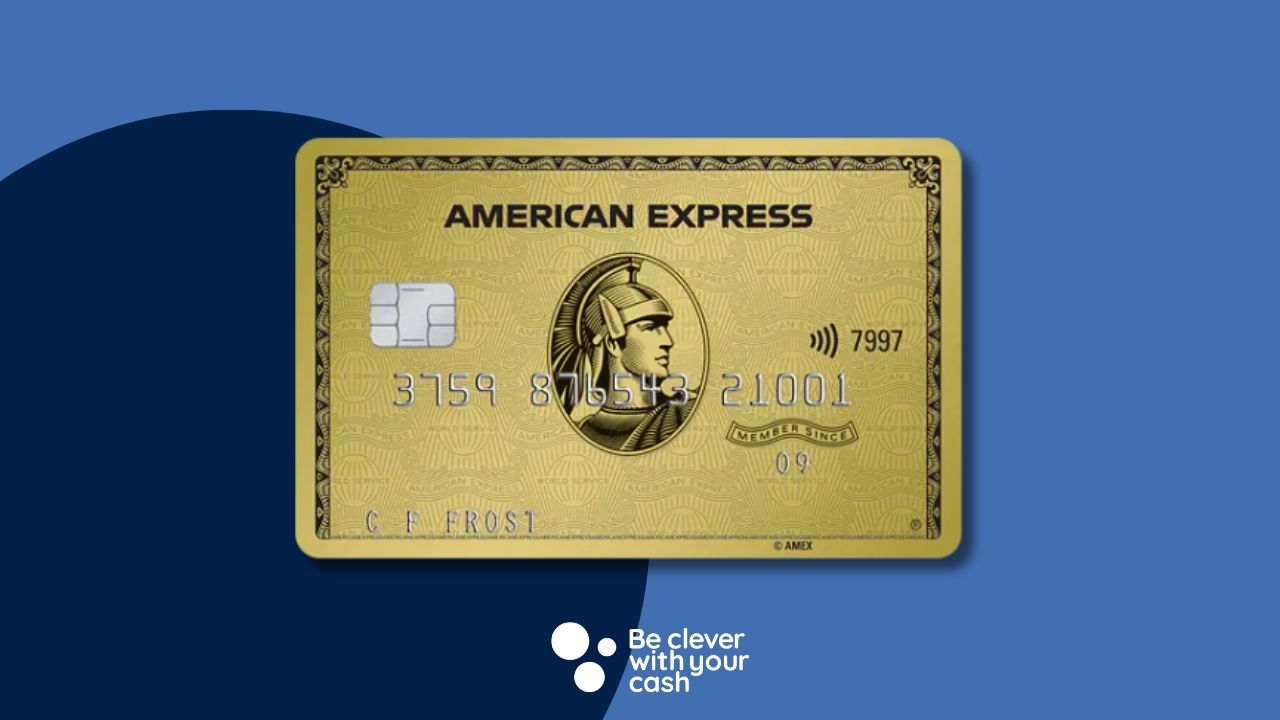
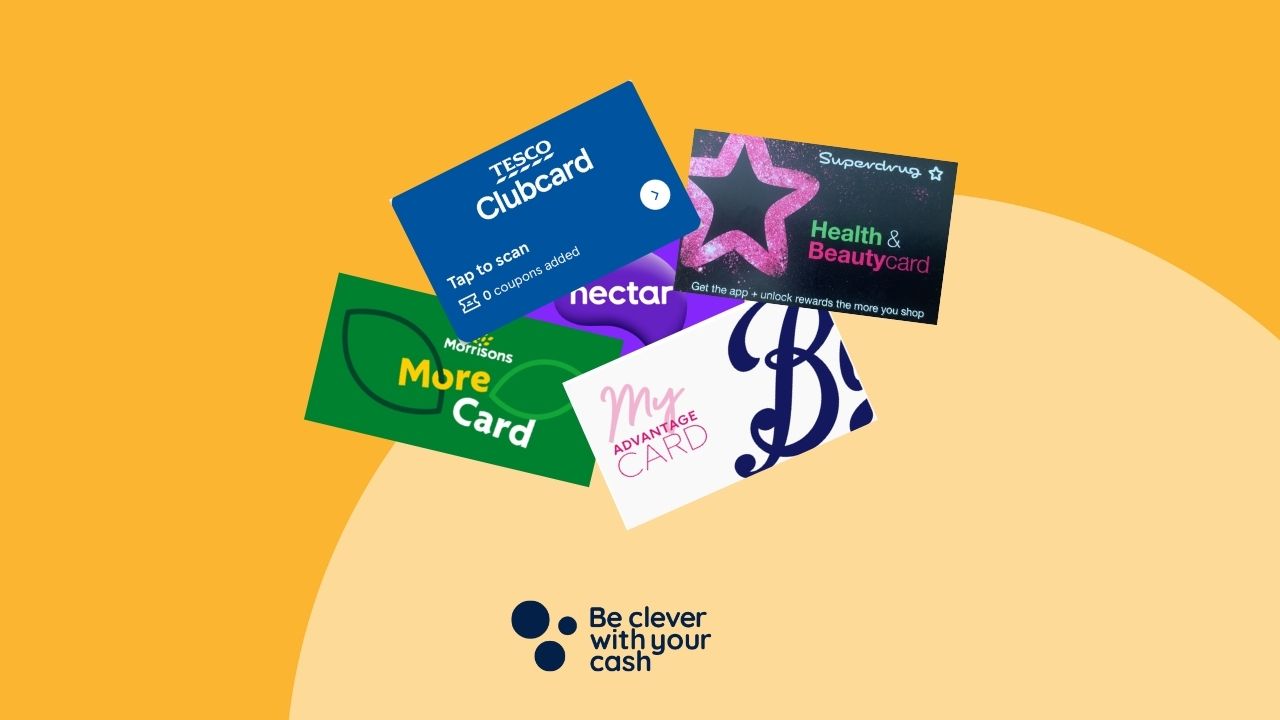
There’s a healthy welcome bonus for the Amex Preferred Rewards Gold credit card, making it one of the most attractive cards at first sight.
Here’s what you need to know about the American Express Gold card, how to hack the point redemption to earn more money and how it compares to other cashback cards.
Some articles on the site contain affiliate links, which provide a small commission to help fund our work. However, they won’t affect the price you pay or our editorial independence. Read more here.
Paid advertisement
How much will you make from the Amex Gold?
Earning Reward points
You earn American Express Membership Reward points rather than cashback. There are different levels when you spend with the Amex Gold Rewards card. You’ll get:
1 point per £1 spent
2 points per £1 spent with airlines or in foreign currencies
3 points per £1 spent at American Express Travel
Personally I’d ignore the double and triple points unless you happen to get the best deal direct with an airline or Amex Travel. It’s better to get a lower price elsewhere even though you’ll earn half the points back. You’ll also be better off using a fee-free card to spend in foreign currencies.
Spending bonuses from 15 October 2025
As well as normal points for spending, you’ll also get additional bonus points triggered by cumulative spending. This is changing from 15 October 2025.
When the new system comes into play, it’ll stagger this bonus so you get 5,000 bonus points for each £10,000 you spend.
The bonus points will be added to your account as soon as you reach the spending threshold. It’s capped at a spend of £20,000 a year meaning the most you could get in a year are 10,500 additional points. Here’s how that works:
Spend
Bonus
CumulativeBonus
£10,000
5,000
5,000
£20,000
5,000
10,000
Of course, the two ways to earn points (point per spend and spending bonus points) stack on top of each other, so the real return has to look at them combined.
If you spend £10,000 (ignoring the welcome bonus which I’ll come back to), you’ll actually get 15,000 points, not 10,000. That’s now an effective cashback rate for the card of 0.75%. You’ll get the same rate if you spend £20,000 in a year.
But if you spend a different amount, the effective cashback rate will be less. Here’s how it’d pan out based on different annual spends with the card.
Annual spend
Points earned
Additional bonus points
Total value as gift card
Equivalent cashback rate
£2,500.00
2,500
0
£12.50
0.5%
£9,999.00
9,999
0
£57.50
0.5%
£10,000.00
10,000
5,000
£75.00
0.75%
£12,500.00
12,500
5,000
£87.50
0.7%
£15,000.00
15,000
5,000
£100.00
0.67%
£19,999
19,999
5,000
£124.50
0.63%
£20,000.00
20,000
10,000
£150.00
0.75%
£25,000.00
25,000
10,000
£175.00
0.7%
So really you’re looking at just 0.5% on this card if you don’t spend more than £10,000., and close to 0.75% if you are on or just over each £5,000 threshold. Only super high spenders above £25,000 will eventually earn less than this.
The new system means you’ll work out the same if you spend annually:
Less than £5,000
£10,000 to £14,999
£20,000 to £24,999
Any other spending level will be worse off, but up to 2,500 points (worth £12.50 as gift cards or Nectar points).
Spending bonuses until 14 October 205
Until mid-October, the system staggers this bonus so you get 2,500 bonus points for each £5,000 you spend. Here’s how that works:
Spend
Bonus
CumulativeBonus
£5,000
2,500
2,500
£10,000
2,500
5,000
£15,000
2,500
7,500
£20,000
2,500
10,000
£25,000
2,500
12,500
Here’s how it pans out based on different annual spends with the card.
Annual spend
Points earned
Additional bonus points
Total value as gift card
Equivalent cashback rate
£2,500.00
2,500
0
£12.50
0.50%
£5,000.00
5,000
2,500
£37.50
0.75%
£7,500.00
7,500
2,500
£50.00
0.67%
£9,999.00
9,999
2,500
£57.50
0.62%
£10,000.00
10,000
5,000
£75.00
0.75%
£12,500.00
12,500
5,000
£87.50
0.70%
£15,000.00
15,000
7,500
£112.50
0.75%
£20,000.00
20,000
10,000
£150.00
0.75%
£25,000.00
25,000
12,500
£187.50
0.75%
Welcome bonus
New American Express customers who haven’t had an Amex in their name in the last 24 months (here’s more on this American Express rule) will get a welcome bonus worth 20,000 Reward Points when they spend £3,000 in the first three months. You have to spend the full £3,000 to get the bonus. Spend even 1p less and you won’t get it.
This would be valued at £100 if converted to a gift card. The bonus is earned alongside the points given for each £1 spent, meaning that the initial £3,000 spend is actually worth £115 when converted at 0.5p.
However, there are also regular boosted bonuses, increasing the welcome points available to 25,000, and sometimes as much as 30,000 or 35,000 (depending on the offer). Unless you really need the card, I’d wait for one of these offers to run. Check our Amex Gold booster offer page to see if there’s an offer like this available right now.
Be aware that getting the American Express Gold card (bonus or not) will rule you out of earning the welcome bonus from the American Express Platinum, one of the only cards that allows a second bonus.
Annual fee and charges
The American Express Gold card is free in the first year. However after this it comes with an annual fee of £195.
I can’t see how it’s worth paying this much when you can swap to a free or much lower fee card and earn a similar amount on your spending.
Get the best of our money saving content every week, straight to your inbox
Plus, new TopCashback customers get a high paying £18 welcome offer

Other Amex Gold perks
£10 Deliveroo credit a month
There’s potentially £120 back in credit for spending at Deliveroo with the American Express Gold card. It’s actually two lots of £5 per month, each requiring a £5 minimum spend. This offer needs to be activated on your card, and won’t apply to any supplementary cards.
Free airport lounge passes
You also get four airport lounge passes each year. These can be used at Priority Pass locations, which can be hit and miss – it all depends on which airport you are at. I’d treat it as a nice to have rather than a reason to get the card.
Exclusive events
This is something previously limited to Platinum card holders. You’ll be able to book on (and pay for) events and exclusive food and drink deals throughout the year. Personally I’ve never used this on any of my Amex cards.
Other cashback offers
Something I love about Amex are the extra offers you can select via the app and your online account. Though these are retailer specific and won’t always be relevant, they’re well worth a look.
What are Amex Reward points worth?
It’s all very well talking about these points, but how do you use them and what are they worth? The former is easy. You can exchange your points as soon as they are paid via the Membership Rewards website.
But the value of the points depends on how you redeem them. They’re worth 0.45p when swapped for bill credit or used on retailer sites. So 1,000 points will be worth £4.50.
That increases to 0.5p (£5 per 1,000 points) when exchanged for a gift card at retailers such as M&S, Amazon, Selfridges and Waterstones, or converted to Nectar points. This means the cashback equivalent is 0.5%.
You can also swap them to your Avios or other airline schemes at a rate of 1:1. Personally I think most people are better off getting a cash value they can use on everyday spending than be restricted to using them as part of a flight loyalty scheme.
If you won’t want to pay the fee from year two onwards, you can cancel your card. If you miss the anniversary and get charged, you may be able to cancel and get a pro-rata refund of the fee, giving you back the money for unused months. However this loophole is due to end at some point.
However closing the card will mean you lose unused Reward points. Fortunately there’s a free Amex Rewards card you can apply for which will protect your balance. Make sure you do this before ditching the American Express Gold card.
Bonus requirementsTo get the £240 switch offer, you need to complete a full switch with the Current Account Switching Service. Then, within 60 days of your initial switch request, you need to set up two active direct debits, deposit £1,500 into the current account, set up a Santander Regular Saver, and deposit £200 into it.
Regular saver8% (variable) regular savings account. Includes 5% (variable) bonus for 12 months
Existing customers?You can't have held a Santander account on 1 January 2026.
When boosted to 30,000 bonus points, along with 3,000 points for the spending (in total the equivalent to £165) is the highest paying welcome offer without a card fee in year one, as long as you can spend £3,000 in three months.
But, as mentioned, having this card rules you out of later applying for a welcome bonus with the Amex Platinum card, which is often boosted to 80,000 points. This won’t be for everyone, but if you think you might do this, then perhaps you’d be better off going for a different Amex first.
Compared to the other cards, the Nectar will earn you the equivalent of £100 in Nectar points, while the Amex Cashback offers up to £125 (5% on the first £2,500). Get either of these and you can still go for the Platinum at a later date.
Everyday spending
The best you’re going to get with this card is between 0.5% and 0.75%. That’s not bad, but it can be beaten. Right now there are a couple of cards which will pay a better rate.
The Amex Nectar pays two Nectar points per £1, which is effectively also 1%. This has a fee in year two, but only £30, so much cheaper than the Amex Gold!
The American Express Cashback card pays 0.75% on spending up to £10,000, then 1.25% for further spending (it resets each year). It also comes with a £25 annual fee, though this can be wiped out in the first year with occasional special offers or a referral code.
Should you get the Amex Preferred Rewards Gold credit card?
Andy’s Analysis
It’s certainly not a bad option for one year, but if you think you will try the second welcome bonus hack for the Amex Platinum card then I’d go for the Nectar or Cashback first instead.
How to get an American Express Preferred Rewards Gold card
Amazon Prime is getting more expensive. It’ll cost an extra £16 if you pay upfront for an annual membership, or £12 more if you pay monthly. Student memberships are also going up in price.
It’s the first increase since 2014, and will mean you’ll pay close to £100 every year to get access to benefits such as free delivery and movie streaming.
It might be possible to beat these increases, depending on how you currently subscribe. I’ve shared how you can do this – and whether there’s an even better way to spend less.
Some articles on the site contain affiliate links, which provide a small commission to help fund our work. However, they won’t affect the price you pay or our editorial independence. Read more here.
Paid advertisement
How much will Amazon Prime cost?
From 15 September 2022 any signups or renewals will be at the new prices. The biggest change will be for the annual subscription, which will go from £79 a year to £95.
If you pay monthly you’ll pay £1 more each month, moving from £7.99 to £8.99. If you pay this way for a year you’ll spend £107.88.
Student prices will increase by slightly larger percentages.. The annual membership changes from £39 to £47.49. while it’s an extra 50p on monthly payments, moving from £3.99 to £3.49
However, it looks like there are no changes to the Amazon Prime Video subscription. This will stay at £5.99 a month.
Membership
Current Price
New Price
Increase
Prime Monthly
£7.99
£8.99
£1 (12.5%)
Prime Annual
£79
£95
£16 (20.25%)
Prime Student Monthly
£3.99
£4.49
50p (12.5%)
Prime Student Annual
£39
£47.49
£8.49 (21.8%)
Prime Video Monthly
£5.99
£5.99
£0
What you get via Amazon Prime
The main benefit people get Prime for is the next day free delivery, but film and TV streaming is another big draw. On top of this is limited free music streaming, a free Kindle book each month and access to extra offers such as the Prime Day sales. Here’s my full review.
Can you beat the Amazon Prime increase?
Not every Amazon Prime member will be able to avoid the new costs, but there are a few different options to either keep it at the same price, or perhaps even pass less over a year.
You definitely want Prime for a year
You currently pay monthly
There’s one very easy way to avoid the increase if you currently pay monthly. Signing up for an annual membership before 15 September will mean you’re locked in at £79 for the next 12 months.
I’d leave this change until as close to the price hike date as possible to ensure you let the £79 pass for as long as you can. It’s easy to do in your Amazon account.
This will save you £28.88 over 12 months versus paying the new £8.99 monthly price.
You currently pay annually
Anyone whose existing annual membership is up before 15 September will automatically renew at the current price
But if your annual subscription ends after this date, you’ll renew at the new full price. So tough luck? Well there might be a trick that could work – but there’s no guarantee.
You could try to cancel just before that date and then see if you can sign up again at £79. However, it’s possible the subscription won’t end on the day you cancel. Instead it could carry on until the initial end date, which might make it hard to sign up again at the lower price. It’s worth a try though.
Bear in mind that it’s unlikely you’ll get a pro-rata refund on unused months, and since the change in price is £16, you’ll only want to consider this option if your membership is due to finish before mid November – otherwise you’ll have effectively have paid the new price anyway.
Though there’s a discount to be had when you pay upfront for a year, it’s only a saving if you use Prime every month. At the existing prices you needed to use Prime 10 months out of the year for the annual membership to be cheaper.
That’s still the case with the new prices when you compare 10 months at £8.99 (£98.89) versus a year upfront (£95). So if you pay for Prime for just nine months of the year (and remember to cancel the months you don’t need it), you’ll pay £89.90 – saving £5.10.
But really you need to compare this new monthly price with the current annual price. Doing this means you’d need to use Amazon nine months of the year for the £79 annual membership to work out cheaper.
Of course, the fewer months you use, the less you’ll pay over a year. And don’t forget you can get a free trial every 12 months, and that can be taken by each adult in the household.
There are also occasional offers to tempt you to sign up again. I’ve seen deals such as 99p for a week and £3.99 for a month quite a few times in the last year.
Get the best of our money saving content every week, straight to your inbox
Plus, new TopCashback customers get a high paying £18 welcome offer
Bonus requirementsTo get the £240 switch offer, you need to complete a full switch with the Current Account Switching Service. Then, within 60 days of your initial switch request, you need to set up two active direct debits, deposit £1,500 into the current account, set up a Santander Regular Saver, and deposit £200 into it.
Regular saver8% (variable) regular savings account. Includes 5% (variable) bonus for 12 months
Existing customers?You can't have held a Santander account on 1 January 2026.
If you only want film and TV streaming, then the £5.99 cost for Prime Video is now even better value. Even if you kept this for a year you’d pay £71.88 -£23 less than an annual full Prime membership.
And since it’s monthly you’ve got the choice to cancel when you’re not watching – or more likely when you’re watching another streaming service.
Finally the best way to beat the price hike, is to ditch it completely. You might think this is impossible, but when I went without Amazon for a whole year, I found everything I wanted to buy available elsewhere for the same price or less – even when delivery was factored in.
And if you do need to shop at Amazon, then there’s free delivery on orders over £20. At worst this means waiting until you have a few things to order and doing it in one go, rather than bit by bit.
Plus you can always sign up for the odd month when you know there’s going to be lots to order – perhaps Prime Day and Black Friday sales, or ahead of Christmas and birthdays.
How to cancel or change your Amazon Prime membership
If you decide you don’t want to carry on paying the full price then it’s actually very easy to cancel your membership. It’s the same process if you want to change your type of membership.
On the top right of the screen (desktop), selected the “Account & Lists” dropdown menu.
Go to “Your account”
Then select “Your Prime Membership”
Change your subscription under “Manage Membership”
Choose either to cancel your membership or select “See more plans” to see other options
Amazon’s member’s only sale is back this month, but can you actually save any money?
As with Black Friday, there’s quite a frenzy when it comes to Amazon’s Prime Day sale. There are often an awful lot of offers in just about every category, with a lot of them seeming to have huge discounts so it’s easy to buy things that you don’t really need.
This isn’t necessarily a bad thing if you can afford it and will use the things you buy. But, despite the discount advertised, you may actually be getting a bargain? We’ve taken a look at some of the offers from last year to find out if Prime Day is just a deception.
Some articles on the site contain affiliate links, which provide a small commission to help fund our work. However, they won’t affect the price you pay or our editorial independence. Read more here.
Paid advertisement
What is Prime Day?
Amazon Prime Day is an annual sale to celebrate Amazon’s birthday, although they’ve started to sneak another into October. It’s only for customers signed up to Amazon Prime. This comes at a cost: £95 for a year, £8.99 a month or newbies can take out a 30-day free trial.
This year, Prime Day is on 16 and 17 July. Offers will go live from midnight and run for 48 hours.
There will be some deals across both days as well as “Lightening” offers that will come and go. There will also be a few early offers in the days leading up to the sale.
How good are Prime Day deals?
There are two parts to Prime Day offers. The first are extra savings and offers, such as an extra £5 off here, or £10 credit there. These can really help bring down prices, but over the last few years there haven’t been too many of these. That could well change in 2024, and we’ll let you know on our Amazon Deals page if they do.
The other part, and the bulk of the offers you’ll see are discounted items. And there are thousands of these. I’ve taken a look at some of last year’s best offers and reached out to both the Be Clever With Your Cash and our sister site Smart Money People‘s teams to find out some of the (so-called) bargains they’ve blagged. I’ve used the price comparison site CamelCamelCamel to work out which of them got a great deal, which ones went down to the same prices eventually and who got fobbed off.
A quick caveat: CamelCamelCamel’s price history doesn’t include Prime Day or Lightning Deal prices. This means that there’s a chance that lower prices have occurred. Even so, the site gives us a good indication of the usual selling prices. More on CamelCamelCamel further down.
Prime Day 2023 offers analysed
When we asked colleagues for some items they’d bought on Amazon last year for Prime Day, it turned out none of us at Be Clever With Your Cash had bought a single item during Prime Day last year. Seeing as we’re all dedicated bargain hunters, that says a lot. But some of our colleagues at Smart Money People did shop in the sale, so here’s how their purchases rate.
Echo Pop
Prime Day Price: £29.00
Lowest price since: £17.99
Price now: £44.99
The consensus: she missed out on a great deal
Sara at Smart Money People bought herself an Echo Pop on Prime Day last year. The smart speaker costs £44.99 at the time of writing. Sara nabbed it for £29.99 in the sale, reckoning that she saved about £20 on the purchase. Since this was a new product it was a hefty discount.
But just three months later, the Echo Pop was selling for just £17.99 — she could have saved herself £11 more if she’d waited.
Anker Powerbank
Prime Day Price: £19.99
Lowest price since: £27.99 (11 months later)
Price now: £27.99
The consensus: lowest price all year
Another item Sara picked up on Prime Day was an Anker Powerbank for £19.99, reckoning she’d saved herself about £10 on it. The power bank is being sold for £27.99 right now and that’s also the lowest price it’s been since. So she managed to grab herself the lowest price on that item all year.
Garmin Venu watch
Prime Day Price: £259.99
Lowest price since: £244.99 (5 months later)
Price now: No longer available. It was £369.99 before removal but is now available at many retailers for £249
The consensus: a fair price
Sophie, Senior Insight Analyst at Smart Money People bought herself a Garmin 2S last year on Prime Day at £53.44 less than the advertised price, spending £259.99.
The CamelCamelCamel graph below suggests that she picked up a huge saving with the same watch costing far more for most of the last 12 months.
However, that dotted line shows Amazon didn’t actually sell it that often after Prime Day, which suggests it was a stock clearance price rather than a special deal. In fact the S3 was released soon after.
An alternative colour did keep selling though, often between £260 and £300, so while her watch wasn’t really available from Amazon at the listed £310 price, it looks like it was a decent price at the time.
Ultrasport F-Bike
Prime Day Price: £79.99
Lowest price since: £99.99 (2 months later)
Price now: Unavailable – was £100.99 before it was pulled
The consensus: a decent deal
A friend of mine, Jen bought herself an UltraSport F-Bike on Prime Day last year. The Bike was £133.99 at the time and was reduced to £79.99 on Prime Day. This was the lowest price on this item since 2016. It was never reduced as far as this before it was removed from Amazon, so Jen got herself a pretty good price.
Apple Airpods
Prime Day Price: £169.99
Lowest price since: £149.99 (8 months later)
Price now: £169.99
The consensus: the price went down anyway
One of the top advertised deals for Prime Day last year were these Apple Airpods. They were £189.99 before Prime Day and you could get them for £169.99 on Prime Day — not a bad deal, but if you tried to buy them today, they’re selling at Apple’s new retail price of £169.99, so the price was going to go down eventually anyway.
There was a brief time when they were £149.99, which could have saved you an extra £20 on them, but this was eight months after the Prime Day price.
But remember that technology has new upgrades all the time – the 3rd Generation pair are still the latest ones, but there’s likely to be a 4th Generation set out soon.
Barbie DreamPlane
Prime Day Price: £52.99
Lowest price since: £39.79 (1 month later)
Price now: £65.99
The consensus: you could’ve saved more by waiting
Another deal heavily advertised by Amazon last year was this Barbie DreamPlane, a toy that would’ve been on the top of my Birthday wishlist as a kid! This was sold on Prime Day last year for £52.99, down from £74.39 — a £21.40 saving on the original price — surely Amazon didn’t go lower than that.
Just a month later, the Barbie DreamPlane was up for £39.79, so waiting just a little longer would’ve saved you an extra £13.20.
Get the best of our money saving content every week, straight to your inbox
Plus, new TopCashback customers get a high paying £18 welcome offer
Other items
Here are some of the items we analysed for this, including whisky, an IPL Hair Removal Device and the Shark vacuum.
While it’s easy to get sucked in by some great-looking prices, last year’s big deals weren’t always the best prices offered, with a lot of items getting reduced further just a few months later for Black Friday.
It’s always frustrating when something is cheaper in a subsequent sale, and Amazon doesn’t appear to be offering partial refunds if something you bought goes down just days later (as it does over Black Friday).
Saying that, most of these prices were pretty strong at the time, so if you need an item now it could be a good time to buy. So on this basis, I’d say Prime Day deals can be fairly decent.
Of course, that’s only if you’re not buying items on a whim. This whole sale is designed to get you to part with your cash so be wary of any impluse spending.
And you should still do some quick research into whether you have a good price. Importantly, don’t trust the RRP — these are rarely the real selling prices. Instead, use price history to see what your real discount is — more on this below. Essentially, you’re looking for:
a discount bigger than the usual selling price
items that are rarely discounted
something which isn’t about to be replaced by a newer version – bigger discounts could be on the way
a price you’re happy to pay
something you actually want and need
Our podcast
Listen to Cash Chats, our award-winning podcast, presented by Steve Alderton and Editor James Andrews.
In a lot of cases with the above items, the prices dropped again on Black Friday, sometimes further. Amazon has recently started to throw an extra Prime Day into October, with Black Friday deals too. Prices will likely be pretty similar on core Amazon devices.
Ultimately, if you see something on Prime Day at a price you are happy to pay, it probably makes sense to pick it up rather than wait. While there’s a chance you’ll miss out on a few quid, there’s also the risk that the item won’t be reduced in November!
How to find the best prices
As you’ll see from the graphs above, there are tools to help you work out whether a deal really is a deal. Here are our best picks of what you can use.
Check price history
The strangely named CamelCamelCamel is what we’ve used for the price history charts. It’s essential for helping to work out whether you’re likely to see a further drop.
You can also use it to set price alerts for when items hit a level you want to pay, though as mentioned, it doesn’t include Lightning Deals or Prime Day prices, which is a shame.
Though the Prime Day prices will only be available to Prime members (remember you can get a free trial if you aren’t already, or sign up for one month at £8.99), other retailers might match prices or even offer their own deals to try to get some money spent with them rather than with the US giant.
It’s worth using Idealo, Price Spy or even just Google Shopping to see how much the item is selling for elsewhere. And don’t forget to see if you can stack other codes and savings on top!
Beat others to Lightning Deals
A lot of the offers you’ll see will be Lightning Deals with a limited quantity and limited time to grab them. Amazon obviously want to rush you into buying these offers, but there are ways to get the product in your basket before everyone else and still have time to check price history.
2024 Prime Day deals
We regularly update our Amazon Deals page with all the top offers we spot, both ahead of the day and once the sale kicks off.
There are already some early bird offers that are worth checking out.
Get 2-4-1 cinema tickets, free e-books and more from The Times’s digital membership, Times+.
When you subscribe to The Times you not only get to read the digital version of the newspaper (which is usually behind a paywall), but also access to its reward programme Times+.
At full price I think it’s too much, but if you can take advantage of the special trial offers that run throughout the year you’ll be able to get access to some great savings.
Some articles on the site contain affiliate links, which provide a small commission to help fund our work. However, they won’t affect the price you pay or our editorial independence. Read more here.
Paid advertisement
Times subscription deals and trials
The standard trial is one month free, but throughout the year there’s often a three months for £3 deal which is far better waiting for. Occasionally you can also get a month free trial. I’ll share the best deal below.
Times+: one month free trial
The usual offer is a one month free trial. Start the offer in the middle of a month and you’ll be able to claim the monthly freebies twice! Just remember to cancel (more on this below).
This deal appeared via a pop up, so I’m not sure how long it’ll last! You’ll pay just £1 a month for the first thee months. Make sure you check the offer is showing when you click the link, in case it has changed.
Bonus requirementsTo get the £240 switch offer, you need to complete a full switch with the Current Account Switching Service. Then, within 60 days of your initial switch request, you need to set up two active direct debits, deposit £1,500 into the current account, set up a Santander Regular Saver, and deposit £200 into it.
Regular saver8% (variable) regular savings account. Includes 5% (variable) bonus for 12 months
Existing customers?You can't have held a Santander account on 1 January 2026.
Every month a select title is available to download, sometimes two. This used to be Kindle books via Amazon but has now moved to a different service called Glose. You can read the titles via apps for iOS and Android.
Fee audio book every month
You also get a selected audio book for free from Glose.
Get the best of our money saving content every week, straight to your inbox
Plus, new TopCashback customers get a high paying £18 welcome offer
Cancelling Times Plus
This can be a bit of a pain as you have to phone up to cancel your trial and they will try very hard to persuade you to stay. The last time I did this it took 15 minutes! But if you have your phone on speakerphone you can do this while you’re doing something else!
Also, it’s important to do this early. I call up at least two weeks before the trial ends to make sure no early charges are made.
Get the best of our money saving content every week, straight to your inbox, and exclusive £18 TopCashback bonus.
Join more than 100,000 other subscribers to get our weekly newsletter.
Get the best of our money saving content every week, straight to your inbox
Plus, new TopCashback customers get a high paying £18 welcome offer