
How to reduce food waste & save money

You’re practically throwing money away when you chuck out perfectly good food.

Most food waste at home can be avoided, whether that’s food chucked out because it’s gone off or we’ve cooked too much. And if you can reduce your waste you’ll also be saving a ton of cash.

Some articles on the site contain affiliate links, which provide a small commission to help fund our work. However, they won’t affect the price you pay or our editorial independence. Read more here.

Don’t buy more than you need

A simple place to start is to buy less food. Here are the key ways to do this.

Plan what you want to eat

How often do you just head to the supermarket and decide what you’re going to buy as you walk the aisles? The danger here is you buy ingredients that are hard to use in a single meal but won’t fit into meals later in the week.

The way around this is to plan your meals and snacks before you reach the supermarket. You can do this weekly or even daily – whatever works for you.

Write a shopping list

Once you’ve got a plan, make a list of what you need for those meals and when you’re shopping, whether online or in an actual shop, stick to that list. This’ll stop you from buying more items that you probably don’t need and possibly won’t use.

Be wary of big packs and multi-buy offers

Often (though not always), you’ll find it cheaper to buy bigger packs of items or if you buy a couple of packs. The problem is you’re only saving money if you actually use everything. Sometimes you’re better off buying a smaller box or bag at a higher price.

Know what you already have

We’ve probably all done this – you’re at the supermarket and you pick up some of the regulars. Maybe it’s milk or some veg. The things you always buy and always use. But when you get home you realise you’ve already got these items.

That’s not a problem with things like toothpaste or tins of beans, but it could be a problem for anything fresh.

A simple way to avoid this is to take a photo of your fridge and maybe any relevant cupboards before you go to the supermarket.

Don’t cook what you can’t eat

Again, the food preparation and cooking can lead to a huge amount of waste.

Measure the amount you’ll need

Following recipes will really help here, but if you’re used to measuring out quantities by eye, for example with rice, potatoes or pasta, then do some research and even weigh out the amounts you’ll actually eat. If you find these levels are too much or too little, then adjust this and make a note so you don’t forget next time you cook the same thing.

Use more of what you buy

There are certain foods where we’ll use a key part but throw out the rest. But if could be you’re chucking out perfectly good grub. Take broccoli stalks, potato skins or the bits of chicken under the carcuss. And you can use the bones from meat for broth or stock too.

Batch cook

There is an alternative to cooking less, and that’s to cook more than you need with the intention of using it later in the week or freezing. This not only saves time as you don’t have to cook again, but it can also use up more ingredients. Handy if you have bought multipacks or have things which could go off soon.

Eat your leftovers

If you do cook too much and perhaps there’s not enough for a full meal another day, don’t just chuck it in the bin. You might be able to combine it with other things, perhaps whack it in a sandwich or salad.

The best deals

Find our picks of the best offers in our dedicated deals library

Avoid food going off

Know how food dates work

Something that people often get confused about is the date on packs. There are two key dates: use by and best before.

Use by should be consumed before the date on the pack, especially when it comes to things like fresh meat and fish. You’ve got more wiggle room with dairy – use your eyes and nose to sense if it’s off or not.

But best before dates are fine to keep even if that has expired. At worst you’ll find the quality or taste might not be optimum, but they are safe to eat (as long as they’re stored properly). In fact there are websites which sell items already past best before dates for a low price.

Many supermarkets are removing dates on fruit and veg, so just keep an eye on everything after you buy it to make sure it doesn’t go off.

Don’t open a new pack until you need it

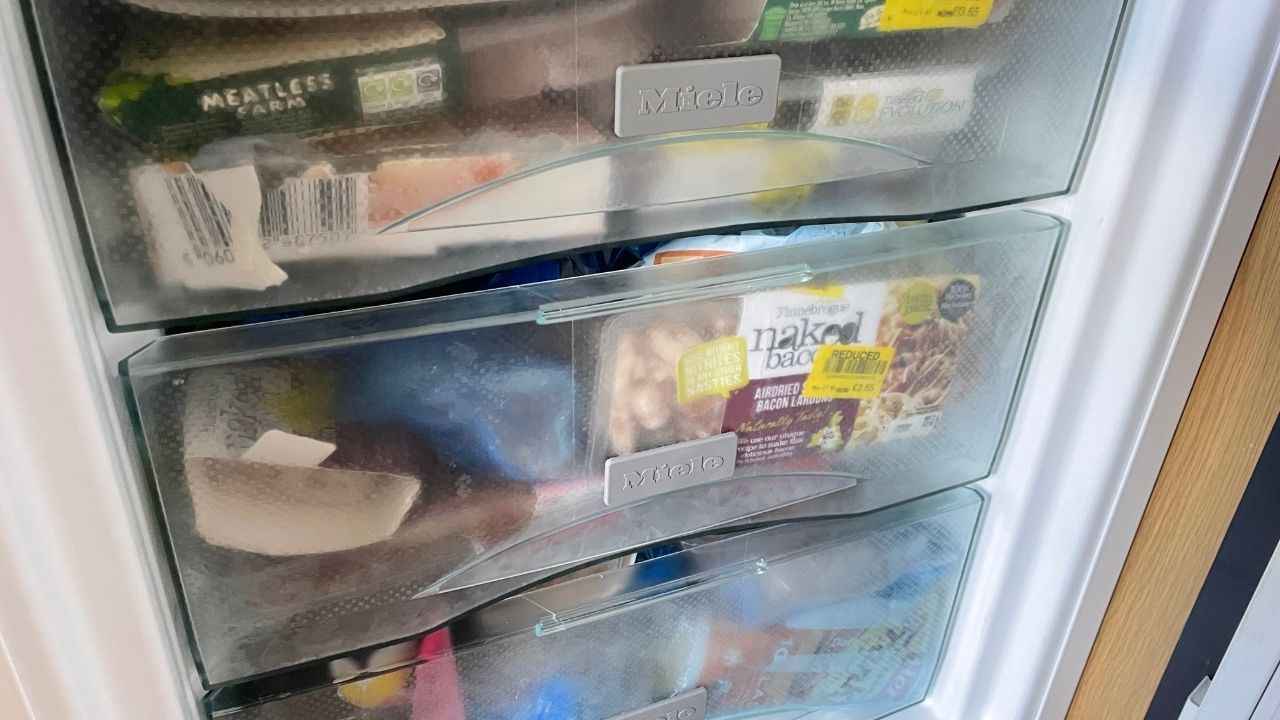
If you want something to last longer, then don’t open it until you’re going to use it. My friend recently send me a photo of his mother-in-law’s freezer, including three open loaves of bread, two open bottles of milk and two open cream cheese packs.

One way to help avoid this is to put the items with better dates at the back of the fridge or cupboard, and the ones already open or the ones with sooner dates at the front.

Use your freezer

Freezers are fantastic ways to preserve leftovers and half-used ingredients, including many you might not think you can freeze. And of course they help you store items that are reduced to clear that you don’t have time to eat.

If you want to maximise the space in your freezer you can take things out of packs, while labelling what you’ve frozen and when can be a huge help too.

Store things properly

Covering or closing open items, or moving them into airtight containers, can help prolong the life of food and drink. You should also check the temperature of your fridge is at 5 degrees or less – too warm and it could spoil.

Donate to a food bank

If you have food that you know you won’t use, and as long as they have a decent expiration date, then donate it to a food bank.

How to get the best value hotel rooms

Seven steps to find the best price on hotels, motels and resorts.

On most of my holidays, it’s accommodation which is the biggest expense each day. But this article isn’t about finding the cheapest possible hotel room.

Don’t get me wrong. I’m not someone who goes for luxury suites or top-end resorts. But I don’t want the most basic either.

Though I don’t usually spend a huge amount of time in these rooms, I want somewhere I’ll be able to get a decent night’s sleep and have a decent shower. Somewhere at least nice. And location can be important too, especially on short trips. And these things can all add to the cost of a room.

So how do I bring down the price? Here’s what I do to get the best possible value when staying in hotels – giving me more money to spend on the rest of the trip.

Some articles on the site contain affiliate links, which provide a small commission to help fund our work. However, they won’t affect the price you pay or our editorial independence. Read more here.

Step 1: See what accommodation is available

With any trip I make I’ll first look on booking.com. I find it has a decent range of hotel and B&B options at (usually) competitive prices. It’s also a bit better than other websites at sorting and refining searches with filters such as guest ratings. It’s not perfect, but it does the job.

However, not all hotels are on Booking. com. I’ll generally search for apartments on AirBnb I’ve used this site a lot, especially in the USA, where hotels can be crazily expensive, and even in the UK. Don’t ignore traditional B&Bs either, they can often be far better value than hotels in some destinations.

I’m a fan too of Travelodge and Premier Inn and these often can only be booked direct. They do what they say they will and are usually good value for money. Though as with everything right now, I’m finding them not as cheap as they used to be.

Step 2: Check the reviews and details

Of course, the price isn’t my only consideration. So I always browse through the reviews and check TripAdvisor too.

You can’t trust all the comments, but you’ll hopefully get an idea of potential problems – and a sense of whether the hotel is worth the listed price.

Also, take a look at the small print. Often there’s extra to cover tax or resort fees. Find out if Wi-Fi is included, and if you are paying for a breakfast you don’t really want.

The best deals

Find our picks of the best offers in our dedicated deals library

Step 3: Find the cheapest price

Once I’ve found a couple of options I’ll quickly search hotel comparison site Kayak. It will tell you the rate for your hotel across a dozen or so websites, including other big booking sites like Expedia. It’s a great start to see what’s available and a quick way to spot savings.

It’s always worth checking directly with the hotel too – they might have extra discounts if you book with them as it means they’re not paying any commission on the sale.

Another option I’ve looked at but never booked is as a “secret hotel” on sites like Lastminute.com or Priceline. With these promotions, you don’t actually know the hotel until you’ve booked, and as a result, you pay less. You can usually work out which hotel you’ll get with a bit of investigating – i.e. cut and paste the description into Google and see what comes up!

Step 4: Check for free cancellation

Now you’ve found where you want to stay, find out if any of the websites list it with free cancellation. This is a huge factor for me when choosing a hotel. It means that if I change my plans or find a better deal (potentially for the same hotel), I’ve got the flexibility to cancel and rebook. 

However, there are often discounts for non-cancellable rooms, so if you’re confident that you’re not going to need to cancel then it’s possibly not worth it.  

Step 5: Bring the price down even more

Booking. com, Expedia and a few others offer extra discounts if you’re registered with them, so it’s worth signing up just for these discounts. Or there are loyalty schemes such as the one with Hotels.com where you earn a free stay after booking 10 nights.

Then I’ll always try to book a hotel through a cashback site such as TopCashback and Quidco (get a welcome offer here). Rates usually range from 2% or 3% up to 10%.

Though I often get emailed voucher codes for sites such as Expedia and Hotels, I usually find the cashback rates are better. However, it’s worth remembering that voucher codes are guaranteed savings, while cashback might not track.

Step 6: Get more from your booking

Once I’ve decided where I’ll stay and made the booking, I’ll let the hotel know if I’m celebrating something special. On our honeymoon, we were upgraded a few times and given little freebies like a bottle of fizz and a cake from Magnolia Bakery. We also got a few extra perks on our first wedding anniversary. It’s always worth asking.

Step 7: Pick how you pay for the hotel

With many of these websites, you’ll usually pay when you get to the hotel – and if you’re abroad how you do this makes a big difference to the price you pay.

I’ve written an article about how to get the best value when you spend overseas, but the headlines are: always pay in the local currency, and try to pay with a specialist card such the Halifax Clarity credit card or the Starling current account. This will get you the best exchange rates.

Of course, if you’re given the option to pay upfront, you might want to do this – especially if you want to guarantee how much you pay.

Your forgotten cash and where to find it

From unused Oyster cards to old bank accounts you could have some handy spare cash ready to claim.

I spotted an advert on the tube the other year from Nandos – revealing there were 1.8 million unclaimed rewards sitting on Nando’s cards. That’s a lot of chicken. But I wasn’t that surprised. It’s just another example of forgotten cash and rewards that we really should be using.

So this got me thinking – where else could people forgot they’ve got some money? Here’s a quick list of places to check, and how to make sure that money is going to better use.

Some articles on the site contain affiliate links, which provide a small commission to help fund our work. However, they won’t affect the price you pay or our editorial independence. Read more here.

Cashback sites

Regular readers will know I’m an advocate of using cashback sites to earn a little extra. By using Quidco or Topcashback as the first stop before going to most online shops you can receive money back on your purchase. Really easy.

But the cashback does take a while to be paid out. So if you’ve not used your account for a while, it’s worth looking to see if there’s anything ready to cash out.

Bank rewards

There are quite a few current accounts with extra rewards, from £5 a month from Halifax through to cashback on bills from Santander. If these aren’t your main accounts it might be those payments are stacking up, so transfer them through to your main current account or a savings account.

Old savings accounts

I remember a good few years back I found an old Post Office book that has been set up by my gran. There wasn’t much in it, but it has just been sitting there.

Similarly, a while back Becky had a letter from Virgin Money saying she hadn’t been in touch for a while. Turned out it had been four years and there was £4.41 of interest which had been added after she’d cleared the balance.

So take a look through your records. See if there are any accounts you’ve long forgotten – there could be cash lurking!

Auto-savings apps

Similarly, if you use Plum, Chip or the roundup feature with banks such as Starling and Lloyds then you could have squirrelled cash away bit by bit. Unless it’s the 5% bonus interest on roundups in Chase Bank, I’d move this money through to a better paying account or spend it.

Credit in online shops

With some online retailers, you’ll be refunded in credit which stays on your account, particularly if you’ve paid by gift card or voucher. So log in to Amazon, John Lewis and the rest to see if there’s any money sitting there. You can’t transfer this out to your bank, but you can use it.

Gift cards

Speaking of gift cards, take a look in your wallet, drawer or wherever you keep them. These are so commonly forgotten about that when found they’ve expired and all the money lost. Hopefully it’s not too late for any you have. Here are my rules for making sure you don’t waste your gift cards

Loyalty schemes

If you’re always tapping a loyalty card when you go shopping, log in to see how much you have racked up.

Tesco Clubcard points are usually posted as vouchers, but you can reorder any which you’ve lost or exchange them online for boosted deals.

With Nectar you need to check your account. You can spend these in Sainsbury’s direct from your Nectar card.

And don’t forget the rest – there could be a free coffee, donougt or chicken sitting at the back of your wallet.

A Nando’s advert on the tube telling us to use our rewards points.

Old phone, TV or energy accounts

When you switch supplier to get a better deal, make sure you aren’t owed any cash. Often with bills like these you pay in advance so could well be due some money back – and the companies won’t automatically send it to you. So chase it up!

Oyster cards

Remember when you needed an Oyster card to get around London? Since we’ve been able to tap and go with Contactless cards on London’s tubes and buses, we’ve had no use for the official payment cards. So these cards have just been sitting there.

I had a quick look a few years ago and both Becky and I had a little bit of cash on our old cards. Just a few quid. A couple of clicks to cancel and apply for a refund then brought a welcome surprise. We were also due an extra £5 back. Each. We’d both forgotten that when we got the Oysters we had to pay this as a deposit.

Prepaid cards

It’s not just Oyster where you could have some balance left over. Have you ever had a prepaid card? Maybe on holiday? Check what the balance is and get that money back. And as with Oyster see if you had to put a deposit down.

Cheaper alternatives to Sky TV and Virgin Media

How do you watch TV if you don’t pay for Sky? Here are the ways you can watch the same and new content elsewhere and save money.

My post on why it was time to ditch Sky and Virgin TV subscriptions is always really popular, and I’ve had lots of questions about the cheaper alternative ways to watch TV. So here’s a little more detail on your options.

You might think that by dropping Sky, Virgin and other pay TV services you’ll miss out on some of the channels you enjoy. Well, you can actually get most of them elsewhere – and for less money

Some articles on the site contain affiliate links, which provide a small commission to help fund our work. However, they won’t affect the price you pay or our editorial independence. Read more here.

Image showing TV with Roku homescreen

Entertainment and film channels

First up, let’s cover the channels you might be watching right now via Sky or Virgin as you’re probably most concerned about these channels – from BBC One through to Sky Atlantic.

NOW Entertainment

This is the main way to get your core Sky channels for less. You get to pick and choose which elements you sign up for. So a monthly entertainment pass will cost £9.99 a month, while the Hayu reality TV pass is £4.99 a month.

I really only the Entertainment pass, but I never pay full price. In fact I’m often able to get passes for a fraction of the price.

Channels on the Entertainment Pass include Sky Max, Sky Atlantic, Sky Crime and Sky Comedy. You can also get UKTV channels such as Gold and all the box sets for those channels.

I’ve written in more detail about NOW TV here, including the ways to get it for less.

Now Sky Cinema

All the Sky Cinema channels are available on a separate pass from NOW. Passes also cost £9.99 a month, though as with the Entertainment pass there are deals to bring the price down which I’ll share on this page here.

Freeview and Freesat

Most channels you watch are probably free to air, which means even if you are watching them via Sky or cable they aren’t part of the monthly fee – and you can continue to watch them without paying a penny.

Freeview needs an external aerial and Freesat requires a satellite connection. As long as you’ve got one of these (and the box/TV to receive the signal) you’ll get free access to hundreds of channels including the most popular ones – BBC, ITV and Channel 4 – and favourites such as Dave and The Food Network. Here’s a full list.

You can still record these free channels with the right box. This box is £169.99 at the moment. Spread that cost over three years (though it’ll probably last longer) and it works out at £4.72 a month. I think it’s worth paying this vs sticking with Sky.

If you only have access to TV via the internet then Virgin Media, BT and Sky now (or soon will) offer cheaper devices that let you watch free channels – though you’ll still need broadband with those companies.

iPlayer, All 4, ITVX and My5

There’s an amazing back catalogue of free TV to watch on these services. Really, it’s huge.

Often you can watch programmes that are also on the likes of Netflix and Amazon, except on iPlayer and the others it won’t cost you a thing. You can also watch the channels live and download programmes to your phone for offline viewing.

Discovery+

Discovery+ is an option for some other channels you’d normally get on Sky such as Discovery, Animal Planet and TLC – though the likes of HGTV, Quest and Food Network are also on Freeview. It costs £3.99 a month to get access.

Sports channels

A big draw for people with Sky and BT is often the ability to watch sport, but you can get access to these channels on a monthly basis – and without the need for a long contract.

NOW Sky Sports

Once more NOW TV is your option to watch Sky’s sports channels, and you can get all the sports ones. The big difference here to the other NOW TV passes is this is live viewing only – there’s no on-demand.

Passes are available for the day (£14.99) and month (£34.99), while there’s also sometimes a mobile phone only option.

Again there are always deals to cut the price you pay, and we’ve got a special page devoted to NOW TV Sports Pass offers.

TNT Sports (formally BT Sport)

TNT Sports has a monthly pass at £30.99 a month. This means you don’t need to have any other service with BT or to sign up to a long contract – though you will have to cancel to stop the subscription rolling over to a new month.

Our podcast

Listen to Cash Chats, our award-winning podcast, presented by Steve Alderton and Editor James Andrews.

Episodes every Monday.

Other streaming services

These are the pay subscriptions that give you extra content you can’t get with Sky, Virgin or Freeview – and chances are you’ve already signed up for one or two.

Often these are extra costs on top, so signing up for these might be as well as some of the more direct Virgin and Sky replacements – though personally I’d always suggest you sign up as an alternative, then mix and match, rather than have them as well.

Netflix

There’s a lot of very good original and old TV on Netflix, as well as award-winning movies that appear here just weeks after the first cinema showings. It’s my top pick if you’re only going to get one service as there’s always something to watch.

It starts at £4.99 for the ‘Standard with ads’ option, though the most popular option is £10.99 which gives you HD quality and the ability for two people to watch on different devices at the same time. The top level £17.99 tier upgrades to Ultra HD and allows four simultaneous uses of the account. There are occasionally deals and discounts.

Amazon Prime Video

If you’re a frequent Amazon shopper then there’s a good chance you’ve got this. A full year at £95 which works out slightly cheaper than the standard £8.99 a month price.

If you don’t want the extra Amazon Prime features like free next day delivery you can get a video-only subscription for £5.99 a month. Don’t forget there’s a 30-day free trial for new customers.

There’s still decent exclusive TV and movies here so you’ll likely find something new.

Andy’s YouTube

Watch new videos every week on the Andy Clever Cash channel, plus a regular live Q&A

Apple TV+

There’s only new and original TV shows on Apple’s entry to the streaming service. It costs £8.99 a month, though there are often deals to get a few months for free – even if you’ve had the service before. In fact, since it launched, I’ve not paid a penny but had access for almost two years!

Disney+

Disney+ has three tiers to choose from. Standard with ads for £4.99 per month, Standard for £8.99 per month or £89.90 per year and Premium for £12.99 per month or £129.90 per year, though there are ways to pay less.

Big shows include new TV based around Star Wars and Marvel, as well as have a back catalogue of the MCU, Pixar and Disney movies and TV like the Simpsons and The Walking Dead.

The rest

There are so many other streaming services you could go for. I’ve shared the best deals here, but these include:

  • Britbox
  • Starzplay
  • Mubi
    Paramount+
  • BFI Player

My TV set up and savings

I haven’t had a TV subscription from the likes of Sky or Virgin since early 2014, but I’ve still been able to watch channels such as Sky Atlantic, Fox and Sky One (more on this below).

My total on NOW TV in the last year has been just £61. That’s about 10 months of entertainment and Boost, two of Cinema and four of sports. I’m not saying you’d be able to get these deals (or that I would again), but these have been some cracking savings.

I don’t have Apple TV+ right now but I’ve got a voucher for four months free which I’ll activate soon, on top of the free five months I had earlier in the year. I also managed to get a year’s free Prime Video and three months free Disney+ via O2. I’m about to cancel the latter and only pick it up occasionally.

My Freeview is via a six-year-old YouView box, which I got for free with a previous broadband contract from BT so I’m not paying anything there.

So this means I’ll likely have spent around £153 this year on a huge range of TV services. That’s just £12.75 a month on average. 

Compared to the basic TV Sky package that’s easily half of what I’d be paying, if not much, much more.

Working out which services are for you

Do a channel audit

Before making your choice about the services to pay for you need to do a channel audit.

Think about what you actually watch, and whether you’re actually bothered about those channels. Most people will be fine with Freeview the majority of the time, adding on one or two pay subscriptions to boost viewing options.

The TV Tapas method

Of course, there’s the chance that the more of the premium services you sign up for the less you’ll save vs the price you were paying for Sky.

And consider how much time you actually have for TV viewing. Realistically you won’t be able to fully take advantage of all the services at the same time.

I’d recommend a “tapas style” approach where you pick and mix over the year, rather than gorging all at once on more than you can possibly manage.

For example, you could get Netflix for a couple of months and binge the shows you want to watch there.

Once you’ve exhausted the shows, or fancy a change you can then switch to NOW TV for a month or so.

Then perhaps have a break where you focus on programmes you missed on iPlayer and then back to Netflix. Or any combination!

How to watch without a Sky or Virgin box

Most modern TVs are “smart TVs” and come with apps for many of these online services. But chances are it won’t have them all.

So you’ll need to invest in a relatively cheap streaming stick like an Amazon Fire Stick or Roku which plugs into an empty HDMI socket on your TV and connects wirelessly to the internet. You’ll usually need a power supply too.

Virgin Money M Plus current account: is it any good?

You’ll get up to 2.02% interest on savings, plus a freebies if you switch.

Virgin Money launched its new current account in late 2019, based on the B account from Clydesdale Bank. It has some attractive features such as high interest and fee-free spending overseas, but they’ve not been enough to get me to open an account.

But since late 2020 it got a lot more tempting, offering freebies and discounts to entice customers.

Here’s how the account and offers work and my thoughts on whether it’s worth it. Plus my video takes you through some of the features on the app.

Is the Virgin Money M Plus current account any good?

Let’s take a look at each key feature:

The interest on savings

At 2.02% this is the highest paying easy access account for savings at the moment (by a smidge) so it’s certainly worth considering.

There are a few restrictions. The largest is you will only earn interest on balances up to £1,000. Anything over this will get 0%. That works out as £20.20 in interest a year. Not a huge amount but better than what you’ll get elsewhere.

The linked savings account where you can put further money pays 2.02% on the first £25,000. This is variable but it can be beaten elsewhere. You have the option in this account to set up any number of savings pots within this account, all earning interest. This helps you split your savings out for different goals, such as an emergency fund or holiday.

The switching incentives

*Update 3 October 22 – There’s currently no switching offer from Virgin Money *

Unlike other banks, Virgin Money doesn’t offer cash. Instead it rotates between one or a combination of

  • 20,000 Virgin Red points
  • Free wine
  • A Virgin Experiences voucher
  • Boosted interest rates
  • A charitable donation

I’ve written in full about the latest switching offer.

The Virgin discounts

Virgin Money is calling this new part of the offer “Brighter Money Bundles” – and it’s available to all Virgin Money Current Account customers – not just new switchers.

The main offer right now seems to be up to £225 off a Virgin Media package. It’s only for new Virgin Media customers and you have to commit to an 18 month contract and pay a £35 set up fee.

The Virgin Media offers listed at launch can be seen here.

I’ve clicked through to see the offers and prices and it does look like prices are slightly lower than going direct to Virgin Media each month, plus there’s between £50 and £100 bill credit on top. It’s worth checking what you can get via a cashback site though for a proper comparison.

There aren’t any other offers listed right now, but it seems they’ll favour Virgin brands such as the gyms, airline and wine.

Fee free spending abroad

Though we can’t really travel right now, this is a really good feature you only see on Starling or Monzo and some credit cards (though Monzo and some credit cards have restrictions on cash withdrawals).

The app

The app positions itself along the lines of the other challenger bank offerings, with savings pots, budgeting features and the ability to tag and track transactions.

You can also deposit a cheque with your phone and it’s compatible with Apple Pay and Google Pay.

But there are plenty of features it doesn’t have, including some of the extras you’ll get with Starling and Monzo such as round-ups, PIN reveal or the ability to freeze your card.

Should you open a Virgin Money M Plus account?

Let’s start with the good things.

The 2.02% interest is decent as is the linked 1.71% account, especially if you’ve already had the Nationwide FlexDirect account for more than a year. You can’t beat it in an easy access account right now.

If you don’t have a Chase, Starling or Monzo account then it will also be useful for overseas spending.

Both of these make it a decent option, and the switching deal is worth considering. However, if you are going to switch bank I think there are other options you should consider first. In terms of bonuses, I’d go for one which pays cash. You can see the list of the latest ones here.

Then if you’re after a bank to help you budget I’d look at Starling or Monzo.

Our podcast

Listen to Cash Chats, our award-winning podcast, presented by Steve Alderton and Editor James Andrews.

Episodes every Monday.

How to switch to Virgin Money

As with other bank switches you’ll need to open a new account with Virgin Money and then use its website to detail which bank account from a different bank you are switching over. Virgin Money will carry out a credit check.

You will have to close this old account completely as part of the switch, but all your money and future payments in and out will be transferred over. This is guaranteed as part of the Current Account Switching Service. You can read more about how bank switching works here.

Chip app autosave fees could cost you £41 a year

With automatic saves, can this app help you put money away?

One of the best savings apps over the years has been Chip. A smart autosave feature and often decent interest rates have meant I’ve often been a big fan.

Note often, not always. That’s because it feels like every few months the proposition (and charges) change. Sometimes it’s free, sometimes it’s not, and in recent years there’s been a move to focus on investments over savings.

And the latest revamp means it (once again) won’t be free to use the auto-saving feature. In fact, it’s never been so expensive!

So is it worth getting or sticking with the app to boost your savings?

Some articles on the site contain affiliate links, which provide a small commission to help fund our work. However, they won’t affect the price you pay or our editorial independence. Read more here.

What is Chip?

Chip is an automated saving app for your phone or tablet. It analyses your current account and works out how much you can afford to save – and then does it for you by moving the money to a separate account.

It also offers a savings rate of 1.1% AER or a Prize Savings Account with the chance to win up to £20,000.

There are also an increasing number of investment features, though this article is focused just on savings.

How much does Chip cost?

One issue I have with Chip is how frequently they change the cost of using the app. Sometimes it’s free, sometimes you have to pay.

Currently there’s a free tier called “Chip”, which is all you need to access the savings accounts and features. This is the focus of the review.

There’s an additional paid tier called “ChipX” (at £5 every 28 days) which adds investing functionality.

Auto save charges

Rather than make users pay a monthly charge for the entry-level Chip tier (which has happened in the past) there are going to be charges from 12 October 2022 for using different features – including autosaves.

New savings fees

These new charges begin on 12 October 2022

  • 25p per recurring save
  • 45p per auto-save

New withdrawal charges

  • Two free withdrawals per calendar month
  • £1 per withdrawal after this

Are the new charges worth paying?

Andy’s Analysis

I’m disappointed Chip has added charges for using autosaves (again). I get that the app needs to make money, and they can’t offer loss leading products. But it’s ridiculously expensive.

An autosave happens every four days. So unless you turn them off or pause them, they will happen 7 times a month or 91 times a year. At 45p per autosave, you’ll pay £3.15 a month or £40.95 a year.

That’s far more than you’ll have paid for this feature on the pre-2022 model. And it’s something no one should be paying especially since the exact same function is available for free via the Plum app.

You’ll also need to be careful if you do use Chip not to withdraw your money more than twice a month, otherwise you’ll get hit with a hefty £1 fee.

How does Chip help you save?

Chip offers a handful of features to boost how much of your money goes into savings.

Autosaves

I really love the “big idea” behind Chip. With automated savings, the app’s “AI” (artificial intelligence – don’t worry it’s not Terminator) algorithm analyses your spending habits, and based on what goes in and out of your account (along with general data about all its users) Chip will suggest an amount you can afford to save each week.

The amount will vary depending on how much money you have in your account and how often you spend it. It could be just a few quid, or a decent chunk. In theory, you shouldn’t really notice that the money has gone.

This is great for those who always plan to save but never get around to it. The autosaves can quickly add up.

But with a 45p charge for each autosave you’re really wasting cash for using the feature. However, if you want to learn more, keep reading.

How often does Chip save money?

By default Chip will suggest savings for you every four days. You can pause auto-saves for a week, two weeks or a custom date up to three months away. 

It can take up to three working days for your money to reach the linked account.

How to cancel autosaves

You have until 3pm to choose to stop this payment if you wish. If you’re happy with the suggested amount you don’t need do anything and the money will automatically be sent to your Chip account.

How much can you save with Chip?

Chip says the average is £20. There are five levels of auto-saves, with one being the lowest. By default, you’re at level 3, but it’s easy to switch between them in the app. 

Overdraft savings

I’m not a fan of this feature which allows you to move money from your overdraft into Chip. If you do this you’ll likely end up paying huge overdraft fees. Personally I’d avoid activating it.

Minimum balances

This is a handy cap you can put so that Chip won’t every take money out of your connected bank account past a certain balance. This can ensure you don’t ever go overdrawn or not have enough cash for other payments.

Splitting your autosaves

You have the option to choose how much of your autosaves goes into each savings account or goal (more on these later). So you could put 80% into the main savings account, but 20% into another.

Recurring Saves

This feature lets you choose when you move a set amount over. It can be weekly, fortnightly, every four weeks or monthly.

It’s basically a standing order – but one that charges you 25p for each transfer. So you’d be better off just setting these up with your bank for free, and moving the money to one of the best paying savings accounts.

Savings goals

The savings goals feature is useful in helping you identify what you’re saving for, and track your progress against the targets you set.

You can enter a name, date and amount to help motivate you to keep saving. You can have as many as you want, and allocate how much of your autosaves goes to each goal. 

The app then shows you how realistic it is to achieve your savings target by certain dates in the calendar when you’re choosing your savings deadline. Once you set a savings goal, Chip lets you know whether you’re on track to hit your target.

The money isn’t held in separate pots for these goals (as you would with Starling or Monzo). It’ll still sit in whichever account you’ve chosen for your money.

Save streaks

The more you save without cancelling a transfer or withdrawing cash the longer your savings streak will be. In theory, this keeps you motivated to keep on saving, though I doubt you’ll pay much attention.

Chip’s savings accounts

The money you auto or manually save to Chip sits in one of the connected accounts.

There’s the Instant Access saver, which can pay a decent rate – you can see the latest one in our savings best buy tables.

Alternatively, you can put your money in the Prize Saver account. There’s no interest here but you might win a prize between £10 and £10,000. Here’s my full analysis.

Is Chip any good for savings?

The autosave feature is great, but not at 45p per save. There’s no point paying 25p for the recurring saves either.

That leaves it just as an account to maximise earnings on savings. Does it perform? In the past Chip has offered high-interest rates, but the ones currently on offer can be beaten.

Alternatives to Chip

I’d use Plum for autosavings without a charge, and simply set up standing orders for regular payments for savings. Meanwhile Monzo and Starling let you create goals within their “Pots” or “Spaces” features.

For higher interest savings rates, check out my latest best buys.

What you should be asking for this Christmas

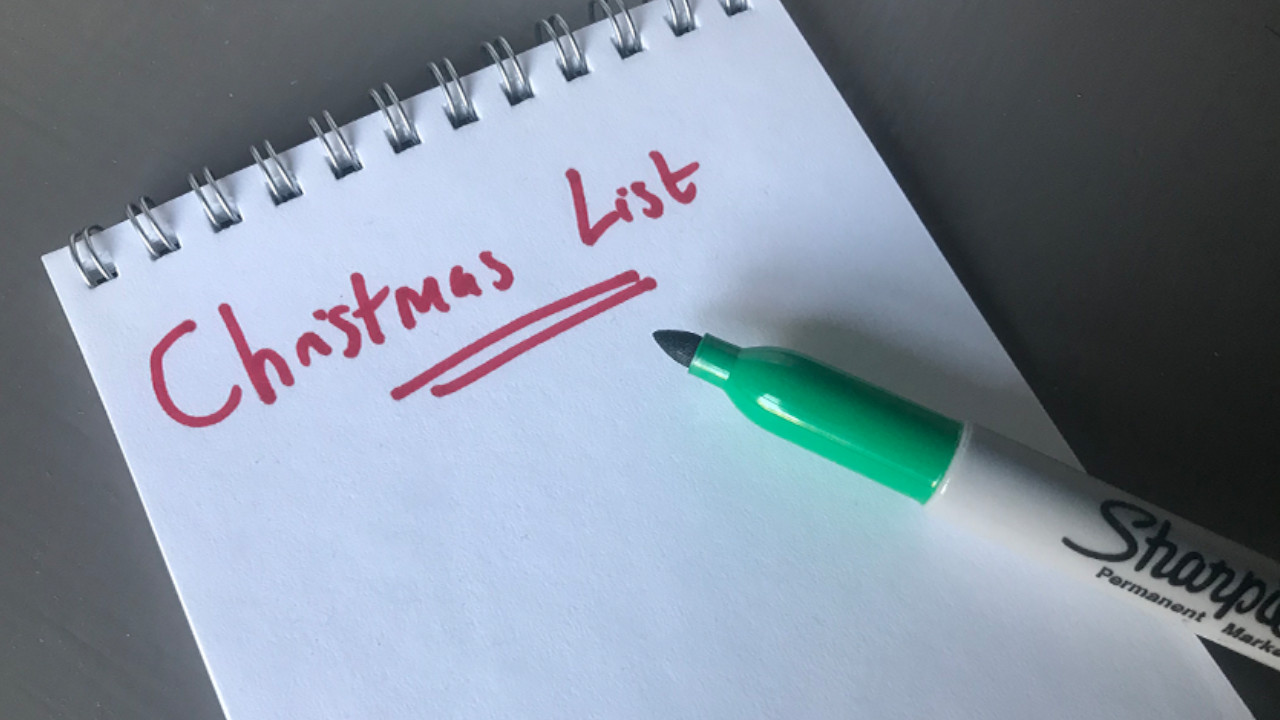
If you’ve got family and friends asking what you want this Christmas and you’re struggling for ideas I’m here to help.

This isn’t one of those gift list guides that crop up everywhere from glossies to blogs. They’re often just lists of overpriced items the writer has been sent for free. Rarely of much use!

No, this is a very simple trick to not just give you a little bit of inspiration, but also help you spend less money on yourself throughout next year.
ask for christmas

Some articles on the site contain affiliate links, which provide a small commission to help fund our work. However, they won’t affect the price you pay or our editorial independence. Read more here.

My struggle for gift ideas

I know lots of people never really know what to say when asked what they want for Christmas – myself included.

It’s not that I don’t ever need anything, it’s just that I always buy what I want or need when I need it. Or for expensive things I tend to save up until I’ve enough cash, and then get it. So come December, my Christmas List is usually non-existent.

It really frustrates my family and I sometimes end up being given gifts which, being really honest, can be hit and miss. I’ve got to take most of the blame here. If I could just name what I want, it could avoid all this waste. But year after year I’ve struggled for ideas.

But a few years ago my friend Michelle said something which was a revelation. As soon as she mentioned it, I couldn’t believe just how obvious it was. I suddenly realised I hadn’t ever properly thought about what I really needed.

If someone asks what I would like, I’ve always thought about what I need at this moment in time. And that’s why I’ve struggled.

But the answer is to think beyond “right now”. Think about everything you frequently pay for throughout the year. 

What you should be asking for

Of course, if there is something else you’ve had your eye on but not been able to afford, or haven’t got around to buying yet, then that’s the perfect thing to ask for. But if not…?

Consider every regular cost you have. These are the things you actually need. These are where money spent on a present for you is going to actually be well spent. And they can still be nice things.

But there is a limit – I wouldn’t ask for money towards your other bills like energy or broadband. If you’re really struggling to make ends meet then there are different conversations that need to be had – perhaps a present amnesty so you don’t have to spend cash you don’t have.

Anyway, here are a few things you could be asking for.

The things you always buy

Ok, yes you might already get socks from your mum at Christmas, but what else do you need to resupply on? These are the things you will need, even if not at this moment.

Cosmetics and toiletries are top options here. You will get through a number of these through the year and they can often be expensive. So asking for one or two of them is a good bet.

Booze is another good one, as with most there isn’t a best before date you need to keep an eye on. This means there’s no problem getting them at Christmas for much later in the year.

Your subscriptions and memberships

There will also be many more expenses which aren’t things you buy in a shop.

Subscriptions for a start. If you pay for Netflix or Spotify every month, then why not ask someone to pay for it for a few months? Could someone buy you Amazon Prime for a year?

And if you’d be happy for someone to buy you Netflix, even the TV Licence could be a gift. It might seem weird, but think about it. You get all the tv and radio channels, as well as the website. That’s not really any different than asking for a DVD or CD.

Do you have any memberships, perhaps to the National Trust or Picturehouse Cinemas? Again, perfect gifts. Even if the renewal date isn’t for a few months, you can still ask for money towards it.

If you go to any classes, clubs or activities, see if someone will buy a batch of them for you. Services are another area you could ask for as gifts. Think haircuts or massages.

Activities and events

One of my go-to ideas for gifts is money towards a gig, or cash towards a special meal out. If you can name the actual concert or restaurant that’ll help the gift giver feel like the money won’t fritter away.

You could even crowdsource among different family members. I did this for my 40th, and this helped fund a trip to double Michelin star restaurant L’Enclume.

Services that free up your time

You could push this idea further still. If you pay for a cleaner or gardener, ask for a contribution towards these costs. That might feel like it’s taking this idea too far.

But the main reason people pay for these is to free up time to spend with their family. So it’s really a gift of time that is being given. I think that’s actually a top present.

Money vs gift cards

You probably could cover some of these expenses with gift cards – but I’d argue you’d be better off asking for money and making it clear how it will be spent.

With gift cards there’s always the risk that you’ll forget you’ve got them or lose them. Or, as we see year after year, if a shop goes under there’s no guarantee you’ll be able to use any cards you’ve still not spent.

Dealing with people who don’t like these ideas

These aren’t perfect solutions. For one thing, you can’t really wrap most of these, except cosmetics or booze. And this could be an issue for some gift-givers.

There’s often a reluctance to hand over money as a present. And even if someone is willing to do that, how often have you had people buy you little extras just so there’s something to unwrap?

It always annoys me when someone says “It’s the thought that counts”. No. I completely disagree. That’s only true if a gift is truly well-intentioned but falls short. Yet even then I’d argue it would be better to not buy something than buy a gift someone doesn’t want.

And I hate waste. Yes there’s the environmental impact of unwanted gifts, which shouldn’t be forgotten, but I really, really hate wasted money – whether that’s my money or someone else’s. And I hate it even more if it can be avoided.

So if you’re happy to receive the above suggestions as gifts then stick to your guns. Explain how they’ll help you throughout the year. Share why the service, subscription or club are important to you. Tell them why you don’t need little extras you won’t use. Hopefully they’ll happily accept your gift request.

If not, it’s the gift giver who needs to think about why they are buying you something in the first place. If they then decide to just buy you something else there’s little you can do.

Yes, sometimes a surprise gift can be spot on, and that’s fantastic. But let’s face it, it’s usually hit and miss.

Our podcast

Listen to Cash Chats, our award-winning podcast, presented by Steve Alderton and Editor James Andrews.

Episodes every Monday.
If you really don’t want or need anything

If you don’t feel these ideas work for you, then a final suggestion is one where the thought really does count. You could instead ask for a donation to a charity of your choice. I think you’ll agree it’s a far better option than getting a gift that ends up in the bin.

Finally, if you’re still to buy gifts, make sure you ask people what they want. If they’re struggling for ideas, maybe share this article with them – it could be the inspiration they need.

Beat the Virgin Media price hikes

Use the increases to cut what you pay.

I feel like there’s a broadband, mobile and TV price increase every few months… and the latest is from Virgin Media. Letters and emails are being sent to customers detailing increases to bills in March.

Usually those in a utility contract are tied in and have no choice but to pay the extra cash. The good news is that’s not the case if you’re with Virgin Media. Depending on what services you use, you might actually be able to ditch your contract and save money.

Here’s what you need to know.

Some articles on the site contain affiliate links, which provide a small commission to help fund our work. However, they won’t affect the price you pay or our editorial independence. Read more here.

How much Virgin Media prices are going up

From 1 March this year, most Virgin Media customers will see an increase to their monthly bills. The average increase will be £4.70 a month, or £56.40 a year.

It’ll apply to broadband, phone and TV customers. There’s a separate increase on 1 April for Virgin Mobile customers.

Exactly how much more you’ll get charged will depend on the package you have right now, so you’ll have to look out for the letter to learn the exact amount.

Obviously if you have just broadband it’ll be less than those with TV and / or phone as well, and the more expensive your package in terms of speed and channels will likely also have an impact.

Why this isn’t necessarily bad news

Since the increases are a change to your contract, you’ll have 30 days from getting the letter or email to give notice and not get charged any penalties for leaving early.

So Virgin customers in the middle of a contract can use this hike to move to a different provider and potentially cut what they pay for their broadband, TV and landline services

Or, if you don’t want to leave Virgin, you can still use the increase to push for a better deal. And I’ve used that to my advantage in the past.

How to use the price increase to get a better deal

Wait for your letter or email

This is really important. You’ll need this to start the process of moving away or negotiating. It might be sent as an email rather than a letter so keep an eye on your spam folder. Once you have it you’ll see the date you have to take action by.

Sign up elsewhere

Many of the best prices for broadband and TV are for new customers. It’s not just special offers and reductions for signing up, you can also get a bonus for going via cashback sites.

Ideally you’ll stack different deals to really bring the price down -e.g, combining a sale price, freebie and cashback, though these aren’t always all available at the same time.

It’s also potentially possible for you to cancel your Virgin contract and get your partner to sign up as a new customer to get special incentives. I’ve done this before with other providers, but I’ve also heard Virgin are cracking down on this. 

Haggle 

Even if you’re not keen to leave Virgin you can use the change to get money off your bill or extras thrown in for free. Do a little bit of research on what other companies are offering, and see if they can match it.

They might try to appease you by giving you extras for nothing, which is fine as long as you are actually going to use them. Personally I’d rather have money knocked off the bill than receive extra channels I won’t watch.

And if you don’t get the deal you want, I think it’s worth giving your notice and waiting to see if they call back. If they don’t and you really don’t want to go you can always call them back up and say you’ve changed your mind.

Do stay polite throughout the chat though – it won’t help you to get angry.

My Virgin Media haggling experiences

I’ve been with Virgin Media for the last four years, and during this time there have been three, if not four, times when prices have been increased. On each occasion, I took the opportunity to give notice. And each time I got a discount on my bill.

The first time, Virgin were especially eager to keep me as a customer. The cancellation department not only waived the price increase, they also gave me an extra discount for the bad service I’d had.

Fast forward to February 2019 and the end of my 12-month contract. I got in touch again, but this time the call centre team couldn’t match what I would get as a customer elsewhere. So I gave my 30-day notice.

The next day though I got a call from Virgin, offering me a deal even cheaper than the one I’d signed up for as a new customer 12 months earlier. It meant I’d have to ditch my landline – but that was no problem as I didn’t even have a phone plugged in!

And I’ve done this at each price increase and end of contract, keeping my price down.

Cut back 

With either leaving Virgin and sticking around, you can use this as a chance to drop some of the services you’re paying for but don’t actually need.

First have a quick audit of what you’re paying for – whether that’s call packages, TV channels and even the speed of your broadband. Then think about how much you use them – if at all. Ditching or reducing some of these are good ways to help bring down your bill further.

Look for alternatives

You also don’t need to get all your services from Virgin. It must be eight years now since I stopped paying for TV via my broadband service.

Instead I opted for a YouView recording box to record Freeview channels. I’ve got a BT one (you don’t need BT to use it), but there are plenty available (including this one for £129 at Argos. Mine is currently seven years old, working out at the equivalent of just 77p a month.

I then top up my channels by buying discounted NOW TV passes to get my Sky Atlantic fix – which you can’t get with Virgin anyway. I tend to pay under £3 a month for my Entertainment pass and Boost pass (required if you want HD and no adverts).

Combined that’s less than £4 a month for channels and services which would cost much, much more from Virgin.

Should you ditch Virgin Media?

I’ve given you the how to reduce your bills, but should you? I’d say if the saving you make is decent then yes, go for it.

But I appreciate it’s not all about price. If you’re happy with the service you get then it might be worth paying a little more (if that is the case) rather than switch away.

And don’t forget you Virgin Media customers can now get discounts on O2 SIMS and access to the O2 Priority loyalty app, with all sorts of freebies.

Personally I’ll be staying put. As you’ll know I do a lot of video work on my YouTube channel, so the extra upload speed makes a big difference to me so I’m happy to pay a little more than any deal I might be able to with a non-cable company. But I will be haggling to see what extra discounts I can get.

Be Clever With Your Cash is eight!

The highlights for me and the blog over the last 12 months.

As has now become tradition, I use Be Clever With Your Cash’s birthday as a chance to share with you the good and the bad from the last year.

I rarely write about “blogging” itself or the challenges of running my own business, so also it’s a good opportunity for me to reflect on how things have gone and give you a bit of an insight into what happens behind the scenes.

Plus, I’d really appreciate it if you can fill in my annual survey so I can get your feedback on everything I do.  You’ll also be in with the chance of winning a £25 John Lewis voucher or an hour long video chat with me.

Some articles on the site contain affiliate links, which provide a small commission to help fund our work. However, they won’t affect the price you pay or our editorial independence. Read more here.

A design for life (well, the next few years)

The biggest change, and the biggest success, was a complete redesign of the site last May. The main purpose was to get everything faster and easier to navigate, but I also wanted to push “me” much more as part of the brand.

I think it’s largely responsible for a massive growth in traffic to the site. The last 12 months have been the biggest yet for my site, with just under three million views in the year (up from 1.8 the year before). It also surpassing 10 million in total and welcoming the seven millionth visitor since launch.

But it wasn’t easy! I can confidently say the whole design and build process and then updating all the content was the hardest I’ve ever worked in my life. At one point I worked really long hours for 21 days straight, getting everything ready for the relaunch.

This was the first time I’ve invested financially in the business. I’ve done everything myself before, but it was finally time to pay someone else to do some of the work, with a designer and web developer helping me shape my ideas into what you see now.

Part of being clever with my cash has always been to reduce spending, so I actually found this quite hard. But it was a good lesson for me that sometimes it’s better to shell out than make compromises.

Becoming a “YouTuber”

I’m not at all comfortable with the term “Influencer” (in my mind it feels too connected to paid endorsements, something I’ll never do.) As a result, I’ve felt I’ve lost some ground on social media platforms in the last few years.

However, though most of my time still goes on content for this site, I’m really starting to see the benefits of my YouTube channel.. Perhaps it’s because of the real-time interaction and feedback I get from viewers. The semi-weekly live Q&As have been amazing and a great way to engage with you all. And in the last 12 months, there’s been fantastic growth.

This time last year I had 7,000 subscribers and 400,000 views. As of today the channel is just shy of 26,000 subs and reached 2 million total views at the start of the week. The last month in particular has had as many views as the blog!

So I guess I’m now a “YouTuber”, as well as blogger and journalist. This term really impressed my niece at the weekend, so it’s worth it just for that.

If you haven’t already, please do subscribe, and hit the thumbs up button or comment on any videos you watch – it all helps.

Starting a weekly column

I don’t have much time available for freelance work, but when the chance came along in September to start a new personal finance column for the Metro newspaper I jumped at it. It can be quite hard to think of a new topic every week seven days before it’ll be published and still be topical, but I’m enjoying this.

I got over my imposter syndrome a few years ago (mostly), but having my thoughts and advice printed in a national newspaper every week has cemented in my mind that I am a proper journalist!

Refocusing what success means

Long time readers might remember I presented a Channel 5 show called Shop Smart Save Money in 2018 and 2019. As someone who spent a decade working for the BBC, this type of work felt like the pinnacle of where I could go. I was hungry for more.

Though I was due to film some more programmes in 2020 before the pandemic hit, they didn’t go ahead, and I’ve not had any other projects get greenlit either. I didn’t even get invited to a daily Channel 4 show which is filmed 30 minutes away!

I struggled with this initially. If TV was the top of the game as far as my career was concerned, had I reached my peak a few years ago? That was my thought the more and more I saw others picked for short TV spots and longer series.

But the time I would have spent on those projects was suddenly free, allowing me to put everything, five days a week (sometimes more) into my own channels.

The resulting success of the blog, YouTube channel and my Cash Chats podcast in the last year has helped me realise I can keep growing my own content and reaching more and more people, and do it on my terms!

Elsewhere, while I know awards don’t make a huge amount of real difference, when you’re working for yourself it’s nice to get acknowledgment from your peers for your efforts! I picked up Best Personal Finance Blog and Best Money Podcast at the UK Money Blogger awards earlier this month, and my podcast was recognised at Headlinemoney as a finalist in the Broadcast Journalist of the Year category (the only independent finalist, up against the BBC and FT). I’ll take that!

My annual survey: Win a video session with me or a £25 voucher

It’s so important to me that any content I produce for you is what you actually want to read, hear or watch. So please do take a few minutes to answer this short survey. 

If you also enter your email address at the end of the form you’ll also be in with a shot of winning a £25 John Lewis voucher or an hour-long video chat with me. This prize draw ends 30 March 2022 and one response will be randomly selected and asked whether they want the voucher or money chat. Open to UK followers only.

Our podcast

Listen to Cash Chats, our award-winning podcast, presented by Steve Alderton and Editor James Andrews.

Episodes every Monday.