


How to survive until payday when you’re out of cash

The mistakes to avoid, and the tricks to help keep your funds going until the end of the month.

When you’ve had an expensive month or there’s been an unexpected cost, the knock-on effect usually means there’s very little left in the bank to get you to payday.

It’s usually at its worst in January as people often get paid early in December, but it can happen all year round, especially with the cost of living crisis messing with savings and spending.

So what do you do? Well it’s very easy to jump to high-cost loans and hope it’s just a one-off. But this isn’t a good solution.

First, I’ve shared the things you shouldn’t be doing so you know not to make those mistakes. Then I’ve written about a few things you can do to help that cash stretch a little further as well as a few cheaper alternatives for borrowing money.

Some articles on the site contain affiliate links, which provide a small commission to help fund our work. However, they won’t affect the price you pay or our editorial independence. Read more here.
Paid advertisement
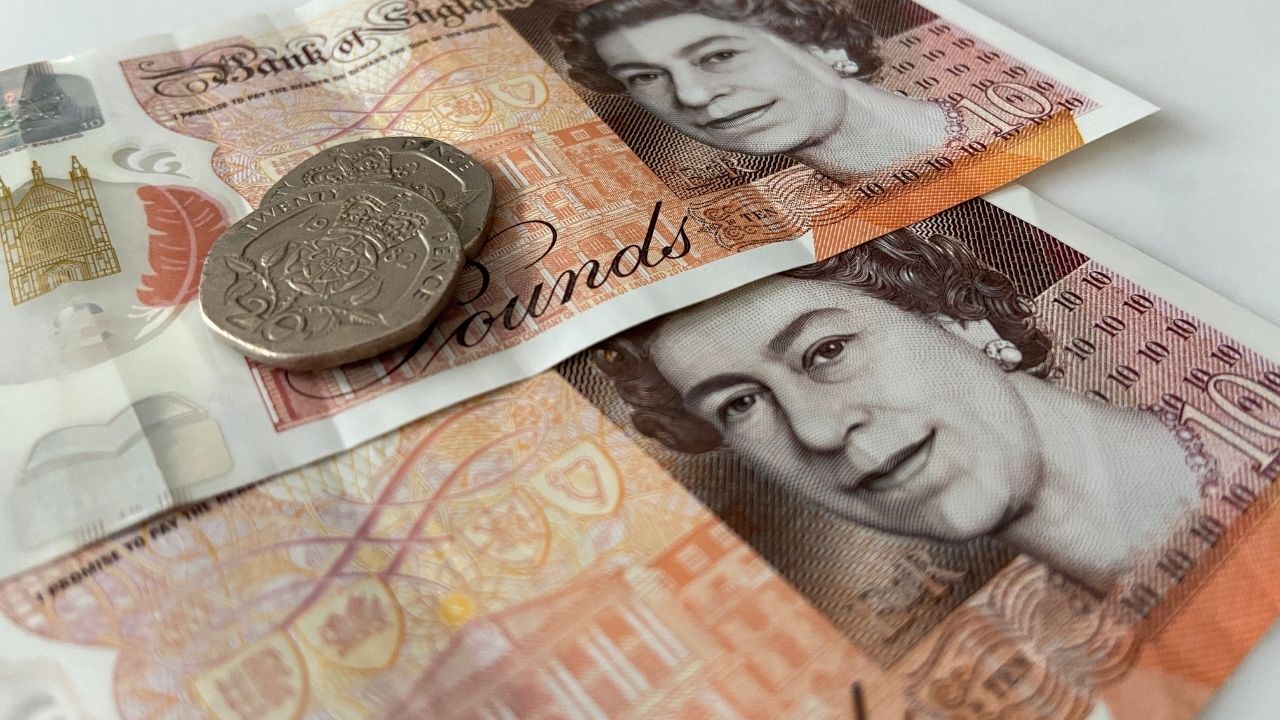
Image of money

What not to do when you’re out of money

Don’t get a payday or guarantor loan

You know that payday loans are bad for you. Despite many of the big lenders going out of business, it’s still possible to take out payday loans, and they will cost you a fortune in interest charges.

Guarantor loans are also bad for your wallet and your credit rating. Avoid both of these types of loan, even if you’re desperate as there are cheaper alternatives (more on those below).

Don’t use your overdraft

Unless you have 0% interest overdraft the chances are that using one is costing you a lot more money than you realised with many banks charging rates of close to 40%.

Don’t put it on credit cards

It’s tempting to put the things you can’t afford on a credit card, or buy things via “easy” credit from retailers like Very.

But this isn’t just delaying dealing with the problem you’re also adding to it with extra interest and charges added on top of the amount you borrow.

Don’t use Buy Now Pay Later

You can now find the likes of Klarna, Clearpay and Laybuy on most retailer websites, so the temptation could be to just put your purchases on there to delay the payment over two or three months.

But if you don’t think you’ll have enough left over next month to cover these purchases and all the other new expenses that’ll come along you’re going to get caught up with constantly owing money month after month. Here’s more on why they’re not risk free.

What you should be doing to reach payday

Find and use existing sources of cash

Do use your savings

If your bank balance hits zero then the first place you should go is your savings. This is better than borrowing money where you’ll be charged interest, as that rate is almost certainly going to be higher than what you’re earning on your savings.

You could also see if friends or family will lend money to you, but make sure you all know upfront the terms of lending the cash – you don’t want it to be the cause of any animosity later on.
Paid advertisement

Pay with points and gift cards

Do you have a gift card at the back of a drawer, a build-up of never used Nectar points, rewards to your current account or a refund to an online account (Amazon and John Lewis are among the retailers who sometimes do this)?

These are all forms of money you can spend now instead of cash.  And don’t forget those coffee shop loyalty cards – you might have enough for a free cuppa!

Claim forgotten money and credit

I’ve written before about chasing down forgotten money, and this is a perfect time to actually do it! When we pay for most utilities we’re actually paying a month in advance. So when you switch away, you’ve actually paid more than you needed. Sometimes this is automatically refunded, but not always, so check to see if you’re owed any cash. 

Energy bills might also have been estimated, and if you’ve been overpaying your current supplier then you’ll likely have credit sitting there. You can ask for this money to be refunded to your account (though bear in mind there are still a few winter months ahead of us).

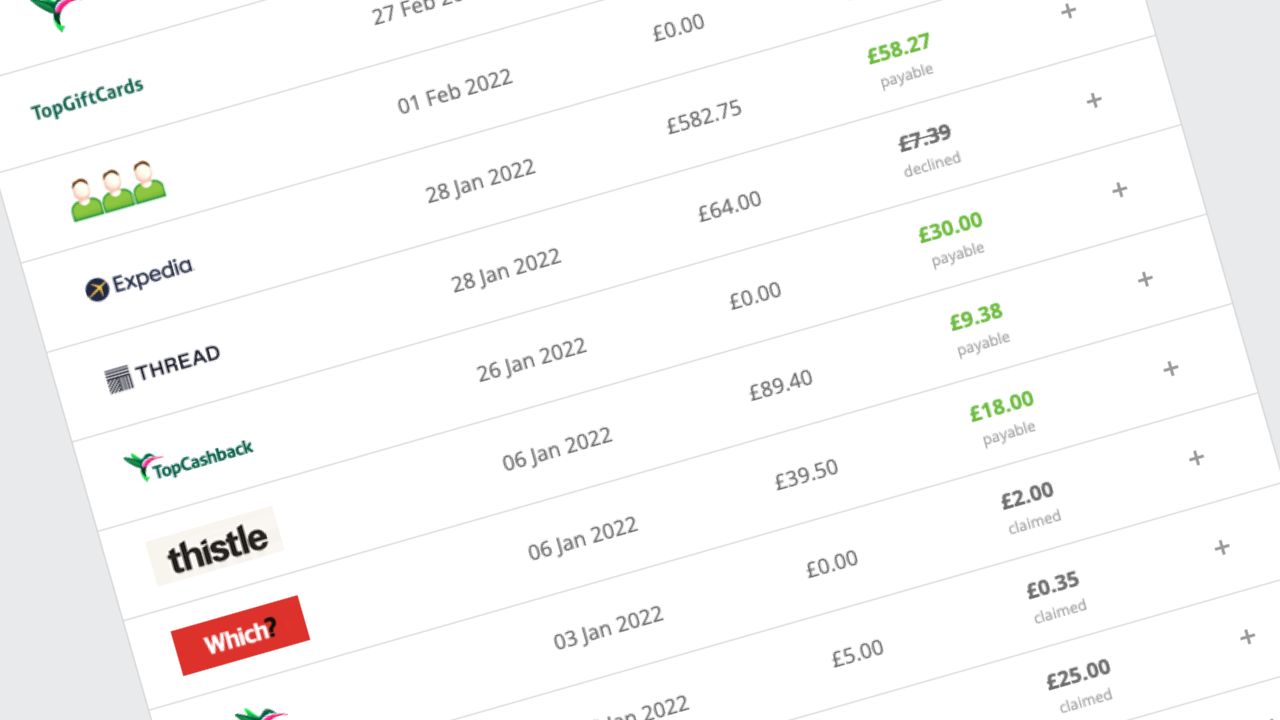
Don’t forget to check places like cashback accounts and money-making apps where you might have enough for a payout to your current account.

Borrow at the lowest rates (if you have to)

Consider a 0% purchase credit card

Another option is to look into a 0% purchase credit card. For a limited amount of time (it varies depending on the bank and card) you won’t get charged any interest on your purchases. This is the cheapest way to borrow money.

Of course, it’s not that simple. You will have to make at least the minimum repayments each month on the card and clear the balance before the 0% period ends to avoid any interest at all. And if you don’t think you can cope with this, or think you’ll be adding to the balance every month, then they’re best avoided.

Here’s our pick of the best cards right now.

Find the loans with lowest interest rate

If you don’t have savings and can’t get a 0% credit card, then you can still borrow money without resorting the charges you’ll get from payday loans and overdrafts.

See if you have a local Credit Union. The Finding Finance site will help you find responsible lenders. For bigger costs you can’t avoid then check out comparison sites to see what you’d get charged for a loan from a high street bank.

But only, and I really can’t stress this enough, borrow money in this situation if you really have to. And if the situation appears so bad that you can’t see a way out, then you absolutely should seek some free debt advice.

Think about how you spend

Do work out a spending plan

Yes, this might sound painful, but it’s essential to find out exactly how much money you have and where it’s going. Here’s how to make a budget.

Track your spending

Use your banking app or even a specialist money management app to keep an eye on where your money is going and when bills are coming up. Here’s my recent guide to these budgeting apps, taking you through how they work and the best ones.

Our podcast

Listen to Cash Chats, our award-winning podcast, presented by Steve Alderton and Editor James Andrews.

Episodes every Monday.
Do use cash

You’ll need to budget the money you have left and a simple way to do this is to only pay with cash. Withdraw the money you’ll need (and can afford), say for a week and then split it into different expenses. Then only take with you the cash for that activity.

This prevents you spending more than you intended and stops any impulse spending. You’ll need to leave your cards at home.

Of course, right now there are still a number of retailers operating as cash-only. If you’re faced with a card-only retailer, or don’t want to deal with change, you could look at using the pots or spaces features on digital banks such as Chase or Starling to split the funds out into different spending needs.

Cutback and shop around

Very simply, buy less. If something isn’t essential then you need to be strong and not spend money on it. This could mean you buy less and go out less.

You could even consider a no-spend week or month challenge where you only use money for things like food and bills.

If you do have to spend cash, look for the cheapest options. At the supermarket, trade down to own brand equivalents. When you travel, find the cheapest fare. Cook from scratch rather than ordering a takeaway It’s all obvious stuff, but you have to follow through and actually do it.

Find alternatives to new spending

Use up the food you’ve got

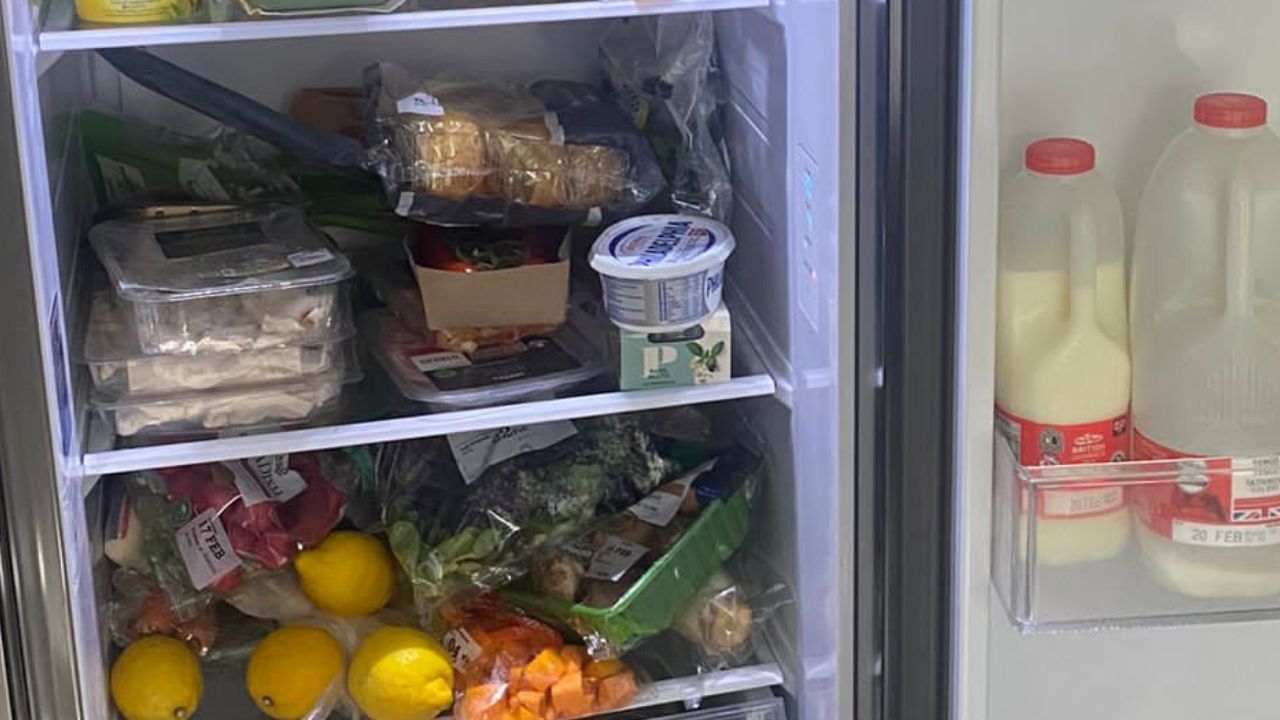
Check the cupboard, fridge and freezer. You will find all sorts of things hidden away that mean you don’t need to buy as much new food as usual. Just use these items up and then you can restock once you’ve been paid again and things are back to normal.

It’s always worth having a small stockpile ready for emergencies like when you’re too ill to go out or get snowed in, or months like this!

While we’re on the topic of food, you could also try cooking from scratch rather than buying ready-made meals or ordering takeaways. It really can work out much, much cheaper.

Find (new) clothes in your wardrobe

Go through your wardrobe and I’m confident you’ll find a few items of clothing you’ve forgotten about but are perfectly good to wear. 

If anything is looking a little shabby then you could see if it’s possible to repair them – if you can’t do it yourself there will be a local shop that’ll do it for a few quid. I got a coat fixed recently for a fiver and it’s as good as new.

Of course, there’s always the chance stuff doesn’t fit you anymore, in which case you could try “Schwopping” with friends or check out a charity shop.

Watch DVDs, read books and listen to CDs

Though I have a lot less than I used to, I’ve still got a decent collection of physical media, with hundreds of books, CDs and DVD that I’ve rarely touched since everything went digital.

Well, to save some cash take a month off from your streaming services and actually watch those DVDs. You can also find loads to watch on iPlayer and All4.

The same goes for other subscriptions – especially music. Cancel Spotify and listen to some CDs or the radio. And rather than buy a new book or magazine, revisit one of your favourites or head to the library.

If you are paying for TV via Sky or Virgin then you’ll only be able to cancel if you’re out of contract – but that’s well worth doing anyway and moving over to something like NOW TV.

Regift unwanted presents

If you’ve got a birthday or something coming up then check if you’ve anything you’ve been given that you’ve never used that could be a suitable gift. There’s more here on the dos and don’ts.

Barclays branch closures in 2025

Barclays is closing 20 branches – find out which ones and what to do if you’re affected

So far, Barclays has announced that it’s closing 20 branches in 2025.

Here’s what you need to know about Barclays bank closures.

Barclays card

When are the banks closing?

Here are the Barclays branch closures that have been announced so far. We’ve listed the branches set to go and when further down.

Date of announcementNumber of branchesTo close by
25 October 20246 branchesTBC
2 October 20244 branches17 January 2025
18 September 20243 branches31 January 2025
26 January 20242 branches31 January 2025
12 January 20245 branches17 January 2025

You can find reasons for each closure on the Barclays website.

Barclays opening time changes

Since 7 August 2023, almost all Barclays branches open at 9.30am and close at 3pm from Monday to Friday. They now close at 1pm on Saturdays. There are a few exceptions for branches in some shopping centres which stay open later in the week.

What to do if your branch is closing

If you use your branch

If you regularly visit your Barclays branch, this is bad news. You can pay in and withdraw money from your local Post Office, which might be enough, though there may be limitations on amounts per day.

Alternatively, you can open up another account at a bank which has a local branch near you, although they may announce their own closures soon enough.

Depending on the new bank you choose, if you also switch (which will close your existing Barclays account), you might be able to nab a switching bonus from the other bank.

Plus all your Direct Debits, standing orders and payments into your account will be moved over for you, so you won’t need to change anything manually.

However, you don’t need to switch to access another branch – you can just open an account with that bank direct.

If you don’t use your branch

The main reason for the closures is that very few Barclays transactions are done in person. So if you do everything online, you’re probably not going to worry about losing access to a branch’s facilities.

In that case, you don’t have to do anything and can keep your Barclays account. If you do, be sure to join the Barclays Blue Rewards scheme to access the Rainy Day saver account.

Andy’s Top Reward Current Accounts

Barclays branch closures in 2025

25 October 2024 announcement

Street AddressTownPost CodeClosure Date
43 High Street, SheringhamSheringhamNR26 8DUTBC
197 Shenley Road, BorehamwoodBorehamwoodWD6 1ARTBC
19 Main Street, LeistonLeistonIP16 4EPTBC
130 George Lane, South WoodfordSouth WoodfordE18 1AZTBC
22 The Borough, FarnhamFarnhamGU9 7NHTBC
21 Baxtergate, WhitbyWhitbyYO21 1BWTBC

2 October 2024 announcement

Street AddressTownPost CodeClosure Date
21-22 Castle Street , TredegarTredegarNP22 3DF17/1/2025
27 Bedwlwyn Road, Ystrad MynachYstrad MynachCF82 7AA17/1/2025
30 Main Street, CockermouthCockermouthCA13 9LQ17/1/2025
41 Market Place, PickeringPickeringYO18 7AE17/1/2025

18 September 2024 announcement

Street AddressTownPost CodeClosure Date
41 High Street, St NeotsSt NeotsPE19 1AS30/1/2025
15-17 Tottenham Court Road, LondonLondon – West EndW1T 1BJ10/1/2025
5 High Road, Willesden GreenWillesdenNW10 2TE31/1/2025

26 January 2024 announcement

Street AddressTownPost CodeClosure Date
41 High StreetSt NeotsPE19 1AS30/1/2025
5 High RoadWillesden GreenNW10 2TE31/1/2025

12 January 2024 announcement

Street AddressTownPost CodeClosure Date
41 Market PlacePickeringYO18 7AE17/1/2025
30 Main StreetCockermouthCA13 9LQ17/1/2025
1 Market PlaceBarnard CastleDL12 8NF17/1/2025
27 Bedwlwyn RoadYstrad MynachCF82 7AA17/1/2025
21-22 Castle StreetTredegarNP22 3DF17/1/2025

More than books: 9 ways your library can save you money

Libraries offer a great free alternative to buying things you’ll only read once.

I like libraries. I even got married at one. Ok, it just happened that the registry office we used in Mayfair was in some lovely rooms above a library. But still. Libraries are cool.

The problem is, I hardly use them and have always tended to buy the titles I want to read – – whether they’re actual books or digital downloads. 

But unless it’s an absolute classic I’m unlikely to reread anything. So the books sit on a shelf. Read once, then go unloved for months, if not years, before I try to sell them or give them away.

So why don’t I get my books from my library? The answer is very simple. I forget. Yup, the prospect of a free book just completely slips my mind! And books aren’t all that libraries have to offer including e-books, audiobooks and (my personal favourite) the free digital magazines.

The more we use libraries, the more we support them against cuts, then the more likely they’ll survive. Which really is a good thing.

Of course, all libraries are different – and offer different services. The best way to find out is to visit your local or look at their website. So do check out what is going on at your library and join up while you’re there. You’ll probably just need some ID and proof of address.

Read on to find out, nine ways your library can save you money.

Some articles on the site contain affiliate links, which provide a small commission to help fund our work. However, they won’t affect the price you pay or our editorial independence. Read more here.

Paid advertisement
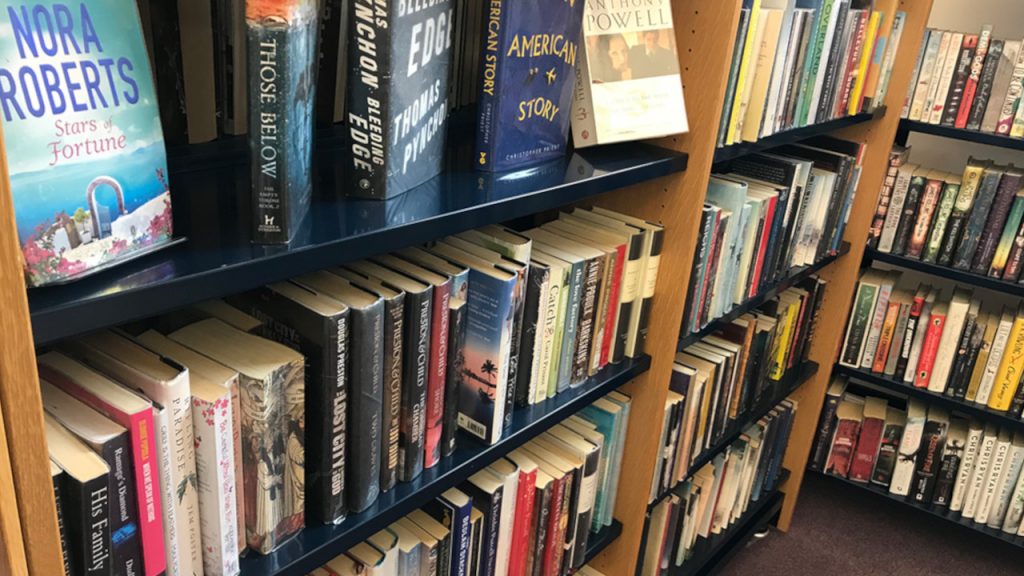
Books in a library

1. Borrow free books

Right, an obvious one to start. You can borrow books. For free. You literally can’t get your literature any cheaper.

Of course, your library won’t have every book going, but you can always reserve or order books. There’s usually a cost associated with this. Reservations from within your library’s area (so for me that’s all the branches in North Yorkshire) cost £1. 

If a new title is going to be very popular, libraries tend to get a few copies in, and at my local library, you can reserve future releases for £1. Even so, be prepared for a wait if everyone else wants a copy.

It’s a pricier £10 to order books from other districts via an inter-library loan, though that cost may differ where you live. At that price, you’re possibly only going to benefit if you’re after some rare, out-of-print or an expensive textbook.

2. Download free e-books and audiobooks

Most libraries also now lend digital books and audiobooks. It’s a natural modernisation as we consume content digitally. Again this is free. FREE.

Sadly at the moment, you can’t download books for Kindles, but you can read them on most other devices. Often you need an app, which means you can read it on your tablet or smartphone. A couple of common services are BorrowBox and Libby by Overdrive.

You use the same apps for audiobooks. If you were paying for a similar service – say Amazon’s Audible – you’d be paying £7.99 a month (though you can get a 30-day free trial with Audible).

There’s also a music streaming service called Freegal. It looks a bit limited but, once more, it won’t cost you anything compared to other ad-free services like Spotify Premium. It’s not going to be on offer everywhere but it’s worth a look.

3. Get free digital newspapers, magazines and comics

This has been one of my biggest money savers. I discovered that you can download hundreds of magazines a few years back. Exactly which titles you can get depends on where you live.

Though I now get it for free via my Club Lloyds current account, I used to read Empire Magazine this way, and my wife often checks out Vogue and Good Housekeeping. You can read them on your computer or view them via an app on tablets and phones.

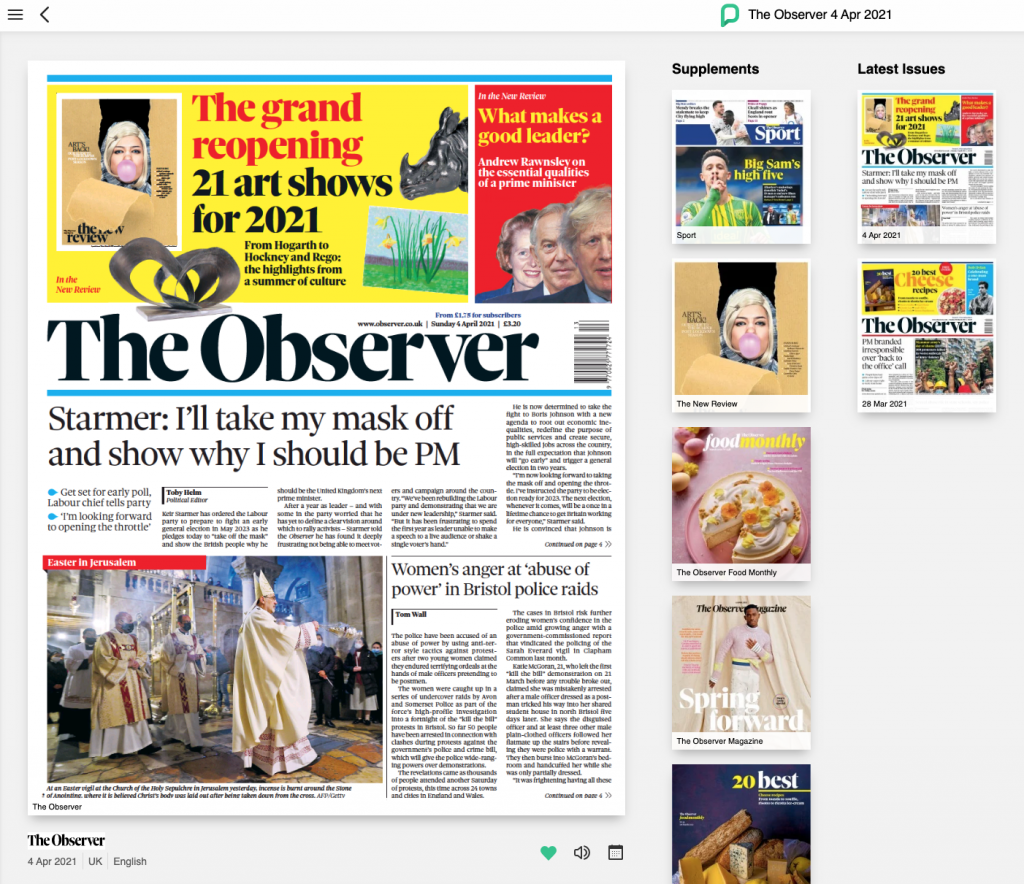
Some libraries also have a service where you can read today’s newspapers online. Yes, you can obviously head to the papers’ websites. But if you like reading a paper in the layout you’d get in print, then this is a nice option and cheaper than forking out £2 to £3 at the newsagent.

Plus you can read international titles, or those which are normally behind a firewall, such as The Telegraph (but not the Times or FT). The service I’ve got access to is Press Reader, which includes magazines too. I can access back issues too.

The Observer newspaper on Press Reader

Another discovery at my library was access to the Comic Plus app. This isn’t just great for kids – there are also lots for big kids, including plenty of graphic novels.  I had a brief nostalgia-filled spell a few summers ago where I devoured dozens of issues of Transformers comics – harking back to my childhood! 

If your local authority doesn’t offer any or some of these, a few libraries will let you sign-up online to access these services without proving you live in the area.

4. Borrow DVDs, games and CDs

With faster broadband, it’s pretty easy to stream your music and films via the internet. But if you want to have a physical DVD then lots of libraries still rent them out, including new releases. This can be a pretty cheap way of watching box sets as you’re often charged per box, not per disc.

Less libraries offer CDs now, and any games are probably for older consoles. You’ll also be charged for these. But it’s certainly worth a look.

5. Buy old books & DVDs

If you still like to own books, then it’s worth seeing if your library sells off old titles. My library normally runs them three or four times a year, with the money going towards other library activities.

I last went to one earlier this year and some of the stock had dated – travel guidebooks for example, but there was plenty to choose from. I came home with the Alan Partridge biography for 50p, and a couple of cookbooks at £1 each. All were in really good nick.

6. Attend free or cheap classes

Libraries are great for learning. In researching this article I’ve randomly looked at half a dozen regions in the UK and seen classes as diverse as yoga, coding, gardening, self-publishing, chess, drumming and knitting.

Many of these were free, or a nominal couple of quid. Far cheaper than the equivalent elsewhere. Most library websites list what’s going on.

Our podcast

Listen to Cash Chats, our award-winning podcast, presented by Steve Alderton and Editor James Andrews.

Episodes every Monday.

7. Access online resources

That learning can also be done at home. If you join your library you should get access to some online tools.

For example, my local gives free access to the genealogy website Ancestry. This normally costs £13.99 a month. There are also all sorts of databases and other memberships you could take advantage of.

8. Entertain the kids

There are also loads of activities for children at libraries. Reading is such an important part of developing kids that it’s great to surround them with so many books from a young age, plus over school holidays there are bound to be events taking place.

And the fact that they are free can be a huge boost. Again, look at your local library’s website, or pop in to see what’s advertised.

9. Work at home, but not at home

Finally, one that could be useful if you need a change of scenery when working from home. I’ve got a decent office set up at home, but I know lots of people like to get out of the house. Yes, you can go to a coffee shop and plug into free wi-fi, but you’ll probably need to keep buying cups of coffee.

For some variety, you can head to your library. Yes some of the computers will be pretty old and you need to be careful with log-ins and passwords, but it’s a free or cheap alternative. And a quiet space to work if it’s noisy at home.

Many libraries also offer meeting rooms to hire, often at far cheaper rates than hotels or other venues. Look out for reduced rates if you’re running a community event.

Be Clever With Your Cash is nine!

The highlights for me and the blog over the last 12 months.

As has now become tradition, I use Be Clever With Your Cash’s birthday as a chance to share with you the good and the bad from the last year.

I rarely write about “blogging” itself or the challenges of running my own business, so also it’s a good opportunity for me to reflect on how things have gone and give you a bit of an insight into what happens behind the scenes.

Plus, I’d really appreciate it if you can fill in my annual survey so I can get your feedback on everything I do.  You’ll also be in with the chance of winning a £25 gift voucher or an hour long video chat with me.

Some articles on the site contain affiliate links, which provide a small commission to help fund our work. However, they won’t affect the price you pay or our editorial independence. Read more here.

Paid advertisement

The biggest year yet

In recent birthday updates, I’ve shared how I quit my 9-5, presented a TV show and undertook a huge site redesign. All massive changes for the business and myself personally.

But this year, for the first time, there’s been nothing new. Nothing seismic. Or at least on the surface.

In reality, it’s actually been the biggest and most successful year yet. With 4.8 million views of the blog and 3.3 million views on YouTube, there was an amazing 60% growth compared to the previous 12 months. The podcast has also increased listenership, with 250,000 total downloads in the year, up by 40%.

Though I have an indie/blogger mentality, where I’m doing my own thing (on my own), this was the year where Be Clever With Your Cash really hit the next level.

If you forgive this tortured metaphor, it feels like the site is no longer a big fish in a small (blogger) pond. It’s moved up to an even bigger stretch of water, with some even bigger fish.

As I write this, the all-time views for the blog have passed 15 million, while the 10 millionth visitor should reach the site next month.

I’d never have dreamed of that kind of reach and impact when I started. To have saved so many people so much money is something I still struggle to comprehend.

And it’s not just about numbers. Getting Rishi Sunak on the podcast last spring was a huge coup, as was having Cash Chats featured as “Show of the Week” in the Radio Times in November. This isn’t “indie” anymore.

So, the question is what next? Very soon I’ll hopefully be able to share with you what the next chapter of Be Clever With Your Cash looks like. I’m really excited about the plans. Fingers crossed!

The pros and cons of a digital nomad

Something I’ve really loved about the last few years is the complete autonomy I have in when and how I work. I can choose my hours, allowing me to disappear to play tennis mid-morning or take afternoons off to binge the Olympic TV coverage.

Though it also means I do more hours than I’ve ever done before, and I often end up working late and at weekends. And I never get a chance to “switch off”, even on holidays when there’s always something that needs to be done on the site.

Even so, it’s a flexibility I’m always keen to take advantage of. So when my wife was between contracts in September and October we took the opportunity to try out remote working for an extended period. In theory, I can do what I do anywhere, so we headed to California for seven weeks. Part holiday, part working.

There were fantastic parts to the trip, especially the weather and the food. I studied there as a student so it’s always a place I feel at home.

However, the work side of things was tougher than expected. I found the eight-hour time difference an issue when responding to the day’s events, while my laptop wasn’t up to the job of live streaming and editing.

And there wasn’t really any proper holiday time as I had to do some kind of work almost every day, including filming a video about a Bank of England base rate rise in a LA hotel at 5am before heading to Disneyland for the day!

It also coincided with the collapse of the Liz Truss government and the chaos of the “mini-budget” so I woke up every morning wondering what fresh financial hell awaited me (and stressed about how much the pound had fallen against the dollar).

I’m glad we did it, but I think I’d rather put things in place so I can actually get away completely, and switch off for a fortnight!

Deprioritising other work

In last year’s birthday blog, I wrote how I’d refocused on what I viewed as a success for me and the business. Previously I’d seen being a TV money expert as the ultimate end goal. However, I’d not only accepted that might not be, but also that I wasn’t actually that bothered.

Instead, I was enjoying the success that I’d built on my on channels. Prioritising the growth of the blog, YouTube and podcast to help as many people as possible.

That’s still the case, and I frequently turn down local radio requests as I don’t have the time. I even had to rebuff some approaches from publishers to pitch book ideas as I knew there was no way I could do that and deliver the content I want to provide for all of you. Freelance work has been restricted to my weekly column in Metro and my monthly one for Reader’s Digest.

Still, it was nice to have a few TV appearances under my belt again for the first time since Shop Smart Save Money ended in 2019.

It took a while though! In the spring I filmed a pilot with Helen Skelton that didn’t get picked up, and I had to turn down some Jeremy Vine discussions in the summer due to availability.

So I didn’t get back on screen until a Channel 5 documentary back in September that looked at the cost of living crisis. This was followed a few months later by ITV Calendar news.

Then earlier this year I appeared on BBC News to discuss bank switching and then a few days later joined the Steph’s Packed Lunch team for Channel 4 to talk about haggling down bills.

I really enjoyed the experiences, especially the live element of the latter two. But I also enjoyed how I didn’t put any pressure on myself on what happens next.

I did some TV, and it went well. Then back to the day job. Which is how I like it.

Connecting with you

The real highlight for me in the last year though has been the growth of the community via the Facebook group and YouTube live Q&As. “Speaking” regularly with you has been transformative in how I run the business, so thank you for joining in and contributing.

My annual survey: Win a video session with me or a £25 voucher

It’s important to me that any content I produce for you is what you actually want to read, hear or watch. So please do take a few minutes to answer this short survey. 

If you also enter your email address at the end of the form you’ll also be in with a shot of winning a £25 gift voucher or an hour-long video chat with me. This prize draw ends 30 March 2023 and one response will be randomly selected and asked whether they want the voucher or money chat. Open to UK followers only.

Our podcast

Listen to Cash Chats, our award-winning podcast, presented by Steve Alderton and Editor James Andrews.

Episodes every Monday.

MVNOs: The piggyback hack that’ll cut hundreds from your mobile phone bill

Mobile Virtual Network Operators (MVNOs) give the same signal at lower prices.

It’s easy to ditch EE, O2, Three and Vodafone and save money without compromising on the quality of your service. That’s thanks to cheaper networks which piggyback off the big four networks to deliver their services.

Some articles on the site contain affiliate links, which provide a small commission to help fund our work. However, they won’t affect the price you pay or our editorial independence. Read more here.

Paid advertisement

What is a Mobile Virtual Network?

There are four main networks. EE, Vodaphone, O2 and Three. And these are actually the only real networks. The rest are what are known as mobile virtual networks operators (or MVNO). And that includes big names such as Virgin Mobile, Giffgaff and ID Mobile.

Essentially these MVNOs have agreements in place to lease the infrastructure and technology of the main networks to offer their own branded services – and their own prices.

Benefits of switching to a virtual network

There are two key reasons not to be scared of switching your provider.

They usually have the lowest prices

You will get much, much lower prices from the virtual networks. This is even the case for those owned by the big networks such as Giffgaff (owned by O2’s parent company Telefonica), BT Mobile (which actually owns EE) and Voxi (owned by Vodafone).

Here’s a good example. Right now 5GB of data and unlimited texts and minutes with EE will cost you £18 a month. But 10GB of data from BT Mobile is half that price for BT customers. That’s a saving of £108 a year and double the data!

A handful of MVNOs are also changing how you’re charged – which could make them the cheapest option for you. Sky Mobile will let you carry over unused data, while Smarty will give you credit back on each full GB of data.

Or you can get extra discounts thanks to your existing contacts. BT, Sky, Virgin and TalkTalk all offer their customers special deals for adding a mobile SIM to their existing TV and broadband packages.

You can get the same signal

You won’t see any difference to reception as long as you move to one which operates on the same service as your current main network.

So that could be Virgin Mobile instead of EE, Tesco Mobile instead of O2, ID rather than Three or Voxi rather than Vodafone. There’s a decent list of the main virtual networks and the network they use further down the page.

There might be some minor differences. Though most will be offering 4G service, not all will provide 5G. And they don’t all allow wi-fi calling via your number – though you can get around this by using alternatives such as What’sApp to make calls via the internet.

Benefits of sticking with the big networks

Of course, it doesn’t mean the main networks don’t have benefits. The following can mean you’re better off sticking with the likes of EE and O2 – but only if you’re able to get those prices down.

You can really haggle down prices

This is true for most, if not all, mobile networks – but especially with the big four. Use your research on the virtual networks to find the price you want to pay and then see if your existing network will match or beat it. 

Until recently I was with Three one and off for years. And every time I went to cancel they came back with an even lower price than what was advertised on their website.

Third parties often have cheaper deals

You can also get new contracts or upgrades via comparison sites and mobile phone shops that can be significantly cheaper than going direct, though they don’t always include extras, such as those listen in the next point.

You often get extra features, services and freebies

Free streaming

The big networks offer all sorts of discounts, such as £2 off Disney+ via O2, or free Paramount+ via Three. However, these offers are usually restricted to certain tariffs. – and they might work out no cheaper than finding a different deal elsewhere and paying for the streaming direct.

Now these can be great value for money IF you are already planning to pay for these services. But they certainly shouldn’t be the main reasons to choose one of the main networks. 

Loyalty apps

The same goes for Vodafone’s VeryMe, O2 Priority and Three+. These popular loyalty apps do have the occasional great freebie or discount – but you need to check just how much extra these are costing you.

Use them a lot on things you’d get anyway then great – e.g. the free Odeon tickets and Greggs from O2. But in my experience these are nice to have extras rather than essentials.

And there’s a hack that’ll get you access to each one even if you’re with different networks.

“It’s understandable people are nervous of switching – but it’s costing them a fortune”

One of the families I filmed with for the Channel 5 series Shop Smart Save Money was Christine and James. Christine was paying a fortune with O2 but she didn’t want to change her provider. She knew O2 gave a signal in the locations she needed it and didn’t want to risk bad reception with another mobile company.

And I think that’s quite a common feeling. We rely on our phones all day, whether at work or at home. Yes you might be able to get a signal with another big network, or you might be able to hop on to some wi-fi at those locations. But sometimes you just want to stick with what you know works.

However I was able to convince Christine that not only would she save a shed load of cash by moving away from O2, but also that switching provider isn’t actually much of a risk. All thanks to finding an alternative virtual network that still used the O2 network.

Which Mobile Virtual Network Operators use each network

There are a number of providers out there, but here are some of the main ones you will see. Some are very familiar names!

MVNO for EE

  • BT Mobile
  • Plusnet
  • Your Co-op
  • Utility Warehouse
  • 1pMobile

MVNO for O2

  • Virgin Mobile
  • Giffgaff
  • Lyca
  • Sky
  • Tesco Mobile

MVNO for Three

  • ID
  • Smarty
  • Superdrug

MVNO for Vodafone

  • Voxi
  • Talk Mobile
  • Asda
  • Lebara

How to bring your mobile phone number with you

You can take your existing phone number with you to your new network. You just need to request a PAC from your existing network and give it to your new one, and your number will be moved over, usually the next working day. Here’s more on how that works.

How to reduce food waste & save money

You’re practically throwing money away when you chuck out perfectly good food.

Most food waste at home can be avoided, whether that’s food chucked out because it’s gone off or we’ve cooked too much. And if you can reduce your waste you’ll also be saving a ton of cash.

Some articles on the site contain affiliate links, which provide a small commission to help fund our work. However, they won’t affect the price you pay or our editorial independence. Read more here.

Paid advertisement

Don’t buy more than you need

A simple place to start is to buy less food. Here are the key ways to do this.

Plan what you want to eat

How often do you just head to the supermarket and decide what you’re going to buy as you walk the aisles? The danger here is you buy ingredients that are hard to use in a single meal but won’t fit into meals later in the week.

The way around this is to plan your meals and snacks before you reach the supermarket. You can do this weekly or even daily – whatever works for you.

Write a shopping list

Once you’ve got a plan, make a list of what you need for those meals and when you’re shopping, whether online or in an actual shop, stick to that list. This’ll stop you from buying more items that you probably don’t need and possibly won’t use.

Be wary of big packs and multi-buy offers

Often (though not always), you’ll find it cheaper to buy bigger packs of items or if you buy a couple of packs. The problem is you’re only saving money if you actually use everything. Sometimes you’re better off buying a smaller box or bag at a higher price.

Know what you already have

We’ve probably all done this – you’re at the supermarket and you pick up some of the regulars. Maybe it’s milk or some veg. The things you always buy and always use. But when you get home you realise you’ve already got these items.

That’s not a problem with things like toothpaste or tins of beans, but it could be a problem for anything fresh.

A simple way to avoid this is to take a photo of your fridge and maybe any relevant cupboards before you go to the supermarket.

Don’t cook what you can’t eat

Again, the food preparation and cooking can lead to a huge amount of waste.

Measure the amount you’ll need

Following recipes will really help here, but if you’re used to measuring out quantities by eye, for example with rice, potatoes or pasta, then do some research and even weigh out the amounts you’ll actually eat. If you find these levels are too much or too little, then adjust this and make a note so you don’t forget next time you cook the same thing.

Use more of what you buy

There are certain foods where we’ll use a key part but throw out the rest. But if could be you’re chucking out perfectly good grub. Take broccoli stalks, potato skins or the bits of chicken under the carcuss. And you can use the bones from meat for broth or stock too.

Batch cook

There is an alternative to cooking less, and that’s to cook more than you need with the intention of using it later in the week or freezing. This not only saves time as you don’t have to cook again, but it can also use up more ingredients. Handy if you have bought multipacks or have things which could go off soon.

Eat your leftovers

If you do cook too much and perhaps there’s not enough for a full meal another day, don’t just chuck it in the bin. You might be able to combine it with other things, perhaps whack it in a sandwich or salad.

The best deals

Find our picks of the best offers in our dedicated deals library

Avoid food going off

Know how food dates work

Something that people often get confused about is the date on packs. There are two key dates: use by and best before.

Use by should be consumed before the date on the pack, especially when it comes to things like fresh meat and fish. You’ve got more wiggle room with dairy – use your eyes and nose to sense if it’s off or not.

But best before dates are fine to keep even if that has expired. At worst you’ll find the quality or taste might not be optimum, but they are safe to eat (as long as they’re stored properly). In fact there are websites which sell items already past best before dates for a low price.

Many supermarkets are removing dates on fruit and veg, so just keep an eye on everything after you buy it to make sure it doesn’t go off.

Don’t open a new pack until you need it

If you want something to last longer, then don’t open it until you’re going to use it. My friend recently send me a photo of his mother-in-law’s freezer, including three open loaves of bread, two open bottles of milk and two open cream cheese packs.

One way to help avoid this is to put the items with better dates at the back of the fridge or cupboard, and the ones already open or the ones with sooner dates at the front.

Use your freezer

Freezers are fantastic ways to preserve leftovers and half-used ingredients, including many you might not think you can freeze. And of course they help you store items that are reduced to clear that you don’t have time to eat.

If you want to maximise the space in your freezer you can take things out of packs, while labelling what you’ve frozen and when can be a huge help too.

Store things properly

Covering or closing open items, or moving them into airtight containers, can help prolong the life of food and drink. You should also check the temperature of your fridge is at 5 degrees or less – too warm and it could spoil.

Donate to a food bank

If you have food that you know you won’t use, and as long as they have a decent expiration date, then donate it to a food bank.

How to get the best value hotel rooms

Seven steps to find the best price on hotels, motels and resorts.

On most of my holidays, it’s accommodation which is the biggest expense each day. But this article isn’t about finding the cheapest possible hotel room.

Don’t get me wrong. I’m not someone who goes for luxury suites or top-end resorts. But I don’t want the most basic either.

Though I don’t usually spend a huge amount of time in these rooms, I want somewhere I’ll be able to get a decent night’s sleep and have a decent shower. Somewhere at least nice. And location can be important too, especially on short trips. And these things can all add to the cost of a room.

So how do I bring down the price? Here’s what I do to get the best possible value when staying in hotels – giving me more money to spend on the rest of the trip.

Some articles on the site contain affiliate links, which provide a small commission to help fund our work. However, they won’t affect the price you pay or our editorial independence. Read more here.

Paid advertisement

Step 1: See what accommodation is available

With any trip I make I’ll first look on booking.com. I find it has a decent range of hotel and B&B options at (usually) competitive prices. It’s also a bit better than other websites at sorting and refining searches with filters such as guest ratings. It’s not perfect, but it does the job.

However, not all hotels are on Booking. com. I’ll generally search for apartments on AirBnb I’ve used this site a lot, especially in the USA, where hotels can be crazily expensive, and even in the UK. Don’t ignore traditional B&Bs either, they can often be far better value than hotels in some destinations.

I’m a fan too of Travelodge and Premier Inn and these often can only be booked direct. They do what they say they will and are usually good value for money. Though as with everything right now, I’m finding them not as cheap as they used to be.

Step 2: Check the reviews and details

Of course, the price isn’t my only consideration. So I always browse through the reviews and check TripAdvisor too.

You can’t trust all the comments, but you’ll hopefully get an idea of potential problems – and a sense of whether the hotel is worth the listed price.

Also, take a look at the small print. Often there’s extra to cover tax or resort fees. Find out if Wi-Fi is included, and if you are paying for a breakfast you don’t really want.

The best deals

Find our picks of the best offers in our dedicated deals library

Step 3: Find the cheapest price

Once I’ve found a couple of options I’ll quickly search hotel comparison site Kayak. It will tell you the rate for your hotel across a dozen or so websites, including other big booking sites like Expedia. It’s a great start to see what’s available and a quick way to spot savings.

It’s always worth checking directly with the hotel too – they might have extra discounts if you book with them as it means they’re not paying any commission on the sale.

Another option I’ve looked at but never booked is as a “secret hotel” on sites like Lastminute.com or Priceline. With these promotions, you don’t actually know the hotel until you’ve booked, and as a result, you pay less. You can usually work out which hotel you’ll get with a bit of investigating – i.e. cut and paste the description into Google and see what comes up!

Step 4: Check for free cancellation

Now you’ve found where you want to stay, find out if any of the websites list it with free cancellation. This is a huge factor for me when choosing a hotel. It means that if I change my plans or find a better deal (potentially for the same hotel), I’ve got the flexibility to cancel and rebook. 

However, there are often discounts for non-cancellable rooms, so if you’re confident that you’re not going to need to cancel then it’s possibly not worth it.  

Step 5: Bring the price down even more

Booking. com, Expedia and a few others offer extra discounts if you’re registered with them, so it’s worth signing up just for these discounts. Or there are loyalty schemes such as the one with Hotels.com where you earn a free stay after booking 10 nights.

Then I’ll always try to book a hotel through a cashback site such as TopCashback and Quidco (get a welcome offer here). Rates usually range from 2% or 3% up to 10%.

Though I often get emailed voucher codes for sites such as Expedia and Hotels, I usually find the cashback rates are better. However, it’s worth remembering that voucher codes are guaranteed savings, while cashback might not track.

Step 6: Get more from your booking

Once I’ve decided where I’ll stay and made the booking, I’ll let the hotel know if I’m celebrating something special. On our honeymoon, we were upgraded a few times and given little freebies like a bottle of fizz and a cake from Magnolia Bakery. We also got a few extra perks on our first wedding anniversary. It’s always worth asking.

Step 7: Pick how you pay for the hotel

With many of these websites, you’ll usually pay when you get to the hotel – and if you’re abroad how you do this makes a big difference to the price you pay.

I’ve written an article about how to get the best value when you spend overseas, but the headlines are: always pay in the local currency, and try to pay with a specialist card such the Halifax Clarity credit card or the Starling current account. This will get you the best exchange rates.

Of course, if you’re given the option to pay upfront, you might want to do this – especially if you want to guarantee how much you pay.

Your forgotten cash and where to find it

From unused Oyster cards to old bank accounts you could have some handy spare cash ready to claim.

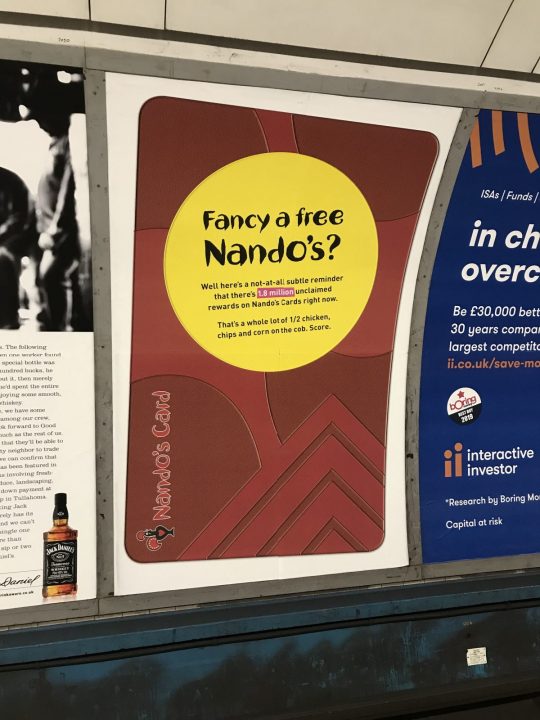
I spotted an advert on the tube the other year from Nandos – revealing there were 1.8 million unclaimed rewards sitting on Nando’s cards. That’s a lot of chicken. But I wasn’t that surprised. It’s just another example of forgotten cash and rewards that we really should be using.

So this got me thinking – where else could people forgot they’ve got some money? Here’s a quick list of places to check, and how to make sure that money is going to better use.

Some articles on the site contain affiliate links, which provide a small commission to help fund our work. However, they won’t affect the price you pay or our editorial independence. Read more here.

Paid advertisement

Cashback sites

Regular readers will know I’m an advocate of using cashback sites to earn a little extra. By using Quidco or Topcashback as the first stop before going to most online shops you can receive money back on your purchase. Really easy.

But the cashback does take a while to be paid out. So if you’ve not used your account for a while, it’s worth looking to see if there’s anything ready to cash out.

Bank rewards

There are quite a few current accounts with extra rewards, from £5 a month from Halifax through to cashback on bills from Santander. If these aren’t your main accounts it might be those payments are stacking up, so transfer them through to your main current account or a savings account.

Old savings accounts

I remember a good few years back I found an old Post Office book that has been set up by my gran. There wasn’t much in it, but it has just been sitting there.

Similarly, a while back Becky had a letter from Virgin Money saying she hadn’t been in touch for a while. Turned out it had been four years and there was £4.41 of interest which had been added after she’d cleared the balance.

So take a look through your records. See if there are any accounts you’ve long forgotten – there could be cash lurking!

Auto-savings apps

Similarly, if you use Plum, Chip or the roundup feature with banks such as Starling and Lloyds then you could have squirrelled cash away bit by bit. Unless it’s the 5% bonus interest on roundups in Chase Bank, I’d move this money through to a better paying account or spend it.

Credit in online shops

With some online retailers, you’ll be refunded in credit which stays on your account, particularly if you’ve paid by gift card or voucher. So log in to Amazon, John Lewis and the rest to see if there’s any money sitting there. You can’t transfer this out to your bank, but you can use it.

Gift cards

Speaking of gift cards, take a look in your wallet, drawer or wherever you keep them. These are so commonly forgotten about that when found they’ve expired and all the money lost. Hopefully it’s not too late for any you have. Here are my rules for making sure you don’t waste your gift cards

Loyalty schemes

If you’re always tapping a loyalty card when you go shopping, log in to see how much you have racked up.

Tesco Clubcard points are usually posted as vouchers, but you can reorder any which you’ve lost or exchange them online for boosted deals.

With Nectar you need to check your account. You can spend these in Sainsbury’s direct from your Nectar card.

And don’t forget the rest – there could be a free coffee, donougt or chicken sitting at the back of your wallet.

A Nando’s advert on the tube telling us to use our rewards points.

Old phone, TV or energy accounts

When you switch supplier to get a better deal, make sure you aren’t owed any cash. Often with bills like these you pay in advance so could well be due some money back – and the companies won’t automatically send it to you. So chase it up!

Oyster cards

Remember when you needed an Oyster card to get around London? Since we’ve been able to tap and go with Contactless cards on London’s tubes and buses, we’ve had no use for the official payment cards. So these cards have just been sitting there.

I had a quick look a few years ago and both Becky and I had a little bit of cash on our old cards. Just a few quid. A couple of clicks to cancel and apply for a refund then brought a welcome surprise. We were also due an extra £5 back. Each. We’d both forgotten that when we got the Oysters we had to pay this as a deposit.

Prepaid cards

It’s not just Oyster where you could have some balance left over. Have you ever had a prepaid card? Maybe on holiday? Check what the balance is and get that money back. And as with Oyster see if you had to put a deposit down.

Cheaper alternatives to Sky TV and Virgin Media

How do you watch TV if you don’t pay for Sky? Here are the ways you can watch the same and new content elsewhere and save money.

My post on why it was time to ditch Sky and Virgin TV subscriptions is always really popular, and I’ve had lots of questions about the cheaper alternative ways to watch TV. So here’s a little more detail on your options.

You might think that by dropping Sky, Virgin and other pay TV services you’ll miss out on some of the channels you enjoy. Well, you can actually get most of them elsewhere – and for less money

Some articles on the site contain affiliate links, which provide a small commission to help fund our work. However, they won’t affect the price you pay or our editorial independence. Read more here.

Paid advertisement
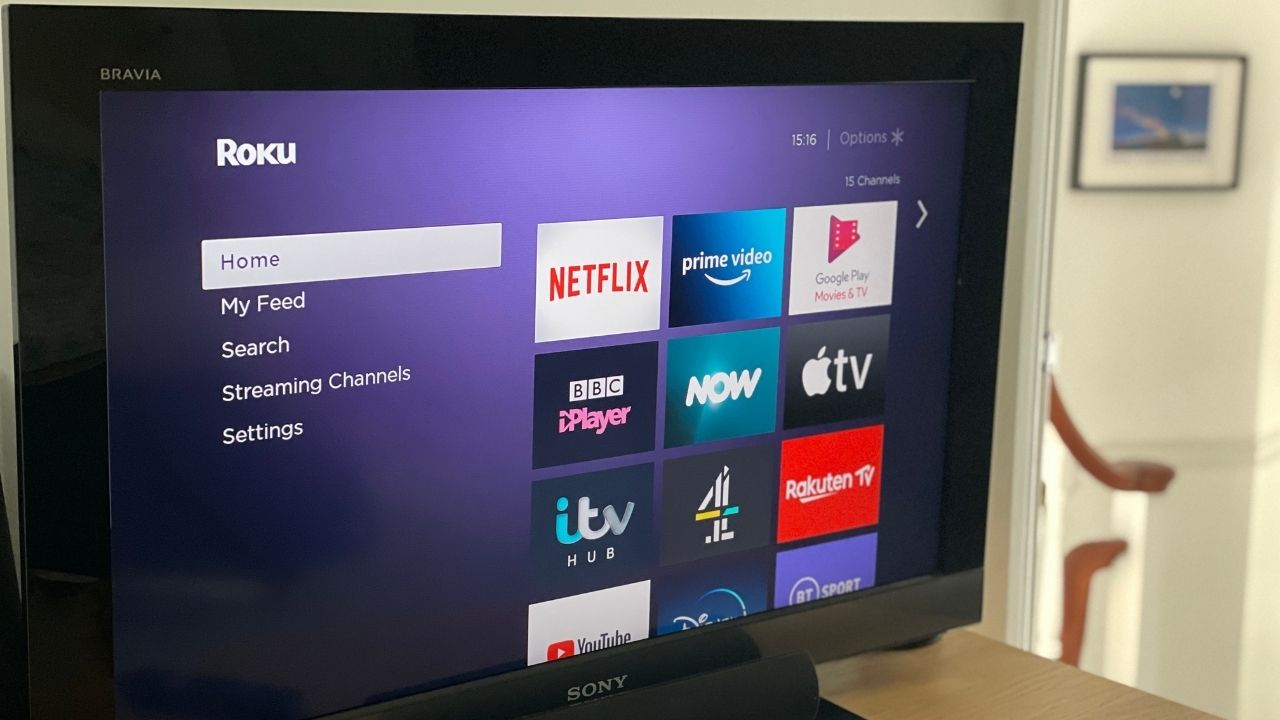
Image showing TV with Roku homescreen

Entertainment and film channels

First up, let’s cover the channels you might be watching right now via Sky or Virgin as you’re probably most concerned about these channels – from BBC One through to Sky Atlantic.

NOW Entertainment

This is the main way to get your core Sky channels for less. You get to pick and choose which elements you sign up for. So a monthly entertainment pass will cost £9.99 a month, while the Hayu reality TV pass is £4.99 a month.

I really only the Entertainment pass, but I never pay full price. In fact I’m often able to get passes for a fraction of the price.

Channels on the Entertainment Pass include Sky Max, Sky Atlantic, Sky Crime and Sky Comedy. You can also get UKTV channels such as Gold and all the box sets for those channels.

I’ve written in more detail about NOW TV here, including the ways to get it for less.

Now Sky Cinema

All the Sky Cinema channels are available on a separate pass from NOW. Passes also cost £9.99 a month, though as with the Entertainment pass there are deals to bring the price down which I’ll share on this page here.

Freeview and Freesat

Most channels you watch are probably free to air, which means even if you are watching them via Sky or cable they aren’t part of the monthly fee – and you can continue to watch them without paying a penny.

Freeview needs an external aerial and Freesat requires a satellite connection. As long as you’ve got one of these (and the box/TV to receive the signal) you’ll get free access to hundreds of channels including the most popular ones – BBC, ITV and Channel 4 – and favourites such as Dave and The Food Network. Here’s a full list.

You can still record these free channels with the right box. This box is £169.99 at the moment. Spread that cost over three years (though it’ll probably last longer) and it works out at £4.72 a month. I think it’s worth paying this vs sticking with Sky.

If you only have access to TV via the internet then Virgin Media, BT and Sky now (or soon will) offer cheaper devices that let you watch free channels – though you’ll still need broadband with those companies.

iPlayer, All 4, ITVX and My5

There’s an amazing back catalogue of free TV to watch on these services. Really, it’s huge.

Often you can watch programmes that are also on the likes of Netflix and Amazon, except on iPlayer and the others it won’t cost you a thing. You can also watch the channels live and download programmes to your phone for offline viewing.

Discovery+

Discovery+ is an option for some other channels you’d normally get on Sky such as Discovery, Animal Planet and TLC – though the likes of HGTV, Quest and Food Network are also on Freeview. It costs £3.99 a month to get access.

Sports channels

A big draw for people with Sky and BT is often the ability to watch sport, but you can get access to these channels on a monthly basis – and without the need for a long contract.

NOW Sky Sports

Once more NOW TV is your option to watch Sky’s sports channels, and you can get all the sports ones. The big difference here to the other NOW TV passes is this is live viewing only – there’s no on-demand.

Passes are available for the day (£14.99) and month (£34.99), while there’s also sometimes a mobile phone only option.

Again there are always deals to cut the price you pay, and we’ve got a special page devoted to NOW TV Sports Pass offers.

TNT Sports (formally BT Sport)

TNT Sports has a monthly pass at £30.99 a month. This means you don’t need to have any other service with BT or to sign up to a long contract – though you will have to cancel to stop the subscription rolling over to a new month.

Our podcast

Listen to Cash Chats, our award-winning podcast, presented by Steve Alderton and Editor James Andrews.

Episodes every Monday.

Other streaming services

These are the pay subscriptions that give you extra content you can’t get with Sky, Virgin or Freeview – and chances are you’ve already signed up for one or two.

Often these are extra costs on top, so signing up for these might be as well as some of the more direct Virgin and Sky replacements – though personally I’d always suggest you sign up as an alternative, then mix and match, rather than have them as well.

Netflix

There’s a lot of very good original and old TV on Netflix, as well as award-winning movies that appear here just weeks after the first cinema showings. It’s my top pick if you’re only going to get one service as there’s always something to watch.

It starts at £4.99 for the ‘Standard with ads’ option, though the most popular option is £10.99 which gives you HD quality and the ability for two people to watch on different devices at the same time. The top level £17.99 tier upgrades to Ultra HD and allows four simultaneous uses of the account. There are occasionally deals and discounts.

Amazon Prime Video

If you’re a frequent Amazon shopper then there’s a good chance you’ve got this. A full year at £95 which works out slightly cheaper than the standard £8.99 a month price.

If you don’t want the extra Amazon Prime features like free next day delivery you can get a video-only subscription for £5.99 a month. Don’t forget there’s a 30-day free trial for new customers.

There’s still decent exclusive TV and movies here so you’ll likely find something new.

Andy’s YouTube

Watch new videos every week on the Andy Clever Cash channel, plus a regular live Q&A

Apple TV+

There’s only new and original TV shows on Apple’s entry to the streaming service. It costs £8.99 a month, though there are often deals to get a few months for free – even if you’ve had the service before. In fact, since it launched, I’ve not paid a penny but had access for almost two years!

Disney+

Disney+ has three tiers to choose from. Standard with ads for £4.99 per month, Standard for £8.99 per month or £89.90 per year and Premium for £12.99 per month or £129.90 per year, though there are ways to pay less.

Big shows include new TV based around Star Wars and Marvel, as well as have a back catalogue of the MCU, Pixar and Disney movies and TV like the Simpsons and The Walking Dead.

The rest

There are so many other streaming services you could go for. I’ve shared the best deals here, but these include:

  • Britbox
  • Starzplay
  • Mubi
    Paramount+
  • BFI Player

My TV set up and savings

I haven’t had a TV subscription from the likes of Sky or Virgin since early 2014, but I’ve still been able to watch channels such as Sky Atlantic, Fox and Sky One (more on this below).

My total on NOW TV in the last year has been just £61. That’s about 10 months of entertainment and Boost, two of Cinema and four of sports. I’m not saying you’d be able to get these deals (or that I would again), but these have been some cracking savings.

I don’t have Apple TV+ right now but I’ve got a voucher for four months free which I’ll activate soon, on top of the free five months I had earlier in the year. I also managed to get a year’s free Prime Video and three months free Disney+ via O2. I’m about to cancel the latter and only pick it up occasionally.

My Freeview is via a six-year-old YouView box, which I got for free with a previous broadband contract from BT so I’m not paying anything there.

So this means I’ll likely have spent around £153 this year on a huge range of TV services. That’s just £12.75 a month on average. 

Compared to the basic TV Sky package that’s easily half of what I’d be paying, if not much, much more.

Working out which services are for you

Do a channel audit

Before making your choice about the services to pay for you need to do a channel audit.

Think about what you actually watch, and whether you’re actually bothered about those channels. Most people will be fine with Freeview the majority of the time, adding on one or two pay subscriptions to boost viewing options.

The TV Tapas method

Of course, there’s the chance that the more of the premium services you sign up for the less you’ll save vs the price you were paying for Sky.

And consider how much time you actually have for TV viewing. Realistically you won’t be able to fully take advantage of all the services at the same time.

I’d recommend a “tapas style” approach where you pick and mix over the year, rather than gorging all at once on more than you can possibly manage.

For example, you could get Netflix for a couple of months and binge the shows you want to watch there.

Once you’ve exhausted the shows, or fancy a change you can then switch to NOW TV for a month or so.

Then perhaps have a break where you focus on programmes you missed on iPlayer and then back to Netflix. Or any combination!

How to watch without a Sky or Virgin box

Most modern TVs are “smart TVs” and come with apps for many of these online services. But chances are it won’t have them all.

So you’ll need to invest in a relatively cheap streaming stick like an Amazon Fire Stick or Roku which plugs into an empty HDMI socket on your TV and connects wirelessly to the internet. You’ll usually need a power supply too.