

Deliveroo Plus – is it worth it?

You can pay between £3.49 and £7.99 a month to get free delivery and other discounts

Takeaways might be tasty but they aren’t a cheap habit. And once you add in the service and delivery charges you get on top from the likes of Deliveroo and Uber Eats, it can quickly add up to much more than you intended.

Deliveroo knows this, so it offers a delivery subscription service, which gives free delivery on orders for a monthly fee. And did you know that Amazon Prime customers also get Deliveroo Plus included in their subscription?

But is paying for a monthly membership going to save you any money? Here’s our take.

Deliveroo plus logo

Some articles on the site contain affiliate links, which provide a small commission to help fund our work. However, they won’t affect the price you pay or our editorial independence. Read more here.

What is Deliveroo Plus?

You’re basically signing up for a delivery pass with a monthly charge. Depending on the tier you select, you’ll get free delivery when you spend over a certain amount.

However, you will still pay the service charge on each order. Deliveroo also promises that members will receive extra “Plus” discounts – we’ll take a look at these below.

You are only tied into one month at a time so you can pick and choose when you want to use it. However, it will auto-renew if you don’t cancel.

Deliveroo Plus costs

There are two levels you can choose between:

Deliveroo Plus Silver

  • Cost: £3.49 a month
  • Minimum order for free delivery: £15 for close orders, but this may increase for restaurants further away — more on this below
  • Minimum order for free grocery delivery: £25

Until 31 January 2024, the minimum order for restaurant orders was £25, so the lower £15 level will mean single people can still take advantage of the scheme.

Deliveroo Plus Gold

  • Cost: £7.99 (was £11.49 a month)
  • Minimum order for free delivery: £10 for close orders, but this may increase for restaurants further away — more on this below
  • Minimum order for free grocery delivery: £15

You can order back-to-back free deliveries to different addresses with Gold, so you could potentially share your membership and split the cost.

In addition, Gold members get 10% credit back on every eligible order over £30. This cashback can then be redeemed on your next order. You can save up your cashback and stack it in one order, too.

Essentially, if you reckon you order more than £80 in takeaways each, you might make back the difference as well as get the other benefits, but this might be a fairly high threshold for a lot of households.

There is also an invite-only membership known as Deliveroo Plus Diamond, which gives you all the benefits of Gold membership plus free priority delivery on eligible orders and your full order value back as credit if your order arrives more than ten minutes late.

Other Deliveroo costs

You’ll still have to pay delivery charges if your order is less than the minimum set by your subscription level, and there could be a small order fee added on top.

Though you’ll get free delivery if you reach the minimum spend, there is still the service charge to pay – although this is reduced with the Deliveroo Plus Gold membership.

What is the extended delivery fee?

In April 2024, Deliveroo announced that it would be introducing a “small extended delivery fee” when drivers need to travel further (we think this is for ones four or more miles away) . We asked Deliveroo for more information on this and were told that the fee “applies to [Deliveroo] customers and primarily depends on how far the rider needs to travel to reach the customer. This fee will be discounted, exclusively for Plus customers, so members will pay less than other Deliveroo customers.”

We’ve taken a look at the app and it appears that the delivery cost for these restaurants is significantly higher — more than twice the cost a lot of the time. However, the minimum amount for delivery is also higher — and in the seven restaurants we checked, if you order above the minimum delivery, the delivery fee is removed.

However, order below the minimum order and you’ll pay a significantly higher delivery fee and a small order fee — these came to more than £10 at all of the restaurants we tried.

Deliveroo Plus discounts

Deliveroo Plus free trial

You can often get one 14-day free trial per account. You can cancel at any time before the trial ends but you’ll sacrifice any remaining days left. But forget to cancel and you will get charged.

If that happens, you’ve still got a 14-day cooling off period to request a full refund – as long as you don’t use the service in that time.

You’ll see the option to sign up in the app or on the site. If it’s not there then go to settings.

Free Deliveroo Plus with Amazon Prime

Amazon Prime members can get a free year of Deliveroo Plus Silver, worth £41.88. This (as you can see above) entitles you to free delivery if you spend £15 or more on an order. Here’s how to claim the offer.

If you end your Prime membership during the year you’ll also end your Deliveroo Plus membership. At the end of the year your membership will end – unless you had a membership running before activating this offer. In that case it’ll revert to whatever plan you were on.

Amazon Prime costs £95 a year and comes with free Amazon delivery and free Amazon Prime Video streaming (among other extras). You can also get a 30-day free trial.

If you already pay for Deliveroo Plus then it’s worth considering whether getting Prime as well for an extra £53.12 could be a decent deal. But following my year without Amazon, I’ve come to the conclusion that paying for Prime really isn’t worth it.

Our podcast

Listen to Cash Chats, our award-winning podcast, presented by Steve Alderton and Editor James Andrews.

Episodes every Monday.
Deliveroo Plus rewards

These extra discounts have the potential to save you cash – but it’s a bit of a postcode lottery.

These are typically ones where you need to order a number of times at participating restaurants in a set time to get money off a fourth order – but the chances of you finding the restaurant you want to order from listed in this promotion are slim. And it could tempt you to order more than you normally would just to get a smallish discount.

If you pay for Gold you’ll also get £5 credit if your order arrives later than initially expected.

So, you probably don’t want to sign up expecting to save extra from the membership, though it’s a handy bonus if you do manage to.

Is Deliveroo Plus a good idea?

Andy’s Analysis

Taking a look at some of the delivery charges near me, they range from 79p through to £3.49 – with the majority around the £3 mark. Have a look at your most recent orders and see what you’ve been paying each month.

I’d imagine that if you are someone that regularly orders at least two takeaways from Deliveroo over £15, then you will hopefully get your £3.49 subscription fee back after one or two orders, maybe three.

It’s a tougher sell for people who won’t hit the £15 minimum spend for the Silver option. With the cost of the next tier at £7.99, earning 10% cashback would mean you’d need to spend about £80 per month on takeaways to make the month back. In delivery charges, you’d need to order at least three times a month (probably more) to get the month back. This can be harder to justify (unless you split the membership with a friend or family member at a different address).

So do the (quick) maths to work out whether you’ll actually benefit from this scheme or whether you’ll actually be spending more than the actual deliveries cost.

But even if you think that makes sense, there are some wider issues you need to consider.

First, if you sign up for a service like this it will be really tempting to order more takeaways. And that means you will spend more.

Second, it ties you into using just Deliveroo. And if you want to order from a restaurant on another app or direct, then you’ll have to pay a separate delivery charge.

Finally, it’s actually often cheaper to order direct from the takeaway. Since Deliveroo (and the other apps) take a decent cut of the sale, prices can be higher than if you go direct. Plus you need to factor in that service charge on top. Though sadly fewer and fewer restaurants are offering their own delivery service.

So check out the websites for your faves, and see if the prices are lower, and if delivery is free. If so that sounds like a better option – plus the restaurant will get to keep more of the money.

But if you order at least once a month from a Deliveroo only takeaway and spend at least £15 each time, then the family pass at £3.49 will mean you at least break even. That means there’s not much harm giving it a go – as long as you don’t start ordering more frequently than if you didn’t have it!

How to cancel Deliveroo Plus

Simply head to your account and select the option to cancel your membership. If that doesn’t work you can email [email protected].

Avoid supermarket orders on takeaway apps

Finally, a reminder that ordering from supermarkets on Deliveroo and Uber Eats is generally going to be more expensive than doing it yourself or ordering from their own delivery services.

Deliveroo promo codes

New users can also save money on their first order by using a promo code. I’ll list the best ones of these on my takeaway deals page.

How to get free Amazon returns

The reason you choose when returning an item can affect how much money you get refunded

Amazon’s dominance and often low prices means you’ve probably bought something from the online giant over the last few years – even if, like me, you’ve been trying to support local businesses.

But what happens if you don’t want or need something you’ve purchased? Well it’s pretty easy to return something online with Amazon. But one of the steps is more important than you probably realise – the reason why you want to make the return. Pick the wrong one and you may end up having to pay the postage.

image of a parcel on a doorstep

Some articles on the site contain affiliate links, which provide a small commission to help fund our work. However, they won’t affect the price you pay or our editorial independence. Read more here.

Amazon’s returns policy

As with most online purchases from any retailer, you’ve 14 days after you get the goods to return them. You don’t have to justify the return. In most cases, Amazon actually extends this period to 30 days.

A few items can’t be returned, generally anything that’s been customised or is perishable. You also can’t return media (such as CDs or DVDs) that have had their seal broken. You can read about these and a few other exemptions on Amazon.

But just because you can return a purchase within this time, it doesn’t mean it’ll be free.

Andy Says: Think twice if you’re returning to a small retailer

It’s worth noting that the refund rules apply across all of Amazon. But not everything you buy with the retailer is actually sold by them. It might not even be dispatched by them.

When you buy from third parties, they’ll obviously have to shoulder the costs of returns. And this can make quite a difference to their profit margins. 

So if you are returning the item because it genuinely is one of the chargeable reasons, consider whether you really should opt for a free option instead.

If it’s sold by Amazon though, I’d say it’s fair game to get them to fund the return costs. If it’s “fulfilled by Amazon” or sold by another shop, then it’s best to pay to return (as long as it’s not their fault).

When Amazon will charge you to return an item

There are three options you can choose which will mean you will get your refund minus £3.99. These are:

  • Accidental order
  • Better price available
  • No longer needed

The first one is easy to do with Amazon’s “One Click” buying option. I know I’ve accidentally hit that button when browsing but realised in time to cancel the order before dispatch. But if you’ve not realised until the package arrives at your front door Amazon wants to charge you the cost of sending it back.

This is possibly also the option you’d choose for any mistakes you made – perhaps you selected the wrong colour or didn’t properly read the description.

The common theme with the other two options is that you’d rather not keep the purchase, either because you want to pick it up for less elsewhere or you simply changed your mind. In each of these instances, Amazon is saying yes you can get your money back, but we’re going to charge you for having to bring the items back to the warehouse.

It is possible however, to avoid these charges by choosing one of the other options instead.

When Amazon won’t charge you to return an item

Now if you’ve brought something that is broken or faulty then Amazon has to either offer you a replacement or a full refund. And you’ll also get the delivery cost back. You will have to explain how it or the packaging is broken.

You can also get a free return and full refund if an item has arrived after it’s estimated despatch time. This is a really useful one. I think lots of people shop on Amazon for the fast delivery, often when they’ve left something to the last minute. And if a delay means you get something too late, then it’s worth returning the items and getting the full refund.

But what if it’s not damaged and arrived on time? Well, there are alternatives reasons you can choose, including the following:

  • Incompatible or not useful for the intended purpose
  • Performance or quality not adequate
  • Description on website was not accurate
  • Unauthorised purchase

I think the first three here are all justifiable selections if what you’ve bought isn’t what you hoped it would be. I wouldn’t use unauthorised purchase unless this really has happened – which could well happen if you’ve got kids talking to your Alexa smart speaker!

A final group where you can get free returns, and all your money back, is anything categorised as clothes, shoes, jewellery or watches. With these, you have to be able to try something on, so it’s near on impossible to know if it’s right before you order. If you’re not with Prime, here are some tricks to save money on your Amazon delivery.

What happens if you paid for speedier delivery?

One caveat with these reasons for returning is that you’ll only get the cost of the cheapest delivery refunded. Now, if you’re a Prime member buying from Amazon then this is irrelevant, as you won’t have been charged delivery.

But non-Prime members, or anyone buying from a third party might have paid extra. Of course, if the item is faulty you will get all the money back.

How to return purchases to Amazon

It’s actually very easy. Go to the orders section of your Amazon account and find the item you want to send back. Choose one of the reasons above which gives you free returns, then select whether you want a replacement or a refund.

If you choose refund you can have the money put back on your payment card or added to your Amazon account. Credit to your account will happen as soon as the item is received. If you choose your card, it’ll take 5 to 7 days.

Then you’ll be able to choose your return option. You can drop your parcel off at a number of drop off points including a Post Office or an Evri ParcelShop or arrange a collection. You don’t even need a label for some options, as they can be provided when you hand over your package.

What to do with old coins and banknotes?

There are an estimated 76 million old £1 coins still in circulation and £7.2bn in old notes

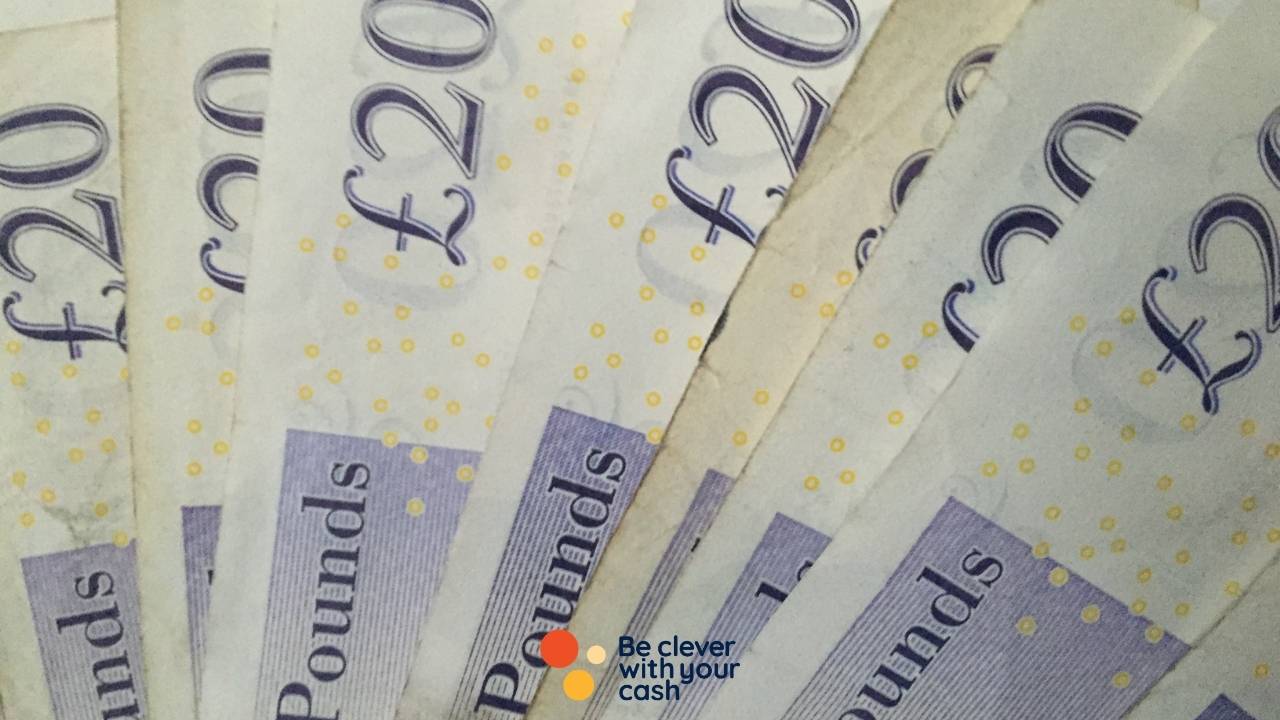
image of old twenty pound notes

How many old notes and coins are still in circulation?

A BBC Wales investigation found that a staggering £7.2bn of old-style banknotes were still out there.

The breakdown of old notes was:

  • 110 million £5 notes
  • 62 million £10 notes
  • 171 million £20 notes
  • 52 million £50 notes

And there are coins too. The current pound coin, with its many sides, two colours and other anti-counterfeiting measures has been around since May 2017. The old round coin stopped being accepted in shops six months later.

At the time there were thought to be 500 million of the old coins in circulation, so the fact there are still 76 million out there is surprising. There’s a good chance many of them are lost forever, but a huge chunk of that £76 million pounds has to be just sitting in our homes.

What to do if you have an old £1 coin

If you find an old pound coin, you won’t be able to use it any shops or businesses. And you won’t be able to exchange them for the new pound coins either.

But you will be able to pay them into accounts at banks, building societies. If you don’t have your bank near you, or it’s someone like Monzo or First Direct with no branch, then you can also deposit old round pounds at the Post Office.

So if you track any down, then simply pop into your branch with your bank card and get it added to your balance. There’s a chance your bank could have a minimum number of coins to make a deposit

Before you do that, it’s worth a quick check on somewhere like eBay that you don’t have a rare version which could be worth more.

What to do with old £5, £10, £20 and £50 notes

If you have a UK bank account, the easiest way to exchange your old banknotes is to pay them into your bank account at a local branch or Post Office. There are also 48 Post Offices that will swap old banknotes, even if you do not have a bank account.

You can also take your old notes in person to the Bank Of England in London or send them via the post for a swap.

Where to look for old coins and notes

If you haven’t checked for the old coins or notes, here are a few of the less obvious places you might have forgotten to check.

Your kid’s room

Soon after the old pound coins stopped being legal tender, my then seven-year old niece shared she had a small pot full of them that she was saving. In the end it turned out my dad (her granddad) had already switched them over to the new version. But it shows that if you’ve got kids with a money box or small purse they could be hoarding some old coins.

Winter clothes and bags

If you change your wardrobe with the seasons, then there will be some clothes – particularly coats – you’ve not used for six or more months. Check the pockets and check the bottom of bags.

Occasional use bags

A bit like the winter clothes, you might have bags you rarely use. It could be a posh handbag or a small one for weddings and nights out. You might have a sports or gym bag that’s not been used all summer. Basically anything you’ve not used for a while but you might put cash in!

Random change jars

We’ve got a couple of these at home and I tend to forget they are even there. Since I hate having loose change I tend to empty my wallet whenever I get some. This is usually onto random surfaces, which my wife then moves into a jar. It’s mainly pennies, but you could have a pound or two buried within.

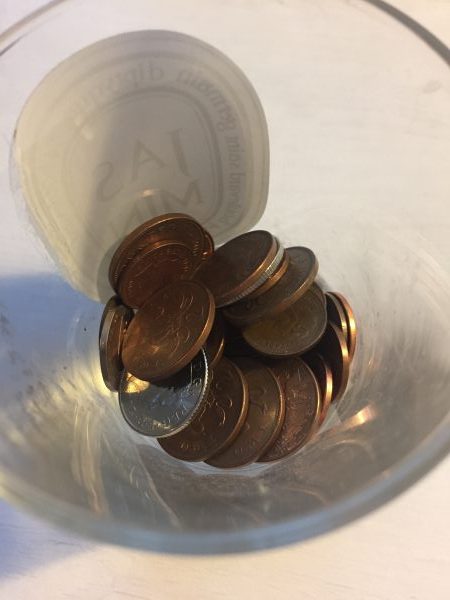
coin jar
One of our random coin jars – no £1 coins, new or old, but plenty of coppers!

Your glove compartment

Though most car parks are going cashless, you might have a few quid hidden in the glove compartment.

Club Pret review: is it still worth it?

Pret no longer offers five coffees a day with the subscription

Club Pret is Pret’s subscription service. It used to offer five drinks a day for £30, but has been given an overhaul, and ultimately downgraded, instead offering half-price drinks for a fiver a month. 

Here’s what you need to know about Club Pret, including how many coffees you’ll need to drink each month before you start saving money.

Some articles on the site contain affiliate links, which provide a small commission to help fund our work. However, they won’t affect the price you pay or our editorial independence. Read more here.

Text saying "Club Pret" with a cup of coffee

How Club Pret works

Club Pret gives you five half-price drinks for a monthly fee. You need to sign up in the app or on its website, including entering your payment details. Once you’ve done that, you’ll get a QR code in its app and by email.  

When you’re in Pret you order as normal and scan your QR code to get the discount. You can use it five times each day with at least a 30-minute gap between each one, to stop you from sharing the discount with your friends. 

There are a few locations where the discount can’t be used — mainly service stations and some in Ireland.

If you already had the old subscription

If you previously had the subscription then you’ll be moved to this one on your next billing date after 2 September, so you may have been moved to it already. You’ll need to cancel before your September billing date if you don’t want the new membership.

How much is Pret’s subscription? 

Club Pret costs £10 a month, although it’s being launched at £5 per month until 21 March 2025. The start of each month is determined by the date you sign up, so if you sign up on 10 May, your next month begins on 10 June.

You’ll be charged for the next month on the last day of the current month. So, in the above example, you’d be charged on the 9 of every month.

There’s no minimum subscription term, so you can cancel at any time. You’ll get the full month regardless of when you cancel so it makes sense to not leave it too late, just in case you forget.

Drinks included in Club Pret

As long as it’s a drink ordered over the counter and prepared by a barista (not a premade one in the fridge) then you’ll get the discount on it. This includes coffee, tea, hot chocolate, iced coffees and Pret Cooler Lemonades. Milk alternatives and syrups are included, too.

How much could you save?

For our calculations, a latte, flat white or mocha costs £4.05, tea is £3.30 and iced drinks are around £4. The cooler lemonades are £4.20.

 If you order a single £4.05 coffee every weekday, you’ll have roughly 22 coffees a month. This would usually cost you £89.10, but would be as little as £49.55 including the £5 membership fee. When Club Pret costs £10 per month, it’ll be £54.55. 

If you pay £5 per month for Club Pret from 1 October until 31 March (6 months) and taking into account annual leave, sick leave and bank holidays (so roughly 110 days), you’d potentially save £192.75. 

 If you go to the office three days per week and get a coffee each time, you’ll save £19.30 each month.

Minimum orders to break even

At £5 per month and with a latte costing £4.05, you need to have as many as three coffees each month before you start saving money. When the membership moves to £10 per month, it’ll take five coffees to break even. 

Do you get discounts on food with Club Pret?

Previously, Club Pret subscribers got an additional 20% discount on all menu items – including sandwiches, hot food, soft drinks and crisps, as well as additional hot drinks. This isn’t offered with the new subscription.

Our podcast

Listen to Cash Chats, our award-winning podcast, presented by Steve Alderton and Editor James Andrews.

Episodes every Monday.

Is Club Pret worth it?

Zoe’s analysis

At first, it’s definitely not got as much appeal as its previous “unlimited” but more expensive iteration. However, it could still save you cash, and may even work out better for more casual Pret customers.

If you reckon you buy at least three drinks each month at Pret, it’s probably worthwhile to get the membership. Once the membership goes up to £10 per month, you’ll need at least five every month to start saving money — still a good deal, but only if you know you’ll drink there.

There are downsides — you have to stick to Pret. Don’t let Starbucks’ new syrups tempt you away. And if you tend to get tempted to grab a pastry or sandwich that you wouldn’t otherwise buy, you’re not saving money.

Alternatives to Club Pret

If you’re missing Pret’s original subscription then you could go for Leon’s newly launched subscription that gets you five coffees a day for £25 each month.

Or you can sign up for other coffee shop loyalty schemes which can offer stamps to earn a free drink or other discounts. You might even get free coffee with other memberships or services without even realising it.

How to save money on books

The best discounts, freebies and tricks to buy books for less.

I tend to go through spells where I’m reading loads followed by periods where I can’t get going with a book. But when I get into a good book, there’s nothing quite like it.

And the more I read, the more expensive it can get. So it helps to find a few ways to find the best price, add extra discounts or even get books for free.

Here are the tricks I use to avoid paying full price.

Some articles on the site contain affiliate links, which provide a small commission to help fund our work. However, they won’t affect the price you pay or our editorial independence. Read more here.

Shop around

Don’t just head to Amazon and assume it’ll be the cheapest place to buy a book. Yes it often does sell at reduced prices, but that doesn’t mean you won’t be able to find it for less.

I use a website called 123 Price Check, which lists most major online retailers. This alone should get you the lowest price – though you can often save more.

Save at independent book shops

I like to shop at my local independent book shop, and they take National Book Tokens (as most retailers will). These are easy to get with a discount. I tend to buy them when there’s a short term TopCashback bonus, often spend £5 get £2 back, and earn cashback on top. You’ll also find them on apps like Cheddar, Jam Doughnut and HyperJar.

It’s also worth checking other membership schemes or work perk sites you have access to in case the rates are even higher. For example, I get 9.5% off National Book Tokens via an old Scottish Friendly ISA account.

Get an extra discount

The big chains often offer deals and voucher codes, so if you’re shopping online these could help bring the price down. If there are bookshops you like particularly then it’s worth signing up to email lists – WH Smiths for example often emails promo codes to use online.

Most of the big online retailers will also offer money back via cashback sites Quidco and TopCashback. In an ideal world you’ll be able to combine this with a discount code or discounted gift card, though check the cashback site terms and conditions. It’s worth seeing if you can also earn via Airtime Rewards at the same time, with retailers including Waterstones also offering cashback.

Use loyalty schemes

My local independent has a stamp scheme where you get a stamp for each £5 you spend. Get a full card and you’ve £10 credit to use. Another good reason to support your local shop.

Larger chains also have loyalty schemes. Both Foyle’s Foyalty scheme and Waterstones Plus give a stamp for every £10 spent, and once you have 10 stamps you get £10 to spend.

Visit your library

It’s easy to forget you can pick up free books from your library, including new releases though you might need to wait your turn.

Most libraries will have online catalogues and ordering systems which also let you renew if you haven’t finished.

If they don’t have the book you want you can request it. They’re often a small fee for this, but it’ll be less than buying a book outright.

Though it can vary depending where you live, you can often join a library online and even order books for collection.

Here’s my article on the books, magazines, ebooks and more you can get from libraries.

Buy second hand

You’ll also be able to pick up a decent read from your local charity shop, and your purchase has the added benefit of supporting a good cause. Obviously you’ll probably struggle to get a specific title, but if you’re open to what you read it’s worth a look. It’s worth seeing if there’s an online option, such as this one from Oxfam.

Or specialist second-hand book stores – both online on the high street – could give you a wider range of titles and perhaps a more knowledgeable staff to help you pick a decent read.

Swap books with others

Finished a book? See if a friend, colleague or family member wants to switch it with something they’ve loved.

If you’ve young children see if anyone is clearing out books their kids have outgrown – parenting groups on social media can be great places to look.

You should also see if there’s a swap box in your local area or workplace. These are generally set up by individuals – we’ve got one on our street where you can leave a book and take another. If there isn’t one, maybe look at setting one up yourself. This site has some listed, but it’s by no means a full list, and there’s this one too.

Go digital

Ebooks might not give the same experience as handling a paperback or hardback, but they can make reading a lot more convenient, especially when out and about. And they can also be a lot cheaper.

You can borrow them for free from your library, or get access to titles out of copyright via sites like Project Gutenberg – though these won’t work on a Kindle unless you convert them.

If you do have a Kindle then you can still save, with regular 99p offers on Amazon, and tools that help you track price drops and other promotions. You can read more about these in my article to help you save on Kindle books.

Our podcast

Listen to Cash Chats, our award-winning podcast, presented by Steve Alderton and Editor James Andrews.

Episodes every Monday.

Sell old books to fund new purchases

If you need to sell old books to raise funds for new books, then it’s worth looking at sites such as We Buy Books and Music Magpie. From my experience you won’t get anything for any popular titles, but rarer books and text books could get you a few quid. Here’s my guide to how these sites and apps compare.

Avoiding Amazon

Obviously lots of people will go to Amazon first for books, but I’m consciously avoiding any spending with them. Yes it does mean I could pay more for my books, but high street chains tend to be fairly competitive if you can’t afford smaller indies.

And even if you do still use Amazon, if the book is sold by a different retailer, take a note of their name and see if you can buy from them direct. They’ll get more of the money, and it could even be cheaper.

Why you still need to watch out for 0845 and 0870 numbers

The numbers that can add a fair whack to your phone bill.

I’m so used to inclusive minutes on my mobile SIM that I forget not all numbers are included in the allowance. Fortunately, there’s a work around if you come across premium rate digits.

Some articles on the site contain affiliate links, which provide a small commission to help fund our work. However, they won’t affect the price you pay or our editorial independence. Read more here.

What’s the deal with 0845 and 0870

Most non-mobile numbers start 01, 02 or 03, while mobile numbers start 07. These are generally included in your mobile phone allowance. 0800 and 0808, or freephone, numbers are also now included. All well and good.

But the rest… well it’s pretty confusing. On the whole, every other type of phone number isn’t going to be included in your mobile allowance, while it’s possible some might be part of your home phone package.

If these calls are on top of your allowance you’ll pay an “access charge”, often per minute which is set by your network. Then on top is another service charge per minute which is set by the people you are calling. And together it can make your calls pricey.

So you should avoid them if possible. And that’s not just 0870 and 0845. It’s the same with similar variations such as 0871 and 0843. Oh, and premium 09 numbers too. And don’t forget the exorbitant 118 directory enquiries numbers.

Numbers which are unlikely to be included in your mobile phone minutes

If the number you want to call starts with any of the following it’s likely to cost you money on top of your monthly contract cost.

  • 0842
  • 0843
  • 0844
  • 0845
  • 0870
  • 0871
  • 0872
  • 0873
  • 09
  • 118

How to avoid paying for 0870, 0845 and other non-inclusive numbers

You obviously want to avoid these extra charges. Here are a few ways to find an alternative.

Search for another number

You can, of course, go to the company website or Google to see if there’s an alternative number.

If you have no joy there’s another option. For years I’ve been using the website Say No To 0870. It’s pretty basic but is a big help. Essentially you search for the company you want to contact, or enter the number you have, and hopefully there will be an alternative.

In my experience, it’s hit and miss. The numbers are all provided by users so they can be out of date, or just plain wrong. But more often than not you’ll get some new digits to dial that won’t cost you extra.

Call the overseas number

This is a trick I’ve always used when calling a bank. On the back of your card there’s often a number to call from overseas, which starts +44 followed by a number starting 1, 2 or 3. Basically, ditch the +44 and replace it with a 0.

Use your landline

If you really have to call one of these numbers, then find out the cost from your landline. Some providers include these in your call package (if you have one), or are cheaper than using your mobile.

To be fair it’s years since I’ve had to do this – we haven’t even plugged in a phone at our new house. But it’s a decent backup option.

Try webchat

If you can’t find an alternative number, it’s worth seeing if the company has an online webchat service. These can be frustratingly slow, but they won’t cost you anything.

When direct debits are a bad idea

Watch out for hidden extra costs

Most of the time paying your bill by direct debit will save you money – but if you’re not careful they can also end up costing you hard earned cash.

Some articles on the site contain affiliate links, which provide a small commission to help fund our work. However, they won’t affect the price you pay or our editorial independence. Read more here.

When direct debits aren’t the best idea

“Pay by direct debit to save” is a message you’ll see on most bills. And most of the time it’s true. From gas and electricity to magazine subscriptions and gallery memberships, you’ll find lots of places will give you a discount if you set up these regular payments.

But there some high profile instances where it’s actually better to pay the whole amount upfront.

Insurance is the worst offender. If you pay in installments you’re borrowing the money to pay for the cover, and then getting charged interest. So the vast majority of the time it’ll cost you more money.

And some direct debits can be estimated – meaning you pay more than you actually should. Energy bills are the main culprits here, and you could end up with more money on your account that you’ve actually spent.

I’ve broken down some of the times it’s bad to split your payments by direct debit, and when you can make a saving by using them. It won’t be the case for every company, so make sure you check the terms and conditions.

Regular payments that aren’t direct debits

You might think that any payment you set up to leave your account on a regular basis is a direct debit, but they aren’t.

If you’ve used the long number on your debit or credit card that’s known as a continuous payment authority (CPA), or if you’ve set up a regular transfer between different accounts that is probably a standing order.

There can be advantages of using these options, and in many cases you won’t actually be able to choose between them – for example, streaming service subscriptions are pretty much all CPAs.

Which direct debits are bad?

You will usually be charged extra money on each of the following if you choose to pay by direct debit as you’re effectively taking out a loan for the product.

  • Insurance policies – from home and contents to travel and car, making a monthly payment adds interest meaning you pay more.
  • Car and vehicle tax – Pay for the full year for the cheapest price. There’s a 5% surcharge if you pay in monthly or 6-monthly instalments. However you can still set up a direct debit for a 12-month payment to make sure you don’t forget. All the different costs are here.
  • Mobile phone handsets – it’s not always the case but you’ll usually pay less overall if you pay upfront for the handset rather than get it as part of a contract.
  • White goods – rent to own services charge extortionate interest when you buy a TV or washing machine.

Alternative ways to spread the cost

If not a direct debit, what? Well paying for a full year in one go for car insurance or a new phone can be pretty expensive. Ideally you’ll have planned for these as most are expected costs and have the cash available in your savings The easiest way to do this is to calculate the annual costs for there services and split it by 12. This is how much you need to save into a separate pot each month to cover the costs.

But if you don’t have the savings to pay for them? If you can get a 0% purchase credit card it’s a good way to spread the payments without getting charged. You will need to make minimum payments each month, and make sure you have a plan to clear the borrowing before the 0% period ends. Fail to do both of these and the charges can be sky-high.

Buy Now, Pay Later is also an option, though you’ll find the interest free periods are often much shorter, perhaps just a couple of months.

Or you could borrow from a friend or family member – just make sure you do pay them back!

When direct debits are good

Of course, on the whole, direct debits are good and can save you money or help you budget. They’re also protected by the direct debit guarantee. This means if something goes wrong, perhaps you’re charged too much, you’ll get the money back.

These are the key services where you could be given an extra discount for paying in regular instalments.

  • Gas and electricity bills – these charges will be estimated so give regular meter readings to make sure you don’t get caught out by paying too little or too much. You can contact your supplier and ask for a refund if you have a decent balance.
  • Credit card repayments – you won’t forget to make your monthly payments this way! Try to clear the whole balance, or at least as much as you can afford, rather than the minimum required.
  • Magazine and streaming subscriptions – Monthly payments give you the option to cancel at any time. Just don’t forget to do this or you’ll roll over for another month or year.
  • Memberships – e.g. gym, galleries and clubs. Watch out for auto-renewal here too.
  • Donations to charities – though if you can give via Payroll Giving at work you’ll be able to give before you get taxed.

Then there are a few where it doesn’t make much a difference – well you don’t make a saving. However, paying for the following by direct debit will help you spread the cost over 12 months.

  • Council Tax – you can ask to pay this over 12 months rather than the default 10 months if you want consistency each month
  • Water bills
  • TV Licence

And if you choose to pay many of the bills above via direct debit from a selection of Santander current account, you’ll also earn cashback on those payments.

Remember a direct debit means the amount can vary each month, but a standing order is for a fixed amount. It’s important to make sure you have enough money in your account before committing to a direct debit to avoid penalties for going overdrawn.

Airtime (formerly Airtime Rewards) review

Get cashback at shops like Primark and Argos to bring down your phone bill

Airtime (formerly Airtime Rewards) is a cashback app that can help you cut down the cost of your mobile phone bill. Essentially, you just connect your cards to it and earn cashback on your spending. This can then be taken off your mobile phone bill. Here’s how it works and how much you can earn with Airtime.

Some articles on the site contain affiliate links, which provide a small commission to help fund our work. However, they won’t affect the price you pay or our editorial independence. Read more here.

Airtime and Be clever with your cash logo on orange background

What is Airtime?

Airtime (formerly Airtime Rewards) is an app you download to your phone that you connect to your bank cards. Every time you use your connected card at participating retailers — found within the app — you’ll earn some money back that’ll go towards your phone bill. 

For example, if you use your connected card at Oasis to buy a £30 shirt you’ll make the transaction as usual. You don’t have to follow a specific link or scan a code at the till.

Airtime will automatically track the transaction and calculate how much cashback you’re owed – in this example and at the time of writing, that’d be 3%, which means you’d earn 90p in cashback.

This all goes into the “Rewards” section in the app, then when you have £10, you can get it knocked off your phone bill.

How does Airtime work?

You can earn cashback in two different ways: from your connected cards and by buying gift cards. Here’s how each of them works.

Connected cards

As long as you’ve connected your card to Airtime, it’ll track your spending and automatically apply cashback to your account. You may see some transactions as “pending” for a while – this is normal, and it’ll be in your account in the period specified. It’s just to allow for things like refunds.

Buying gift cards

You can also earn cashback by buying gift cards through the app. This can be a little difficult to find, but if you go to “More”, you’ll see a link under the title “More ways to earn”. Here, you’ll see the option “Buy gift cards”.

Here you’ll be able to see a list of retailers available to buy gift cards from. It seems that the general reward available is 4% across the board, and we’ve not seen any fluctuation from this yet.

To purchase a gift card, you choose the one you want and the amount you want and pay with a credit or debit card or using Apple or Google Pay. The gift card will be emailed to you and can be used immediately. The card you use needs to be registered with your account, so it can be tracked in the usual way.

This is similar to what JamDoughnut offers. You get cashback in your Airtime account a few days after making the purchase.

How much can you earn with Airtime rewards?

The rates vary by retailer. Some offer just 1%, while others offer as much as 15%. The average is about 3-4%. There are plenty of retailers that you might use often, such as Argos and Waitrose, so you can pick up a lot of cashback from regular spending.

On average, I can cash out £10 every few months.

What cards can you add to Airtime?

The cards can be a debit or credit card, but only Mastercard or Visa. Sadly, American Express won’t work. 

In addition, it’s best that you don’t use Curve as this can break the link between the retailer and Airtime needed to make it track.

You add a card in the app, either by using the camera icon in the top right corner of the app to scan your card, or by typing in your card number and expiry date. 

It can take 24 hours for cards to be approved, so it’s worth getting as many of your cards on the app as soon as you get it. You need to have the card active before making a transaction for it to track.

What mobiles networks can you use with Airtime?

Sadly you can’t use Airtime with every network, and some are Pay As You Go (PAYG) only. At the time of writing it works with the following:

  • EE
  • Giffgaff
  • O2
  • Three
  • Vodafone
  • Lebara Mobile (PAYG only)
  • Lycamobile (PAYG only)
  • Now Mobile (PAYG)

If you aren’t with one of these networks you won’t be able to sign up just yet.

If you switch networks, you can still collect the rewards and then either save them up for if you switch networks or gift them to someone else to put towards their mobile bill.

How do you redeem Airtime rewards?

It’s very easy to redeem your rewards. You hit the rewards tab on the app (the little piggy bank), select the amount and hit redeem. The money will be sent to your phone network and knocked off your bill. This should take just 24 hours, however it can sometimes take longer.

You need to have earned at least £10 to activate your reward, and you can only redeem £20 at a time. You can repeat the process to get more, though.

How much you need to spend to get £10 with Airtime?

A typical rate is 3-4%, however some of the bigger brands are less than this. With an average of, say 3.5%, you’d need to spend just under £300 to get your first £10. 

To boost your initial rewards, you can check out the sign-up bonus on our Airtime promo codes page. You can usually get £1.50 credit, and there are frequent bonus offers available.

Gifting your rewards

If you’re feeling generous, you can send reward credit to another user registered with the app. That means that if you happen to have more than you need or aren’t on a participating network you can gift £10 to £50.

What retailers are on Airtime?

The big names are Argos, Waitrose, Boots and Primark, but there are dozens more you’ll know.

There are new retailers added all the time and if you sign up for emails you’ll be told when this happens. It sadly won’t let you know if one leaves the app.

Some shops let you earn the money back both online and in-store while others restrict you to just one. You might need to use the card itself and not Apple Pay or Google Pay in some cases. This information is all on the app, along with the current cashback rate.

Here are some of the retailers available to earn from via your connected cards. A lot of the same retailers are available to buy gift cards from, too.

FashionFood, Drink & Entertainment
Clarks
Crew Clothing
New Look
Oasis
Primark
Superdry
Urban Outfitters
Warehouse
Amazon Fresh
Deliveroo
Greggs
Krispy Kreme
Laithwaite’s Wine
Prezzo
Thorntons
Waitrose
Home & TechnologyHealth & Beauty
Argos
IKEA
John Lewis
NOW Broadband
Waterstones
Boots
GHD
Kiehl’s
L’Occitane
Sephora
TravelMotoring
Apex Hotel
Inspire Travel
Megabus
P&O
Euro Car Parts
Click Mechanic
Halfords
Halfords Autocentre

How to stack Airtime rewards with other offers

If your bank or credit card has a reward programme which offers extra cashback at participating retailers, then you should be able to get both those rewards.

You can take it a step further and connect your card to other cashback apps, like Cheddar. And, if the Airtime retailer allows online purchases then you could shop via a cashback site like Quidco or TopCashback and earn another set of cashback. Some people say that they have issues using Chase with Airtime due to its virtual cards, but it tends to work for online purchases.

Is Airtime any good?

If you pay some attention to which retailers are on the app, and what the rates are, then you can do pretty well from Airtime. You can also double (or even triple) this up with other cashback, such as the cashback offered by Chase, and by connecting your account to Cheddar, too. I did this recently, earning 3% from Decathlon from Airtime and another 7% with Cheddar, getting a total of 10% back on my spending. I could’ve improved this using Chase. Unfortunately, you can’t use Airtime with American Express.

With this in mind, there’s the potential to earn some decent cashback with Airtime, especially if you don’t use an Amex. If you do, then you’ll need to keep an eye on the retailers on the app. It’s worth doing this anyway as some of the shops do come and go.

Find extra Airtime Reward promo codes

If there are any bonus codes to earn more with Airtime Rewards then we’ll list them on this dedicated deals page.

How to pay in a cheque online with your phone

Beat the queues (and closing branches) by depositing a cheque with a mobile banking app.

It’s been years since I received or wrote a cheque. But during the first lockdown I helped some elderly neighbours with their shopping. And since they were housebound and not online the easiest way for them to pay me was via cheque.

Normally that would mean a visit to the bank in order to deposit to my account, but it actually gave me a chance to try out an online banking feature I’ve been unable to use before.

Since late 2017, some banks have used cheque imaging software to scan your cheques using the banking apps on your phone.

More and more banks now let you do this, and it’s a handy feature for those too busy or unable to head to a bank, or perhaps have seen their local branch close down.

Image of a mobile phone showing how to do a cheque deposit in a banking app

How to pay in a cheque with your banking app

If your bank has the feature (you can see a list of the banks that do and significant banks that don’t below), then it’s a similar process with each one.

You first take a photo of the front of the picture using the app. And once that’s gone through, you take a picture of the back – even if it’s completely blank!

The phone must be completely flat above the cheque, which must also be flat. You need to get the corners lined up to markers on the phone screen. And even if you nail this, it might not be enough. When I first tried it with Halifax it took about seven attempts to get the front to scan.

But once I worked out it needed to be on a dark background it took just seconds to snap each side and hit submit. Far quicker than heading out to the bank and queuing up.

You should see the money in your account by the end of the next working day, as long as you pay it in before a cut-off time (which varies by bank). Of course, make sure you keep the cheque until it has cleared just in case it’s rejected. 

Andy’s top bank apps

Banking apps aren’t just useful for paying in cheques. If you’re like me, you’re doing most of your banking on one – and some are much better than others. Here are my top apps for managing your current account:

  • Starling
  • Chase
  • Halifax

I’ve compared the apps across all the major UK banks in detail. You can read more about the best and worst mobile bank apps here.

Banks where you can pay in cheques with your phone

These are the main banks I can find that offer this feature.

Bank of Scotland

Bank of Scotland is one where the app works in exactly the same way as Halifax’s (see below)

Barclays

You’ll find the feature on the Pay & Transfer tab of your Barclays app. You can pay in a maximum of four cheques every seven days, and a cheque can’t be for more than £500.

First Direct

Since there are no branches you’d normally need to go to an HSBC or a Post Office to pay in a cheque with First Direct. However, in June 2020 the bank added the option to do this via the app, or you can also post them to the bank.

Halifax

I found the feature in the ‘More’ tab at the bottom of the app. There’s is a maximum cheque value of £10,000 and a daily limit of £10,000.

HSBC

HSBC has a maximum daily limit of £2,000. You can find the feature in the ‘Move Money’ section of the app.

Lloyds

Lloyds’s pay-in via the app feature lets you deposit a cheque with the bank in exactly the same way as Halifax.

Monzo 

After years where the only options was to send it via the post, since late 2023 you can now pay in cheques up to £500 via the app. For larger amounts you’ll need to post it.

NatWest

Added in May 2021, you can pay in a cheque using the NatWest app. You need to select the account you want to use and you’ll see the option. I found it much harder than on other apps to get the camera to find the cheque and had to put it on a dark background for it to scan.

However, once I finally got far enough to submit the cheque, the app came back saying it “couldn’t process your cheque right now”. I tried a few times before giving up! I’m sure it’s just teething problems at launch but it’s frustrating.

RBS

RBS has the same app and functionality as NatWest, so it’ll follow the same process as above.

Santander

Since late 2022 you’ve finally been able to use the Santander app to pay in a cheque. It has to be less than £500 in value. There’s a £1,000 total cap per day.

Also, for the Post Office option you’ll need to order some paying-in slips and deposit envelopes from Santander in advance.

However, you can also use cash machines or send your cheque to your local branch to process.

Starling

Simply go to menu in the top right hand corner and choose “Add money”. Then you’ll be able to take a photo of your cheque up to £500.

TSB

Since spring 2023, you can now scan cheques using the TSB app. Select the Payments tab at the bottom of the screen, then deposit cheque. There’s a £750 daily limit.

Virgin Money

The app for a Virgin Money, allows cheques up to £500 as long as they weren’t signed more than six months ago. You’ll find it via the menu in the top right-hand corner.

Banks where you can’t pay in a cheque with your phone

Here are some of the notable banks which don’t have this feature. If you can’t get to any of these banks to pay in a cheque, you can head to your Post Office and deposit it there. However, all they’ll do is post it on for you so it can take a while to clear.

Chase Bank

Chase does not have the function to pay in a cheque via the app. In fact there are no ways to deposit a cheque. Instead you’ll need to pay it into a different account and transfer the money across.

Co-operative Bank

You’ll need to visit a branch or post cheques for Co-op Bank.

Kroo

It’s not possible to add a cheque to Kroo at all, so you’ll need to deposit one elsewhere and transfer over.

Nationwide

There’s no cheque option on the app or website, but you can send it by post.

Revolut

Revolut won’t accept cheques (or cash!).

How to switch bank to one with this feature

It’s really simple to open up a new bank account at one of those listed above which do let you pay in a cheque with the app on your phone. 

You can either open up a new account and keep your old one, or you can choose to switch using the Current Account Switch Service which moves all your standing orders, direct debits and future payments.

You can read more about how switching works here.