Here’s how to manage direct debits and cycle money to get current account perks.
It’s a good idea to have more than one current account, but with each extra account comes more admin. The good news is that most of the task can be done in one go early on, and then looks after itself! Here’s how I do this for all my accounts.
Current account admin
From cashback to monthly rewards, there are all sorts of incentives and freebies you can get with multiple current accounts. And don’t forget bank switching bonuses.
But many account switches and perks require extras like direct debits or minimum deposits each month. They also have fees and other requirements. Get them wrong and you could miss out or even lose money.
All this can put some people off. But it’s actually a lot easier to manage than you’d imagine, and I think the reward is well worth the effort.
Regular readers will know I have 15 different current accounts at the moment so I’ve got to have processes in place to make sure I don’t accidentally go overdrawn on one or miss out on a perk on another.
Minimum transfers
Many accounts require me to pay money in every month. If I didn’t I could miss out on all those little bonuses or get charged a monthly fee.
The good news is the money doesn’t need to remain in the account, and in most cases doesn’t need to be in one go, so you can hack this by moving the same money through all the accounts. Still that’s potentially a lot of transfers to process, which can take time.
If you have more than two or three accounts, then automation is the key. Set up standing orders to move the money on the same day each month. You can do this easily in your online or app banking.
If you do have multiple accounts with the same provider, transferring between them often doesn’t qualify (eg Halifax to Halifax), so you’ll need to factor this in.
Remember, it’s not just minimum deposits you need to cover here. There are those account fees, and in some cases you’ll want to be adding money to regular savers each month, so they need to be factored in.
There are three methods here:
The endless cycle
One trick is to move the same cash from account to account so it cycles through each one and back to the start, then repeats itself the next month and so on.
For example, you’ve got £2,000 in account a, which you transfer to account b, then to account c, then account d and finally back to account a. Then it repeats the next month, and so on.
The back and forth
Another option is to set up a standing order out of one account into another, and then back the next day. And then move the money into another account and back.
So you’re move £2,000 from account a to account b, then back to account a. Then move £1,000 from account a to account c, then back to account a. And so on.
It makes sense to spread these out through the month so you’re still only moving the same amount of cash. to make sure there is cash in the account to leave it in the first place.
The bitesize transfer
If you don’t have a large amount in your account to keep moving around, you can split the requirement into smaller chunks.
You can use either the endless cycle or back and forth methods to automate this – you’ll just have more standing orders in action.
Let’s say you have an account requiring £2,000 each month, you could use the same £500, and just deposit it and withdraw it four times to total a cumulative £2,000.
Account fees
Reward accounts are great – though you normally need to pay for them. As long as you’re making more that you put in then they can be worth it.
Direct debits
Quite a few switching offers and perks require a couple of direct debits each month. Often it’ll say ‘active’ direct debits, which technically could include any payment that has been taken in the last year.
But for the most part these direct debits have to come out every month to qualify – ruling out annual or quarterly payments.
First Direct: £250 interest free buffer and 7% regular saver
Making sure everything is OK
The standing orders and direct debits should all take care of themselves, but I’ll always check in. In part that could be required to trigger a reward, or to claim the perk itself.
But most importantly it’s to ensure nothing has gone wrong and there’s no risk of going overdrawn. I’ve set up two spreadsheets to keep an eye on things.
The first tells me all the standing orders and direct debits in and out of each account. If I need to amend the size of a standing order (for example when switching banks), I know exactly which is which. It only updates if I change bank.
The other spreadsheet is more active. Every month I open up the apps for my accounts and write down the balances. I try to do this in the first week of the month. This way I know exactly how much I have in each account, and overall.
Get the best of our money saving content every week, straight to your inbox
Plus, new TopCashback customers get a high paying £18 welcome offer
What each account requires
Minimum transfers
These accounts that require a minimum deposit each month to trigger perks. Remember some bank switch offers might also require this.
Account (a-z)
Perk
Monthly deposit required
Barclays Blue Rewards
Free Apple TV+
£800
Bank of Scotland Vantage
3% interest on £4,000 to £5,000
£1,000
Chase
1% cashback on groceries and travel spend
£1,500
Halifax Rewards
No fee
£1,500
Club Lloyds
Free Disney+ w/ ads or 6 cinema tickets and no fee
£2,000
Nationwide FlexDirect
5% interest and 1% cashback (year 1 only)
£1,000
NatWest Reward
£2 reward after fee
£1,250
RBS Reward
£2 reward after fee
£1,250
Santander Edge
1% cashback on bills
£500
Account fees
You’ll need to pay a monthly fee to have the following accounts, though in a couple of cases you can avoid paying this.
With 47% of employees having worked from home in 2020, there’s a good chance you’re able to claim between £62 and £140 in tax relief.
If you’ve been required to work at home at all in the last year then you are eligible to get back some of the tax you’ve paid. You can do this for the whole 12 months even if there was only one day where this happened!
It’s also really easy to do thanks to a microsite set up by HMRC to process it for the 2020/21 tax year.
Update – And you can also now claim in the same way for 2021/22!
Most people are looking at receiving £62.40, though those who pay a higher rate of tax will be doubling that. A handful will be able to get £140.
Keep reading for everything you need to know about who can claim and how to do it, or watch this video with a step-by-step guide to applying.
What is working from home tax relief?
The logic behind this is you will have incurred extra household expenses while at home – from heating to insurance.
Who can claim?
Normally you can only claim for the weeks you’ve actually had to work from home. But that’s different for this last year.
You only need to have been required to work from home for one day since March 23rd 2020 (when lockdown began) to get the rebate for the entire 2020/21 year, and again for the 2021/22 year.
However, if your employer has already covered extra expenses you aren’t eligible. Also, you shouldn’t claim if you have chosen to work at home.
How much can you claim?
The tax relief is dependent on a few things – largely what you are claiming for and the rate of tax you pay on your income.
You can work out exactly how much extra you’ve spent on permitted expenses to claim the exact amount of tax back, but you do need to have receipts or proof of the extra costs.
What’s probably easiest for most people is to go with the set allowance. For the financial years 2020-21 (April 6th 2020 to April 5th 2021) and 2021/22 , it’s set at £6 a week. For previous tax years the rate is £4.
It doesn’t mean you’ll get £6 back for every week. Instead you’ll get the tax back on that £6, which works out as follows:
Basic rate taxpayers (charged 20% tax on most of your income) will get 20% of £6 back – a total of £1.20 a week. That’s 62.40 a year.
Higher rate taxpayers (40%) will get double that at £2.40 a week. That’s £124.80 a year
Additional rate taxpayers (45%) will get a little more at £2.70 a week, and £140.40 a year.
How will you get the money?
You won’t receive the money as a lump sum to your account or as a cheque. Instead, your tax code will be altered to accommodate this extra allowance. So essentially claiming really this means you’ll pay less tax each month.
How to make a claim
To make things easier there’s a government “microservice” most people can use. This uses the set £6 weekly allowance.
However this shortcut is only for those who don’t already fill in a self-assessment form. Those people will have to wait until they fill that in for that full tax year once it ends.
You can also claim for previous years but only for the days you were at home, and not via the microsite.
You’ll be asked:
Are you only claiming tax relief on your expenses for working from home? (Answer “Yes”)
Do you complete Self Assessment returns? (Answer “No”)
Has your employer paid your expenses for working from home? (Answer “No”)
Did you start working from home because of coronavirus (COVID-19)? (Answer “Yes”)
To make the claim you need a government gateway ID and password. This should take 10 minutes online. You’ll need your National Insurance number and either a payslip/P60 or your passport.
Once you have this you simply log in and follow the instructions. Don’t forget to claim from 23rd March 2020 if you were working from home then too.
What about 2021/22?
Money Saving Expert reported on 6th April 2021 that the microsite will carry on working for the new financial year, and you’ll be able to claim once more for the full year even if you only worked from home once.
If you didn’t claim for 2020/21 then you can still do this on the site.
Get the best of our money saving content every week, straight to your inbox
Plus, new TopCashback customers get a high paying £18 welcome offer
Is it worth opening multiple current accounts to earn monthly rewards?
I’m a bit of a bank account geek, and have tried and tested most of the UK ones – often as part of nabbing a switching bonus of £100 or more.
But these cash incentives aren’t the only way to make money from your account. There are quite a few which will give you a smaller cash reward every month if you meet certain criteria.
Often that is a requirement to pay in a set amount each month. Sometimes there’s also the need to pay out some direct debits or spend a minimum amount. You might also need to log into your app on a regular basis.
It’s all simple enough. But is it worth the effort? Here’s my take on which ones to open and which ones to avoid. Plus how much you could make if you opened them all up.
The essential reward accounts
If you’re not sure how many current accounts, these are good ones to start with.
With these three accounts combined you’ll make around £160 a year, give or take a tenner since the Santander 123 Lite account cashback value will depend on the size of your household bills.
The Club Lloyds account doesn’t give cash but a choice of “lifestyle benefit” such as cinema tickets or a magazine subscription. I’ve given it a monthly value of £3.50, though it could be more.
Halifax Reward
Santander 123 Lite
Club Lloyds
Reward
£5.00
£7.00
£3.50
Fee
£0.00*
£2.00
£0.00*
Monthly profit
£5.00
£5.00
£3.50
Annual profit
£60.00
£60.00
£42.00
Requirements include
Pay in £1,500 a month
Pay in £500 a month
Pay in £1,500 a month
Spend £500 on debit card
Two direct debits (though five or six to get full cashback)
If you want to take it further you can open up three more reward accounts, each earning you £3 a month after fees. So there’s potentially £108 extra a year from these accounts.
These are definitely worth adding to or upgrading existing accounts you have with the banks to get the cash. But the smaller returns mean you need to weigh up whether you are happy to do the admin required to apply and then manage the accounts.
Barclays Blue*
Natwest Reward
RBS Reward
Reward
£7.00
£5.00
£5.00
Fee
£4.00
£2.00
£2.00
Monthly profit
£3.00
£3.00
£3.00
Annual profit
£36.00
£36.00
£36.00
Requirements include
Pay in £800 a month
Two direct debits of at least £2
Two direct debits of at least £2
Two direct debits
Log into mobile app
Log into mobile app
*changing in March 2022
The final three rewards
These final accounts are for completists only and personally I’ve not bothered with them. They require minimum usage of your debit cards – 30 for each of the TSB accounts and 60 for the Co-operative Bank account. I think that’s too much hassle.
But if you want to go through with these then you’ll get an extra £80 in the first year. The TSB accounts can earn you cashback via Quidco, worth an extra £30 to £60 (and sometimes more) on the first one you open.
TSB Spend & Save
TSB Spend & Save Plus
Co-operative Bank Everyday Rewards
Reward
£5.00
£5.00
£2.20
Fee
£0.00
£3.00
£0.00
* limited to six months
Monthly profit
£5.00
£2.00
£2.20
Annual profit
£30.00
£24.00
£26.40
Requirements include
30 debit card transactions
30 debit card transactions
60 debit card transactions
Four direct debits
Pay in £800 a month
Keep balance above £0
Getting more as joint accounts
If you have someone you can open a joint account with then you can get the rewards again with a handful of the accounts.
It’s probably worth doing this for the Halifax and Club Lloyds accounts, earning an extra £102 a year. I think adding another TSB Spend & Save Plus account makes very little sense as that’s another 30 debit card transactions you’ll need.
Halifax Reward
Club Lloyds
TSB Spend & Save Plus
Reward
£5.00
£3.50
£5.00
Fee
£0.00
£0.00
£3.00
Monthly profit
£5.00
£3.50
£2.00
Annual profit
£60.00
£42.00
£24.00
Requirements include
Pay in £1,500 a month
Pay in £1,500 a month
30 debit card transactions
Spend £500 on debit card
Keep balance above £0
Even more accounts for your partner
And if you’re opening accounts with someone else, they can obviously also open up their own accounts. It’s not quite the same list as for you as there’s no point having a second Santander 123 Lite account (you can’t earn cashback twice on your bills), which brings the most they’ll earn for opening a Halifax Reward, Barclays Blue, Natwest Reward, RBS Reward and Club Lloyds down to £210.
How much you can make?
Obviously it depends on how many accounts you open, and whether you’re also able to open up those extra joint accounts.
But sticking with those first six account will get you £270 a year. Add in a second (joint) Halifax Reward and Club Lloyds boosts that to £372.
And if the person you have the joint account with opens those same ones except for Santander 123 Lite, you’re looking at another £210 and a total of £582 a year.
If you wanted to go extreme and add in the TSB Spend & Save, TSB Spend & Save Plus and Co-operative Bank Everyday Rewards you could add on another £80 for your own accounts, and another £50 for joint accounts.
Andy’s analysis
These rewards are great ways to earn extra cash every year, and in the most part pretty easy to manage. But they’re only worth opening if you feel the return is enough.
That could mean you just stick with the first three accounts and only look at others if there’s an extra reason to open one, such as a bank switch offer.
Still, even I draw the line at the TSB and Co-operative Bank accounts. if you already have them and use them as your main account you might find it easy to meet the debit card transaction requirements. But I’d argue you’re better off switching that account to a different bank for a reward that takes less effort!
Meeting the reward requirements
I’ve said it’s easy to have more than one of these accounts, but you do have to make sure you meet the different requirements.
As I’ve written about elsewhere, this can be quite simple – even automated. Do read my full guide which also shares tips to help you find extra Direct Debits.
Make even more money from your bank
If you open up any of these accounts, make sure you also take advantage of other benefits. The Natwest and RBS accounts, for example, make you eligible for a 3.04% paying regular saver – and you can have one with each account.
And don’t forget the biggest earners – bank switching. You might want to wait for Halifax to offer a cash bonus for opening an account. In the past Natwest and Lloyds have let existing customers switch in for a bonus, so you might not have to wait to open those (though I can’t guarante it).
What you need to know about the Government’s spending and taxation plans.
The Spring Statement, delivered in Parliament by Chancellor Rishi Sunak on 23 March 2022, isn’t meant to have any policy announcements. But the cost of living crisis is getting worse, with the energy hikes coming next month the largest cause for concern.
So as a result, we were given a handful of measures to relieve some of the pressure. Here’s what was announced and what difference this could make to your finances.
More detail may come in the next few days, and I’ll add information below as it’s revealed.
I’ll also be talking to the financial journalist Faith Archer on Thursday evening’s bonus episode of my Cash Chats podcast to analyse everything. You can subscribe now on your favourite podcast app so you don’t miss it.
Photo from HM Treasury Instagram account
Watch my video on YouTube talking about the Spring Statement or keep reading.
Fuel and energy
Fuel duty
There’s a 5p per litre cut to tax on petrol, which actually works out as 6p as there’s VAT on top. Depending on the size of your car, this will reduce the cost to fill a tank cost by around £2.50 or £3.50. So not much.
It comes into action from 6pm on 23 March 2022 and will last for a year. It will be worth a total of £2.4billion.
Of course, prices are still increasing all the time, so you’ll still be paying much more than you were a few months back.
Energy bills
Nadda. Zilch. Nothing. There’s no additional support to add to the £150 rebate due in April via Council Tax and £200 “loan” in October. A windfall tax on energy firms, as wanted by Labour, did not appear.
Green energy
There will also be a cut in VAT from 5% to zero for “energy saving materials”, things like solar panels and heating pumps. It’s a welcome move, but only the well off will be able to afford these changes.
Benefits and support
Household Support Fund
Those who are most vulnerable can apply for help from their local council’s Household Support Fund for help with things like bills, and the size of this will double from £500 million to £1 billion.
This sounds like a lot of money, but it’s a fraction of what would be needed to make up for the additional costs, so it really will only help those facing some kind of crisis with their finances.
Universal Credit
No change. This will only increase by 3.1%, as dictated by last September’s inflation figure, well below the average 7% predicted for the next year.
State Pension
It’s the same here, with the annual increase remaining 3.1%. There was also no talk of bringing back the “triple lock”.
Get the best of our money saving content every week, straight to your inbox
Plus, new TopCashback customers get a high paying £18 welcome offer
The increase to National Insurance Contributions (NIC), announced last September, is still going ahead in April. But from July the threshold where you start paying this is jumping up by a huge £3,000 to match the wages where you start paying Income Tax (£12,570 a year).
This means for the next financial year, those earning £35,000 or less will either pay the same or less National Insurance, with the most made here will be around £330 for those earning £12,570. The Treasury says this amounts to 70% of those paying NIC.
If you earn more than £35,000 in the next year then the increased NIC paid on those additional earnings will be more than the money saved, and you’ll take home less pay each month. Those earning £60,000 a year will see a loss of £232 this year.
It’s worth coming back to the dates for those changes. The NIC increase starts 6 April, but the threshold change isn’t until July. So you will be taking home less in your pay packet in April, May and June. Then from July, depending on your salary, you might be paying less.
Technically, when you average out the different allowances at the start and then the rest of the year, the threshold will be £11,908 for 2022/23. Then from 2023/24, when the whole year is at £12,570 (unless it changes again), those earning between £35,000 and £40,000 will benefit from a slight cut in their NICs.
Income Tax cut in 2024
One that won’t happen for two years is a cut to Income Tax. The basic rate tax rate will be 19% rather than 20% from 2024. But this is a long way away so it won’t help anyone right now, and a lot can change in 24 months.
Our podcast
Listen to Cash Chats, our award-winning podcast, presented by Steve Alderton and Editor James Andrews.
How to avoid overpaying for Netflix, Disney and more.
One of the things I love about the likes of Netflix, Disney+ and NOW TV is they are each far cheaper than getting premium channels from Sky or Virgin.
The problem is it’s so easy to sign up for these monthly streaming services. And with yet more new streaming sites launched (hello Paramount+), the more you have, the less of a bargain they actually are.
And with inflation hitting all our other costs too, it makes sense to find as many ways as possible to reduce what you pay.
So if you want to take advantage of these sites but also make a saving, here are the rules I follow to make sure I get the best value from the money I spend on streaming film and TV.
Some articles on the site contain affiliate links, which provide a small commission to help fund our work. However, they won’t affect the price you pay or our editorial independence. Read more here.
Paid advertisement
Binge, cancel and swap
There’s no way you can get the most of every service at the same time. At a push you might be able to justify two, but I think you’ll get the best value from one at a time.
Fortunately, all these services have 30-day or month-long contracts, meaning you can dip in and out whenever you want and only pay for the months you are signed up for.
Focus on the shows you want to watch on that platform, and when you’ve had enough you cancel your monthly payment and move to the next one. And so on.
This obviously requires you to cancel one when you’re done with it, and restart another. But this is very simple with each service, and can be done with a few clicks. You’ll probably want to put a note in your diary to remind yourself to do it.
Streaming Service prices compared
There are so many options, I’ve focussed this table on the main services, then some of the next tier options.
Monthly Cost
Annual Pass
Amazon Prime Video
£5.99 (£7.99 if full Prime)
£79
Apple TV+
£4.99
£49.99
BT Sport
£25
N/A
Discovery+ (Entertainment/Entertainment + Sport)
£3.99 / £6.99
£39.99 / £59.99
Disney+
£7.99
£79.90
Netflix (Basic/Standard/Premium)
£6.99/£10.99/£15.99
N/A
NOW Cinema
£9.99
N/A
NOW Entertainment
£9.99
N/A
NOW Sky Sports
£33.99
N/A
Paramount +
£6.99
£69.90
Arrow
£4.99
£49.99
BFI Player
£4.99
£49.99
Britbox (merging with ITVX in late 2022)
£5.99
£59.99
Mubi
£9.99
£71.88
Shudder
£4.99
£47.88
Starzplay
£5.99
N/A
So how much could you save having just one at a time? Let’s assume you can watch everything you need to in two months a year per main service. So that would be:
two months of Netflix Standard @ £10.99 a month
two months of NOW TV Entertainment @ £9.99 a month
two months of Amazon Prime Video @ £5.99 a month
two months of Disney+ @ £7.99 a month
two months of Apple TV+ @ £4.99 a month
two months of Paramount+ @ £6.99 a month
Paying full price each month would mean you pay £93.88 a year. That’s less than a year of Netflix on its own and you’ve got so much more choice. And if you nab deals, you’ll pay even less.
Avoid annual passes
This is an obvious extension of my first rule, but unless you know 100% that you are going to be watching one service at least 10 months of the year (most annual passes are 12 months for the price of 10), there’s no real saving in buying a discounted annual pass.
Of course, you might feel differently (especially if you’ve kids who are always on Disney+). So if you will watch it consistently then go for it, buy bear mind the cost when adding on extra ad-hoc subscriptions.
Watch out for extras
It’s tempting to upgrade Netflix to 4K quality, but I’d caution against it. Though it can make a difference, I’d argue it’s not worth an extra £5 a month over the HD Standard Netflix.
Likewise, the extra £2 a month to move from Prime Video to full Amazon Prime seems to make sense, but if you do this you will spend more money at Amazon – something I and many others are trying to avoid.
However, when it comes to NOW TV, the £5 Boost option is essential for basic HD and to avoid adverts (though I’ll always use the cancellation trick to hopefully bring this down to £1 or £2 a month).
Look for deals and freebies
Ok, an obvious one, but if you can pay less for a pass, then it’s a great way to save. Special offers are rare (though not impossible) to find on Netflix, but the other services all have promos and discounts, even freebies.
At the time of writing I’m on three months free Disney+, six months free NOW Entertainment, £2 NOW Boost for six months, one year free Prime Video, £1 NOW cinema for a month and I’ve got eight months of free Apple TV+ to activate before late August. That’s too much to watch, but it’s not costing me anything at all really.
These offers come and go, so check out my deal pages for the latest offers when I spot them.
Though not all services offer free trials, a handful do, so make sure you use these. Plus, though you’re only allowed one free trial per person, that doesn’t mean your partner, housemates or (older) kids can’t sign up.
You might even be able to repeat a trial. Amazon let you take a free trial every 12 months, sometimes sooner. If there are two of you in the house, that’s two months free a year – which should be enough to binge most of the content you want to watch.
These are the standard offers. For the links and details, check my deals pages. I’ll also share short-term extended free trials (eg with Apple and Mubi).
You probably do this already! But it’s possible to share your account details with all the main services.
It’s likely we’ll see Netflix clamp down on this (they’ve trialled a few different methods), and once they do, others will follow. So make the most of it while you can!
Be careful not to become the one who pays for all the services. Either get those using your service to contribute their fair share, or get them to pay for a different service and share that with you.
There can be limits on how many times you can do this and how many people can watch at once. And of course, just because you can do it, doesn’t mean you should. I’ve got more details in my article should you share streaming passwords and accounts.
Plan what to watch (and be picky)
With so much available, it’s easy to watch something just because it’s there. Yet so much of what’s available is trash. Really. Take a look behind the main titles and there are movies you won’t even believe were made. So I’m selective(ish). If there’s nothing I NEED to see, I’ll cancel.
And if there’s good word of mouth on programmes while I’m not subscribed, I’ll just add them to my list ready to binge when I next sign up. I’ll also time signing up for when all the episodes are available.
The only flaw in this plan is for shows on NOW as they come and go frequently, so if you miss it the first time around you might have to wait a long time for it to return.
Get the best of our money saving content every week, straight to your inbox
Plus, new TopCashback customers get a high paying £18 welcome offer
Check where you can watch it
There are some shows and movies that are exclusive to one platform or another, but many others will move about, or even be found on more than one service.
For example at the time of writing, Icon Films is pushing cult Ryan Gosling movie Drive on it’s front page, but that’s also on Prime Video. Or the US remake of comedy series The Office is on NOW, Netflix and Prime Video!
So before you sign up to watch that specific thing, check if you can watch it for less on another service. I use JustWatch for this.
Watch free catch up
And don’t forget, as long as you pay the licence fee, you’ll still have access to iPlayer along with All 4, ITV Hub and other free streaming services if you are stuck for things to watch.
There’s always a new drama or comedy to watch on the BBC (homemade and imported) along with some decent boxsets. There are new and recent programmes on Channel 4’s All4 along with a great back catalogue (The IT Crowd, Father Ted, Shameless). It’s well worth taking a break from the paid services every now and then to catch up on this classic TV.
If you hate adverts (I really do) you can pay extra to watch C4 and ITV catch up ad-free.
Will you get in trouble for using someone else’s Netflix account?
The shift to digital entertainment in the last few years has been huge. Six in ten adults now watch on-demand services such as iPlayer and Netflix according to Ofcom.
The problem is, all these subscriptions can be pricey, especially when you factor in media services you’re already paying for like the TV Licence or your Sky TV package.
So, many of us do something a little cheeky to lower the costs. We share our accounts with friends and family. If you don’t do it yourself, chances are you know someone who does.
But should you be sharing your passwords – and is it safe? Plus, with Netflix set to crack down on this workaround in 2023, will you even be able to?
I’ve delved into the terms and conditions to find out what they say about letting others use your digital accounts and looked at just who you can share with.
Some articles on the site contain affiliate links, which provide a small commission to help fund our work. However, they won’t affect the price you pay or our editorial independence. Read more here.
Paid advertisement
Is sharing your accounts allowed?
For most, the answer is yes, but within the family or household.
In fact, all the main digital streaming services allow multiple users and watching or listening on multiple devices – though you often have to pay extra to make this work practically. If there are a few of you in your home with varying tastes, it may well be worth shelling out so you can watch or listen to what you want in peace.
Sharing your account with people further than your front door is a different matter. The Intellectual Property Office says it’s illegal – though it’s unlikely anyone would be prosecuted for doing this with a handful of mates.
Many explicitly say you should not give your account details to anyone outside your household, though there’s very little in the Ts&Cs for each of the services that breaks down what would happen to you if they found out. What is clear is that the main account holder is responsible for any use or misuse of the service.
But even the ability to share could be soon be changing. In some countries, Netflix has already introduced a charge for those who want to give access to their subscription to others and is set to crack down on password sharing in the UK by June 2023.
Is sharing your account a good idea?
Of course, we all do it. But I bet most people don’t consider what this actually means for our viewing and out budgets.
It could put your data at risk
I’d urge you to think twice before handing out your sign-in details. If you give your username, often your email address, and password to a friend or family member – no matter how much you trust them – it’s out of your control.
It’s unlikely they’ll be able to see your card details as these are generally encrypted, but they could make additional purchases or change your subscription package. They may also share your log in details with further friends and family, making it near impossible to track who has done what.
The risk could even go beyond the account you share. Though we all know it’s best practice to have different passwords for all our digital accounts, the likelihood is there will at the very best be some similarity to others you use. At worst, it’s the same for everything. This opens up the risk of fraud, theft, and locking you out of your own accounts.
Even if the horse has already bolted from this open gate, you can change your passwords on the accounts you’ve shared, locking out anyone outside your household – though bear in mind you may also have to change details for all those other accounts too.
It might not save you money
Yes, if you are using someone else’s account you’re saving cash. But what if you’re the one who is paying and letting others have access? Plus, sharing could tempt you to have more subscriptions that you actually need. (I think it’s impossible to get the most out of more than one or two services each month).
You need to make sure that if people are splitting the payment with you that they actually pay. Or more practically you could each pay for one service so it cancels out.
But the wider the details are shared the harder it’ll be to know who is using what and who is contributing.
It might prevent you from watching when you want
This is one of the biggest downsides to sharing your password. Even if you are fine with letting others have access to your account, it’s not necessarily as simple as everyone watching what they want and when.
The services all have limits on the number of simultaneous streams and many also have limits on devices you can use.
For example, say only two can only watch at the same time. Add in a third person and you’ll get that dreaded error screen. Cue frantic messaging to find out who is watching and if they can stop.
Or if you want to be able to watch on your main TV, your bedroom TV and two phones in the house it could mean anyone you share with is limited to just one or two devices.
These aren’t necessarily a problem if you’re not paying. But if you are contributing part of the fee or paying for a different shared service you’d rightly be pissed off if you can’t watch what you want to watch when you want to watch it.
Sharing your streaming password – service by service
So what are you allowed to do? With the above points in mind, here’s what you can share – and possibly shouldn’t do – subscription by subscription.
Sharing Netflix
Netflix has previously been pro-sharing your account, but only within your household and Ts&Cs require that users “should not reveal the password… to anyone”. Until recently it hadn’t done anything to stop people, but
Until then, how many people can watch at the same time depends on how much you pay. The basic £6.99 a month subscription is limited to one screen, but for £10.99 (and HD) two people can watch different programmes on different devices simultaneously, while that goes up to four people (and 4K) for £15.99 a month. Anyone you share with uses the same log in as you.
You’re limited to three simultaneous streams on Amazon Prime Video, and you can only watch the same title on two devices at the same time. You can create up to six different profiles for people on the account.
Strictly speaking though this is still limited to the account holder. The official way to share Amazon Prime is to set-up Amazon Household where a maximum of two adult accounts are connected.
The big problem with both the official and unofficial sharing methods is that you are sharing your full Amazon account. That means anyone you share with could shop at your expense.
Personally, I’d only share Amazon with people you really trust, like your immediate family members.
NOW TV will allow only one user to watch programmes at the same time, though there’s no limit to the number of devices you can use each month.
You can boost to three simultaneous streams via the Boost package which costs £6 extra a month (you also get full HD and no adverts). I’ve always been able to get this knocked down to £2 a month, though that’s you’ll probably need to pay £6 in the first month to get these discounts.
Responsibility for the account sits with the account holder, so if your friend adds a month of Sky Sports for £34.99 you’ll have to get them to pay you rather than complain to NOW TV.
The log in can also be used to access your Sky account (you’ll have one if you have NOW TV, even if you weren’t aware), where further purchases can be made.
You can stream on four devices at once and have seven separate profiles, making it very easy to share with others. You can also download to 10 different devices.
In fact, in the subscriber agreement (1.b) it says that if you share your account details with others they are subject to the same terms and conditions. Which is another way of saying it’s ok to share.
Apple TV+ allows six simultaneous streams, though there’s no facility to create individual profiles. Plus this uses your Apple ID and password – not a good one to share seeing as it can be used for purchases and access to other Apple devices.
You can though add five other accounts to your apple “Family Sharing” which will give access to a number of Apple features.
By default this includes iCloud storage and purchases on the app store (and more). You can stop these extras being shared, but you can only toggle these on and off for everyone you share with.
If you have Sky TV, you’ve also got access to Sky Go which allows you to stream your channels on up to six devices. But it’s only one stream at a time for customers since March 2019. Older customers can watch two at once.
If you want to download programmes iPlayer style and stream on two devices at once you can upgrade to Sky Go Extra (via Sky Multiscreen or Sky Glass/Stream), which also allows you to watch on up to four devices.
You can create additional users for your household, so you would be able to limit the access to your account by providing a Secondary Sky ID.
Get the best of our money saving content every week, straight to your inbox
Plus, new TopCashback customers get a high paying £18 welcome offer
Sharing Virgin TV Go
Virgin’s TV Go is available on your computer, tablet or phone. You need to register which ones will use it, and there’s a limit of four, though you can change three every month. There’s a max of two simultaneous streams, though it’s limited to one if it’s for a Sky channel.
Unlike the others, Virgin are very clear in their terms you must not let anyone else use your log in, and that they may “restrict or remove your access to the Service” if they believe someone else is using your sign-in details.
You can watch BT Sport – and any other channels you receive as part of BT TV – on two devices at the same time.
However, BT are firm the service is for members of your household and require the account holder to “do everything you can to keep your BT ID username and password secure and confidential and prevent anyone else from using them”.
Should you use sharing services?
I’ve seen a handful of streaming sharing services pop up in the last year or two. With these you pay a third party every month for access to a service. They’ll provide you with a log-in, but they’ll also give the same details to someone else.
In theory this protects your payment card and other details as they won’t be on the shared account – but they will still be held by the facilitating website.
Personally I’d stay clear. These are very new so it’s impossible to vouch for any of these providers (hence why I’m not listing them). In fact one that was brought to my attention had its website suspended!
If you want to share you will most likely know someone who wants to split costs, and I think that’s a better option – as long as you follow the rules I’ve set out above.
Of course this could change, so I’ll keep an eye on these services and write more if so.
Our podcast
Listen to Cash Chats, our award-winning podcast, presented by Steve Alderton and Editor James Andrews.
If you no longer want to share with someone, or are worried that someone you haven’t authorised to use your account is doing so, then there are ways to get control back.
Netflix and NOW will let you see which devices are using your account, and Amazon will let you deregister any you don’t want to use your account. Netflix and Amazon can even reveal what is being watched on each profile, helping you spot unauthorised use. Meanwhile Disney+ lets you require a password to set up new profiles
Some, including Netflix and Disney, will let you sign out of all devices, meaning people will need the password to rejoin – and you can easily change this in settings.
Spending less on TV & movie streaming services
Sharing accounts isn’t the only way to pay less for your subscription. You can take out free trials, buy cheap passes and mix and match the ones you use to save some money. Here’s my deals page with the latest offers.
With 10 million customers and counting, Monzo’s popularity has swept across the UK as customers flock to get their hands on its hot-coral card. The digital bank led the way with a variety of features to help customers manage their money from the comfort of their phones.
From spending insights and overdrafts to opening a savings pot, you can handle most aspects of your finances from the Monzo app. This review focuses on Monzo’s standard free-to-use current account rather than the paid-for options.
Find out how Monzo works and whether it’s worth getting an account.
Some articles on the site contain affiliate links, which provide a small commission to help fund our work. However, they won’t affect the price you pay or our editorial independence. Read more here.
Paid advertisement
What is Monzo?
Monzo is a digital bank that is operated entirely through its smartphone app. It started its days back in 2016 as a prepaid card, but Monzo is now a fully-fledged bank with millions of customers across the UK.
Monzo has upgraded its features over time, and now offers several types of current account and other services like borrowing, savings and even investing products to help you manage your money. We’ll be putting our focus solely into its free standard current account for this review, though we also have reviews of its Extra, Perks and Max accounts.
Types of Monzo account
Monzo’s expanded its offering over time, so it currently offers seven different types of accounts, with another on the way soon.
One of the reasons Monzo is as popular as it is is the app. This is where you manage your Monzo account as there aren’t any branches.
Design and customisation
The design of the Monzo app has been through a few iterations over the years, with the latest one a major update to the home screen design.
A big part of this is customisation, so you can choose what you see and where. Straight away it makes it a lot easier to see your main Monzo account, and access key features such as your card and get statements.
Above this you’ll see selected insights into your spending, while Pots can also be reordered and customised, giving you the choice between the “classic look” (with pictures) or a list.
You still have the Trends, Payments and Help tabs at the bottom of the screen to quickly jump between these sections. You’ll find more settings by hitting your initials (or a photo if you’ve set this up) in the top left corner.
Categorisation and notifications
When you make a payment, you receive a notification about the transaction, along with how much you’ve spent that day. The transaction is also automatically assigned to a category. With the standard account, you’re limited to a set number of categories, but they pretty much have all the ones you’d want, including groceries, shopping and bills.
It’s easy to change the category of a transaction, and when you do, it offers to change similar past and future transactions in one go, so you don’t have to manually change several transactions in a row.
You can also add tags and additional notes to your transactions to help sort your payments – this is particularly helpful in the joint account to better communicate a transaction.
Budgeting features
One of the big benefits of Monzo is that it helps you budget effectively. Although, if you really want to get into the nitty gritty then you might be better off with a third-party budgeting app.
Monzo offers “Monzo Trends”, which gives you an overview of your finances in the app, both on the home screen and in a separate tab.
Here, you can see your individual and combined balances across your different Monzo accounts and any Pots you’ve set up and track your spending and see how much you’ve paid for different categories of expenses.
For example, it’ll show how much you’ve spent on things like transport, entertainment or groceries to name a few. It also lets you compare your spending insights month on month to highlight any changes.
You can set targets for your spending each month — this can be broken down into specific categories as well. This will then show you how much you have left to spend of your overall budget (and for each category if you’ve set specific targets for those).
In addition, you can create up to 20 Monzo Pots. These can be used for different expenses, such as bills, food, and nights out. This is very similar to the “jam jar” or envelope budgeting method.
You’re also able to see a list of all of your regular outgoings each month including bills and subscriptions.
More on Monzo Pots
Monzo Pots can be customised with pictures and bespoke titles.
These do not have their own sort codes and account numbers so you’ll mostly need to manually transfer cash into them, however, you can set Direct Debits to come out of specific pots – handy for allocating cash each month for things like bills. If there’s not enough in a pot, Monzo will pull cash from your main account — so you don’t have to worry about a transaction declining if you’re a little disorganised.
Monzo’s auto-savings feature allows you to round up your payments on the card to the nearest pound and it puts the extra money into a pot for you. This can build up to a nice chunk of change over time!
You can connect to a service called IFTTT (If This, Then That) to trigger auto savings. This can be anything from the 1p savings challenge through to moving money when an event happens such as rain. It’s a unique feature which might make it easier to add to your savings without any effort.
Integrations
The Monzo app is secured with biometrics or a passcode. You can also be emailed a “magic link” to log in.
You can use Monzo with a great deal of apps that let you connect your account via Open Banking, including Cheddar, Emma, Plum and Airtime Rewards.
In addition, you can use IFTTT, which we touched on earlier. This can be used for auto-savings, but there are actually a fair few different things possible with this, from ridiculous (saving money whenever you Tweet) to sensible (putting your transactions into a spreadsheet or taxing yourself when you get a takeaway).
These are, realistically, a bit of fun, but they could help you save money in alternate ways, like doing more steps – yep, you can connect it to Fitbit. You can even connect it to your Octopus Energy account and put away money when you save on energy.
You can pay with Apple Pay and Google Pay, as well as using a smart watch like a Fitbit or Samsung Watch.
You can decide if you want a lower cap for contactless spending, set by default at £100 for single taps and £200 cumulative before you need to enter the PIN. You can also block transactions to gambling websites and services through the app.
Monzo allows you to check your PIN and debit card details, including the CVC, in the app. You can also copy these to paste elsewhere, though I find this doesn’t always work.
If you think you’ve lost your card, you can freeze it in the app to stop payments from going through until you find it.
Virtual cards are limited to the Premium account holders. If you think you’d like an account that offers virtual cards, Starling might be a good option.
Sending and receiving money in the Monzo app
If you need to send or receive money, you have a few different options.
Firstly, you can easily share your account number and sort code via messenger, email and other apps. It preps a message for you with all the details, so you don’t have to go back and forth.
If you’re requesting money from people, you can send them a QR code or create a unique Monzo.me link in the app for people to pay you back. You can choose the amount you’re asking for, too. You can use this to pay people, too.
How to find your Monzo.me link
It’s a little tricky to remember where this is in the app if you don’t use it regularly. Go to the Payments tab at the bottom of the app, then click the QR code icon at the top of the screen. You’ll then find a “Share link instead” button on this page. You can also access it from the “Request money” selection.
If you have friends on Monzo, you can split bills and payments in the app by selecting “Split bill” from the transaction. You can find people with Monzo accounts nearby if you’ve got Bluetooth turned on, too. Great when you’ve just had dinner with your friends and don’t want to faff with entering bank details.
If you’re regularly splitting bills with the same people, such as your partner, you can also set up a shared tab. This is similar to what Kroo offers, as it lets multiple people assign transactions and choose how to split the payments, and then it works out who owes who what when you choose to settle up.
What happens to my Monzo account if I lose my phone?
If your phone is lost or stolen, you can freeze your account to prevent any payments or transactions from being made. You’ll just need to log into Monzo’s emergency webpageto activate the freeze. It’s a really basic version of Monzo that only allows you to see your accounts, check your balance, view recent payments from the last 90 days and freeze or unfreeze your card.
Our podcast
Listen to Cash Chats, our award-winning podcast, presented by Steve Alderton and Editor James Andrews.
As a current account, Monzo is pretty decent. It’s a good choice for using abroad, although other accounts definitely trump it, certainly for longer holidays.
Account basics
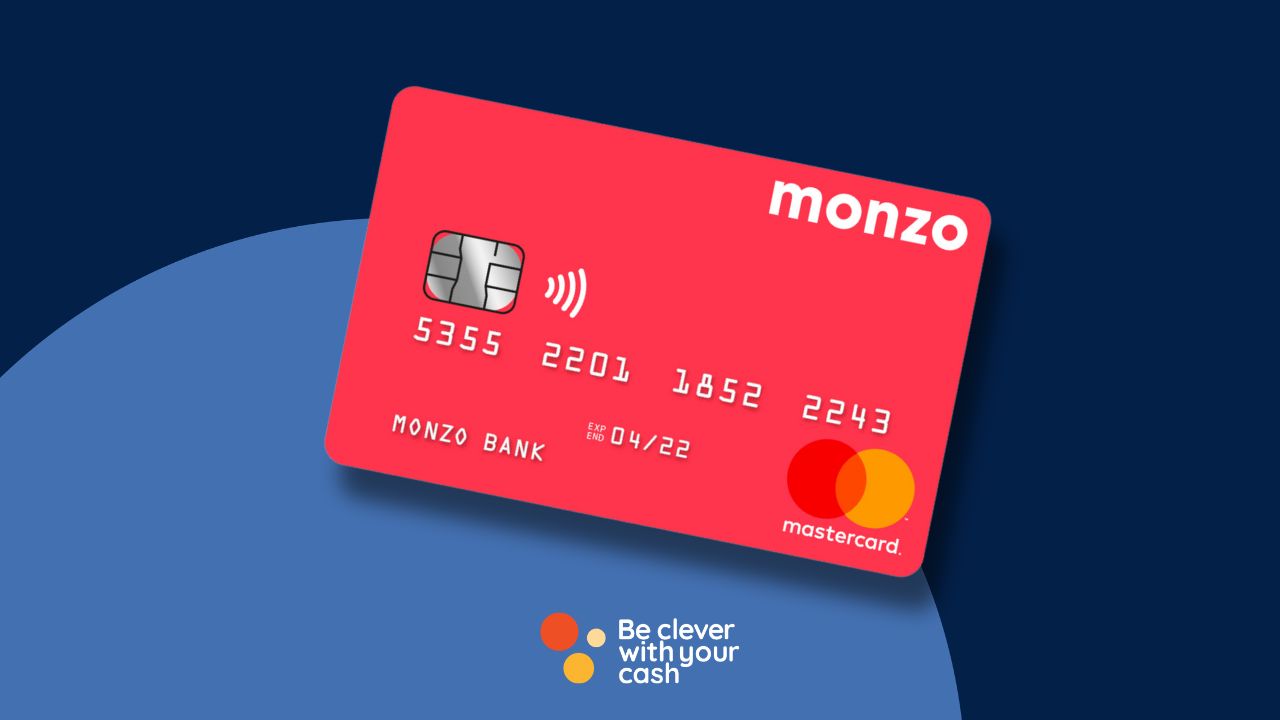
You get Monzo’s classic hot coral card with the account, although there have been promotions that can get you another colour when you refer friends. The card is sent out for free and you can get a replacement for free if you lose it.
In addition, you can start using the card before it even arrives by setting it up with Google Pay and Apple Pay.
You’re also able to set up or amend standing orders or direct debits directly from the app.
To pay in cash, you need to deposit it at a PayPoint. Monzo charges a £1 fee for making the deposit. You can deposit £5 to £300 at one time, and can pay in a maximum of £1,000 every 180 days. It appears in your account within ten minutes.
You can pay in cheques with your Monzo app, too. These previously had to be posted, but you can now pay in a cheque up to the value of £500 using your phone’s camera.
There’s a £10,000 daily transfer limit to UK bank accounts. This is lower than most banks typically offer, with Chase offering £25,000 and Revolut letting you transfer £50,000 per day. Starling is higher than this, at £1m.
Unlike most other banks, there’s a limit to the amount of cash you can withdraw — you can take out up to £400 every 30 days in the UK (after that a 3% fee applies). However, if you’re using Monzo as your main bank there are no limits at home or in the EU.
How to make Monzo your main bank
If you want to lift some of the limits with the free Monzo account you need to do one of the following:
Pay in £500 and have one active direct debit in a rolling 35 day period
Have a student loan payment made into your account in the last rolling 8 month period
Received a DWP payment in the last rolling 35 day period
Have a joint account with someone who’s met one of the above conditions
You can switch your bank account to Monzo using the Current Account Switching Service (CASS). This is likely to satisfy at least one of these points by default.
Can I use Monzo abroad?
Monzo is a fairly decent account to use abroad. You can spend fee-free all around the world, and if you have it as a “main account”, then there’s no cap on cash withdrawals in Europe either.
However, if not, then you can only withdraw up to £400 for free per month in EEA countries. All users are capped at £200 of withdrawals in non-EEA countries. If you go over these limits a 3% fee applies.
This isn’t the best account on the market — Chase offers fee-free spending and withdrawals and 1% cashback on your spending. Check out our roundup of the best debit and credit cards to use abroad for more.
Monzo account fees
Although Monzo’s standard account is free to use, the following fees may kick in for certain payments or services:
Cash withdrawals in the UK: Monzo charges 3% on cash withdrawals over £400 in a 30-day period in the UK.
Cash withdrawals abroad: A 3% charge applies to withdrawals over £400 in EEA countries and £200 in countries outside of the EEA.
Cash deposits: You’ll have to pay £1 per cash deposit into your Monzo account
Card replacements: Monzo charges £5 for card replacements unless you meet the criteria for 2 free cards per year, your card expires, is stolen or you’re the victim of fraud.
You get free card replacements if you use Monzo as “more of a bank”. Monzo doesn’t exactly explain how they decide this, but it’s likely to be regular money in and out of the account. You’ll get two replacements per year per account.
Monzo overdraft
Monzo offers an overdraft on its account. Depending on your credit score, this could be 19%, 29% or 39% to use it. These rates are lower than most other banks, but it’s still an expensive way to borrow and there are better options.
You can borrow up to £2,000, though Monzo chooses this based on your credit score and current borrowing.
Monzo keeps a tally of how much your overdraft will cost you each month based on the amount you have overdrawn and for how long. This stays at the top of your account, so you can keep tabs on the cost.
Other things you can do with the Monzo current account
Monzo has a few additional features, including a salary sorter, loans, credit cards and a teen account. Here are the details.
Salary sorter
This feature splits your salary across different pots, such as money for spending, bills and savings. It works for any sums over £100 coming into your account with one of the below payment types. You can choose your sorting settings within 72 hours of money entering the account.
Eligible payment types include:
Bank Transfers
BACS
Cash Deposits
CHAPS
Cheques
Peer to peer
Get paid early
If your salary is paid into Monzo, you can be paid the money at 4pm the day before. This is for BACS payments up to £20,000. This is simply Monzo clocking that money is due to enter your account and passing it over a day early. It isn’t considered to be borrowing, so it won’t impact your credit score.
16-17 account
Younger students aged 16-17 can apply for a Monzo account as well. The Monzo 16-17 account works in the same way as the standard one, except there are spending blocks built into the account for age-restricted things like gambling.
Mortgage tracker
You can connect your mortgage to the Monzo app and track your payment progress, explore overpayments and get more insights. Though, how useful this will be is questionable.
Loans and credit cards
Monzo offers loans of up to £25,000 for eligible account holders. It also offers Monzo Flex, which is basically a credit card with Buy Now, Pay Later (BNPL). You can split the cost of your purchases into instalments over three, six or twelve months with this.
Get the best of our money saving content every week, straight to your inbox
Plus, new TopCashback customers get a high paying £18 welcome offer
Monzo rewards
Monzo’s not offered much in the rewards space during its time, but it’s slowly improving this.
Savings rates with Monzo
To save money with Monzo, you can make use of the Pots feature to separate money from your main account. However, to earn interest on this money you’ll need to open a specific savings pot. This pays 2.75% at the moment and can be beaten by other savings accounts.
Monzo switch and referral offers
Monzo doesn’t offer any switching deals currently, though you can still switch as you would to any other bank using the Current Account Switch Service (CASS).
We have a round-up of the best bank switching dealswhich will tell you which providers are offering top-paying welcome bonuses, cashback and rewards if you switch to them.
You can get £5 for you and a friend if you refer a friend.
Cashback with Monzo
Monzo launched cashback in late 2023.
You can’t earn cashback on all of your spending, as Chase offers. Instead, Monzo has a list of participating retailers, where you can earn cashback on your spending. These change fairly often, with Monzo notifying you each week of your cashback offers. At the time of writing, I can get 3% cashback at Sainsbury’s, 5% from Just Eat and 10% from Krispy Kreme.
These need to be loaded before you can use them, and cashback will go into a separate pot, so you can keep track of what you’ve earned. We’ve written a full guide on how it works.
You can apply for a Monzo account for free, here’s how:
Download the app: Search “Monzo’” in the App Store or Google Play, then hit download. It’s worth seeing if any friends already use Monzo as you might be able to get a £5 referral link to use when joining.
Personal details: You’ll fill in the first section of the application with personal details such as your name, home address, employment status and phone number.
ID checks: Monzo will then verify your ID by asking you to snap a picture of your ID. You can use your passport, driving licence, national ID card or biometric residency permit. Then record a selfie video.
Choose your account: Once your ID is confirmed you can choose your Monzo account and card.
Activate your card: You’ll need to activate your card in the Monzo app to start using it. (It usually takes a couple of days for it to arrive at your home address).
Monzo is one of the few UK current accounts that doesn’t perform a hard search on your credit report when you apply – as long as you don’t apply for any borrowing such as an overdraft or Monzo Flex.
This means it can be a good “dummy” current account for bank switching. Though be aware that if you switch away you’ll have to wait at least 30-days to open another – and there’s no guarantee they’ll offer you one.
Is Monzo safe?
Monzo is a fully-fledged bank and is regulated by the Financial Conduct Authority (FCA). That means that it’s legally required to treat customers fairly and protect their funds.
Up to £85,000 of the money held in your Monzo is protected by something called the Financial Services Compensation Scheme (FSCS).
This basically means that if Monzo goes bust, you’ll be able to get up to £85,000 money back.
However, if you add money to some linked savings accounts (though not all), they may held with other banks. It’ll be clear who this is (if it’s not Monzo) when you open that savings pot.
What is the FSCS scheme?
FSCS protects up to £85,000 of your money held in banks regulated by the FCA. It’s important to note that the protection applies to a banking licence and multiple banks can be held under each one licence.
So, let’s say you have three current accounts with different banks under the same licence – e.g. Lloyds, Halifax and Bank of Scotland, that means the £85,000 coverage would be split across all three, rather than applying to each account. Here’s more.
Will Monzo close my account?
There are often reports of Monzo closing or freezing bank accounts – there’s even a Facebook group devoted to impacted customers. And they’re not the only bank to come under fire for this, NatWest, Barclays, Monese and Revolut have also hit headlines for bank account closures too.
Ultimately, as with all banks, Monzo has the power to freeze, block or close your account to protect other customers.
Some of the reasons why they might close your account include:
Unusual activity: If they suspect your account is being used for criminal activity it may be blocked or closed. (This includes if their fraud systems pick up that someone else might have access to your account to protect your money from being stolen.)
Risky customers: Any account holders that are flagged as a risk to Monzo or other customers may have their accounts closed.
Police instruction: Monzo will close your account if they’re asked to by the police as part of a financial crime investigation.
We don’t think it should be something to worry about over other banks. Monzo argues they might appear to close more accounts, but that’s because their technology means they’re better equipped to spot dodgy behaviour.
However, they won’t always get this right. So if you are affected, then contact the Financial Ombudsman.
Positive reviews of Monzo’s standard current account highlighted the ease of use, app features and savings pots.
Negative reviews of Monzo’s standard current account had issues contacting customer service and getting their queries resolved.
How to get help with Monzo
Monzo is a completely digital bank and doesn’t have any physical branches for you to visit. So, most of the customer service is managed within the app.
You can get in touch with Monzo’s customer services team 24/7 with urgent queries by tapping the “help” tab and starting a chat (at least you should be able to – check out the next box if it doesn’t appear for you).
Why isn’t the chat function showing in Monzo?
Though some Monzo customers will be able to easily click to chat with Monzo, some users won’t find this option (including our Editor Andy). Luckily we’ve uncovered a workaround.
On the Help tab, type “Contact support” in the search box, and it’ll pull up a page where you can open up a chat via a link called “Tap here to get started”.
You’ll see some preset options, and even if these don’t relate to your query you can keep answering questions until you’re shown the option of “ I need to chat with someone”
Monzo also offers customer support via call between 7am and 8pm. You can call for free on 0800 802 1281 if you’re in the UK or +44 20 3872 0620 if you’re calling from abroad.
There are some things Monzo can’t help with over the phone though. This includes sharing account information and updating your mobile number or email address registered to your account. (You can update these in the settings on your app).
Pros and cons of Monzo
Pros
Simple to set up and use
Lots of budgeting features and some spending insights
Fee-free spending abroad
Automated savings including round ups and your own scheduled savings pots
Ability to combine with IFTTT to boost savings
Potentially lower cost overdrafts
FCA-regulated and FSCS protection
No credit checks unless you apply for an overdraft
Cons
3% charges on cash withdrawals over the free allowance in the UK and abroad if it’s not your “main account”
No bank branches or face-to-face customer support
£1 fee for each cash deposit you make (and you can only deposit £1,000 every 6 months)
You have to pay for full functionality
No virtual cards on the free account
No bank switching offers
Summary: Is Monzo any good?
Beyond the fandom, Monzo’s standard current account is a decent all-rounder for spending and budgeting.
The redesign is a return to a more intuitive experience, and it still offers lots of features that help you get to grips with managing your money, setting budgets and saving too.
Little things like being able to view your debit card number or PIN make paying so much simpler as well (though of course, many others offer this too).
Overall, if you’re looking for an easy way to budget and manage your everyday spending, it’s worth giving Monzo a look – as long as you’re comfortable with a fully digital banking experience.
However, we think there are better options, which we’ve listed below.
For an everyday banking experience, Starling still has the edge in our opinion. Plus there are no limits on cash withdrawals and the ability to use the Post Office for cash.
Chase is also very easy to use but comes with the added bonus of 1% cashback at home and abroad.
Alternatively, you could look at a reward based account from more established banks that have much-improved apps as well as access to high street branches (as long as they’ve not been shut down). Freebies include free Disney+ from Club Lloyds or £5 a month from Halifax Rewards.
And, when it comes to saving, you’re probably better off automating the money you’d like to set aside to go to an account with another provider. This means that you’ll be able to take advantage of the best savings rates out there.
If you can’t make it to the theatre it’s possible to watch a number of productions from your sofa via streaming services.
There are big-name theatres and companies such as the RSC, as well as productions starring famous names like David Tennant.
During lockdown many theatres offered free shows each week, but these seem to be stopping. However, you can still watch shows via subscription services.
Subscription services & rentals
Hamilton on Disney +
You can watch a recording of the original Hamilton cast on Disney +. It costs £5.99 a month – though there are ways to save. For more discounts visit my streaming service deals page.
You pay what you’d pay if you were going, with the minimum price £10, but you can choose to give up to £65.
For Christmas the production includes A Christmas Carol.
National Theatre at Home
You can either rent individual productions or subscribe to access a range of National Theatre shows and other productions with National Theatre at Home.
It costs £8.32 a month, or £83.32 for a year.
Wind in the Willows at the Palladium
This production with Rufus Hound from 2017 was free, but is now £4.99 to rent.
Marquee TV
This has some theatre but it’s probably best for dance and opera fans. You can get a 30-day free trial. After that it costs £8.99 a month or £89.99 a year – though there’s a £20 discount for your first year.
New shows are premiered every Saturday. Theatre seems to mainly be RSC and an Oscar Wilde season, but there’s a huge amount of dance from the likes of The Royal Ballet and the Bolshoi, with opera from Glyndebourne and others
Digital Theatreis a streaming service that costs £9.99 a month for unlimited viewing, or £7.99 per production.
It includes shows from the likes of the RSC, Old Vic, Donmar, Lyric and Royal Opera House.
Shows includes Funny GIrl with Sheridan Smith, Hamlet with Maxine Peak, Much Ado About Nothing with David Tennant and Into The Woods from Regent’s Park.
There’s also ballet, dance, opera and classical music.
How to get two-for-one, Kids go free and other deals to save money and get you cheap theme park tickets.
I love a good theme park – but ticket prices for UK theme parks such as Alton Towers and Thorpe Park can be more terrifying than the fastest ride, especially for a family. But it’s actually really easy to pay less.
Here are some of the best deals right now to get cheap theme park tickets.
Some articles on the site contain affiliate links, which provide a small commission to help fund our work. However, they won’t affect the price you pay or our editorial independence. Read more here.
Paid advertisement
Cheap theme park ticket rules
These are the basics that should help you avoid paying full price.
Use a promo code
Every single year there are discount codes, usually offering 50% off or two for the price of one tickets, to all the major theme parks. Smaller parks might have smaller discounts, but there are still savings to be found. We’ve listed below some of the best ones available right now from products you’re likely to buy.
Book in advance
Whether you’re using one of the codes below, or just paying full whack (why?), it makes sense to book in advance as prices are much cheaper. Often, the earlier you book, the better, with online prices on the day often more expensive (though still cheaper than buying on the door). You can sometimes stack a 2-4-1 code with these cheaper prices, meaning you’ll pay even less.
The annual pass trick
You can often pick up a season pass, giving unlimited access to one or multiple Merlin theme parks for the cost of a single ticket. Of course, if you’ve used the other promotions listed on this page you should only have paid 50% of the entry price. But if you are going to go at least twice in a year, then you may as well buy the season pass – even if you don’t go again.
Do check again for any restrictions, for example August weekends and special events are often excluded unless you buy a premium pass.
You can get season passes at locations including:
Alton Towers
Legoland
Thorpe Park
Chessington World of Adventures
Try for cashback
While you likely can’t get cashback with some of the offers below, as they’re often booked via promotional websites, if you’re going directly to get tickets, it could be worth trying Quidco or TopCashback for a little something extra — this is only 1.5%-2% at the time of writing, but that could stack up when you’re booking a whole family. Plus, if you don’t have either of these sites already, you can get a £20 welcome bonus when you sign up.
Latest theme park special offers
You can regularly get deals on promotional packs of anything from cereal to soaps. Many do have exclusions, including weekends in August and sometimes October half term. So do check. We’ve put in links with the exclusions and also the lists of participating theme parks, where possible.
National Rail Days Out: 2 for 1 or 1/3 off tickets
If you catch the train to a theme park, then you can get 2 for 1 or 1/3 off tickets on the National Rail website. You have to pre-book with a lot of the attractions, and it’s worth checking what else you’ll need. It’ll often specify that you’ll need a ticket to a nearby station on the day you’re booking. For example, to book Cadbury World, you’ll need a valid train ticket to Bournville station for each visitor and for the same day as your visit.
This is valid until 31 May 2026, although this is renewed every year.
Attractions include zoos, museums, theme parks, boat trips, galleries and activities.
Merlin is currently offering a slightly different kind of two-for-one ticket. Instead of getting two people in for the price of one, it’s offering tickets to two theme parks for the price of one. So you can get two days out for the family for the price of one.
Tickets cost from £34 if your first trip is to Alton Towers or Legoland, £33 if your first attraction is Thorpe Park or just £32 per person if your first visit is to Chessington. They can be bought on the website of your chosen attraction to go to first – look at the “offers” tab and select “twice the fun” to find them.
Then, once you’ve booked your first visit, you’ll have a barcode on your ticket which you can use to pre-book your second visit at Chessington World of Adventures, Legoland Windsor, Alton Towers or Thorpe Park. The first and second attractions don’t need to be the same.
If you pay for Sky TV, then take a look at the Sky VIP section in your account to get a unique code for £17.50 tickets to Legoland this summer.
Tickets are available throughout the remainder of the season, including Legoland at Christmas, but tickets are expected to sell out fairly quickly. You need to buy them before 31 August 2025. You can book up to six tickets each time.
Buy a promotional box of Kellogg’s cereal or a Snack Pack and get 25% off up to two online advance-priced tickets at 25 participating Merlin attractions, including Thorpe Park, Alton Towers and Chessington World of Adventures.
To get it, scan the QR code from a promotional Kellogg’s pack or go to their website. You’ll need to register or login with a Kellogg’s account and enter the 10 digit KPIN code from the promotional pack. You’ll then get a discount code emailed to you with a link to book.
With Snack Packs, you must bring the promotional pack with you, along with your pre-booked e-ticket and show it at the ticket desk.
Tickets are valid until 30 June 2026. Exclusion dates apply and do check the terms and conditions.
Get the best of our money saving content every week, straight to your inbox
Plus, new TopCashback customers get a high paying £18 welcome offer
Tesco Clubcard points
If you’re earning points, you can get double value at theme parks, including Alton Towers. Personally, I’d say you’re better off using your points elsewhere, particularly for the Merlin-owned attractions.
That’s because although this promo is in theory the same as the 2-4-1 style offers, the prevalence of the latter means you’re effectively only getting 25% off that lower price. More on Clubcard deals here.
Though the wording is different, it’s essentially the same thing, it’s just the adult ticket is free when you buy another full price adult or kids ticket.
Once again it’s for Merlin attractions, so the main theme parks are Thorpe Park, Chessington and Alton Towers.
Any vouchers you collect will be valid until 30 June 2024. Details here. You’ll need to keep the promotional packaging to share at the venue entrance.
Merlin has launched another sale on its annual passes. These run for a full year from when you buy them, so you’ll be able to get until April 2025 if you get one while the deal is on. The sale is on until 7 April 2024.
This gets you into any Merlin attraction – this includes Thorpe Park, Alton Towers, LEGOLAND, Sealife Centre and the London Eye. The different stages of pass have different perks – for example, the Gold one includes parking (usually £5-£10 each time), and there are restricted days on the Silver and Discovery passes. Some of them also have a sign-up fee if you go for a monthly option.
Remember, you’re unlikely to need to pay full price for entrance thanks to other deals, so you’ll need to weigh up whether the pass will represent good value depending on how often you’ll visit the attractions.