

Should you be sharing your TV streaming accounts?

Will you get in trouble for using someone else’s Netflix account?

The shift to digital entertainment in the last few years has been huge. Six in ten adults now watch on-demand services such as iPlayer and Netflix according to Ofcom.

The problem is, all these subscriptions can be pricey, especially when you factor in media services you’re already paying for like the TV Licence or your Sky TV package.

So, many of us do something a little cheeky to lower the costs. We share our accounts with friends and family. If you don’t do it yourself, chances are you know someone who does.

But should you be sharing your passwords – and is it safe? Plus, with Netflix set to crack down on this workaround in 2023, will you even be able to?

I’ve delved into the terms and conditions to find out what they say about letting others use your digital accounts and looked at just who you can share with.

Some articles on the site contain affiliate links, which provide a small commission to help fund our work. However, they won’t affect the price you pay or our editorial independence. Read more here.
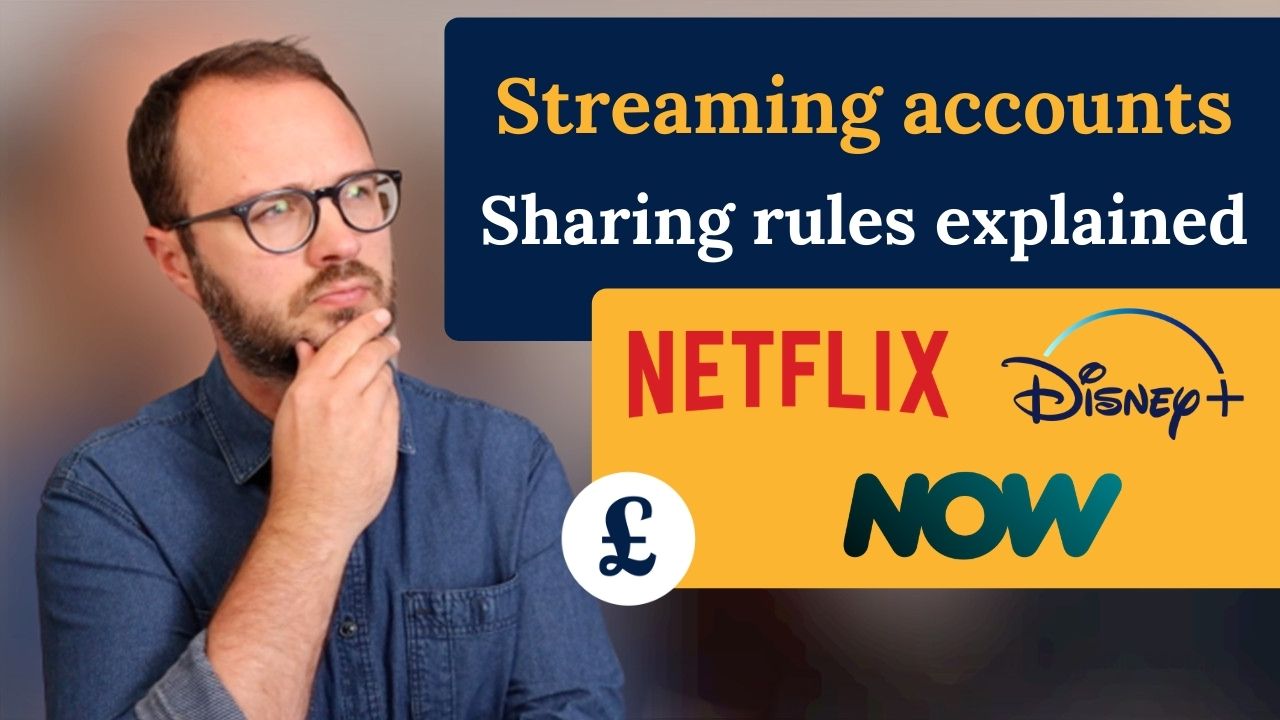
Image of Andy with wording that says 'streaming accounts sharing rules explained'

Is sharing your accounts allowed?

For most, the answer is yes, but within the family or household.

In fact, all the main digital streaming services allow multiple users and watching or listening on multiple devices – though you often have to pay extra to make this work practically. If there are a few of you in your home with varying tastes, it may well be worth shelling out so you can watch or listen to what you want in peace.

Sharing your account with people further than your front door is a different matter. The Intellectual Property Office says it’s illegal – though it’s unlikely anyone would be prosecuted for doing this with a handful of mates.

Many explicitly say you should not give your account details to anyone outside your household, though there’s very little in the Ts&Cs for each of the services that breaks down what would happen to you if they found out. What is clear is that the main account holder is responsible for any use or misuse of the service. 

But even the ability to share could be soon be changing. In some countries, Netflix has already introduced a charge for those who want to give access to their subscription to others and is set to crack down on password sharing in the UK by June 2023.

Is sharing your account a good idea?

Of course, we all do it. But I bet most people don’t consider what this actually means for our viewing and out budgets.

It could put your data at risk

I’d urge you to think twice before handing out your sign-in details. If you give your username, often your email address, and password to a friend or family member – no matter how much you trust them – it’s out of your control.

It’s unlikely they’ll be able to see your card details as these are generally encrypted, but they could make additional purchases or change your subscription package. They may also share your log in details with further friends and family, making it near impossible to track who has done what.

The risk could even go beyond the account you share. Though we all know it’s best practice to have different passwords for all our digital accounts, the likelihood is there will at the very best be some similarity to others you use. At worst, it’s the same for everything. This opens up the risk of fraud, theft, and locking you out of your own accounts. 

Even if the horse has already bolted from this open gate, you can change your passwords on the accounts you’ve shared, locking out anyone outside your household – though bear in mind you may also have to change details for all those other accounts too.

It might not save you money

Yes, if you are using someone else’s account you’re saving cash. But what if you’re the one who is paying and letting others have access? Plus, sharing could tempt you to have more subscriptions that you actually need. (I think it’s impossible to get the most out of more than one or two services each month).

You need to make sure that if people are splitting the payment with you that they actually pay. Or more practically you could each pay for one service so it cancels out.

But the wider the details are shared the harder it’ll be to know who is using what and who is contributing.

It might prevent you from watching when you want

This is one of the biggest downsides to sharing your password. Even if you are fine with letting others have access to your account, it’s not necessarily as simple as everyone watching what they want and when.

The services all have limits on the number of simultaneous streams and many also have limits on devices you can use.

For example, say only two can only watch at the same time. Add in a third person and you’ll get that dreaded error screen. Cue frantic messaging to find out who is watching and if they can stop.

Or if you want to be able to watch on your main TV, your bedroom TV and two phones in the house it could mean anyone you share with is limited to just one or two devices.

These aren’t necessarily a problem if you’re not paying. But if you are contributing part of the fee or paying for a different shared service you’d rightly be pissed off if you can’t watch what you want to watch when you want to watch it.

Sharing your streaming password – service by service

So what are you allowed to do? With the above points in mind, here’s what you can share – and possibly shouldn’t do – subscription by subscription.

Sharing Netflix

Netflix has previously been pro-sharing your account, but only within your household and Ts&Cs require that users “should not reveal the password… to anyone”. Until recently it hadn’t done anything to stop people, but

But it recently said it will crack down on shared accounts, and has tried a few different ways to do this in some countries. It’s likely you’ll have to pay an extra fee from the summer of 2023.

Until then, how many people can watch at the same time depends on how much you pay. The basic £6.99 a month subscription is limited to one screen, but for £10.99 (and HD) two people can watch different programmes on different devices simultaneously, while that goes up to four people (and 4K) for £15.99 a month. Anyone you share with uses the same log in as you.

Sharing Amazon Prime Video

You’re limited to three simultaneous streams on Amazon Prime Video, and you can only watch the same title on two devices at the same time. You can create up to six different profiles for people on the account.

Strictly speaking though this is still limited to the account holder. The official way to share Amazon Prime is to set-up Amazon Household where a maximum of two adult accounts are connected. 

The big problem with both the official and unofficial sharing methods is that you are sharing your full Amazon account. That means anyone you share with could shop at your expense.

Personally, I’d only share Amazon with people you really trust, like your immediate family members.

Sharing NOW TV

NOW TV will allow only one user to watch programmes at the same time, though there’s no limit to the number of devices you can use each month.

You can boost to three simultaneous streams via the Boost package which costs £6 extra a month (you also get full HD and no adverts). I’ve always been able to get this knocked down to £2 a month, though that’s you’ll probably need to pay £6 in the first month to get these discounts.

Responsibility for the account sits with the account holder, so if your friend adds a month of Sky Sports for £34.99 you’ll have to get them to pay you rather than complain to NOW TV.

The log in can also be used to access your Sky account (you’ll have one if you have NOW TV, even if you weren’t aware), where further purchases can be made.

Services are pretty cheap though compared to full Sky or Virgin packages and switching over can save you a fortune – especially if you share!

Sharing Disney +

You can stream on four devices at once and have seven separate profiles, making it very easy to share with others. You can also download to 10 different devices.

In fact, in the subscriber agreement (1.b) it says that if you share your account details with others they are subject to the same terms and conditions. Which is another way of saying it’s ok to share.

Save on Disney+

All the latest offers in our dedicated Disney+ article

Sharing Apple TV+

Apple TV+ allows six simultaneous streams, though there’s no facility to create individual profiles. Plus this uses your Apple ID and password – not a good one to share seeing as it can be used for purchases and access to other Apple devices.

You can though add five other accounts to your apple “Family Sharing” which will give access to a number of Apple features.

By default this includes iCloud storage and purchases on the app store (and more). You can stop these extras being shared, but you can only toggle these on and off for everyone you share with.

Sharing Sky Go

If you have Sky TV, you’ve also got access to Sky Go which allows you to stream your channels on up to six devices. But it’s only one stream at a time for customers since March 2019. Older customers can watch two at once.

If you want to download programmes iPlayer style and stream on two devices at once you can upgrade to Sky Go Extra (via Sky Multiscreen or Sky Glass/Stream), which also allows you to watch on up to four devices.

You can create additional users for your household, so you would be able to limit the access to your account by providing a Secondary Sky ID.

Sharing Virgin TV Go

Virgin’s TV Go is available on your computer, tablet or phone. You need to register which ones will use it, and there’s a limit of four, though you can change three every month. There’s a max of two simultaneous streams, though it’s limited to one if it’s for a Sky channel.

Unlike the others, Virgin are very clear in their terms you must not let anyone else use your log in, and that they may “restrict or remove your access to the Service” if they believe someone else is using your sign-in details.

Sharing BT Sport & BT TV

You can watch BT Sport – and any other channels you receive as part of BT TV – on two devices at the same time.

However, BT are firm the service is for members of your household and require the account holder to “do everything you can to keep your BT ID username and password secure and confidential and prevent anyone else from using them”. 

Should you use sharing services?

I’ve seen a handful of streaming sharing services pop up in the last year or two. With these you pay a third party every month for access to a service. They’ll provide you with a log-in, but they’ll also give the same details to someone else.

In theory this protects your payment card and other details as they won’t be on the shared account – but they will still be held by the facilitating website.

Personally I’d stay clear. These are very new so it’s impossible to vouch for any of these providers (hence why I’m not listing them). In fact one that was brought to my attention had its website suspended!

If you want to share you will most likely know someone who wants to split costs, and I think that’s a better option – as long as you follow the rules I’ve set out above.

Of course this could change, so I’ll keep an eye on these services and write more if so.

Our podcast

Listen to Cash Chats, our award-winning podcast, presented by Editor-in-chief Andy Webb and Deputy Editor Amelia Murray.

Episodes every Tuesday.

Andy and Amelia with the text "Cash Chats Personal finance podcast"

Stopping someone using your account

If you no longer want to share with someone, or are worried that someone you haven’t authorised to use your account is doing so, then there are ways to get control back.

Netflix and NOW will let you see which devices are using your account, and Amazon will let you deregister any you don’t want to use your account. Netflix and Amazon can even reveal what is being watched on each profile, helping you spot unauthorised use. Meanwhile Disney+ lets you require a password to set up new profiles

Some, including Netflix and Disney, will let you sign out of all devices, meaning people will need the password to rejoin – and you can easily change this in settings.

Spending less on TV & movie streaming services

Sharing accounts isn’t the only way to pay less for your subscription. You can take out free trials, buy cheap passes and mix and match the ones you use to save some money. Here’s my deals page with the latest offers.

How to reduce food waste & save money

You’re practically throwing money away when you chuck out perfectly good food.

Most food waste at home can be avoided, whether that’s food chucked out because it’s gone off or we’ve cooked too much. And if you can reduce your waste you’ll also be saving a ton of cash.

Some articles on the site contain affiliate links, which provide a small commission to help fund our work. However, they won’t affect the price you pay or our editorial independence. Read more here.

Don’t buy more than you need

A simple place to start is to buy less food. Here are the key ways to do this.

Plan what you want to eat

How often do you just head to the supermarket and decide what you’re going to buy as you walk the aisles? The danger here is you buy ingredients that are hard to use in a single meal but won’t fit into meals later in the week.

The way around this is to plan your meals and snacks before you reach the supermarket. You can do this weekly or even daily – whatever works for you.

Write a shopping list

Once you’ve got a plan, make a list of what you need for those meals and when you’re shopping, whether online or in an actual shop, stick to that list. This’ll stop you from buying more items that you probably don’t need and possibly won’t use.

Be wary of big packs and multi-buy offers

Often (though not always), you’ll find it cheaper to buy bigger packs of items or if you buy a couple of packs. The problem is you’re only saving money if you actually use everything. Sometimes you’re better off buying a smaller box or bag at a higher price.

Know what you already have

We’ve probably all done this – you’re at the supermarket and you pick up some of the regulars. Maybe it’s milk or some veg. The things you always buy and always use. But when you get home you realise you’ve already got these items.

That’s not a problem with things like toothpaste or tins of beans, but it could be a problem for anything fresh.

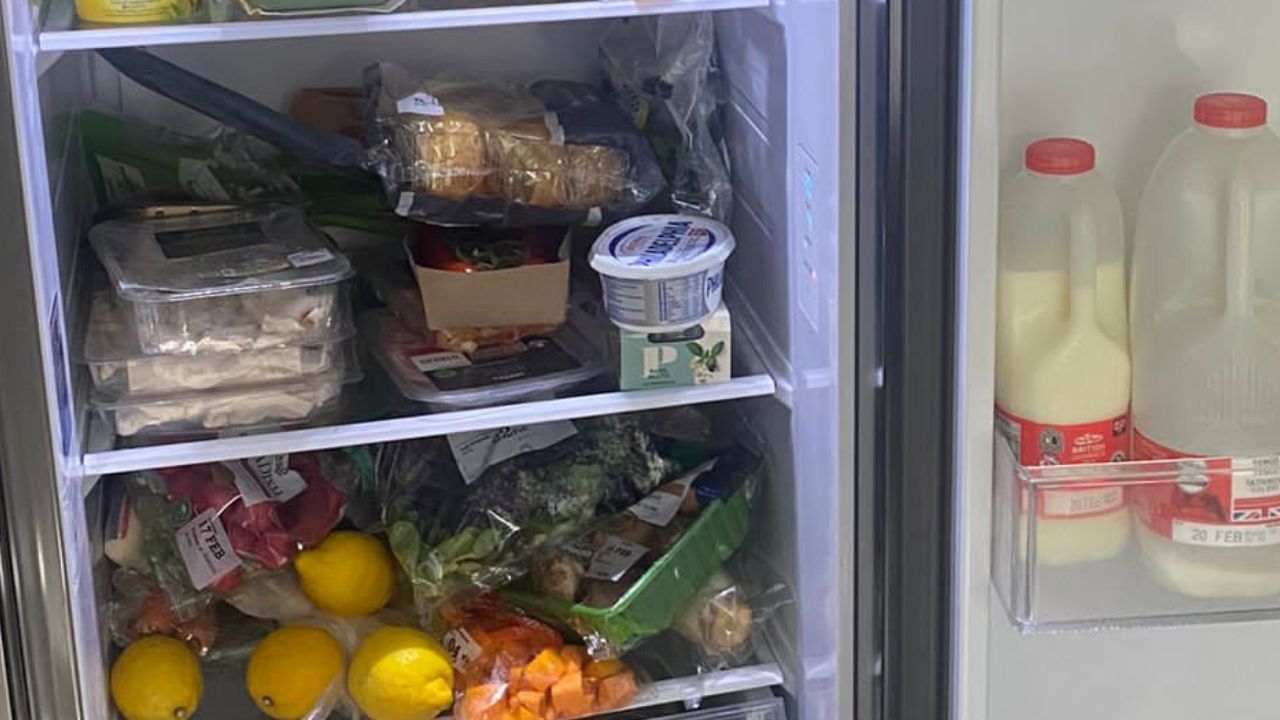
A simple way to avoid this is to take a photo of your fridge and maybe any relevant cupboards before you go to the supermarket.

Don’t cook what you can’t eat

Again, the food preparation and cooking can lead to a huge amount of waste.

Measure the amount you’ll need

Following recipes will really help here, but if you’re used to measuring out quantities by eye, for example with rice, potatoes or pasta, then do some research and even weigh out the amounts you’ll actually eat. If you find these levels are too much or too little, then adjust this and make a note so you don’t forget next time you cook the same thing.

Use more of what you buy

There are certain foods where we’ll use a key part but throw out the rest. But if could be you’re chucking out perfectly good grub. Take broccoli stalks, potato skins or the bits of chicken under the carcuss. And you can use the bones from meat for broth or stock too.

Batch cook

There is an alternative to cooking less, and that’s to cook more than you need with the intention of using it later in the week or freezing. This not only saves time as you don’t have to cook again, but it can also use up more ingredients. Handy if you have bought multipacks or have things which could go off soon.

Eat your leftovers

If you do cook too much and perhaps there’s not enough for a full meal another day, don’t just chuck it in the bin. You might be able to combine it with other things, perhaps whack it in a sandwich or salad.

The best deals

Find our picks of the best offers in our dedicated deals library

Avoid food going off

Know how food dates work

Something that people often get confused about is the date on packs. There are two key dates: use by and best before.

Use by should be consumed before the date on the pack, especially when it comes to things like fresh meat and fish. You’ve got more wiggle room with dairy – use your eyes and nose to sense if it’s off or not.

But best before dates are fine to keep even if that has expired. At worst you’ll find the quality or taste might not be optimum, but they are safe to eat (as long as they’re stored properly). In fact there are websites which sell items already past best before dates for a low price.

Many supermarkets are removing dates on fruit and veg, so just keep an eye on everything after you buy it to make sure it doesn’t go off.

Don’t open a new pack until you need it

If you want something to last longer, then don’t open it until you’re going to use it. My friend recently send me a photo of his mother-in-law’s freezer, including three open loaves of bread, two open bottles of milk and two open cream cheese packs.

One way to help avoid this is to put the items with better dates at the back of the fridge or cupboard, and the ones already open or the ones with sooner dates at the front.

Use your freezer

Freezers are fantastic ways to preserve leftovers and half-used ingredients, including many you might not think you can freeze. And of course they help you store items that are reduced to clear that you don’t have time to eat.

If you want to maximise the space in your freezer you can take things out of packs, while labelling what you’ve frozen and when can be a huge help too.

Store things properly

Covering or closing open items, or moving them into airtight containers, can help prolong the life of food and drink. You should also check the temperature of your fridge is at 5 degrees or less – too warm and it could spoil.

Donate to a food bank

If you have food that you know you won’t use, and as long as they have a decent expiration date, then donate it to a food bank.

Can you beat the bill price hikes?

Which of your bills are going up and how to avoid paying more.

It’s the time of the year when a whole host of price increases are announced for a number of big services we all pay. Broadband, mobile, energy, council tax, water, TV… you name it.

And since many price hikes are linked to inflation rates from December last year or January this year, it means many bills are going up by up to 17%!

If you’re out of contract it can be the nudge you need to look for a better deal. Or even cut back on the services you pay for.

Of course, sometimes you can’t do much or anything about it. You can’t switch your water or Council Tax to a cheaper provider. Some contracts have annual increases written in when you sign up or exit fees.

But even in these situations, you might be able to find some savings. So in this article I’ve shared the top ways to pay less on your bills.

Some articles on the site contain affiliate links, which provide a small commission to help fund our work. However, they won’t affect the price you pay or our editorial independence. Read more here.

Broadband and phone bills

Virgin Media, BT, Sky and other many broadband bills are going up at the end of March and start of April by around 14%. Which is huge!

The bad news is most customers can’t do anything about it until they are next out of contract. But the good news for Sky and Virgin Media broadband customers is you can use this as a chance to break your contract penalty free – handy if you’ve not been happy with service. Sadly this could be the last increase where this rule works for Virgin Media.

If you can break your contract, or if you’re already out of the initial one, then use a comparison site to see what you can get from a different provider. Here’s more on getting the best deal for your broadband.

New customer extras (such as bonus gift cards or extra credit on your account) aren’t as good as they used to be, but it’s still well worth seeing what’s out there. Don’t forget to go via cashback sites Quidco or TopCashback as you might be able to get £100 back, perhaps more.

Or you can use your price research to haggle. Along with mobile networks, I’ve found you can often get money knocked off your bill if you tell your provider you are going to leave. Then see what they offer you to get you to stay.

TV and streaming bills

You could be hit by Sky, Virgin and BT increases even if you don’t get broadband with them as TV customers will see hikes too – and these won’t allow you to ditch mid-contract.

If you’re out of contract you could shop around or haggle here too – but personally I’d see it as a chance to ditch something you are probably overpaying for!

Instead you can get all the Sky channels via NOW TV or Sky Stream, though I’d go with the former as you’ve more flexibility.

This will work out a lot less each month for most customers, though the sports channels can make it less cost-effective, especially since the Sky Sports and Boost packages on NOW and the BT Sport month passes have all increased in the last month. Here’s more on ditching Sky and Virgin TV.

Elsewhere, we’ve not had any other major streaming price hikes this year (so far at least). But prepare for changes in the near future as Netflix is set to bring in sharing restrictions and Disney+ might start charging more to avoid adverts. Even if there aren’t hikes, I think it’s a good opportunity to streamline your streaming and pay for fewer services each month.

Oh, and the TV Licence is frozen this year, so there’s no increase. Though I think it’s a vital service, those who don’t want to watch live TV or use iPlayer can stop paying.

Mobile bills

EE, BT, Three, O2, Sky and Vodafone are among the networks that have already announced price increases or have it written into existing contracts. And if you’re with Virgin Mobile or O2 it could be going up by more than 17% more!

If you’re not already SIM-only, then as soon as you are out of contract you need to seriously consider this. With 12GB deals available for £7 a month (or less with offers) there’s no reason people should be paying more than this.

If you’re out of contract it’s worth calling up your network to see if they can offer you a discount to stay. Don’t let them fob you off with free extra data. If you don’t need it you won’t use it, so you’re really gaining anything. Here’s more on how to pay less for your mobile phone bill.

Energy bills

Right now we’re set to see a £500 increase to average annual energy bills from 1 April 2023, along with the end of the £67 a month energy grant that’s been around since October. This is despite the energy price cap falling.

However, it’s looking increasingly likely that in the Budget on 15 March (perhaps before), the Chancellor will reverse part of this by extending the existing Energy Price Guarantee free. So we’ll still pay more each month, but not quite as much.

Water bills

Right, so can’t change your supplier if bills are going up. But you can potentially move to a water meter. The rough rule of thumb is you’ll save with one if there are more bedrooms in the home than people. But it’s best to use a calculator to get a better estimate of whether you will save.

And if you’re already on a water meter you can add water saving features to your home and ultimately just try to use less of it. Here’s more about reducing your water bill with a meter.

Council Tax

Most councils will be putting up prices from the start of April by up to 5%.

It’s also another bill you can’t switch. But you might be eligible for a discount. For example you’re the only adult in the property, are a student or are a carer.

It’s also possible to check whether you are in the wrong band. If you are, then payments could be backdated. Here’s more on cutting your council tax bill.

Be Clever With Your Cash is nine!

The highlights for me and the blog over the last 12 months.

As has now become tradition, I use Be Clever With Your Cash’s birthday as a chance to share with you the good and the bad from the last year.

I rarely write about “blogging” itself or the challenges of running my own business, so also it’s a good opportunity for me to reflect on how things have gone and give you a bit of an insight into what happens behind the scenes.

Plus, I’d really appreciate it if you can fill in my annual survey so I can get your feedback on everything I do.  You’ll also be in with the chance of winning a £25 gift voucher or an hour long video chat with me.

Some articles on the site contain affiliate links, which provide a small commission to help fund our work. However, they won’t affect the price you pay or our editorial independence. Read more here.

The biggest year yet

In recent birthday updates, I’ve shared how I quit my 9-5, presented a TV show and undertook a huge site redesign. All massive changes for the business and myself personally.

But this year, for the first time, there’s been nothing new. Nothing seismic. Or at least on the surface.

In reality, it’s actually been the biggest and most successful year yet. With 4.8 million views of the blog and 3.3 million views on YouTube, there was an amazing 60% growth compared to the previous 12 months. The podcast has also increased listenership, with 250,000 total downloads in the year, up by 40%.

Though I have an indie/blogger mentality, where I’m doing my own thing (on my own), this was the year where Be Clever With Your Cash really hit the next level.

If you forgive this tortured metaphor, it feels like the site is no longer a big fish in a small (blogger) pond. It’s moved up to an even bigger stretch of water, with some even bigger fish.

As I write this, the all-time views for the blog have passed 15 million, while the 10 millionth visitor should reach the site next month.

I’d never have dreamed of that kind of reach and impact when I started. To have saved so many people so much money is something I still struggle to comprehend.

And it’s not just about numbers. Getting Rishi Sunak on the podcast last spring was a huge coup, as was having Cash Chats featured as “Show of the Week” in the Radio Times in November. This isn’t “indie” anymore.

So, the question is what next? Very soon I’ll hopefully be able to share with you what the next chapter of Be Clever With Your Cash looks like. I’m really excited about the plans. Fingers crossed!

The pros and cons of a digital nomad

Something I’ve really loved about the last few years is the complete autonomy I have in when and how I work. I can choose my hours, allowing me to disappear to play tennis mid-morning or take afternoons off to binge the Olympic TV coverage.

Though it also means I do more hours than I’ve ever done before, and I often end up working late and at weekends. And I never get a chance to “switch off”, even on holidays when there’s always something that needs to be done on the site.

Even so, it’s a flexibility I’m always keen to take advantage of. So when my wife was between contracts in September and October we took the opportunity to try out remote working for an extended period. In theory, I can do what I do anywhere, so we headed to California for seven weeks. Part holiday, part working.

There were fantastic parts to the trip, especially the weather and the food. I studied there as a student so it’s always a place I feel at home.

However, the work side of things was tougher than expected. I found the eight-hour time difference an issue when responding to the day’s events, while my laptop wasn’t up to the job of live streaming and editing.

And there wasn’t really any proper holiday time as I had to do some kind of work almost every day, including filming a video about a Bank of England base rate rise in a LA hotel at 5am before heading to Disneyland for the day!

It also coincided with the collapse of the Liz Truss government and the chaos of the “mini-budget” so I woke up every morning wondering what fresh financial hell awaited me (and stressed about how much the pound had fallen against the dollar).

I’m glad we did it, but I think I’d rather put things in place so I can actually get away completely, and switch off for a fortnight!

Deprioritising other work

In last year’s birthday blog, I wrote how I’d refocused on what I viewed as a success for me and the business. Previously I’d seen being a TV money expert as the ultimate end goal. However, I’d not only accepted that might not be, but also that I wasn’t actually that bothered.

Instead, I was enjoying the success that I’d built on my on channels. Prioritising the growth of the blog, YouTube and podcast to help as many people as possible.

That’s still the case, and I frequently turn down local radio requests as I don’t have the time. I even had to rebuff some approaches from publishers to pitch book ideas as I knew there was no way I could do that and deliver the content I want to provide for all of you. Freelance work has been restricted to my weekly column in Metro and my monthly one for Reader’s Digest.

Still, it was nice to have a few TV appearances under my belt again for the first time since Shop Smart Save Money ended in 2019.

It took a while though! In the spring I filmed a pilot with Helen Skelton that didn’t get picked up, and I had to turn down some Jeremy Vine discussions in the summer due to availability.

So I didn’t get back on screen until a Channel 5 documentary back in September that looked at the cost of living crisis. This was followed a few months later by ITV Calendar news.

Then earlier this year I appeared on BBC News to discuss bank switching and then a few days later joined the Steph’s Packed Lunch team for Channel 4 to talk about haggling down bills.

I really enjoyed the experiences, especially the live element of the latter two. But I also enjoyed how I didn’t put any pressure on myself on what happens next.

I did some TV, and it went well. Then back to the day job. Which is how I like it.

Connecting with you

The real highlight for me in the last year though has been the growth of the community via the Facebook group and YouTube live Q&As. “Speaking” regularly with you has been transformative in how I run the business, so thank you for joining in and contributing.

My annual survey: Win a video session with me or a £25 voucher

It’s important to me that any content I produce for you is what you actually want to read, hear or watch. So please do take a few minutes to answer this short survey. 

If you also enter your email address at the end of the form you’ll also be in with a shot of winning a £25 gift voucher or an hour-long video chat with me. This prize draw ends 30 March 2023 and one response will be randomly selected and asked whether they want the voucher or money chat. Open to UK followers only.

Our podcast

Listen to Cash Chats, our award-winning podcast, presented by Editor-in-chief Andy Webb and Deputy Editor Amelia Murray.

Episodes every Tuesday.

Andy and Amelia with the text "Cash Chats Personal finance podcast"

MVNOs: The piggyback hack that’ll cut hundreds from your mobile phone bill

Mobile Virtual Network Operators (MVNOs) give the same signal at lower prices.

It’s easy to ditch EE, O2, Three and Vodafone and save money without compromising on the quality of your service. That’s thanks to cheaper networks which piggyback off the big four networks to deliver their services.

Some articles on the site contain affiliate links, which provide a small commission to help fund our work. However, they won’t affect the price you pay or our editorial independence. Read more here.

What is a Mobile Virtual Network?

There are four main networks. EE, Vodaphone, O2 and Three. And these are actually the only real networks. The rest are what are known as mobile virtual networks operators (or MVNO). And that includes big names such as Virgin Mobile, Giffgaff and ID Mobile.

Essentially these MVNOs have agreements in place to lease the infrastructure and technology of the main networks to offer their own branded services – and their own prices.

Benefits of switching to a virtual network

There are two key reasons not to be scared of switching your provider.

They usually have the lowest prices

You will get much, much lower prices from the virtual networks. This is even the case for those owned by the big networks such as Giffgaff (owned by O2’s parent company Telefonica), BT Mobile (which actually owns EE) and Voxi (owned by Vodafone).

Here’s a good example. Right now 5GB of data and unlimited texts and minutes with EE will cost you £18 a month. But 10GB of data from BT Mobile is half that price for BT customers. That’s a saving of £108 a year and double the data!

A handful of MVNOs are also changing how you’re charged – which could make them the cheapest option for you. Sky Mobile will let you carry over unused data, while Smarty will give you credit back on each full GB of data.

Or you can get extra discounts thanks to your existing contacts. BT, Sky, Virgin and TalkTalk all offer their customers special deals for adding a mobile SIM to their existing TV and broadband packages.

You can get the same signal

You won’t see any difference to reception as long as you move to one which operates on the same service as your current main network.

So that could be Virgin Mobile instead of EE, Tesco Mobile instead of O2, ID rather than Three or Voxi rather than Vodafone. There’s a decent list of the main virtual networks and the network they use further down the page.

There might be some minor differences. Though most will be offering 4G service, not all will provide 5G. And they don’t all allow wi-fi calling via your number – though you can get around this by using alternatives such as What’sApp to make calls via the internet.

Benefits of sticking with the big networks

Of course, it doesn’t mean the main networks don’t have benefits. The following can mean you’re better off sticking with the likes of EE and O2 – but only if you’re able to get those prices down.

You can really haggle down prices

This is true for most, if not all, mobile networks – but especially with the big four. Use your research on the virtual networks to find the price you want to pay and then see if your existing network will match or beat it. 

Until recently I was with Three one and off for years. And every time I went to cancel they came back with an even lower price than what was advertised on their website.

Third parties often have cheaper deals

You can also get new contracts or upgrades via comparison sites and mobile phone shops that can be significantly cheaper than going direct, though they don’t always include extras, such as those listen in the next point.

You often get extra features, services and freebies

Free streaming

The big networks offer all sorts of discounts, such as £2 off Disney+ via O2, or free Paramount+ via Three. However, these offers are usually restricted to certain tariffs. – and they might work out no cheaper than finding a different deal elsewhere and paying for the streaming direct.

Now these can be great value for money IF you are already planning to pay for these services. But they certainly shouldn’t be the main reasons to choose one of the main networks. 

Loyalty apps

The same goes for Vodafone’s VeryMe, O2 Priority and Three+. These popular loyalty apps do have the occasional great freebie or discount – but you need to check just how much extra these are costing you.

Use them a lot on things you’d get anyway then great – e.g. the free Odeon tickets and Greggs from O2. But in my experience these are nice to have extras rather than essentials.

And there’s a hack that’ll get you access to each one even if you’re with different networks.

“It’s understandable people are nervous of switching – but it’s costing them a fortune”

One of the families I filmed with for the Channel 5 series Shop Smart Save Money was Christine and James. Christine was paying a fortune with O2 but she didn’t want to change her provider. She knew O2 gave a signal in the locations she needed it and didn’t want to risk bad reception with another mobile company.

And I think that’s quite a common feeling. We rely on our phones all day, whether at work or at home. Yes you might be able to get a signal with another big network, or you might be able to hop on to some wi-fi at those locations. But sometimes you just want to stick with what you know works.

However I was able to convince Christine that not only would she save a shed load of cash by moving away from O2, but also that switching provider isn’t actually much of a risk. All thanks to finding an alternative virtual network that still used the O2 network.

Which Mobile Virtual Network Operators use each network

There are a number of providers out there, but here are some of the main ones you will see. Some are very familiar names!

MVNO for EE

  • BT Mobile
  • Plusnet
  • Your Co-op
  • Utility Warehouse
  • 1pMobile

MVNO for O2

  • Virgin Mobile
  • Giffgaff
  • Lyca
  • Sky
  • Tesco Mobile

MVNO for Three

  • ID
  • Smarty
  • Superdrug

MVNO for Vodafone

  • Voxi
  • Talk Mobile
  • Asda
  • Lebara

How to bring your mobile phone number with you

You can take your existing phone number with you to your new network. You just need to request a PAC from your existing network and give it to your new one, and your number will be moved over, usually the next working day. Here’s more on how that works.

The best of Be Clever With Your Cash in 2022

Catch up on my top articles, podcasts and videos from the last 12 months.

Over the last 12 months I’ve produced more content than ever before, writing 221 articles, recording 54 episodes of my Cash Chats podcast, uploading 96 videos to YouTube and hosted 25 live Q&A. And that’s not including countless deals posted here on the blog and Instagram!

No doubt even the most regular readers among you won’t have managed to take in all that money-saving and making content. So here’s a look at the highlights that are still well worth a look.

I’ve shared the most read, listened to and viewed over the year, which lends an obvious bias to content produced earlier in the year, so for each category I’ve also shared my personal favourite from the year.

And I’d also like to say thank you to all of you who consumer my content. This year will be my biggest by a long way, with close to 7.5 million views across all content. That’s almost double 2021’s figures. I couldn’t have done it without you, so thanks!

Some articles on the site contain affiliate links, which provide a small commission to help fund our work. However, they won’t affect the price you pay or our editorial independence. Read more here.

The Be Clever With Your Cash blog in 2022

It’s been another record year for visits to this site. In total 2.5 million people (up from 2.1 million last year) came to Be Clever With Your Cash reading a total of just over 4.1 million pages (up from 2.8 million in 2020).

Almost half a million of those views were for my savings best buy tables! Streaming deals and bank switch offers were also very popular.

The most read new articles published this year included:

My personal favourities included:

The Andy Clever Cash YouTube channel in 2022

2022 was another great year for YouTube. I started 2021 with 20,000 subscribers and by the time you read this that figure has just nudged over 50,000.

Views were also phenomenal, with more than 3.1 million taking place across all the videos – that’s almost 2 million more than in 2021.

Alongside the usual video guides, I also held 25 live Ask Andy Q&A’s which have been an amazing way to connect with you every other week.

The most viewed videos created this year included a number of my monthly updates on savings, banking and credit cards, which I won’t share below as they’re largely out of date (new versions are published every month). But of the rest, these had the most views:

There are also a handful of videos with lower views which I think are worth a look at if you missed them:

The Cash Chats podcast in 2022

Even though I had to drop the bonus weekly “Your Money, This Week” episode of the pod (I just didn’t have time, but hope to bring it back in 2023), there have been a total of 225,000 downloads (up from 172,000 in 2021) of Cash Chats, with double the number of people listening to each episode.

Once again I managed to publish at least one episode a week all year, bringing the number of consecutive weeks to 154! Podcasting might be smaller than the others, and not really bring in much income, but I love being able to speak to guests or just chat to you each week.

But the two biggest moments of the year for me were thanks to the podcast. First, in March, I interviewed then-Chancellor Rishi Sunak on the show, a huge coup for an independent podcast.

And then in October Cash Chats was featured as “Show of the Week” in the Radio Times, selected ahead of alternatives from the BBC, Which? and the FT.

I’m not going to suggest certain episodes to catch up on as it’s best to just follow Cash Chats on your podcast app via these buttons and start listening!

Our podcast

Listen to Cash Chats, our award-winning podcast, presented by Editor-in-chief Andy Webb and Deputy Editor Amelia Murray.

Episodes every Tuesday.

Andy and Amelia with the text "Cash Chats Personal finance podcast"

Latest Paypal offers & deals

From time to time PayPal runs extra offers that are worth checking out.

We all use PayPal (check out my review here and guide to features you might not know about), but you might also be able to nab a special offer. Here’s my pick of the latest deals:

Some articles on the site contain affiliate links, which provide a small commission to help fund our work. However, they won’t affect the price you pay or our editorial independence. Read more here.

Offers

£10 when you spend £5 at Google Play

If you’ve never used Google Play before then use PayPal to spend £5 and you’ll get £10 credit to your PayPal wallet.

Ends 31 December 2022 and you need to use the credit by 31 January 2023.

Referral bonus

Free £20 credit for signing up or referring a friend

As explained here you can refer a friend and both get £10 if they’re new to PayPal. They’ll also have to spend £5 via PayPal for you to both get the cash paid into your accounts. Now this all has to be done before the 31 December 2022.

Also, you can only refer ten friends, capping the amount you earn at £200. That means I can’t share a link here, but if you are one of the first to contact me I’ll happily refer you from my account.

Chip app autosave fees could cost you £41 a year

With automatic saves, can this app help you put money away?

One of the best savings apps over the years has been Chip. A smart autosave feature and often decent interest rates have meant I’ve often been a big fan.

Note often, not always. That’s because it feels like every few months the proposition (and charges) change. Sometimes it’s free, sometimes it’s not, and in recent years there’s been a move to focus on investments over savings.

And the latest revamp means it (once again) won’t be free to use the auto-saving feature. In fact, it’s never been so expensive!

So is it worth getting or sticking with the app to boost your savings?

Some articles on the site contain affiliate links, which provide a small commission to help fund our work. However, they won’t affect the price you pay or our editorial independence. Read more here.

What is Chip?

Chip is an automated saving app for your phone or tablet. It analyses your current account and works out how much you can afford to save – and then does it for you by moving the money to a separate account.

It also offers a savings rate of 1.1% AER or a Prize Savings Account with the chance to win up to £20,000.

There are also an increasing number of investment features, though this article is focused just on savings.

How much does Chip cost?

One issue I have with Chip is how frequently they change the cost of using the app. Sometimes it’s free, sometimes you have to pay.

Currently there’s a free tier called “Chip”, which is all you need to access the savings accounts and features. This is the focus of the review.

There’s an additional paid tier called “ChipX” (at £5 every 28 days) which adds investing functionality.

Auto save charges

Rather than make users pay a monthly charge for the entry-level Chip tier (which has happened in the past) there are going to be charges from 12 October 2022 for using different features – including autosaves.

New savings fees

These new charges begin on 12 October 2022

  • 25p per recurring save
  • 45p per auto-save

New withdrawal charges

  • Two free withdrawals per calendar month
  • £1 per withdrawal after this

Are the new charges worth paying?

Andy’s Analysis

I’m disappointed Chip has added charges for using autosaves (again). I get that the app needs to make money, and they can’t offer loss leading products. But it’s ridiculously expensive.

An autosave happens every four days. So unless you turn them off or pause them, they will happen 7 times a month or 91 times a year. At 45p per autosave, you’ll pay £3.15 a month or £40.95 a year.

That’s far more than you’ll have paid for this feature on the pre-2022 model. And it’s something no one should be paying especially since the exact same function is available for free via the Plum app.

You’ll also need to be careful if you do use Chip not to withdraw your money more than twice a month, otherwise you’ll get hit with a hefty £1 fee.

How does Chip help you save?

Chip offers a handful of features to boost how much of your money goes into savings.

Autosaves

I really love the “big idea” behind Chip. With automated savings, the app’s “AI” (artificial intelligence – don’t worry it’s not Terminator) algorithm analyses your spending habits, and based on what goes in and out of your account (along with general data about all its users) Chip will suggest an amount you can afford to save each week.

The amount will vary depending on how much money you have in your account and how often you spend it. It could be just a few quid, or a decent chunk. In theory, you shouldn’t really notice that the money has gone.

This is great for those who always plan to save but never get around to it. The autosaves can quickly add up.

But with a 45p charge for each autosave you’re really wasting cash for using the feature. However, if you want to learn more, keep reading.

How often does Chip save money?

By default Chip will suggest savings for you every four days. You can pause auto-saves for a week, two weeks or a custom date up to three months away. 

It can take up to three working days for your money to reach the linked account.

How to cancel autosaves

You have until 3pm to choose to stop this payment if you wish. If you’re happy with the suggested amount you don’t need do anything and the money will automatically be sent to your Chip account.

How much can you save with Chip?

Chip says the average is £20. There are five levels of auto-saves, with one being the lowest. By default, you’re at level 3, but it’s easy to switch between them in the app. 

Overdraft savings

I’m not a fan of this feature which allows you to move money from your overdraft into Chip. If you do this you’ll likely end up paying huge overdraft fees. Personally I’d avoid activating it.

Minimum balances

This is a handy cap you can put so that Chip won’t every take money out of your connected bank account past a certain balance. This can ensure you don’t ever go overdrawn or not have enough cash for other payments.

Splitting your autosaves

You have the option to choose how much of your autosaves goes into each savings account or goal (more on these later). So you could put 80% into the main savings account, but 20% into another.

Recurring Saves

This feature lets you choose when you move a set amount over. It can be weekly, fortnightly, every four weeks or monthly.

It’s basically a standing order – but one that charges you 25p for each transfer. So you’d be better off just setting these up with your bank for free, and moving the money to one of the best paying savings accounts.

Savings goals

The savings goals feature is useful in helping you identify what you’re saving for, and track your progress against the targets you set.

You can enter a name, date and amount to help motivate you to keep saving. You can have as many as you want, and allocate how much of your autosaves goes to each goal. 

The app then shows you how realistic it is to achieve your savings target by certain dates in the calendar when you’re choosing your savings deadline. Once you set a savings goal, Chip lets you know whether you’re on track to hit your target.

The money isn’t held in separate pots for these goals (as you would with Starling or Monzo). It’ll still sit in whichever account you’ve chosen for your money.

Save streaks

The more you save without cancelling a transfer or withdrawing cash the longer your savings streak will be. In theory, this keeps you motivated to keep on saving, though I doubt you’ll pay much attention.

Chip’s savings accounts

The money you auto or manually save to Chip sits in one of the connected accounts.

There’s the Instant Access saver, which can pay a decent rate – you can see the latest one in our savings best buy tables.

Alternatively, you can put your money in the Prize Saver account. There’s no interest here but you might win a prize between £10 and £10,000. Here’s my full analysis.

Is Chip any good for savings?

The autosave feature is great, but not at 45p per save. There’s no point paying 25p for the recurring saves either.

That leaves it just as an account to maximise earnings on savings. Does it perform? In the past Chip has offered high-interest rates, but the ones currently on offer can be beaten.

Alternatives to Chip

I’d use Plum for autosavings without a charge, and simply set up standing orders for regular payments for savings. Meanwhile Monzo and Starling let you create goals within their “Pots” or “Spaces” features.

For higher interest savings rates, check out my latest best buys.

Chip app autosave fees could cost you £41 a year

With automatic saves, can this app help you put money away?

One of the best savings apps over the years has been Chip. A smart autosave feature and often decent interest rates have meant I’ve often been a big fan.

Note often, not always. That’s because it feels like every few months the proposition (and charges) change. Sometimes it’s free, sometimes it’s not, and in recent years there’s been a move to focus on investments over savings.

And the latest revamp means it (once again) won’t be free to use the auto-saving feature. In fact, it’s never been so expensive!

So is it worth getting or sticking with the app to boost your savings?

Some articles on the site contain affiliate links, which provide a small commission to help fund our work. However, they won’t affect the price you pay or our editorial independence. Read more here.

What is Chip?

Chip is an automated saving app for your phone or tablet. It analyses your current account and works out how much you can afford to save – and then does it for you by moving the money to a separate account.

It also offers a savings rate of 1.1% AER or a Prize Savings Account with the chance to win up to £20,000.

There are also an increasing number of investment features, though this article is focused just on savings.

How much does Chip cost?

One issue I have with Chip is how frequently they change the cost of using the app. Sometimes it’s free, sometimes you have to pay.

Currently there’s a free tier called “Chip”, which is all you need to access the savings accounts and features. This is the focus of the review.

There’s an additional paid tier called “ChipX” (at £5 every 28 days) which adds investing functionality.

Auto save charges

Rather than make users pay a monthly charge for the entry-level Chip tier (which has happened in the past) there are going to be charges from 12 October 2022 for using different features – including autosaves.

New savings fees

These new charges begin on 12 October 2022

  • 25p per recurring save
  • 45p per auto-save

New withdrawal charges

  • Two free withdrawals per calendar month
  • £1 per withdrawal after this

Are the new charges worth paying?

Andy’s Analysis

I’m disappointed Chip has added charges for using autosaves (again). I get that the app needs to make money, and they can’t offer loss leading products. But it’s ridiculously expensive.

An autosave happens every four days. So unless you turn them off or pause them, they will happen 7 times a month or 91 times a year. At 45p per autosave, you’ll pay £3.15 a month or £40.95 a year.

That’s far more than you’ll have paid for this feature on the pre-2022 model. And it’s something no one should be paying especially since the exact same function is available for free via the Plum app.

You’ll also need to be careful if you do use Chip not to withdraw your money more than twice a month, otherwise you’ll get hit with a hefty £1 fee.

How does Chip help you save?

Chip offers a handful of features to boost how much of your money goes into savings.

Autosaves

I really love the “big idea” behind Chip. With automated savings, the app’s “AI” (artificial intelligence – don’t worry it’s not Terminator) algorithm analyses your spending habits, and based on what goes in and out of your account (along with general data about all its users) Chip will suggest an amount you can afford to save each week.

The amount will vary depending on how much money you have in your account and how often you spend it. It could be just a few quid, or a decent chunk. In theory, you shouldn’t really notice that the money has gone.

This is great for those who always plan to save but never get around to it. The autosaves can quickly add up.

But with a 45p charge for each autosave you’re really wasting cash for using the feature. However, if you want to learn more, keep reading.

How often does Chip save money?

By default Chip will suggest savings for you every four days. You can pause auto-saves for a week, two weeks or a custom date up to three months away. 

It can take up to three working days for your money to reach the linked account.

How to cancel autosaves

You have until 3pm to choose to stop this payment if you wish. If you’re happy with the suggested amount you don’t need do anything and the money will automatically be sent to your Chip account.

How much can you save with Chip?

Chip says the average is £20. There are five levels of auto-saves, with one being the lowest. By default, you’re at level 3, but it’s easy to switch between them in the app. 

Overdraft savings

I’m not a fan of this feature which allows you to move money from your overdraft into Chip. If you do this you’ll likely end up paying huge overdraft fees. Personally I’d avoid activating it.

Minimum balances

This is a handy cap you can put so that Chip won’t every take money out of your connected bank account past a certain balance. This can ensure you don’t ever go overdrawn or not have enough cash for other payments.

Splitting your autosaves

You have the option to choose how much of your autosaves goes into each savings account or goal (more on these later). So you could put 80% into the main savings account, but 20% into another.

Recurring Saves

This feature lets you choose when you move a set amount over. It can be weekly, fortnightly, every four weeks or monthly.

It’s basically a standing order – but one that charges you 25p for each transfer. So you’d be better off just setting these up with your bank for free, and moving the money to one of the best paying savings accounts.

Savings goals

The savings goals feature is useful in helping you identify what you’re saving for, and track your progress against the targets you set.

You can enter a name, date and amount to help motivate you to keep saving. You can have as many as you want, and allocate how much of your autosaves goes to each goal. 

The app then shows you how realistic it is to achieve your savings target by certain dates in the calendar when you’re choosing your savings deadline. Once you set a savings goal, Chip lets you know whether you’re on track to hit your target.

The money isn’t held in separate pots for these goals (as you would with Starling or Monzo). It’ll still sit in whichever account you’ve chosen for your money.

Save streaks

The more you save without cancelling a transfer or withdrawing cash the longer your savings streak will be. In theory, this keeps you motivated to keep on saving, though I doubt you’ll pay much attention.

Chip’s savings accounts

The money you auto or manually save to Chip sits in one of the connected accounts.

There’s the Instant Access saver, which can pay a decent rate – you can see the latest one in our savings best buy tables.

Alternatively, you can put your money in the Prize Saver account. There’s no interest here but you might win a prize between £10 and £10,000. Here’s my full analysis.

Is Chip any good for savings?

The autosave feature is great, but not at 45p per save. There’s no point paying 25p for the recurring saves either.

That leaves it just as an account to maximise earnings on savings. Does it perform? In the past Chip has offered high-interest rates, but the ones currently on offer can be beaten.

Alternatives to Chip

I’d use Plum for autosavings without a charge, and simply set up standing orders for regular payments for savings. Meanwhile Monzo and Starling let you create goals within their “Pots” or “Spaces” features.

For higher interest savings rates, check out my latest best buys.