


Cheap and free Kindle book offers

How to get Kindle ebooks for less.

Kindles can be great ways to read on the move. While you may prefer to hold a proper book, the Kindle can be an essential item for holidays and travelling.

It’s also possible to save a lot of money on the books you buy with hundreds of Kindle titles on sale at just 99p, and many more available for free.

And these aren’t just books you’ve never heard of. — selections change all the time, but you can get bestsellers and Booker and Pulitzer Prize-nominated titles.

Here are the best ways to get free or cheap ebooks for your Kindle.

Some articles on the site contain affiliate links, which provide a small commission to help fund our work. However, they won’t affect the price you pay or our editorial independence. Read more here.

Free Kindle books for all

Kindle Unlimited free trials

For £9.49 a month you can get access to Kindle Unlimited – a library of over 1 million Kindle books (as well as magazines and audiobooks). This is a subscription so you’ll keep paying every month unless you cancel it. 

However, there’s also a 30-day trial to give it a go. After that, it’s £9.49 a month. You should be able to take a free trial every 13 months (so 12 months after a 30-day trial ends).

Amazon Prime members can sometimes get a longer trial though the offer you’ll get can vary. Click the link below to see what you can get.

Free “Amazon Classics”

It’s possible to pick up free Kindle copies of older books that are no longer under copyright. 

For example, a quick look has found titles like Homer’s The Odyssey, Tolstoy’s War and Peace and HG Wells’ The Time Machine all part of a series called Amazon Classics. And the vast majority of the titles in this group are free with only a handful coming in at £1.99.

Free Kindle book lists

You can also see all the free Kindle books via the EReaderIQ website. However, there are so many books listed that it could take you hours to go through them all and find anything decent.

You can filter by rating to help weed out the trash, and you may want to select “also available in paperback” (not that there won’t be some decent self-published books). 

Free Kindle books for Amazon Prime members

You’ll need to be signed up to Amazon Prime to get these freebies. 

Prime Reading selection

If you have Amazon Prime then you’ve got access to Prime Reading, a selection of titles you can read for free, including the Harry Potter series. It’s a smaller version of Kindle Unlimited.

There are some decent books in this selection, so it’s worth taking a look if you haven’t already, or if you’ve been disappointed in the offering before.

Free First Reads every month

Another offer for Prime members, First Reads gets you a copy of a new title that hasn’t been released yet. A new selection is released on the 1st of each month.

Cheap Kindle books

You can also pick up very cheap books every day on Amazon. Prices can go up and down all the time, but there are a couple of regular offers to keep an eye on.

99p daily deals

Every day Amazon sells five or six titles for just 99p (or just over). These deals last just 24 hours before new offers replace them. I’ve picked up quite a few titles from this deal and have signed up for a daily email so I get a nudge to check what is on offer.

£1 monthly offers

On the 15th of every month, a new selection of 80 different Kindle books is made available at just £1 each. These titles are usually also available via Kindle Unlimited.

Kindle book price tracker

Prices of Kindle books can jump up and down all the time and it’s easy to miss a book your after at a lower price. 

However you can actively track specific books and set up alerts so you’ll know if it drops to a price you are happy to pay. You can also track by author.

It’s back on that EreaderIQ website. You do need to enter your email address to access this feature and though a donation is welcome you don’t have to pay.

Kindle device deals

You don’t actually need a Kindle to read Kindle books – you can download the free Kindle app to your computer, phone or tablet.

However it’s a better reading experience if you do get one, and there are often deals to bring down the cost.

Cheap Kindle device trade-in deal stack

If you’ve an older Kindle you can trade it in for 20% off a new one, but if you time this for when the Kindle is on offer (such as on Prime Day or Black Friday), that 20% should come off the original price (make sure you check!).

So a £94.99 Kindle, reduced to £79.99, would be discounted by £19 to £60.99.

And even better, there could be gift card on top of this, depending on the age and condition of your existing Kindle. For me, I was offered a £30 gift card for my two year old Kindle Paperwhite, and £20 for my wife’s seven-year old version.

Using the £20 voucher brings the total we’d pay down to £40.90 – more than 55% off.

You could supersize this stack and opt for the Kindle Kids edition. This is the ad-free Kindle, comes with a two year warranty, and a case (though the cases are now very kiddy). You’ll need to set it up with a kid’s account, but you can then log out and log in with your own – and it’ll work as normal.

It retails are £114.99, but can be reduced to around £94.99. With the trade-in 20% discount, you’d pay £71.99. A gift card of £20 would bring it down further to £51.99.

The best of Be Clever With Your Cash in 2021

Catch up on my top articles, podcasts and videos from the last 12 months.

Over the last 12 months I’ve produced more content than ever before, writing 174 articles, recording 84 episodes of my Cash Chats podcast and uploading 142 videos to YouTube. And that’s not including countless deals posted here on the blog and Instagram!

No doubt even the most regular readers among you won’t have managed to take in all that money-saving and making content. So here’s a look at the highlights that are still well worth a look.

I’ve shared the most read, listened to and viewed over the year, which lends an obvious bias to content produced earlier in the year, so for each category I’ve also shared my personal favourite from the year.

And I’d also like to say thank you to all of you who consumer my content. This year will be my biggest by a long way, with more than 4 million views across all content. That’s double 2020’s figures. I couldn’t have done it without you, so thanks!

Some articles on the site contain affiliate links, which provide a small commission to help fund our work. However, they won’t affect the price you pay or our editorial independence. Read more here.

The Be Clever With Your Cash blog in 2021

It’s been another record year for visits to this site. In total 1.9 million people (up from 1.2 million last year) came to Be Clever With Your Cash reading a total of just over 2.8 million pages (up from 1.6 million in 2020).

I think part of this is down to the total redesign of the site back in May, and new sections for “Best Buys” and improved search on “Deals

People looking at these sections for the best savings accounts and current accounts were as ever a huge part of the traffic, along with pages offering deals.

Elsewhere the most read new articles published this year included:

My personal favourities included my scoop on Sainsbury’s changing in-store Nectar offers and my expose of misleading advertising by HyperJar.

The Andy Clever Cash YouTube channel in 2021

2021 was the year where YouTube really grew for me. I started 2020 with 4,100 subscribers and by the time you read this that figure could well have just nudged over 20,000.

Views were also phenomenal, with more than 1.2 million taking place across all the videos – that’s almost 1 million more than in 2020.

Alongside the usual video guides, I also held 34 live Ask Andy Q&A’s which have been an amazing way to connect with you every other week.

The most viewed videos created this year included a number of “best for 2021 videos”, which I won’t share below as they’re obviously out of date (new versions are coming in the next few weeks). But of the rest, these had the most views:

It’s hard to pick a favourite here, but I love the format of the monthly updates on savings, banking and credit cards, while this week’s look at the best budgeting apps took more than a day to research, film and edit – so I hope it does well!

The Cash Chats podcast in 2021

There have been a total of 172,000 downloads (up by 46,000 from 2020) of Cash Chats, firmly placing it in the top 1% of podcasts WORLDWIDE.

I managed to publish at least one episode a week all year, bringing the number of consecutive weeks to 102! Podcasting might be smaller than the others, and not really bring in any income, but I love being able to speak to guests or just chat to you each week.

This year also saw the launch of a new bonus Friday episode called Your Money, This Week, and that was part of 2021 being the biggest year for my podcast.

The most listened to episodes this year were:

You can subscribe to Cash Chats on your podcast app via these buttons

Our podcast

Listen to Cash Chats, our award-winning podcast, presented by Steve Alderton and Editor James Andrews.

Episodes every Monday.

The best of Be Clever With Your Cash in 2022

Catch up on my top articles, podcasts and videos from the last 12 months.

Over the last 12 months I’ve produced more content than ever before, writing 221 articles, recording 54 episodes of my Cash Chats podcast, uploading 96 videos to YouTube and hosted 25 live Q&A. And that’s not including countless deals posted here on the blog and Instagram!

No doubt even the most regular readers among you won’t have managed to take in all that money-saving and making content. So here’s a look at the highlights that are still well worth a look.

I’ve shared the most read, listened to and viewed over the year, which lends an obvious bias to content produced earlier in the year, so for each category I’ve also shared my personal favourite from the year.

And I’d also like to say thank you to all of you who consumer my content. This year will be my biggest by a long way, with close to 7.5 million views across all content. That’s almost double 2021’s figures. I couldn’t have done it without you, so thanks!

Some articles on the site contain affiliate links, which provide a small commission to help fund our work. However, they won’t affect the price you pay or our editorial independence. Read more here.

The Be Clever With Your Cash blog in 2022

It’s been another record year for visits to this site. In total 2.5 million people (up from 2.1 million last year) came to Be Clever With Your Cash reading a total of just over 4.1 million pages (up from 2.8 million in 2020).

Almost half a million of those views were for my savings best buy tables! Streaming deals and bank switch offers were also very popular.

The most read new articles published this year included:

My personal favourities included:

The Andy Clever Cash YouTube channel in 2022

2022 was another great year for YouTube. I started 2021 with 20,000 subscribers and by the time you read this that figure has just nudged over 50,000.

Views were also phenomenal, with more than 3.1 million taking place across all the videos – that’s almost 2 million more than in 2021.

Alongside the usual video guides, I also held 25 live Ask Andy Q&A’s which have been an amazing way to connect with you every other week.

The most viewed videos created this year included a number of my monthly updates on savings, banking and credit cards, which I won’t share below as they’re largely out of date (new versions are published every month). But of the rest, these had the most views:

There are also a handful of videos with lower views which I think are worth a look at if you missed them:

The Cash Chats podcast in 2022

Even though I had to drop the bonus weekly “Your Money, This Week” episode of the pod (I just didn’t have time, but hope to bring it back in 2023), there have been a total of 225,000 downloads (up from 172,000 in 2021) of Cash Chats, with double the number of people listening to each episode.

Once again I managed to publish at least one episode a week all year, bringing the number of consecutive weeks to 154! Podcasting might be smaller than the others, and not really bring in much income, but I love being able to speak to guests or just chat to you each week.

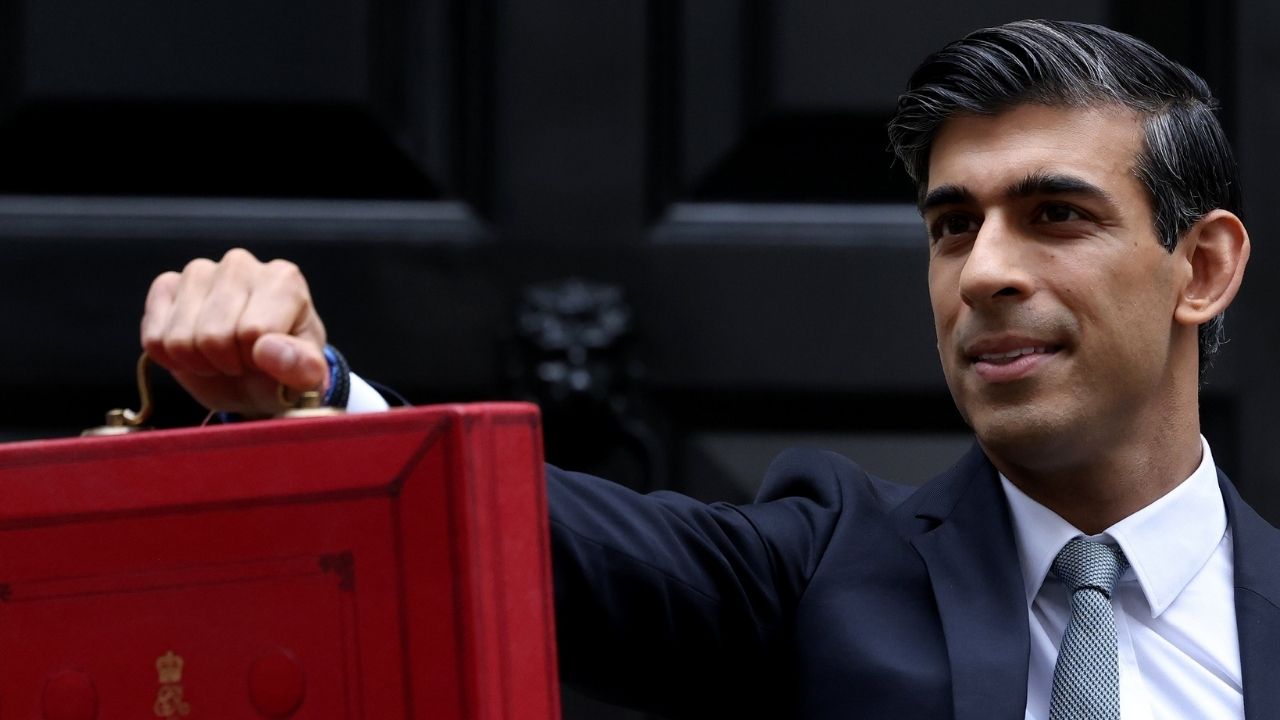
But the two biggest moments of the year for me were thanks to the podcast. First, in March, I interviewed then-Chancellor Rishi Sunak on the show, a huge coup for an independent podcast.

And then in October Cash Chats was featured as “Show of the Week” in the Radio Times, selected ahead of alternatives from the BBC, Which? and the FT.

I’m not going to suggest certain episodes to catch up on as it’s best to just follow Cash Chats on your podcast app via these buttons and start listening!

Our podcast

Listen to Cash Chats, our award-winning podcast, presented by Steve Alderton and Editor James Andrews.

Episodes every Monday.

What benefits and financial help are you entitled to?

Help is available for those you need it.

Benefits aren’t just for the unemployed or the sick. There’s support available for a broad variety of people – from parents to the bereaved, from low-earners to carers, from the young to the old. Even people will a decent income might be eligible for certain support.

And it’s not all money. Some benefits come in the form of discounts on bills, housing, travel and more. Others might provide you with food, a blue badge for parking, free dental treatment or even things like school uniforms.

There could even be a grant you can apply for, where the money and support you get comes from charities rather than the government.

Ok, so the amount you’ll get in cash or kind from any of these routes might not be great. And at times the processes can be mired in bureaucracy and injustice. But if you are entitled to any of these benefits it means you need it. And it will in turn help you and your finances.

Don’t be too proud. Don’t think you can’t claim. If you’re struggling then it really is worth making a claim.

So how do you go about doing this? Well, first of all, you need to find out what – if anything – is available to you.

Find out what benefits you can claim

There are so many different benefits I’m not going to list them here. Instead it’s worth taking 10 minutes to check what you personally can get.

The way to do this is to use a benefits calculator. There are a number out there, and these are regarded as good ones to try.

You’ll need some basic information to complete the calculators including your household income and level of savings, details of any benefits you already claim and all your bills.

Go through the calculator and you’ll get a list of what you can apply for and how.

Where to get advice about benefits

Need more help? Well there’s plenty of free advice out there.

Citizens Advice is a great source of help for people needing advice on many topics, including benefits. However, demand always outstrips availability so you might struggle to get an appointment. You can find more information about how to get in touch with your local Citizens Advice Bureau (CAB) here.

There are also specialist benefit advice lines for individuals suffering from cancer, the elderly, single parents and more. The Money Advice Service has a good list of these groups here.

How to get a food bank referral

Food banks work slightly differently, and you need to have a referral in order to get one of the food parcels.

Places you can get a referral from include local organisations and individuals such as your local CAB, your GP and social workers.

The Trussell Trust, which runs the country’s largest network of food banks, suggests you contact your local food bank to see who they work with locally. 

Once you get your referral voucher you can visit your food bank and you’ll be given a parcel that should last you three days.

It’s worth noting that most food banks are only open for a couple of days each week (the one near me is just Tuesday and Friday), so you need to plan ahead if you are close to running out of all your food.

Andy’s Amazing Savings #1: American Express

I’ve had credit cards over the years but rarely used them. Now thanks to some great deals, I put everything I can on my American Express card. Here’s why it’s one of my amazing savings.

** This is the first in a series where I’ll share some my favourite ways to save. Be Clever With Your Cash is completely independent and the brands featured have nothing to do with the posts. These are just the companies or products which I’m a big fan of for saving or making money. **  

I’ve always managed my money well. So when it came to credit cards I only used them for you overseas spending or when I wanted the extra protection you get with big purchases.

That all changed a year ago when I signed up for my first American Express – or Amex – card. In year one the card earned me an extra £350!

Here’s why it’s an amazing saving:

1. Cashback

With the Platinum Cashback credit card I get 1.25%  back to my account for every full £1 I spend. For the first three months it was 5% (up to a total of £125). There’s a £25 annual fee but I’ve worked out it’s worth it.

Last year I earned £200 with the Preferred Rewards Gold card. The second year had a £125 fee so I cancelled it and applied for the Platinum card.

I spend as much as I can on this card, then have a direct debit to pay it off in full each month. That means I can earn an extra month’s interest on my savings in a high interest account and max the cashback.

The only downside is that there are still places that won’t take it, but that number is getting smaller and smaller. Other cards also give you money back on purchases, but American Express is my top pick.

2. Statement credits

The idea is you register your card for specific offers. When you spend the required amount you’ll get a credit to your statement. Some are open to all, others tailored to you and your spending. I’ve never had a product that offers so many deals.

In the last year some I’ve used have included:

  • Free £5 for writing a TripAdvisor review
  • £15 when you spend £50 at Gap
  • £5 when you spend £10 at Tesco
  • £25 when you spend two lots of £25 at the London Restaurant Festival
  • £25 when you spend two lots of £25 at selected shops (including Space NK and Argos)
  • £10 when you spend £50 at House of Fraser
  • £20 when you spend £100 at Westfield
  • £10 when you buy a month’s Spotify (at £9.99)
  • £10 when you spend £30 at Gourmet Burger Kitchen
  • £5 when you spend £10 at a selected small business.

There are dozens more throughout the year, including shops such as Top Shop, Selfridges, Curry’s and much more.

You can get a card for your partner, or have more than one card yourself, and the statement credits offers are usually per card rather than card holder, so you can increase your benefits.

3. Great member perks

American Express sponsor plenty of events, which means members can get discounts and special access on tickets. I’ve picked up tickets for otherwise sold out shows, had early bird access to booking the recent Mastercard pop-up and recently picked up a free behind the scenes tour of the National Theatre.

There have also been around a dozen free apps given away this year, with more to come.

4. Amazing customer service

It’s rare that something goes wrong, but when cashback or a statement credit haven’t gone through correctly, I’ve been massively impressed by the service. Based in Brighton, they’ll sort your problem quickly, politely and without a queue. I’ve also heard some great stories of the help they’ve provided people with card issues overseas.

Is the latest model worth the extra money?

I found two TVs on sale which were practically the same – but had a £250 difference in price.

Sometimes a new version is blatantly different, even if the main reason for change is to generate more sales. A new football kit, for example, will look different to the previous season’s. Sometimes the updates are hidden but make a difference, such as the change from an iPhone 7 to an iPhone 7S.

Now, whether they are worth paying for is up to you. The older versions still do the job they were designed for, but at least there are tangible changes to partially justify shelling out for an upgrade. But that’s not always the case.

A tale of two TVs

One of the families I recently visited as part of Channel 5’s Shop Smart Save Money was after a new TV. Prior to my visit they’d spotted a 49″ Sony model at Curry’s. The cost, a hefty £799. My job was to help them make some savings, and mum Debs had already searched online and found it for £50 less at Huges Electrical. I couldn’t beat that price by much, just a few per cent using cashback sites. But I noticed this was a brand new model. So I had a look at the long and confusing model number: Sony KD49XF7073SU.

The model number is the key to work out exactly what you’re getting. It just doesn’t make much sense! However a quick Google and I found an explanation of the different characters. For this TV, ‘KD’ just means it’s a Sony Bravia TV while ’49’ is the screen size. ‘X’ signifies it’s a 4K TV. The next one is the model year, with an ‘F’ telling us it’s a 2018 release.

The next two digits show the spec, so the higher the number, the more features it has, while the next two numbers are cosmetic such as different colours. While the final two letters (if they are mentioned) tell us it’s got a UK plug.

So armed with this information I had a quick search for Sony TVs with similar model numbers And not only did I find a similar number, I found an exact match with just one difference. There was an ‘E’ for 2017 in the model number. And this Sony KD49XF7073SU cost just £499.

Ok, you’re probably thinking a newer version of something should be better right? Why would you upgrade something that’s perfectly fine if you haven’t improved it somehow? And normally that’s the case. But when I compared the specifications for these two TVs on the Sony website, all the features looked the same.

In fact they were so similar the only differences I could find were the inbuilt speaker and the stand design. Ok, you might prefer the look of the 2018 stand. And the speaker might be better. But are they worth £250? If like the family after the TV it was going to be hung on a wall, the stand became irrelevant, and many people plug in a soundbar so it doesn’t matter what the built-in speakers are like.

So in this instance, the latest model isn’t an upgrade, it’s just a way for Sony and the retailers to make more money. But you can use it do save decent money as retailers look to clear out older versions by cutting prices.

Still want the new model?

Comparing prices is obviously a great way to save money, but while you’re at it, also check out the price history. This could help you work out whether just waiting a few weeks or months could save you a little more cash.

The 2018 model of this TV was released in mid-June at £799, which was the price listed when I did the research. Using price comparison site Idealo I can see that within two weeks it was available for as low as £699. So with most tech, this suggests it’s not worth getting it in the first few weeks.

And if it follows the same pattern as the 2017 model, it could well drop again in a few months. The 2017 model was below £600 by late September. So finding out the price history of similar models could help you know the best time to buy.

How to decipher model numbers

In most model numbers each character represents some variation from a similar version. It could be the age of the model as with the TVs above, or it could be additional features – which you won’t necessarily need.

For example, when I was looking for a new oven I found one letter difference between the two models. One ended with a ‘B’, the other with ‘BP’. The price difference was £240. so what was the ‘P’? It essentially stood for “Pyrolytic” – an enhanced self-cleaning mode. Yeah, nice to have, but not for £240.

Once you’ve worked out the differences, use this information then to swap characters, or ditch them completely to see if there’s a similar but cheaper alternative.

Find a guide to model numbers

Ideally you’ll find a guide online like I did for Sony, though this won’t always be possible. But it’s worth searching, or even asking in store.

Look for obvious differences

If you look at a couple of similar models it doesn’t take long to work out some of the characters.  An S might stand for Silver and a W for White. Easy. A higher number usually means it’s higher spec, and so on.

Other characters might require a little more work, but as with the oven I bought it can be worth it. Often all you need to do is read the description online and see if there’s a key word different, such as the Pyrolytic feature of the more expensive oven.

Compare features on the manufacturer website

Sometimes though, codes change significantly when a new model is released. When this happens it’s best to use the manufacturer’s website as you get to compare all the models, not just the ones sold by a retailer. You can then use filters to narrow down your search based on the features listed. Here’s an example.

Last week I spotted a Miele washing machine on special offer. Our current machine is working OK, but it’s over a decade old. Being Miele, the new one wasn’t cheap, but as it was from 2016 and not listed on the Miele website I assumed it was an end of the line model – meaning the clearance price could have been significantly less than the current model.

However, I couldn’t find it on sale anywhere else in the UK to compare, and there were lots of models with very similar codes. There’d be no point buying if the discount was only £50!

So instead I found the full specs for the washing machine on Miele’s Hong Kong website, then used the search function on Meile’s UK site to filter out any current machines without those features. I managed to nail it down to one model which was practically the same apart from one enhancement. The difference in price was £700!! However, it was still too much to splash out right now, as tempted as I was!

More on how I save money on appliances and tech

Cash Chats ep 58: How I get the best value on tech and appliances

Read more about the savings I found when I visited Debs and Neil

£1k challenge: Debs and Neil

£1k challenge: Sophie & Rakesh

Can I save this family £1,000?

Something I love as the resident money expert on Channel 5’s Shop Smart Save Money is that they don’t just accept that I can save people cash – they want me to prove it! So every week I’m sent to meet a family who could do with some extra money and challenged to find them at least £1,000 of savings in a few hours.

Now I’m confident I can do this for pretty much any family as even the savviest won’t be doing everything – and they probably don’t need to. But I’m a little bit different as I genuinely enjoy finding new ways to get better value for my money. So when I meet the family I’ve probably got something up my sleeve!

My first challenge was from Sophie and Rakesh who live in Birmingham. They were a great couple who admitted to sometimes spending money they shouldn’t – including £300 on a piano neither can play! But they’ve got hopes to move into a house which will be the family home for a good few years, and need cash to build up the deposit.

So here’s a bit more info on each of the savings I found. If you didn’t catch the episode live, you can watch it on Channel 5’s catch up service.

Their car

I started before I even got into the house. Their car has seen better days. Handed down from Sophie’s dad it’s been good to them but now the cost of keeping it going was becoming prohibitive. Last year they spent £820 making it roadworthy, and they’ve got an MOT around the corner which they don’t think it would pass without even more money thrown at it.

Not only that, but they hardly use it. Sophie estimated they drove it just 10 to 15 miles a week. That’s mainly because Rakesh walks to the train station to get to work, and Sophie uses the bus. The car journeys were pretty much just to take son Leo to nursery, but that was only 10-minute walk away.

So I suggested they should ditch get rid of their car. Yes, I know that sounds a little extreme – but I think a good option for them as the savings were pretty decent, even using a conservative estimate on repairs. They’d also get around £200 for scrapping or selling the car. So the money back in their pocket would break down like this:

  • £552 – Car insurance
  • £205 – Road tax
  • £472 – Repairs (average annual cost in the UK)
  • £200 – Scrapping or selling

That’s a huge £1,429 year!!! Of course, that would have been too easy. Challenge over. And realistically Sophie and Rakesh would still want to make the odd trip. So having no car at all probably isn’t feasible.

But for the amount they use the car I think they could be better off using a car club. The one I found five minutes from their house costs £50 a year to join. Then it’s £4 an hour plus mileage. But how much will that cost over the year? Well, a 200-mile journey from their home to the seaside at Weston Super Mare would cost £71.30. If they do a big journey like that once a month (which they probably wouldn’t) and a handful of shorter journeys I still don’t think they’d spend more than £1,000 a year on the car club.

Total saving: £400

Unused gift cards

I like to get my hands on the families’ wallets and purses to learn a little about their spending, so once inside the house I asked Rakesh if I could have a nose inside his.

The first thing I noticed was just how many gift cards he had. There was one for House of Fraser, another for Asda, a handful from returns to Wickes and a few more. What’s the problem with that you might ask?

Well, most gift cards have expiry dates and easily run out, they can get lost or forgotten, and they become valueless when companies go bust – that £50 House of Fraser card is a good example where the money could be at risk. In fact, an estimated £90million of the £6billion spent each year on gift cards is unused. A total waste of cash.

The cards in Rakesh’s wallet had all been in there for a long time. Sophie was proud that she’d got 4% off the Asda card – but they’ve been shopping elsewhere and not used it. They’d even been back to Wickes and forgotten to use the gift cards! So I think they had two options if they didn’t want to lose £200. They could use them as soon as possible (ideally on things they need) or sell them via online marketplaces. They’d obviously not get the full price for the latter, but even a 10% loss is better than letting them become valueless.

Total saving: £180

Bank accounts

Regular readers will know I’m passionate about switching banks and getting some kind of deal. Sophie and Rakesh had a few accounts between them, including a joint Natwest account which earned cashback on bills – great. But both also had one account each which wasn’t doing much in terms of rewards.

So I suggested a simple switch to immediately help the household finances. Moving from their respective banks to Marks & Spencer Bank would earn each £125 in M&S vouchers. Then they get another £5 voucher a month for a year. And both of them could do this! They could use these on food or clothes for Leo and put the money they’d normally have spent here towards their savings.

Now to get the £125 voucher you do need to fully switch your old account including two active Direct Debits. This means closing down the old account. But all your payments in and out are transferred for you, and monitored for at least three years. I’ve done this a lot and it’s been fine every time, but if something did go wrong there’s a guarantee which means you wouldn’t be out of pocket. For the extra £5 a month, account holders need to pay in at least £1,000 a month and keep those two Direct Debits.

Total saving: £370 

Broadband

I had a look at their bills too, and one stood out. Sophie and Rakesh are currently paying £23 for phone and broadband from Sky, but that is due to go up to £30 odd in the next month. So it was definitely time to switch.

The best deal I could find at the time of filming was with Plusnet for just £10 after cashback. It was the same speed and the price was locked for 12 months – but £20 less a month.

Total saving: £240

Packed lunch

Finally I wanted to tackle Rakesh’s pricey lunch habit. Apparently, even when Sophie made him a decent meal to take to work, he still popped out to get a Pret or burrito. This isn’t uncommon. And I get that it’s nice to mix up your meals each day. But the savings you can make are huge.

The average people spend when they buy a lunch near work is £1,800. That’s roughly £7 or £8 a meal. See how quickly it adds up! Of course a packed lunch isn’t free – whether it’s sarnies or leftovers you still need to pay for those ingredients. So the average spend here is just £600.

But Rakesh wasn’t going to do this every day. So instead I suggested doing this just two or three days a week. That should make it easier to stick to, and still gives a massive saving of £600 a year.

Total saving: £600

How did I do?

Well, if Sophie and Rakesh take all of these savings on, they’re going to be better of by £1,790! So I smashed the challenge in my first week. I’ll need to reign it in for future episodes otherwise there’s a chance I might run out of new tips to share.

You can watch me on Shop Smart Save Money on Channel 5 every Wednesday in June at 8pm.

£1k challenge: Debs and Neil

In my second £1k challenge for Shop Smart Save Money, I travelled to Matlock in Derbyshire to meet Debs, Neil and Amelia.

I’m really enjoying seeing how my suggestions for savings can work for families in real life. Of course the idea isn’t to completely fix the family’s finances, but just to find a handful of manageable changes which can bring in some extra cash. My target was £1,000 once more, but the challenge this week was a lot tougher as mum of two Debs is on top of a lot the things I’d suggest. Still, I was confident I could find some easy extras to save a grand. Here’s how it went.

Using loyalty points

Debs had her purse by the front door so I had a little look inside. Straight away I found Tesco vouchers which had expired, and Debs told me they often forget to use the points earned via Clubcard too. She hadn’t used any for over a year, and some had already gone out of date. Since Clubcard vouchers last for two years from issue there were a few more approaching expiration. It’s a waste of money to not use these. Debs said she was unlikely to boost the points, so rather than lose the £40 she had sitting in her account, I suggested just spending them in-store on her next shop.

Saving £40

Getting a new mobile phone

The whole family is on Vodafone, spending about £80 a month. Youngest daughter Amelia’s contract is about to end and she was planning to upgrade to a new iPhone 7 as part of the renewal. This wouldn’t have been cheap, working out at £9.99 upfront and £43 a month, and she’d have been tied in for 24 months. The total cost would have been £1,041 over those two years.

A better option, and this is what I do, is to buy the new phone upfront and then get a SIM only deal. Most of the time doing it this way will work out cheaper – though it’s worth checking upgrade options just in case there’s a special offer.

For Amelia, the best bet for the iPhone was direct with Apple. It’s just relaunched a 0% interest plan, so you can spread the cost of the handset out over 12 months. An alternative is to buy it on a 0% interest credit card which may give you more time to clear the cost, though you obviously need to make sure you do that before the 0% period ends.

Then for the data, calls and texts there were quite a few cheap options. I suggested one using the ID network (which works over the Three network) for £10 a month, though she probably could have gone for one a little cheaper if I’d had time to look at how many calls she actually makes and how much data she uses. This contract was only for 12 months, so she’d have more freedom to look at deals again in a year.

The total cost for the phone and SIM over two years would be just £789! A massive £252 saving. However, since the challenge is about annual savings, I halved that to £126 to add to my running total.

Saving £126

Selling an old mobile phone

With a brand spanking new iPhone, Amelia didn’t need her current iPhone 6. She could pass that on to another family member, but if she (or more likely Debs and Neil) wanted to cover some of the costs of the upgrade then it’s worth selling.

Personally, I use eBay when I sell old handsets as I’ve found I can get a little bit more cash. But the family weren’t keen on the hassle so instead I suggested a quicker route which was to use online comparison sites. When I had a look she’d get £80 for her phone, which was in very good condition.

Saving £80

Cutting down Sky costs

Debs and Neil spend £67 a month on Sky every month. A huge £804 a year – and that’s with a discount. They have all the channels, so entertainment, movies and sports. But I had a look at their Sky + box and most of the recordings were of programmes on free-to-air channels, with the odd drama from Fox or Sky Atlantic. They hardly watch the movies and Neil only really watched Manchester United matches on Sky Sports.

So instead I suggested they got rid of Sky TV completely and replace it with NOW TV. Sky actually owns NOW TV, which is an online streaming service like Netflix or iPlayer. You can watch channels live or on demand, but you can’t record them. However the savings are massive.

They admit they don’t need the Sky Cinema channels, but they do want to keep the normal TV ones. A year of these with a NOW TV Entertainment Pass (and a box to connect to their TV) would cost £57 for a year. In fact there are often so many deals I’d expect they’d be able to get it for less if they wanted.

I had a look at how often Man Utd were on Sky and found on average it’s 24 games a season. If Neil got a day pass to watch each of these games on NOW TV the total cost would be £191.76. Far cheaper than subscribing to Sky. Again, he could probably get these cheaper by looking for deals or taking out the odd week pass.

The only downside would be the Sky + box would stop working, so they couldn’t record the free channels. But for £125 they could pick up a BT YouView box. We’ve got one of these and it works great. Even with this purchase the saving from just one year without Sky is massive, and will be bigger in year two.

Saving £430

Trying a smaller energy company

Debs already fixes her energy, but with her 12-month deal about to end she planned to fix again. She said she’d stick with one of the big companies, possibly staying with NPower. That would save her £432. Great. But I couldn’t claim that one for the challenge as she as already going to do it.

However, I took a look on a comparison site to check out the other options, and in just a few minutes I found a small provider called Arvo could beat the price. It had decent reviews and no exit penalties, so Debs could switch away if she wasn’t happy with the service. And this was £108 cheaper than the Npower fix, plus she could claim £25 cashback.

Saving £133

Buying a new TV

Shop Smart Save Money and Be Clever With Your Cash aren’t just about saving money. A big part of both is getting the best value when you spend money so I asked if there was a big purchase the family were planning on making.

They came back with a new TV, showing me a Sony model they liked the look of in Curry’s at £799. Debs had already found a £50 off deal with Hughes Electrical. I couldn’t find it cheaper than that. But I did notice that this was a brand new model, literally out this month. The previous year’s model is still available, and having contacted Sony, the only significant difference is that it has a different stand. So it’s essentially the very same TV! And that was on sale at John Lewis for £499.

Saving £250

How did I do?

So I managed to beat the challenge once again. The total this week – if the family take all my suggested actions – is £1,183.

You can watch me on Shop Smart Save Money on Channel 5 every Wednesday in June at 8pm, and you can read about the other families I’m helping as part of the series.

£1k challenge: Frankie & Scott

My final £1k challenge of this run of Shop Smart Save Money covers savings, holidays and cashback credit cards.

I freely admit I’m a bit of a money saving geek, so I have a decent arsenal of tricks and tips which I doubt many actually use day-in, day-out like me. Even so, when this week’s family professed to be pretty good with their cash I was worried I might not be able to beat the £1k challenge.

But when I headed to Peterborough to meet Frankie and Scott, my first saving was already waiting for me at the front door (OK, a bit of TV trickery meant we had to put a pretend box out as we couldn’t show the branding!). Here’s how I did, and a little more about how you can take up some of the same savings.

Monthly recipe boxes

The family get a Gousto food box delivered to their door every month. These come with all the ingredients you need to make a series of meals. Convenient? Yes. Cheap? No.

I asked the Shop Smart Save Money team to crunch some numbers for me to work out just how much more expensive it was to get meals this way rather than pop to the supermarket.

If you go on the prices for those exact ingredients, do gram for gram the savings worked out as a huge £28.33 a box!

So it’s certainly cheaper to buy it all yourself. And since Frankie works at a Tesco, the convenience argument doesn’t really work!

I’ve written in more detail about whether recipe boxes are worth the money. You can also see a breakdown of the calculations we used for the programme.

Save £340

Reward credit card

Frankie is a smart shopper – she’s got more loyalty cards than I’ve ever seen and has two wallets to hold them all. But while delving through her purse I spotted an M&S credit card.These aren’t bad. You earn 0.2% back for every £1 you spend, but with a spend of £300 or £400 a month, means I think Frankie only earns £10 a year, more or less. She could do better.I recommended an American Express Platinum Cashback credit card which gives 5% for the first three months (up to a maximum of £125) and then 1% after. I reckon that’d make them around £150 over the first year.

As Frankie pointed out, there is a £25 fee, but you can usually get this back if you apply via a cashback site.

Of course, with any credit card spending you need to clear the whole balance off of every month to avoid getting charged interest, which would make the cashback pointless.

Save £140

Savings

Frankie and Scott have got £4,000 in savings, but it’s earning nothing at all! Instead I suggested they open up a Nationwide FlexDirect current account each. I’ve got one of these and it offers 5% on £2,500 for the first year. The best interest you can get on cash savings right now.

Save £200

Holiday

When they go away, Frankie and Scott don’t do anything themselves when booking. They simply head to the local Thomas Cook and ask them to book something that meets their requirements and fits their budget.

So I asked them for a holiday brief. They wanted seven nights bed and breakfast for three in Turkey during the summer holidays. The hotel needed to be at least three stars and have a swimming pool. I had a look on the Thomas Cook website and found one that fitted the bill for £2,236.

The seemed quite happy with that, but I wanted to see if I could do better than a travel agent. I managed to get exactly the same holiday for just £1,906, simply by booking each stage individually. And I mean exactly the same holiday. It was exactly the same flights, exactly the same hotel (though with a bigger suite rather than three-bed family room) and some transfers. Then there was even 10% cashback on the hotel on top.

That’s not to say you can’t get package holiday bargains, and they can come with added consumer protection, but it pays to check the cost of the component parts. I’ll write more about this in a few weeks.

Save £330 + £66 extra from hotel cashback

Holiday cash

Frankie and Scott tend to get their cash where they get their holiday. And this costs them.

They normally spend around £1,000 so I looked up the price on the day of filming for Turkish Lira. You’d get 5,633 lira for this from Thomas Cook. But by comparing prices online I worked out the cheapest rate near them was with either Sainsbury’s or Asda.

They’d get 5,873 lira for £1,000, and that extra 240 lira was worth £41, which as Frankie said, that’s a whole meal out in Turkey.

Save £41

Free student railcard

Finally, I was asked to recommend a student bank account for their daughter who’s heading off to university in the autumn.

One of the best is with Santander as you get a four-year 18-25 Railcard. Though a one-year card costs £30, you can get a three-year one for £70, so £100 seems like a fair value.

Save £100

How did I do?

So I managed to beat the challenge once again. The total this week – if the family take all my suggested actions – is £1,217.

You can watch me on Shop Smart Save Money on Channel 5 every Wednesday in June at 8pm, and you can read about the other families I’m helping as part of the series.