Some articles on the site contain affiliate links, which provide a small commission to help fund our work. However, they won’t affect the price you pay or our editorial independence. Read more here.
Paid advertisement
Amazon Prime Video
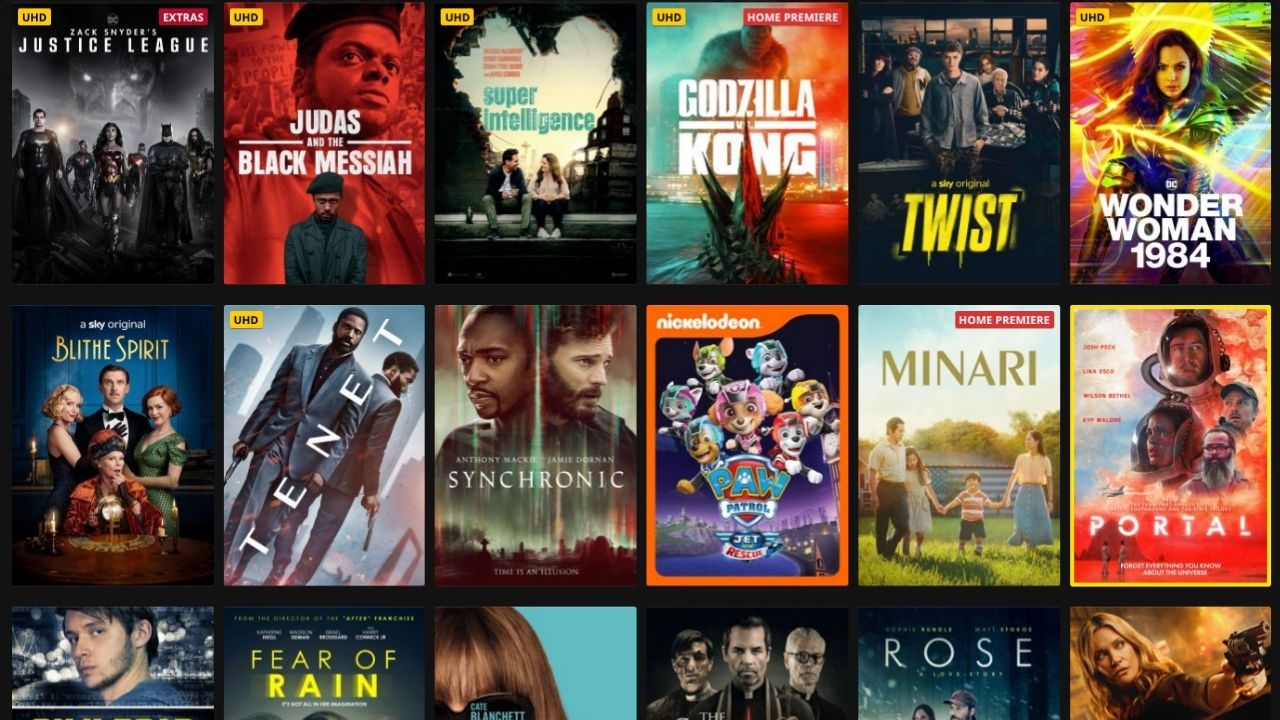
You don’t need a subscription to Amazon Prime Video to rent or buy some titles. In fact, some movies and TV shows are only available to rent separately.
You have a month to start watching rentals, and then 48 hours once you first press play.
Amazon: £1.99 new releases for Prime members
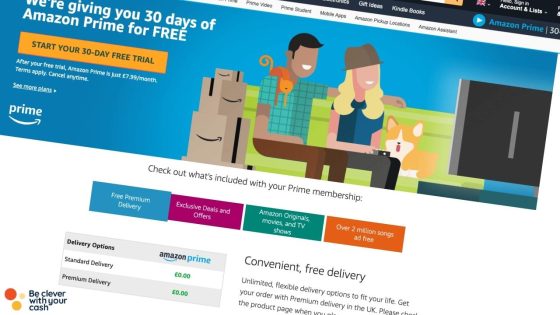
Amazon often has selected new rentals for £1.99 if you’re with Prime. If you’re not already a Prime member you can get a 30-day free trial once a year.
Rentals last for 28 days before expiring, or 48 hours once you start watching.
Most months, Chili has a code that’ll get you 50% off up to two rentals or purchases, or something similar. I’ll post here when I spot these.
Chili: 20% off your first rental
The first time you sign up you should be able to get money off your first rental. The discount code is usually automatically applied at checkout, but check first. It used to be 50% but has now dropped to 20% off.
Also you might find a limited choice – many of the big titles aren’t available there.
You can buy a £3.50 Chili voucher for £2.50 from the Lidl Plus loyalty app. Terms say the credit expires on 26 October 2023 but it’s still available to buy.
The credit also can’t be used with other promotions or codes, and you can only use it to rent movies, not purchase them.
If you have Vodafone’s VeryMe loyalty app there is often a credit or offer for a rental or sometimes £10 to spend on a selection of movies. Here’s more about VeryMe and how anyone can get it.
Bonus requirementsTo get the £240 switch offer, you need to complete a full switch with the Current Account Switching Service. Then, within 60 days of your initial switch request, you need to set up two active direct debits, deposit £1,500 into the current account, set up a Santander Regular Saver, and deposit £200 into it.
Regular saver8% (variable) regular savings account. Includes 5% (variable) bonus for 12 months
Existing customers?You can't have held a Santander account on 1 January 2026.
Personally I think you should avoid Sky Store as it’s the most expensive of all the rental sites, with even SD versions of new releases costing a huge £5.49. However it’s possible to get freebies from time to time which are worth nabbing.
Sky Store: 10% off gift cards via Lidl (expired)
This offer is nowhere near as good as the discounts offered for Chili on the same Lidl Plus app.
Buy two medium pizzas and a drink meal deal from Asda stores and you can claim a free Sky Store voucher or Vue cinema ticket.
The pizza must come from the pizza counter in-store, and will be labelled as a “Movie Nights In Meal Deal”. It’ll cost £6 in total.
To claim your voucher, worth £5.49, you need to visit MovieNightsIn.co.uk within seven days of buying the food and upload a photo of your receipt.
You’ll then get sent a code to add to your Sky Store account within a week, but you’ll have a year to actually use the credit. It’s due to end 6 April 2023 but is often extended.
Thanks to the SkintDad blog for bringing this offer to my attention!
Replica football shirts aren’t cheap, and with the World Cup around the corner I’ve taken a look at how you can spend less on your official kit.
I’m a huge Crystal Palace fan, and I’ve been tempted a few times to upgrade to the new shirt, but the frequency in which the club (and all clubs to be fair) release a new design has put me off. There’s the home kit, away kit and then a third kit! And 12 months later, it’s out of date. I don’t think I’ve actually bought a new version of the shirt since my mid-20s.
Still, if you do want or need to update your shirt, or you’ve kids who are pestering you to get the latest version, then expect to pay more than you really should. £50 to £60 for an adult’s sports shirt really doesn’t justify the quality of the shirt. And the junior shirts aren’t much less. Plus there can be further costs on top!
But if you’re in the market for a 2018 England shirt, here are a few ways you can get the price down.
Watch me share these tips on Shop Smart Save Money
Shop around
The FA, so the equivalent of buying direct from the club, sells an adult shirt for £64.95 and a kids’ shirt for £51.95. Postage is an extra £4.50.
But over at Sport’s Direct you pay just £54.99 for an adult shirt and £39.99 for a junior shirt. A top saving. However, there’s also £4.99 postage on top if you order online.
Don’t pay for personalisation
If you want your new shirt personalised with a name and number then you’ll also pay extra – most of the time.
The FA adds £12 for a player and number, or for you to pick your own (max of 11 characters). Sports Direct adds £1 per character and £4 per digit. It get’s expensive!!
However, if you head to Nike, who manufacture the kit, there’s no extra charge! Yes, it’s more than a plain shirt at Sports Direct, but it works out cheaper with the addition. You can pick a selection of the current England squad, or if you want to add your own name there is a limit to eight characters. For adults this is £64.95 and for kids it’s £51.95.
A word of warning, if a shirt has been personalised you won’t be able to return it – so do try it on first in a shop.
Avoid the premium fabrics
You can actually get two versions of the new England kit, There’s a ‘breathe” version, which is the standard kit or a “vapour” version, which costs around £25 more. Are you a pro-athlete, or are you just wearing it to the pub? It’s just another marketing ploy to get you to shell out more. Avoid.
Buy an old kit
Unless you’re going to be buying a new kit every season or tournament, then whatever shirt you are buying will be out of date in 12 months. So why not just get last season’s in the sale? The 2017/18 Palace shirt was available for £20. Since the England shirts change every two years, these are harder to pick up than club shirts.
Or embrace the old styles and buy a retro kit. These still aren’t cheap, but seem to be selling for £20 or so less than the latest versions, and they let you embrace a bit of your team’s heritage. Kitbag seems to have a selection including Euro ’96 and 1990 World Cup for £34.99 before delivery.
I actually still have my classic 1997 Palace shirt, which incidentally the club has just reissued – and it’ll only cost £35…
Are you overpaying for convenience when you order a Gousto, Hello Fresh or Simply Cook box?
I get the appeal of recipe boxes. You get to try new meals, you don’t have to buy more ingredients than you actually need, and importantly, you don’t need to go to the supermarket.
They can also help those with specific diets or those wanting to keep an eye on things like calories.
And with the various lockdowns during the pandemic they’ve partially compensated for being unable to eat out – even in some cases coming from the kitchens of top restaurants.
The problem is, they aren’t cheap. The normal price can easily be between £5 and £8 a portion.
Possibly cheaper than a takeaway, definitely cheaper than eating out. But surely buying the ingredients yourself works out far cheaper?
I’ve taken a look to see just how much of a premium you’re paying for the convenience.
Some articles on the site contain affiliate links, which provide a small commission to help fund our work. However, they won’t affect the price you pay or our editorial independence. Read more here.
Paid advertisement
How recipe boxes work
The recipe box format has exploded over the last year. They’re now available from specialist companies, supermarkets and restaurants.
Subscription recipe boxes
The most popular at home kits are from dedicated companies. You can either order boxes with all your ingredients, like with Gousto and Hello Fresh. Or you can just get the dry ingredients with Simply Cook, and buy the fresh food needed separately.
Most are subscription-based, but some let you order one-off boxes. You can often choose between just one meal a week or month through to something every single day. The cost gets cheaper per meal the more you order. You can usually also tailor the boxes for how many people you need to feed.
Via their websites you get to choose the meals you’d like for the week – from a preset selection that changes each week. Your ingredients and recipes are then delivered to your door ready for you to cook.
Supermarket recipe boxes
These DIY meals are not really that different to the subscription boxes – you simply pick up your kits at the supermarket rather than have it sent to you.
There are two types of recipe boxes. The main ones are off the shelf kits where you add the fresh ingredients. These range from the old school fajita ones through to make your own Bao buns.
The second type, though less common, are all the ingredients for complete meals, such as the Scratch kits on sale at stores including Iceland and Waitrose.
One downside though is that the range is a lot smaller, so you’ll be repeating yourself more often than you would with a subscription.
Restaurant recipe boxes
The newest addition has developed as a consequence of lockdowns. Many restaurants, big and small, have adapted their menus to allow you to order online.
Some of the kits are simply just reheating and assembling, others require you to do more of the cooking.
These are a lot more expensive than the other options, so really they’re a treat closer to takeaways or very occasional order while restaurants are closed. In fact when they can reopen I’m sure many of these will end.
I’ve tried two – a build your own bacon naan roll from Dishoom and for Becky’s birthday a three course meal from Smokestack. Both were really good quality.
How much do recipe boxes cost?
The first price you’ll probably look at is cost per box, which is outlined in the table below. Of course, if you order more than one box a month you’ll increase your spend.
A few might offer cheaper boxes if you go full or partially veggie.
£24 (£9.99 kit for four meals for two people plus fresh ingredients)
£48 (£9.99 kit for four meals for two people plus fresh ingredients)
But I think a better way to compare how much these boxes cost is to look at price per portion. As you’d imagine, the more meals you buy, the cheaper things get per portion.
Here are the most and least expensive options for a selection of recipe kits. These don’t take into account introductory special offers which can of course make things cheaper. I’ve listed the best of these further down the article.
£3 (£9.99 kit for four meals for two people plus fresh ingredients)
£6 (£9.99 kit for four meals for two people plus fresh ingredients)
How much do recipe boxes cost compare to the supermarket?
However, just because you’ll save money per meal by having them more often, you could well be spending a lot more overall when compared to your usual supermarket shopping.
Back in 2018 as part of the Channel 5 series Shop Smart Save Money, I visited Frankie and Scott in Peterborough to help them cut their expenses. One thing I spotted was they received a regular Gousto box.
They were spending £47.75 a month, so £573 a year, to get four servings of four meals. This is actually the cheapest box per portion, working out at £2.98 a meal per person. Which doesn’t actually sound that bad. The prices are the same in 2021.
So we had a look at the ingredients of their latest box and compared it to buying all those at a Tesco. I’ve updated the figures to check if things have changed.
We compared the prices in two ways. First, gram for gram, so what you’d be paying per portion. And then the actual spend in the supermarket to get all the ingredients.
Obviously with both this is assuming you’re paying full price for your supermarket supplies and Gousto box.
Comparing prices for a two-person, two-meal box
Meal
Gousto cost per portion
Tesco cost per portion (gram for gram)
Tesco cost per portion (actual spend)
Chicken and Hummus Bowl with Sweet Potato Wedges
£6.25 (2 people having 2 meals)
£3.41
£6.27
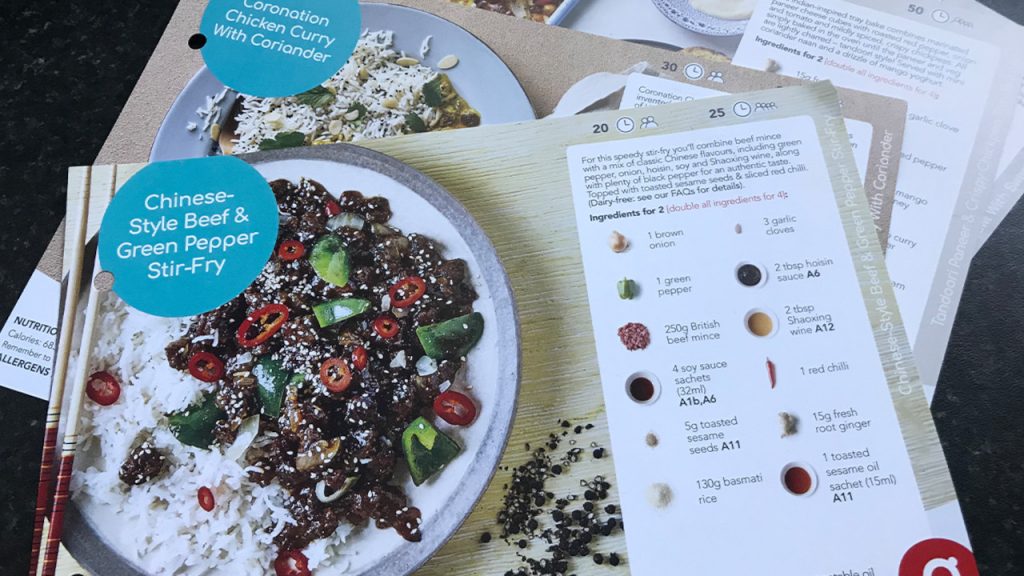
Chinese style Beef and Green Pepper Stir Fry
£6.25 (2 people having two meals)
£3.58
£7.69
Comparing prices for a four-person, four-meal box
Meal
Gousto cost per portion
Tesco cost per portion (gram for gram)
Tesco cost per portion (actual spend)
Chicken and Hummus Bowl with Sweet Potato Wedges
£2.98 (4 people having 4 meals)
£3.41
£3.80
Chinese style Beef and Green Pepper Stir Fry
£2.98 (4 people having 4 meals)
£3.58
£5.13
Gram for gram cost compared
This comparison is if you bought all ingredients but just costing out what you use.
The supermarket was significantly cheaper per portion than people getting just two meals in each Gousto box. Averaging the two recipes I looked at, it’s 44% less, saving £5.51 a box. Do that weekly, and it’s £286.52 more a year.
Of course, the more meals you order, the lower the Gousto price goes. But you’re still saving money with supermarket prices on the other combinations.
In fact, there’s only one box available from Gousto that works out cheaper, the huge four meals for four people box. This works out at £1.03 less a week, or £53.56 a year.
Actual spend compared
Of course, in real life you’ll need to buy all the ingredients in the size the supermarket sells them. So you have to get more than you need for many of the recipes.
The actual cost to buy everything for a two-person, two meal shop for these meals at Tesco would be £29.32. That’s versus £25 from Gousto.
With a four-person, four meal shop, that increases to £71.46. That’s a lot less per person as you’re really only buying the fresh meat and veg extra – the herbs and spices costs remain the same.
The same number of meals would cost £47.75 from Gousto if you ordered the four people, four meal box- a huge amount less.
Yet for two people ordering two boxes of four recipes (to get the equivalent number of meals), you’d pay £69.98 – only a couple of quid less.
So the boxes are better value on actual spend? Well you need to remember that extra spend at the supermarket will also mean there are leftovers on dry ingredients. Rice, paprika, soy sauce – all things you’ll likely use again, and therefore not need to buy again. So the more you cook these recipes, the lower the cost would be from the supermarket.
Get the best of our money saving content every week, straight to your inbox
Plus, new TopCashback customers get a high paying £18 welcome offer
Bonus requirementsTo get the £240 switch offer, you need to complete a full switch with the Current Account Switching Service. Then, within 60 days of your initial switch request, you need to set up two active direct debits, deposit £1,500 into the current account, set up a Santander Regular Saver, and deposit £200 into it.
Regular saver8% (variable) regular savings account. Includes 5% (variable) bonus for 12 months
Existing customers?You can't have held a Santander account on 1 January 2026.
I was surprised that the boxes could actually be cheaper than home-cooked! But to achieve this you need to order a lot of meals.
They’re still more expensive than the supermarket alternatives for anyone other than a family of four ordering four different meal a box.
And that’s also only when you are comparing like for like. How many of us actually do this kind of dinner that often? Sometimes, you’re more than happy with a simple pasta or sausage and mash, which will all have a cheaper per portion cost.
So in all likelihood, most people will spend less per week cooking at home than using the boxes.
Personally I would avoid them if you live in a small household as you will be paying well over the odds.
Ok you don’t get the recipes selected for you, but there are literally thousands of new ideas to be discovered online at the likes of BBC Foodand Good Housekeeping. That’s essentially doing the same thing!
And the extra spices etc are no bad thing – especially when you think about the plastic packing these are split into on most recipe kits.
Recipe box special offers
If you do order the boxes, it’s worth taking advantage of the special introductory offers – this will also let you try all the different brands. You can often get between 25% and 50% off your first order.
From my research, the best deals tend to be where you get those promo codes and additional cashback from the likes of Quidco and TopCashback. For example a £47.75 Gousto box could only cost you £8.65. Plus, if you’ve never used either of these sites before you can claim a welcome bonus on top, worth up to £17.
If you’re interested, here’s how much the two Gousto recipes I compared would cost gram for gram at Tesco.
First is the total spend at the supermarket, then price for what you’ll actually use in the meal, then price per portion. Obviously with many of the items you’ll have herbs, spices and oils left over to use on future recipes.
Get access to cheap movie tickets for three months, and 2-4-1 meals, for just £1 with a Tastecard Plus trial.
[box]
Some articles on the blog contain affiliate links, which provide a small commission to help fund the blog. However, they won’t affect the price you pay or the blog’s independence. Read more here.
[/box]
Going to the cinema can be expensive. I rarely pay more than £6, often less, thanks to a series of special offers, memberships and deals.
The problem is, these deals come and go, meaning you might not have one available when you plan to see a film. But there is one deal which you can use day-in, day-out at most major cinemas, saving up to 40% on the ticket price.
You might not realise though that there’s also an extra option called Tastecard Plus. Sometimes it’s included in the deal, other times you have to pay extra for it. This offers money off at cinemas, theatres and hotels. I’ve written before about how the theatre and hotel offers aren’t anything special and are available elsewhere, so I wouldn’t get excited about those.
But the cinema ticket offer on Tastecard Plus is a different story. Yes there are potentially bigger ways to save (see my bumper cinema savings page), but it’s possible to get reduced tickets all year round at Odeon, Vue, Cineworld, Picturehouse, Empire, Showcase and The Light with the Tastecard plus deals.
The cinema offers with Tastecard Plus
There are seven cinema chains listed on Tastecard +. types of discounted ticket you can buy. All the tickets you buy are e-codes and you can buy any number of tickets. Each ticket will have its own unique code so you can use them over time or even all at once.
Some of the chains have one set price per ticket, others have different prices depending on which location you pick, whether it’s 2D or 3D and if it’s an adult or child ticket. Below I’ve broken down the key options. I’ve not gone into every single option (there are hundreds of variables) but they should generally be accurate (at the time of writing).
Cineworld on Tastecard Plus
Adult – £6.60
Child – £4.90
Premium – £13.20
The main Cineworld options on Tastecard are adult or child in 2D, or a separate “premium” option for things lilke 3D or IMAX. There’s also a deal to buy a drink and popcorn combo. If you buy a 2D ticket you can pay extra at the cinema to upgrade. Code are valid for three months. You can book online (with an extra booking fee) or in person, though not via the phone.
Prices could vary on location but I could only find the same price. Only Leicester Square is excluded. This means there could be huge savings on prices you pay. But, something to be careful of is when the cinema has cheap tickets all the time. For example Bradford charges £5.50 for ALL tickets. Via Tastecard + it’d be £1.10 more! So do check the cinema website first.
Odeon on Tastecard Plus
Adult (inside London) – £9.02
Adult (outside London) – £7.67
Child (Inside London) – £7.14
Child (Outside London) – £6.59
There are essentially four options. Adult and child, and inside or outside London. You can only buy 2D tickets, and the tickets are just for standard seats, not premium ones. Every Odeon is included except Leicester Square, Whiteleys and BFI Imax. You can redeem them at the box office, or online.
Vue on Tastecard Plus
Adult (Picadilly London) – £8.50 / £9.13 (3D)
Adult (inside London) – £8.05 / £8.58 (3D)
Adult (outside London) – £7 / £8.58 (3D)
Cheap cinemas – £4.50 / £8.58 (3D)
There are four cinema categories with Vue. The Picadilly cinema in London, the rest of London, non-London and the locations where seats are always cheap (and these can be all over the country, including Islington and Fulham). This means you should always pay less than the price listed at the box office. With Vue you can also choose to buy 3D tickets at a small premium. Prices are the same whether tickets are for a child or adult. Once more, Leicester Square is excluded.
Picturehouse on Tastecard Plus
Adult (Picturehouse Central London) – £13.70
Adult (inside London) – £9.50
Adult (outside London) – £8.65
Child (all locations) – £5.40
Much simpler here. It’s either adult or child 2D, and outside London, inside London or the Picturehouse Central. You can pay more when you book to upgrade your ticket.
Showcase on Tastecard Plus
Adult (De Lux cinemas) – £9.05
Adult (standard cinemas) – £7.70
Child (De Lux cinemas) – £6.62
Child (standard cinemas) – £6.25
The price here depends on whether your Showcase is a De Lux or standard location – you’ll pay more for the latter. You get the option to choose between adult and child tickets, but they are all 2D tickets. You can top up when you book if you want to upgrade. Booking can be done online or in person.
Empire on Tastecard Plus
Adult – £6.90
Child – £5.90
Very simple here, whatever the location you’ll pay the same price for a 2D ticket, with adult tickets a quid more than one for kids. As with most of the others you can pay to upgrade to a 3D or VIP seat.
The Light on Tastecard Plus
Adult – £7.25
Child – £5.80
This one stands out as it’s the same price for 2D and 3D, so it’s very cheap if you do want the premium experience. You can only redeem the codes at the box office.
I don’t think it’s worth paying the full price just for these cinema discounts, though if you also use the dining discounts it can be decent value. Just don’t pay more than £35/£40 a year as there are regular offers at this price.
In the past, one of the problems with Tastecard is it can be tricky to cancel if you don’t want to continue with it after the trial. My advice is to schedule in the diary two weeks before the card is due to expire just in case you have problems. If you don’t do it four days before the trial ends you will be charged £39.99 for a full 12 months. I’ve a guide to cancellinghere.
Can you beat these prices?
It is often possible to pay even less thanks to special offers and other deals. For example, the Meerkat Movies app can get you two for one tickets every Tuesday and Wednesday, and you can get a year of that for around £1.
But sometimes this and similar offers (Kids Pass has similar deals, as do some work perk schemes) do represent fantastic value.
This cash hack will help you save regularly at big brands including John Lewis, Tesco and Odeon.
Some of you will get access to all sorts of deals and discounts via your employer (if you’re not sure – ask your HR department!) or membership of something like health insurance. These work perk benefits can be pretty good, often giving money off gift cards and cheap cinema tickets.
I’ve had access to different ones in the past from working at the BBC, having BUPA health insurance, and a Scottish Friendly ISA. But what if you won’t work for a company with a scheme, or can’t afford things like BUPA?
How anyone can get access to a “work perks” scheme
I’ve found a way that’ll get you access to one of these schemes – and there’s no need to change your job, or sign up to insurance with a high monthly fee in order to get these discounts.
Instead the trick shouldn’t cost you anything. In fact it’s possible that you could make around £150 on top (more on this in a bit).
These deals are available via an investment company called Scottish Friendly, and to get them you are required to open an ISA and invest money.
There’s obviously a risk with Investment ISAs that you could lose a little bit of money – investments go up and go down. Plus you can only open and pay into one of these accounts each year. More on this further down the page.
First though, a little about the types of discount you’ll get so you can decide if it’s worth it.
What you get with from Scottish Friendly’s perk scheme
Discounted gift cards
The gift cards you get can be physical or digital. Some are reloadable, so once you’ve got the first one it’s easy to add more money one. Though gift cards have risks, use them right and you can stack them with other offers as they’re treated as if they were cash. At the moment the offers include:
5.5% off John Lewis or Waitrose
4% off Asda
4% off Morrisons
5% off Sainsbury’s
4% off Tesco
6.5% off M&S
4% off Uber
3% off Ikea
6.5% off Argos
7.5% off Asos
5.5% off Primark
4% off Wickes
9.5% off H&M
13.5% off Sky Store
7.5% off Curry’s
4.5% off B&Q
8.5% off Body Shop
6.5% off Ticketmaster
6% off Pizza Express
9.5% off One 4 All cards (which you can spend at places such as John Lewis)
9.5% off Pizza Hut
9.5% off All Bar One and other Mitchel and Butler pubs
All correct at the time of writing.
Cheap cinema tickets
Membership also gives you discounted cinema tickets. Obviously cinemas haven’t reopened yet, so these deals aren’t running, but are worth considering when they do.
You can get 2D tickets from all the big chains. Whether it’s cheaper than other similar schemes, such as Tastecard or Kids Pass does depend on the chain and location you pick. And you might be able to save money via these other deals. Even so, it’s a good option to have on hand.
Some chains also allow you to upgrade to 3D or premium seats, or save on your snacks in advance. You can also save on annual memberships. These are actually pretty good savings. A year of Cineworld Unlimited (outside Central London) is 23% less than full price, and a year of Odeon Limitless (also outside London) is 27% less.
Chains include
Empire
The Light
Merlin
Odeon
Showcase
Vue
Other entertainment discounts
Though paused due to the pandemic, there are also discounts for theme parks such as Alton Towers and Thorpe Park, experiences such as the London Eye and Go Ape, and memberships to things like National Trust.
Money off in restaurants
You’ll get a card you can flash at various restaurants for money off, including the following:
Deposits start from £10 a month. You can stop these at any time, and keep the ISA open even with no money left it in – which should mean you keep access to your perks and discounts.
There are fees attached, so your money could be worth less when you take it out than when you put it in. But they could also have grown.
It’s really important to point out that you can’t pay into more than one investment ISA in a financial year. So if you’ve already done this in 2021/2021, you’ll need to wait until April 6th 2022.
And either way, by following this trick it does prevent you from paying into another investment ISA in the 21/220 financial year. You’ll be able to pay into a different type of ISA, such as a Cash ISA, or Lifetime ISA.
So you need to be sure that you wouldn’t rather shop around for a different investment ISA.
Get your welcome bonus
With the My Easy Choice ISA you can also get a gift card reward when you go direct, starting at £15 up to £45, depending on how much you deposit. It’s an easy win.
If you deposit £10 to £14.99 a month you’ll get a £15 voucher
If you deposit £15 to £19.99 a month you’ll get a £20 voucher
If you deposit £20 to £24.99 a month you’ll get a £25 voucher
If you deposit £25 to £29.99 a month you’ll get a £30 voucher
If you deposit £30 to £34.99 a month you’ll get a £35 voucher
If you deposit £35 to £39.99 a month you’ll get a £40 voucher
If you deposit more than £40 a month you’ll get a £45 voucher
And until 13th April 2021 there’s an extra £10 added to all gift cards.
You get the reward voucher within 28 days of your first payment, and you can use the voucher at shops including John Lewis.
Buy vouchers via your Friendly Rewards account
Once you’ve done this, you’ll be sent details to access your Friendly Rewards account, and you can start taking advantage of the discounted gift cards.
Get the best of our money saving content every week, straight to your inbox
Plus, new TopCashback customers get a high paying £18 welcome offer
How to get up to £150 extra cashback on your ISA
If you want to walk away with a potentially larger profit thanks to cashback, then you need to follow these steps. It’s all pretty easy, but I do have a few major warnings, which I’ll get to in a bit.
Go to a cashback site
Go to a cashback site – ideally TopCashback or Quidco. Then search for Scottish Friendly. You might see a few options. To get the most money you probably want the Investment ISA option rather than the Junior ISA.
Andy’s Top Tip
If you’ve never used Quidco or Topcashback then check outmy page with the latest welcome bonuses for new users. They can be worth up to £17 on top of other cashback you earn.
You won’t get the bonus for getting the ISA with Scottish Friendly so you’ll need to also shop elsewhere, but there are thousands of brands to choose from, including M&S, ASOS and Booking.com.
Choose an ISA
*Rates correct at the time of writing *
Choose one of the Scottish Friendly cashback offers. At the time of writing, you can get £200 from Quidco and £150 from TopCashback.
*THE REALLY IMPORTANT BIT 1 – Investment ISAs*
As I said earlier when you open an investment ISA, your money is at risk. Hopefully the money you put in will go up in value, but it could fall.
And there will be fees which will reduce this initial investment. Even if you’re planning on opening an investment ISA, Scottish Friendly won’t necessarily have the lowest fees, so it’s worth comparing your options. I’m only suggesting Scottish Friendly for an ISA because of the work perks trick, not as an ISA.
And do read all the terms and conditions of your ISA so you know what you’re committing to.
*THE REALLY IMPORTANT BIT 2 – Getting your cashback*
To qualify for the cashback there are two key requirements. One is to invest the money for at least 60 days.
Plus, the cashback will only be paid once you’ve made payments into your ISA at least equal to the value of the cashback. So if that’s the £200 cashback, you need to invest at least £200.
But there’s another clause which will probably reduce the cashback you get. The only Scottish Friendly ISA available via the cashback sites is a My Moneybuilder Select ISA – not the ones mentioned above.
These have a £50 exit fee if you cancel and cash out the ISA earlier than five years. So you either need to be prepared to leave your investment in the ISA for that time, or lose some of your cashback.
And don’t forget cashback can take a while to pay out – so you might not get the extra money for months.
Don’t forget you can still go direct and get the bonus gift card without having to lock in your money.
As ever with cashback sites, make sure you follow the instructions to ensure your click tracks.
Example
So if you can invest £100 a month for two months, you’ll be eligible for £200 in cashback from Quidco.
If you then withdraw the £200 investment and pay the £50 early withdrawal fee, you will get around £150 back, give or take any loses or gains made on the initial investment and fees charged.
Don’t close the ISA down though as you want to keep access to the discounts and benefits described above.
After some time the cashback payment of £200 will be processed and available to claim from your Quidco account.
If you can afford it, you might want to keep the £200 in the ISA until at least five years have passed to avoid the early exit fee.
We’ve rated and tested Starling Bank to find out if it’s any good
Starling was the first digital bank to get a banking licence, potentially altering our expectations of bank accounts for good with its budgeting features, handy app and generous spend abroad allowances. Here’s what we think of Starling.
Some articles on the site contain affiliate links, which provide a small commission to help fund our work. However, they won’t affect the price you pay or our editorial independence. Read more here.
Paid advertisement
What is Starling?
Starling is a digital bank meaning it’s all managed within the app – there aren’t any branches. It’s pretty similar to Monzo and Revolut in that respect, though other than that it works the same as traditional bank accounts.
Types of Starling account
Starling has four accounts: a personal, joint, teen and business account.
Unlike some of its competitors, Starling doesn’t have additional tiers of accounts that offer extra features for a cost. This is quite refreshing – you know that what you see is what you get, and there aren’t better savings rates, features or card types hidden behind a paywall.
This does mean that you can’t pay for additional rewards such as insurance, lounge access or investing.
This review is focused on the standard and joint current account, although many of the features are the same on the teen and business versions.
The Starling app
The app is the main reason you’d sign up for a Starling account – this is where you can see how digital banks have an edge against traditional banks and their banking apps.
Design and customisation
From the moment you download the Starling app, you can see that it’s definitely a new take on the way bank accounts typically look. It’s got a modern and sleek design, with a broad overview of your account as soon as you log in.
However you might have to tap a little more than you’d like to find some of the less used features.
You can’t customise Starling as much as with other apps – the best you can do is have all the Spaces that work for you, which we get to later. But you can’t get the homepage to show you specific analysis that you care about.
Desktop banking
One thing you can do with Starling, and something not offered by its closest digital-only competitors, is that you can also access your account online, not just within the app. There aren’t as many features available, but you can see your spending insights, set up payments and manage your card.
Categorisation and notifications
When you spend money or money leaves your account, you’ll get an instant notification. Starling will automatically categorise the money you’ve spent, which allows you to get a better understanding of where your money is going. There are at least 40 categories, including eating out, bills, groceries, pets and shopping.
Within the app, you can see a pie chart of your spending, giving you a good insight into how you spend proportionately.
You can easily change the category for a transaction. This can be handy in circumstances where your spending doesn’t quite match the category it is assumed to be — for example, if you spend a fortune at John Lewis on a new bed for your dog, you can categorise it as “pets” rather than “shopping”.
Budgeting features
Within the app, you can set a budget for each category. Starling keeps track of how you’re doing against your budget as you go, telling you how far over or below your budget for each category that you are. You can adjust this whenever you want, so you can set really strict never-gonna-happen goals on day one and make them a bit more realistic down the line.
In addition, you can set up “Spaces”, which allow you to set aside money from your main account – really handy if you want to ring fence cash for certain expenditure or savings goals.
Best of all though you can use this for your bills, whether a space for all bills or create spaces for individual categories. Starling lets you pay your bills straight from these Spaces. You do this by tapping “Manage Space” and “Pay bills from this Space”. Here, you’ll get to choose the direct debits and standing orders that you want to go from this space. You can also set an automatic top-up from your main balance to make sure the payment doesn’t bounce. Starling will top the Space up with the required amount to pay your bills.
You can also activate a round-up feature to help passively move money to one of your Spaces to boost how much goes to your savings.
And though it’s not actually related to the app itself, Starling can help you with your budgeting even if you don’t open an account – you can access a budgeting calculator on its website. This is simply a calculator – you could easily do it yourself with a piece of paper and the calculator app on your phone – but it does help you think more logically about your money.
Card controls
Once you’ve made an account with Starling and it’s all set up, you can order yourself a physical card in the app, but you can also set it up as a virtual card with Apple Pay and Google Pay. If you want to set it up with your Fitbit, Garmin Watch or on Samsung Pay, you’ll need the physical card.
As seems to be standard with digital banks, you can grab all of your card details from the app when making payments online. You can also view your PIN, freeze (and unfreeze) your card and order a new card.
If you’d like to, you can reduce your contactless limit down to as little as £10. You can have individual contactless limits for all of your cards, too. The magstripe is disabled by default, but you can turn this on in your settings.
Virtual cards
With Starling, you can have up to five virtual cards, each with their own card number, expiry date and CVV. You can set these up with Apple and Google Pay and have them take money from specific “Spaces”, which we mentioned in the budgeting features section above.
For someone who’s dedicated to budgeting, this could be a great tool as it allows you to make payments straight from your dedicated budget. However, you might just find yourself a little confused about which card to use when you’re standing at the checkout.
These virtual cards can be used multiple times, unlike Revolut’s single-use cards, which you might opt for if you’re concerned about your card details being shared.
Sending and receiving money in the Starling app
Starling makes it easy to send and receive money, as well as view how much you owe friends — or they owe you.
If you head out to dinner with friends, you can use Starling’s Settle Up feature to split the bill, even if your friends don’t use Starling. You can drop them a link and they can make a payment to you without your bank details.
You can receive up to £250 per day with this method, so it’s not ideal if you’re splitting a holiday, certainly if your friends all pay you back immediately (though how realistic is that?).
When sending the link, you can request a specific amount, avoiding those awkward back-and-forths of “how much is my part again?”.
If anyone wants to send you money via a bank transfer, then you can share your account details and copy your account details with them and pop them a text with a message about how old fashioned they are – just kidding.
When sending money via a bank transfer, you can set up payees directly from the app, as well as set up and amend standing orders. If you’re texted the details, you can even copy and paste the details straight in.
Integrations
Like most banking apps, the Starling app is secured with biometrics or a passcode.
You’re able to make payments with Apple Pay, Google Pay, Samsung Pay, Garmin Pay and Fitbit Pay. Plus, if you want to connect external apps, such as Emma, Cheddar or Airtime Rewards then you can do so with Open Banking.
Get the best of our money saving content every week, straight to your inbox
Plus, new TopCashback customers get a high paying £18 welcome offer
Starling rewards and extras
Rewards aren’t really something Starling does, though the option to earn interest on in-account balances is better than most other banks.
Saving rates with Starling
Unlike most banks, you can earn interest in the main Starling account at 3.25% AER variable on up to £5,000.
This is actually pretty decent for in-account interest, so at least you’re earning on money that needs to sit in your account for things like bills and daily spending.
Though this rate also applies to money held in separate Spaces, you’d be better off moving that cash to a higher paying account elsewhere.
There’s also a separate fixed-rate savings Space you can open, where you can lock away your money for a year. At the time of writing it offers 4.48% AER fixed. This can be beaten elsewhere, so it’s not necessarily worthwhile.
Bonus requirementsTo get the £240 switch offer, you need to complete a full switch with the Current Account Switching Service. Then, within 60 days of your initial switch request, you need to set up two active direct debits, deposit £1,500 into the current account, set up a Santander Regular Saver, and deposit £200 into it.
Regular saver8% (variable) regular savings account. Includes 5% (variable) bonus for 12 months
Existing customers?You can't have held a Santander account on 1 January 2026.
While you can’t get cashback directly from Starling, you can access it using the Tail app, which has regularly changing retailer specific offers. Tail can be connected up to a Starling (or a Monzo) account and will track the spending you do with the card.
The retailers available are pretty much the same as you get with most other cashback sites, and in some cases, you can only get cashback on the first tracked purchase.
You have to set this up separately to your Starling account, and you need to let it access your Starling transaction history using Open Banking.
Starling doesn’t have a switch offer or welcome offer, but you can get a free National Trust day pass and a tree planted in your name if you refer a friend, and the friend you refer gets a day pass, too. This is obviously not a benefit to sign up for, but could be a nice-to-have if you want a Starling account anyway.
If you’re looking for banks with good switching, referral or welcome offers available, there are a few available at the moment that you could choose to go with.
Starling is a fully licensed bank and is signed up to the Current Account Switching Service (CASS), which means that you can switch in and out of it and it could be used as a “burner account” for switching from.
However, be careful with this as you’ll have to wait a year before you’re able to reapply for a new account. We’ve heard of people that have been successful in getting in touch to bypass this.
As a current account, Starling is really good. It scores well all round, with all the basics you’d expect from a current account and great for use abroad.
Account basics
If you want to set up or amend standing orders or direct debits, you can do this directly from the app or using online banking.
To pay in cash, you’ll have to head to the Post Office (there’s a branch locator within the app), but that’s better than the other digital-only banks.
If you’re given a cheque, you can pay it in directly from the app as long as it’s under £1,000. Cheques over this amount need to be posted to Starling.
You can withdraw up to £300 in cash per day, which is in line with most traditional bank accounts.
There’s a huge £1m daily transfer limit to UK bank accounts. Most banks allow around £25,000 while Monzo and Nationwide are capped at £10,000, so this is decent if you are likely to send large amounts.
However, really large payments can take a while to be manually approved (they’re looked at from 9 to 5 on weekdays, so avoid doing this after Friday afternoon as nothing will happen until Monday!).
Debit card
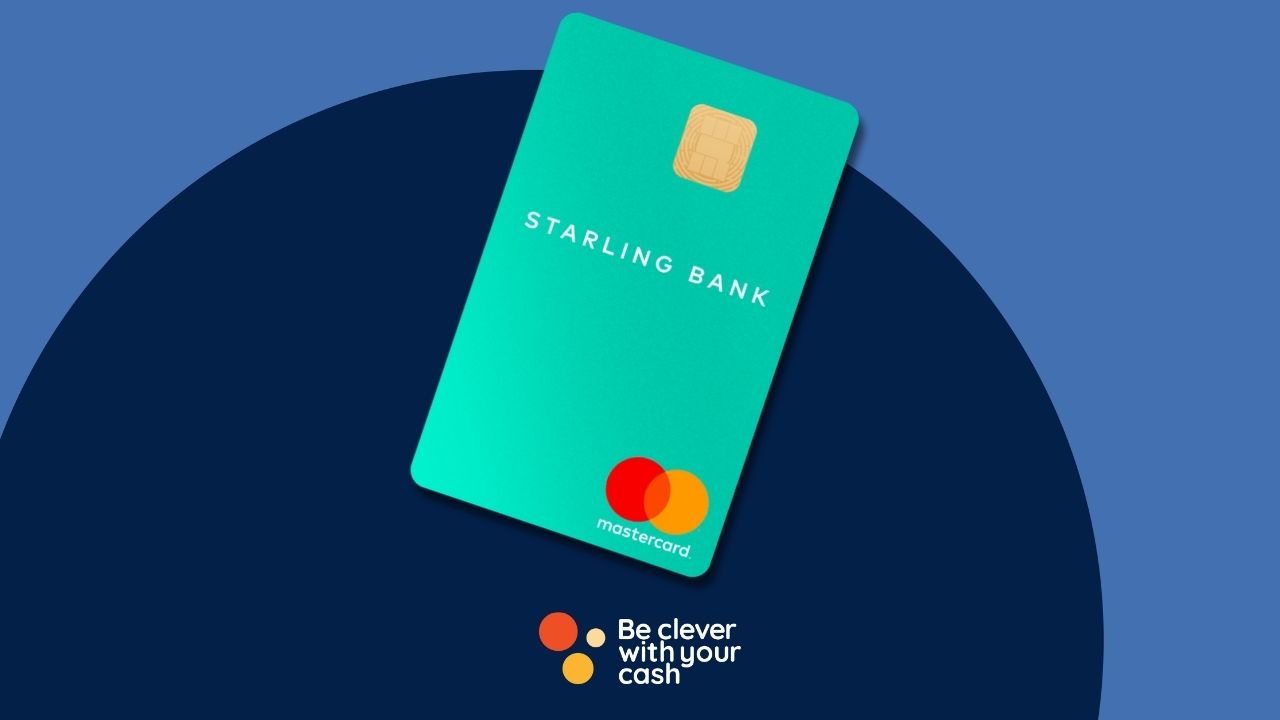
This account comes with a Mastercard debit card that you can order as soon as your account is set up. You don’t have to pay for delivery. It’s teal green and has the important card details on the back rather than the front.
You can use the virtual cards straight away, so it can be added to your Google Pay or Apple Pay from the get-go.
Going abroad with Starling
Starling is one of the best options for going abroad. You can spend as much as you like without incurring any fees — the spending limit and ATM withdrawal limits are exactly the same as when you’re at home, just be careful of ATMs that charge, and make sure you pay in the local currency.
You get the Mastercard exchange rate when you spend abroad. If you want an account that uses the interbank rate, Revolut does, but it’s more restricted for use abroad.
Starling is a free bank account – there aren’t any paid upgrades except for if you have a connected card.
You don’t have to pay for the card to be delivered, though you have to pay £5 for a replacement if you lose your card.
Starling overdraft
Starling offers an overdraft facility for short-term borrowing. You might be offered 15%, 25% or 35% once you’ve had a credit check. Since most other bank’s overdrafts are at 40% these are all lower cost, but it’s still better to avoid using one if you can avoid it and there are better options.
Joint accounts
In addition to its personal account, you can have a joint account to help simplify shared payments, whether you’re sharing the cost for bills, fuel, dog food or meals out. It works the same as above but you can both access it.
To get a Starling joint account, you need to both register for a personal account, then once it’s set up and you’re in the same room, you can do it from the account switcher above your balance and select “open a new account”.
Starling Kite children’s card
Starling account holders can get a free children’s debit card called Starling Kite that’s linked to a Space in your own account. It’s for 6-15 year olds and comes with its own version of the app to help children learn about money and budgeting.
You’ll be able to set limits and goals and keep an eye on things from your own app. They’ll also get the 3.25% interest here – though that £5,000 limit is across all of your different Spaces.
Connected cards
In addition, you can have a “Connected Card”. This is a card that’s connected to a specific Space within your app that you can give to trusted friends and family. They’ll be able to spend with the card but won’t be able to access your account or spend over the amount that’s in the dedicated Space.
This could be good if there’s someone who shops on your behalf, like a nanny or carer. If you subscribed to this on or after 3 September 2020, it costs £2 per month.
Our podcast
Listen to Cash Chats, our award-winning podcast, presented by Steve Alderton and Editor James Andrews.
Over at Smart Money People, customers have scored the Starling Current account 4.94 out of 5.
When we look at just the customer service scores, customers gave a rating of 4.93 out of 5.
Positive reviewers feel that the customer service is exceptional, even though it has no branches, although some of the negative reviews mentioned that they felt that the lack of branches was a let down. Customers rave about all of the analysis features available and love that the child debit card is free.
The fact that you can use the account fee-free abroad is a favourite among customers.
Negative reviewers don’t like that Starling blocks the purchase of cryptocurrencies and feel that they should be allowed to spend their money how they wish. They also feel that the savings rates could be better.
Your deposits into Starling are protected by the Financial Services Compensation Scheme (FSCS). This means that if Starling were to go bust, up to £85,000 is protected and can be reimbursed to you.
Is Starling a bank?
Yes, Starling is a fully licensed UK bank. This means that it’s got a banking licence for every region that it operates in.
Pros and cons of Starling
Pros
Attractive and easy-to-use app
Fee-free spending when using abroad
Great budgeting and money management tools
Virtual cards connected to Spaces
In-account interest is better than most other banks
Free connected children’s debit card
Free cash deposits at Post Office and online cheque uploads
Potential 15% APR overdraft available if you really need one
Cons
No branches
Poor rewards and cashback offering
Pretty naff referral freebie and no bank switch offers
Is Starling any good?
Starling is one of the best banks on the market at the moment. It can be a fantastic tool for helping you manage your money and budget more effectively, especially with the virtual cards linked to the “Spaces” within the app.
Though there’s no branch access, it does offer free cash deposits at the Post Office, and the support is pretty good.
If you’re a frequent holiday goer, it’s a really good choice for use abroad, with no additional spending or withdrawal limits when you go abroad, though we favour Chase Bank here as you’ll also get 1% cashback.
The savings rates can be beaten, but it’s a decent enough rate for money that you haven’t moved elsewhere. We love that the additional children’s card is completely free, too.
The lack of other rewards is disappointing, but you can always open additional accounts with those banks if you want to take advantage of those, and use Starling for your everyday banking.
Starling is one of the easiest bank accounts to apply for — you don’t even have to get up from your seat. To apply, you just need to download the app and follow the instructions. The whole process takes less than 15 minutes.
Do you need ID for Starling?
Yes, you’ll need to submit photos of your ID and take a video selfie to create a Starling account.
How to add money to Starling
There are a couple of ways to add money to your Starling account. You can do so with a bank transfer using your Starling account number and sort code — these can be found by pressing the + next to your balance in the app.
If you’ve got cold hard cash, you can deposit it into your account at a Post Office branch.
Alternatively, you can pay in a cheque — cheques under £1,000 can be deposited in the app and ones over £1,000 need to be posted to Starling to process.
If you want your income paid straight into Starling then you just give your employer your account details and they’ll be able to do this.
How to get help with Starling
There aren’t any Starling branches, but you can contact its help centre over the phone. It offers 24/7 help, which means you can deal with stressful scenarios at any time. In addition, you can get help over email or using the in-app chat.
In Smart Money People reviews, people rated Starling’s customer service at 4.93/5, with lots of reviews saying that the staff were extremely helpful and professional, though some did miss having a branch.
Are you missing out by buying cheap wine? Or are you wasting money splashing out on a special bottle? I’ve looked into whether the average punter like me can tell the difference. Plus, how you can tell whether a wine is on offer more often than full price.
I’m not a wine expert. If anything I find the variety available at the supermarket a little daunting. So when shopping I normally restrict myself to what’s on offer, normally paying between £6 and £8 – rarely more, never less. But I’d like to know more.
Fortunately, my friend Rob is a wine expert (he’s also a top chef – check out his website)! So I roped him in for a blind taste test. The aim was to see if there really is a difference between three bottles of wine. One priced £7.50 (on offer at £6), one priced £9 and one priced £13 (on offer at £11).
To make it slightly scientific, I bought them all from the same supermarket (Sainsbury’s) and all the same type of grape (Pinot Noir). Then I disguised the bottles and poured a glass of each for me and Rob.
To complicate it even more, we added in a £5ish bottle of wine to see how that compared.
Watch my latest video to see what happened:
For me, the most interesting result was neither of us particularly liked the most expensive bottle of wine. Though Rob felt it would improve with food, I’d have been hugely disappointed to spend the full £13 on it.
The cheapest bottle was almost half the price and at first sip, much nicer. Given the choice between the two, I’d have picked this one every time. Hey, I could have picked two bottles for the same price!
But the best one for taste and value came in at £9. Not only that it was an own brand “Taste the difference”. This is more than I’d normally spend, but it was really good, and I’d be happy to spend more to get something this nice. So perhaps the safest price point is around that mark?
Of course, the problem is for the amateur like you and I is we’re still guessing. And everyone has different tastes. But at least I know expensive doesn’t necessarily mean good.
As a result of our test, I’m certainly going to avoid supermarket wines above £9. I’d hoped the most expensive wine was going to be the best, and if I’d shelled out for one as a treat I’d have regretted it. I don’t think it’s worth the risk.
Perhaps the answer if you want something special is to ditch the supermarket. Rob advises heading to a local wine shop and talking about the wines you like. That way there’s less risk of wishing you’d just picked up the old familiar. And hopefully you’ll get to enjoy something new.
How much wine are you paying for in a bottle?
We weren’t able to keep all of Rob’s insight in this video (it’d easily have been close to 20 minutes – there’ll be another video soon), but it’s safe to say there are lots of factors which contribute to the price you pay at the supermarket. However, there’s one fixed cost which is quite dramatic.
Whether you buy a £5 bottle or a £200 bottle (as if), the price includes a flat £2(ish) duty.
Costs like bottling and shipping don’t change much either, so once you add on VAT and supermarket profit the wine itself in a £5 bottle could be worth just 50p!
But for a wine that costs £6, the wine could be worth £1.50. A wine that costs £9 could be worth an extra £3, if not more.
Though the wines we tasted showed expensive doesn’t mean good, and cheap doesn’t mean bad, it’s an interesting statistic to remember when comparing similar wines.
Are special offers the real price?
Some wines seem to be on special offer ALL the time, which makes me question whether “full price” is just an inflated figure to allow for “discounting”.
A great trick to find out the real price is the website/app MySupermarket. Here you can see price history, including how often the item is on special offer.
I took a look at some of the wines I frequently see cut-price to see just how often they are cheaper. The Casillero Del Diablo Cabernet Sauvignon has been on offer for more than 50% of the year at Sainsbury’s, while a Campo Viejo Tempranillo was only full price at Tesco for 24 weeks. Clearly both examples of the real price being the discounted price.
So what about the wines we tested?
Hautes Côtes de Nuits Pinot Noir
The first wine we tasted was reduced to £10.50 for 10 weeks in the last 41 weeks and then spent two weeks at £11 (when I bought it). So it’s been on offer for a third of the time it’s been on shelves at an average price of £11.98. Still an expensive wine by supermarket standards.
Bouchard Aîné & Fils Pinot Noir
The cheapest wine in our test was also on offer when I bought it, costing £6 rather than a full price of £7.50. MySupermarket shows the average price at £6.98 – but it’s been on offer for 17 weeks in the last year – so it’s cheaper one-third of the time.
Sainsbury’s Taste the Difference New Zealand Pinot Noir
Our favourite was £9, and MySupermarket shows the average price is £9.11. That’s because full-price for most of the last year has been a higher £10. But I didn’t buy this Marlborough Pinot Noiron offer, so it must be a price cut, perhaps suggesting why we felt it was such a bargain. Again it’s been on offer over the last year, but less often than the other wines at just 25% of the time.
McGuigan Classic Pinot Noir
This bargain £5.50 bottle I threw in at the end of our taste test is new on the shelves so there’s no price history to examine. But we both felt it’s a good price for an easy to drink “session” wine.
The online retailer sells out-of-date stock at low prices. I’ve taken a look to check the quality of products and whether they’re good value for money.
You might remember a few weeks ago I organised a trip to a warehouse in Sheffield for my UK Money Blogger community. We went to visit discount food supplier Approved Food and I was pleasantly surprised by the ethos and range of products available.
However, as you all know I don’t recommend any products or deals unless I think they are good value. Since the only way to test Approved Foodwas to give it a go, I made my first order.
As ever I’ve not been paid for this – unlike most other bloggers I refuse payment in exchange for advertorial type posts. However, I was given some free credit to use under the proviso that I’d be honest in my assessment of the process and goods I received. So here we go, my thoughts on Approved Food.
What is Approved Food?
As a country we chuck out an astonishing amount of food that has gone out of date. As I explained in my articleBest before, Use By and Sell by – what’s the difference?, it’s actually ok to keep eating grub past the best before date.
Now, it might not be at the optimum quality, but it’s safe to eat, and Dan who set up Approved Food told me some stuff is fine for years.
What can you buy?
I went through every page of the website to look at every product. There are chocolates, cokes, cereals, spices, cakes, crisps… the list goes on.
Surprisingly there’s also a decent chunk of stuff that’s either doesn’t date, or is still in date. There’s a beauty and cosmetics section with items that don’t even have a best before date.
Depending on when you shop you might also find some “seasonal” items at a very low price. When I looked there were plenty of Christmas chocs, and I’m sure it won’t be long before there are Easter goodies available.
What you can’t really do is a regular shop, as the stock is based on what they get from retailers and manufacturers.
Is it good value?
Since most stuff is out of date there’s a decent discount on the retail price. Plus, there’s a lot of “5 for £1” going on, a call back to owner Dan’s market trading roots.
Most of the items I saw were far cheaper than the supermarket shelf price.
However, there were a few things where you could get the same price or similar at the likes of Tesco. It’s worth having MySupermarket open in another tab so you can quickly check if the price is comparable. But on the whole, you are spending less.
The main downside is that you do have to pay for delivery. The full price for a standard box is £5.99, and increases if you have large orders. You need to work out if your order compensates for the charge. There’s also a minimum order of £17.50.
To help, I’ve negotiated a half-price delivery code – more details at the bottom of the article.
What I bought
It seems any decent blogger records an “unboxing” when they get a delivery. It doesn’t happen very often for me, so I thought I’d give it a whirl in the video above.
The purpose of the order was to review the service so I made sure I got some out of date items. Now, I can’t vouch for the quality of all the products yet – I need to use them first – but I was pretty impressed.
Here’s what I ordered and the cost/saving:
Product
Price paid
RRP
Nouvelle Soft Toilet Roll 9 Pack
£0.99
£4.70
Brooklyn Brine Co Hop Gherkins
£0.59
£1.00
Chilli Plantain crisps
£0.39
£0.90
Hovis Granary Bread mix
£0.89
£1.00
Thai Taste Massaman Red Curry Paste
£0.89
£1.89
Nouvelle Soft Toilet Roll 9 Pack
£0.99
£4.70
Wilkin and Sons Hot Gooseberry chutney
£0.39
£0.59
Oral B 3D White toothbrush heads
£6.99
£12.80
Crystal Head Vodka
£24.99
£48.50
Is it worth it?
I’m really happy with my order. The bulk of the items are all things I’d have bought anyway. I’m also dead chuffed with my vodka skull. I’ve always coveted these in duty-free, so to get one half-price was a great bonus.
Plus, I like the ethical aspect that by ordering you’re cutting out the amount of food going to landfill. So, yes Approved Foods does meet with my approval. But a few caveats.
First, don’t get carried away by the bargain basement pricing and bulk orders. You should still only buy items you want and need.
When I looked I could have picked up 24 of my childhood favourite Pepperami for just a few quid. Great value, but I’m not going to eat that many salami snacks (I mean, I could… No! Bad idea).
Also, you need to factor in that though some items have a decent discount on recommended retail price, offers in supermarkets can sometimes beat them.
But on the whole, as long as you order enough to justify the delivery charge, you can make some really good savings.
I know people can save plenty of money with Be Clever With Your Cash. I know because I already do.
But how much? To be honest I’ve no idea! So the mission I’ve set myself is to not just have a spending diary, but also a saving diary. Everything I save I’ll put into the 2014 Save-Ometer for you all to see.
In essence, as with everything on Be Clever With Your Cash, all my savings are about making money go further and still enjoying my life. It’s not about stopping doing things or just eating lentils!
It’s much harder to record and measure savings than spending. Many of the savings will be subjective and non scientific, but you’ll just have to trust me!
If you want to know how I plan to keep track, keep reading…
This isn’t an exact science, so here’s my logic for different ways I’ll keep track.
An Alternative Me
Imagine a person who never thinks when they spend. For example they book the train on the day,for the time they want to go, oblivious of advance fares, peak times and railcards. Now, pretend that person lives my life exactly as I do, does the same things, they just don’t know the tricks I do. This is the person I’ll measure most savings against.
The Visible Savings
These are easy to measure. The reductions, discounts and deals. I’ll know the value of the saving as I’ll have the original price.
Saving Isn’t About Buying The Cheapest Option
I could save plenty if I just bought value food products. But I’m a foodie and don’t want to! However, I can choose decent, cheaper alternatives. For example choosing a cheaper loaf of bread. Here I’ll take the saving between my first choice, like the pricey Warburtons bread, and a decent alternative in the shop I’m in – if they have one.
The same applies to something like going for a meal. If there are a few things I fancy on the menu but I consciously choose the cheaper option because of the price, I’ll save the difference with my other choice, not the most expensive thing on the menu.
The Abstract Savings
I can’t say I saved money by not buying clothes or taking a holiday if I can’t afford it anyway. But I can afford to buy lunch each day, so taking a packed lunch is a saving. But how much will I save if I don’t have a product to compare it to? I’m going for conservative £4 for a sandwich and a drink as a benchmark price in London.
As with holidays etc, I won’t include things like choosing to go out less or not buying something. I’m doing that because my budget is smaller than it was.
I’m Not Saving for 2
Often I’m buying groceries etc for both me and my girlfriend. To make it easier I’ll just divide by two. I won’t include savings I get for her either, like cashback on a new mobile contract.
But bills or anything that I’m lucky enough to split because I live with someone will count as full costs.
Only Clever Savings
I also won’t count anything too obvious. The majority of Londoners use Oyster so it’s a cheat to say I’d be saving against cash fares. It is a saving if a season ticket works out better.
You Can’t Always Save
Remember sometimes you just can’t get the cheapest or make a saving, but it doesn’t count as an ‘anti-saving’. If your local supermarket is a Budgens (as mine is) then picking up a handful of basics on the way home will cost more. The savings have to fit into my life and sometimes I will have to pay more than I’d like.
Sometimes I’ll get Distracted by A ‘Bargain’
This will happen. Something that’ll seem too good to be true. If I buy something, or spend more than planned, be said it’s a good deal, then I’ll add the value back on.
It Only Counts When It’s In The Account
Cashback can take a few months, so though the saving might be in March I won’t record it until it’s in the account. Similarly I’ll count points on Tesco Clubcard as the minimum value when I receive them, and any double discount will apply when I use them.
So it starts Jan 1st! At the end of each month I’ll write a blog to summarise some of the best savings.
Any questions, just post in the comments below.
Get the best of our money saving content every week, straight to your inbox, and exclusive £18 TopCashback bonus.
Join more than 100,000 other subscribers to get our weekly newsletter.
Get the best of our money saving content every week, straight to your inbox
Plus, new TopCashback customers get a high paying £18 welcome offer








 Featured deal

 Customer rating
3.9/5
Customer rating
3.9/5