



The new current account features let you move your money with voice or text, so I experimented it
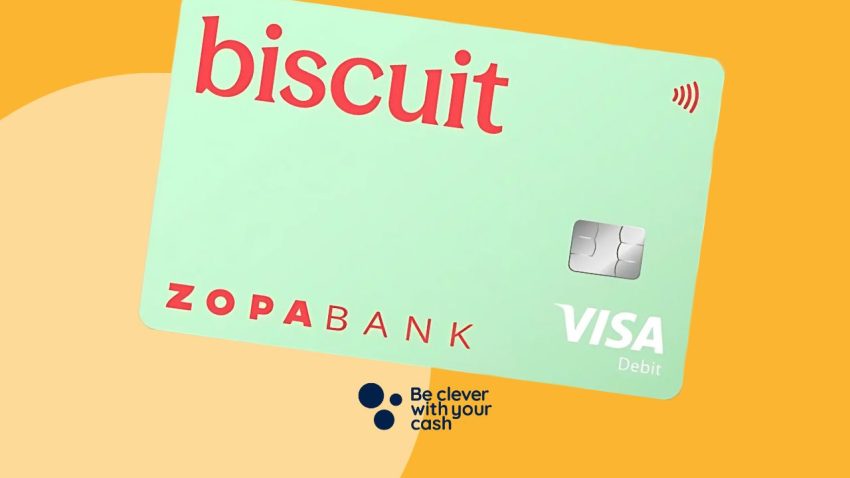
Zopa’s Biscuit Current account was launched last year and has actually since become my regular bank account. I’ll admit, despite the quirky name, the account was pretty vanilla to begin with. However, it’s now launched a fairly controversial feature that lets you move money and manage your finances with an AI-powered assistant.
Both intrigued and slightly concerned, I wanted to know more about how it worked — after all, there was no option to opt out of it being in my app. My biggest worry was how it could be used if my phone were stolen. So I enlisted the help of some friends, had my husband pretend to be a phone thief and tried a few features out.
Some articles on the site contain affiliate links, which provide a small commission to help fund our work. However, they won’t affect the price you pay or our editorial independence. Read more here.
What can you do with Biscuit’s AI feature?
The new feature has appeared within the new “Ask” button on the main menu. It’s set up like a standard digital assistant; however, I found that it was anything but generic. You can type or speak as though you are talking to a friend, too. Here are some of the things you can do with it.
Move money into savings
Put simply, if you have a savings account with Zopa, you can ask your AI assistant to move money into it.
Freeze your card
If you lose your card, you don’t need to look through the app to figure out how to pause your card — you can just ask the assistant to freeze it. This is a pretty handy feature, especially if you’re stressed out or panicked.
Split the bill
You can upload a receipt to the assistant and it’ll split it for you, even showing you the workings.
Get information about your spending and find payments
If you’re looking for a specific payment, such as trying to find the date you made a purchase or to figure out if you definitely paid the window cleaner, you can ask the assistant to find the payments for you.
You can also get detailed information about what you spend all of your money on (apparently all of my money goes on groceries and transport!).
Set up new payees
You can pop the bank details of a payee over to the AI assistant, and it’ll set it up as a payee — this works with a screenshot of their details on WhatsApp, an invoice and copied and pasted text.
It’ll still verify that the payee’s name matches the one on the account.
Pay an invoice
You can upload an invoice and it’ll set up the payee and send the money. You can’t upload a document, so you need it in your photos or screenshots. It’ll let you take a photo of it, though.
Move money from connected accounts
One of my favourite features of Zopa is that you don’t need to log into any of your other accounts. You can just link them and move money back and forth within the Zopa app — even if you’re not moving money to or from your Zopa account. Zopa’s taken it one step further, now letting you ask your assistant to move your money. This works quite well, typically, and will even add the payment references if you ask it to.
My concerns about the new features
I’m a little cautious when using AI — I wrote a few months ago about using it to write a complaint, which did get me a new mattress, so I’m not completely against it. But I’m typically careful not to give it anything personal — no identifying information, photographs or sensitive information.
So here I am, giving it autonomy over my bank account.
My main concern when I heard about the feature is that you can set up payees and pay them right away, and even upload and pay invoices. I was worried that this would mean that if someone swiped my phone, all they need to do is get around my face ID/ phone passcode, and they can send money to whoever they like — at what stage will the AI figure out that it’s not me?
In addition, Biscuit lets you link other bank accounts, where you can see balances and transfer money between them. My concern is that these features can be used with not only the money in your Zopa bank account, but also with money in the connected accounts.
So I gave it a go with some tests — I had my sister and sister-in-law send me details of their bank accounts (crucially, ones that I didn’t have set up and hadn’t received money from). I also no longer share a surname with my sister, and I set up my account with Zopa after changing my name, so while I do have a link to her name, it’s not explicit.
My tests of the new Biscuit AI features
I tested several of the features — some of these I was just able to test with my own spending, while others I orchestrated, as you’ll see.
Get information about your spending
Last month, when my salary came through, instead of looking through previous transactions to determine what I typically send my husband for bills, I just asked Biscuit’s assistant. I asked, “How much do I usually send to Dan?”, and it pulled out my latest transfers. Then, I told it how much to transfer to him this time, and it handled it. I did, ultimately, have to press the button to carry out the transfer, and it used my Face ID to confirm that it was me.
Pay invoices
As I’m rarely sent an invoice, I thought that this was a pretty good opportunity to test whether it’d let me pay an invoice to a new payee, and just how far would it go to ensure that I’m the one making the transaction.
For this, I enlisted the help of my sister, who was (thankfully) willing to return me any money sent to her in my testing. She crucially isn’t on my list of payees and she’s never sent money to this account of mine. I mocked up a fake invoice for “Dog Walking” in about 30 seconds.
I then had my husband take hold of my (locked) phone, use it to take a screenshot of the invoice from WhatsApp and ask Zopa to pay it with the AI assistant. As you’d expect, he needed my phone passcode to get around my Face ID and into the phone, but that’s not hard for a phone thief to get.
Zopa initially appeared as though it was going to pay the invoice — it set my sister up as a payee and confirmed all the details, but when it came to actually sending the money, it asked for Face ID and this time, it didn’t let him proceed with just the phone passcode.
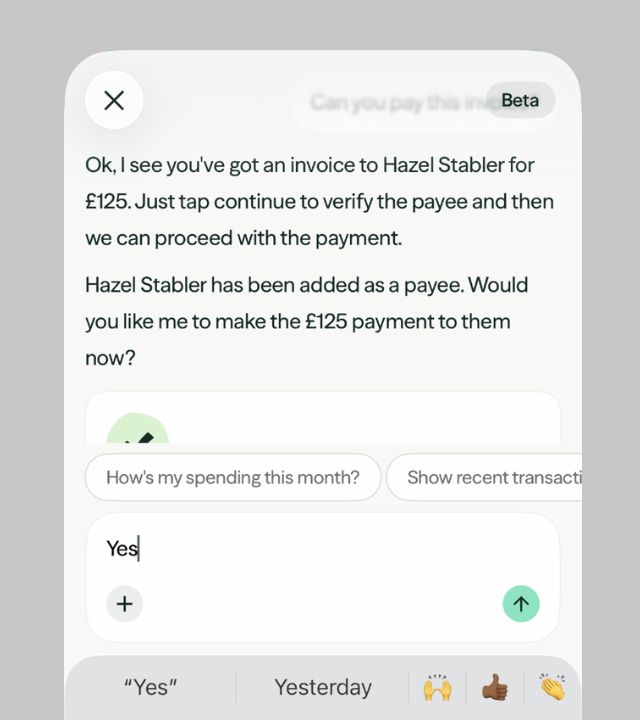
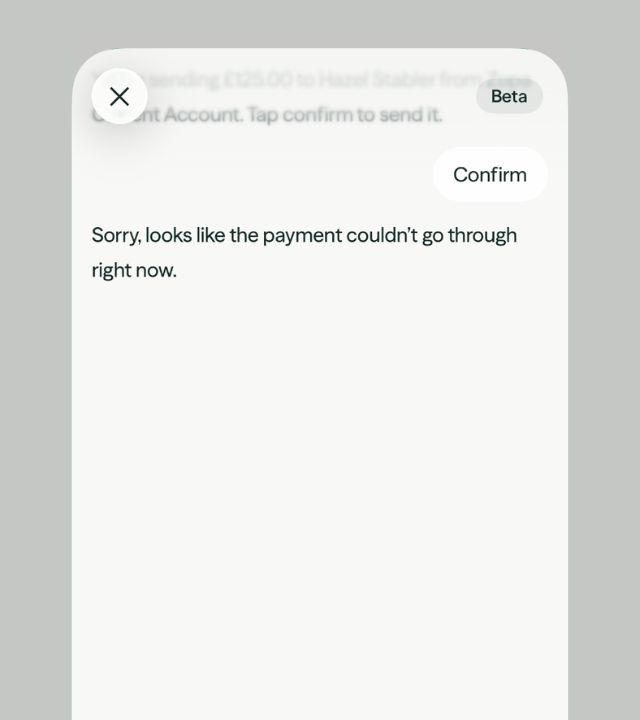
10/10 for Biscuit there — it always worries me that you can override Face ID with a passcode that people can see you type in wherever you go, so it’s quite promising that in this instance, you can’t do that.
With my Face ID, it sent the money completely fine.
Split bills
This is a pretty intriguing feature, and was one of the first ones I tried out. In my family, meals out can get fairly stressful when it comes to splitting the bills. There are 15 of us in the family, including partners and three children, and another two children on the way.
Luckily, we also have three accountants, so we usually just throw the bill and a pen their way to sort it out.
I was prepared to test this feature — I had a collection of receipts to test the function on, including a handwritten receipt. To my surprise, in some cases, Zopa worked out my portion more accurately than I would’ve bothered to.
Firstly, with the handwritten receipt, while it wasn’t able to work out someone’s specific portion based on what they’d ordered (which you wouldn’t be able to do with a receipt of this kind anyway), it was able to read the handwriting to get the totals for each category and the final bill, and split it between the two of us.
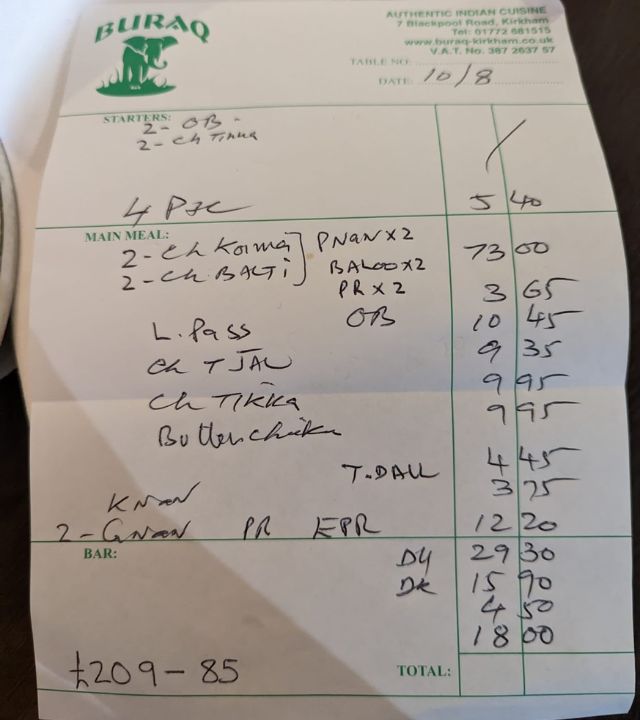
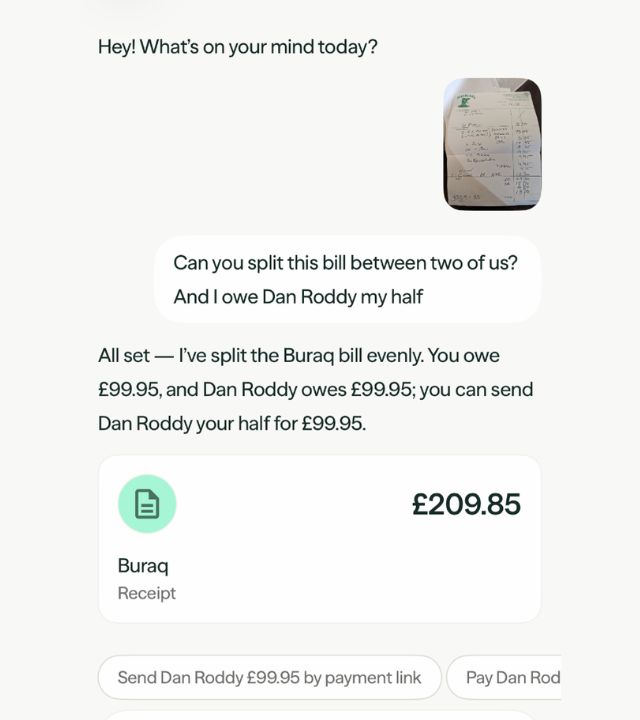
With the second one, I specified my order — telling it that I ordered the lamb shoulder and had a pint. It worked it out to the penny, even calculating the gratuity based on the value of my order, rather than splitting the gratuity evenly between the number of people at the table. Usually I wouldn’t even go to these lengths to get my portion that right — there’s typically pennies in it, and nobody typically minds paying a slightly higher gratuity than they owe, but it’s a good calculation.
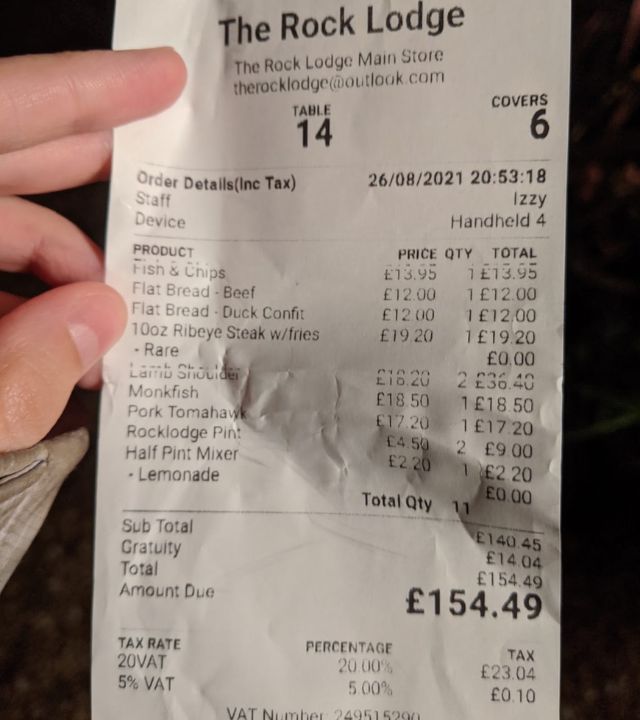
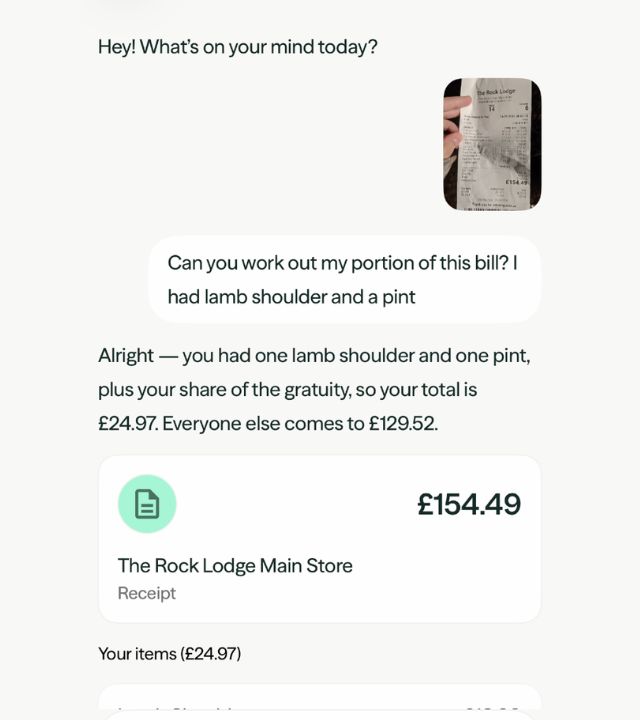
I tested it even further with a third receipt — as I’m not drinking at the moment, I’ve had a couple of instances (mainly on hen dos) where my fellow diners have deemed it unfair for me to pay for alcohol. So this time I asked it to split the food only between three of us, then add my lemonade. It did exactly as I asked, without even needing to ask me which items on the bill were food and which were drinks. I was actually pretty impressed by this point, and I can see myself using the feature in the future.
How to use the new Biscuit AI features
These features are available to anyone with a Biscuit Bank account. You can find them within the app under “Ask” on the bottom banner menu.
It’s got a few different suggestions for things you can ask it to do — it’s worth having a play around with to see how it could help you manage your money.
Get the best of our money saving content every week, straight to your inbox
Plus, new TopCashback customers get a high paying £18 welcome offer

How to keep your bank accounts safe from phone thieves
If a sophisticated thief were to steal your phone, the measures in place by Biscuit are probably not enough — the truth is that if my Face ID was reset, which you can do with just your phone passcode, they’d be able to move any money they like, as one of our readers found when his phone was stolen in London last year. So while I was impressed with Biscuit not paying the fake invoice I set up, it would only really stop a chancer.
However, there are ways to keep your bank accounts safe from thieves, including security measures built into your phone and accessories that can help lock it down faster. Amelia has shared some of the best ways to keep everything protected in her guide.