

What’s the best American Express cashback credit card?

I’m a big fan of Amex credit cards, especially the cashback ones, but which is best?

It’s easy to rant about a bad customer service experience or call out some dodgy dealings. But it’s a lot rarer that I can unequivocally rave about something positive.

Yet there is one company which I have hardly anything negative to say about – American Express. Or ‘Amex’ as it’s often known. Out of all the financial products I use, none compare for customer service. 

But of course, the main reason I’m a fan is the fact that I earn money back every time I use my card.

There are two American Express credit card which pay you in cashback – money back to your account rather than points to transfer.

They’re the Amex Platinum Cashback Credit Card and the Platinum Cashback Everyday Credit Card. On the whole they’re very similar. But there are key differences in the fee you pay (one charges, ones doesn’t) and how much cashback you earn.

You can watch my comparison video of the two cards here, or keep reading for a breakdown of which I think is best. First though, a quick rundown of how you earn money from the cards.

Some articles on the site contain affiliate links, which provide a small commission to help fund our work. However, they won’t affect the price you pay or our editorial independence. Read more here.

Watch the video over on our YouTube channel and hit “like”

How you earn cashback

Cashback is earned in a few different ways, especially in the first year.

Referral bonus

When you first open the card you can either get a referral bonus from a friend who has the card, or sign up via a cashback site. This extra initial cashback is worth between £5 and £25 depending on the card and referral source.

Introductory cashback

When you first open a cashback card you can earn 5% cashback in the first three months. These introductory offers alone are pretty much unbeatable, though they are capped. You can make either £100 to £125 depending on the card.

If you’ve already got an Amex, American Express has been making it harder to earn these sign up bonuses. You have to have not had a reward/cashback Amex in your name for at least two years – though there is a work around to slightly reduce that time.

Our podcast

Listen to Cash Chats, our award-winning podcast, presented by Editor-at-Large Andy Webb and Deputy Editor Amelia Murray.

Episodes every Thursday.

Andy and Amelia with the text "Cash Chats Personal finance podcast"

Ongoing cashback

After your welcome bonus you can keep on earning cashback with every full pound you spend. Right now you can’t beat the cashback offered by American Express.

The rate is between 0.5% up to 1.25% back. The best you’ll get on everday spend on Visa and Mastercard is 0.25%.

Additional offers

Then there are the frequent “statement credit” offers. In the last few years I’ve claimed rewards (ranging from 5% to £20) from places like NOW TV, the restaurant Hawksmoor, Beer52 and hundreds more from the annual Shop Small promotion.

You activate these in the app or online account and they’re paid soon after purchase back into your account.

Featured switching deal
Our top pick
Customer rating 3.8/5
  • Switch bonus
    £200
  • Offer ends
    Unknown
  • FSCS Protected? Yes
  • Bonus requirements Switch using the Current Account Switch Service and close your old account within 60 days of starting the switch
  • Deposit requirements Deposit £1,500 in the first 60 days from opening the account
  • Direct debits transferred over Set up two Direct Debits before or after the switch from a selected list of household bills
  • Existing customers? Can't have held any Santander current account on 1 January 2025
  • Restrictions Can't have received a switching bonus from Santander already, offer limited to once per person
  • Eligible accounts Open a new or hold an existing Everyday, Edge, Edge Up or Edge Explorer current account

When is American Express cashback paid?

You get the money from the welcome bonus, referral code (except from cashback sites) and ongoing cashback paid on the anniversary of opening the card. So you do have to wait 12 months to get it.

The best American Express credit cards in the UK

I think the two Platinum cashback credit cards are the best options for most, though you might want to checkout the rewards and points cards.

Platinum Cashback Credit Card

Cashback rates

  • Tiered cashback for every full £1 spent
    • 1% cashback on spending up to £10,000
    • 1.25% on spending over £10,001

Welcome offer

  • 5% cashback for first three months
    • Max of £125 in this time, which would require a £2,500 spend

Fee / minimum spend

  • £25 fee
  • No minimum spend

Referral bonus

  • £25 if referred by a friend (use my link here)
  • Or Quidco/Topcashback cashback: £20 (Quidco), £10 (TCB)

Platinum Cashback Everyday Credit Card

Cashback rates

  • Tiered cashback for every full £1 spent
    • 0.5% cashback on spending up to £5,000
    • 1% on spending over £5,001

Welcome offer

  • Intro offer: 5% cashback for first three months
    • Max of £100 this time, which would require a £2,000 spend

Fee / minimum spend

  • No fee
  • Minimum spend of £3,000 in a year to get the cashback

Referral bonus

  • £10 if referred by a friend
  • Or Quidco/Topcashback cashback: £5

Not used cashback sites Quidco or TopCashback before? Get a bonus of up to £17 here.

Which Platinum Cashback card is best?

Both are decent cards, but I think the one with the £25 fee is the best of the two Platinum cards. Despite the fee, you’ll make most of that back from a higher referral bonus, and you’ll earn more in the first year with the increased introductory offer and higher cashback rates.

If you choose to keep it for the second year then you’ll need to spend £5,000 over 12 months for it to break even with the Everyday card. Then if you spend more than £10,000 you jump up to 1.25% cashback, earning you even more.

So as long as you expect to spend at least £5,000 each year – which is £450 a month – it’s the best option as it has the potential to earn more.

Of course if you don’t think you’ll spend that much on the card but still want it for the introductory bonus and those extra offers you could look at the Everyday instead – but don’t forget you need to spend at least £3,000 a year to get any cashback with that card.

For further breakdowns check out these tables:

Year One

Rough spend and cashback figures by card in the first year with introductory offers.

Amex Platinum EverydayReferral bonusBonus 5%
(up to £2k in 3 months)
0.5%
(up to £5k)
1%
(over £5k)
Year 1 cashbackYear 1 cashback
after £0 fee
Monthly spendAnnual spend
£200.00£2,400.00*£10.00£30.00£9.00£0.00£49.00£49.00
£500.00£6,000.00£10.00£75.00£17.50£10.00£112.50£112.50
£833.33£10,000.00£10.00£100.00£15.00£50.00£175.00£175.00
£1,000.00£12,000.00£10.00£100.00£15.00£70.00£195.00£195.00

* £3,000 minimum annual spend required to get cashback on the Everyday card

Amex Platinum CashbackReferral bonusBonus 5%
(up to £2.5k in 3 months)
1%
(up to £10k)
1.25%
(over £10k)
Year 1 cashbackYear 1 cashback
after £25 fee
Monthly spendAnnual spend
£200.00£2,400.00£25.00£30.00£18.00£0.00£73.00£48.00
£500.00£6,000.00£25.00£75.00£45.00£0.00£145.00£120.00
£833.33£10,000.00£25.00£125.00£75.00£0.00£225.00£200.00
£1,000.00£12,000.00£25.00£125.00£75.00£25.00£250.00£225.00

Year Two

Rough spend and cashback figures by card for year two (and onwards) when there are no extra bonuses.

Amex Platinum Everyday0.5%
(up to £5k)
1%
(over £5k)
Year 2 cashbackYear 2 cashback
after £0 fee
Monthly spendAnnual spend
£200.00£2,400.00*£12.00£0.00£12.00£12.00
£500.00£6,000.00£25.00£10.00£35.00£35.00
£833.33£10,000.00£25.00£50.00£75.00£75.00
£1,000.00£12,000.00£25.00£70.00£95.00£95.00

* £3,000 minimum annual spend required to get cashback on the Everyday card

Amex Platinum Cashback1%
(up to £10k)
1.25%
(over £10k)
Year 2 cashbackYear 2 cashback
after £25 fee
Monthly spendAnnual spend
£200.00£2,400.00£24.00£0.00£24.00-£1.00
£500.00£6,000.00£60.00£0.00£60.00£35.00
£833.33£10,000.00£100.00£0.00£100.00£75.00
£1,000.00£12,000.00£100.00£25.00£125.00£100.00

You need to know this before you apply for ANY credit card

Any bonus and cashback you earn is only worth it if you clear the credit card in full every month. If you don’t do this you’ll be charged interest, probably at something like 22%, which will obliterate your cashback savings.

Also, you’ll be credit checked when you apply for a card, so check your credit report before applying. A rejection could damage your credit score further.

You’re given an option to check your eligibility on the Amex website which doesn’t affect your credit report – so it’s well worth doing this before applying. You’ll be given a figure showing the likelihood you’ll get the card – for example I was given a score of 9.5 out of 10 – so very likely.

> Apply for an American Express cashback credit card

Alternative cashback credit cards 

For those occasions when American Express isn’t accepted, I like to have a Mastercard cashback card in my wallet. You can read more about these here.

How do you cancel a Tastecard membership?

The steps to take to avoid your Tastecard auto-renewing.

A Tastecard can save you money when eating out or going to the cinema – I’m a fan. But it’s only decent value for money if you use it.

And sometimes those who don’t use it – or forget they have one – have been caught out by auto-renewals. And even those who remember might find it hard to process their cancellation.

With my trial about to end I thought it was a good time to find out just how you to end your membership and stop it auto-renewing.

Some articles on the site contain affiliate links, which provide a small commission to help fund our work. However, they won’t affect the price you pay or our editorial independence. Read more here.

What is Tastecard?

Tastecard is a discount membership where you receive two for one or 50% off at selected restaurants. The more recent Tastecard+ add-on lets you get some pretty decent discounts at cinema chains.

You can normally get a 90 trial for £1 (sometimes even free), or a full year for a discounted £30 or less. After that, prices jump to anywhere between £40 and £105.

The problems with cancelling Tastecards

In the past Tastecard has had a bad reputation for people trying to cancel. You just have to search Twitter for Tastecard to find someone angry about their membership or free trial autorenewing and not being able to claim a refund.

Now, it is clear in the terms and conditions that once the trial or first year ends, you will auto-renew.

Though it’s not ideal, Tastecard isn’t the only service that does this, so it is down to the customer to make a note to cancel before the membership ends.

But even if you do remember to cancel, it’s not easy to find how to actually do it.

How to cancel a Tastecard membership

So with my Tastecard coming to an end, I made a note in the diary to cancel more than a week before the expiry date. Here’s my video for how I did it.

The good news is they’ve now added an online form to cancel. It took just seconds to fill it in, and my card was cancelled.

How to make sure you don’t get charged auto-renewal fees by mistake

If you have a full membership you could cancel as soon as you get your card. This way you won’t forget and then accidentally get charged for another year. Doing this won’t affect how long your membership lasts – it’ll carry on as normal but stop on the expiry date.

If you’re on a multi-month trial then leave it to the start of your final month to cancel so you definitely get the full trial length you signed up for.

Are you overpaying for an old Sky TV package?

Legacy Sky TV plans could be costing you more than you need to pay.

Earlier this year Sky TV shook up its channel list and plans, just two years after the last revamp. The changes, in theory, bring you greater flexibility and potentially save you money too.

Though new customers when signing up would get the new suite of channels, existing customers haven’t been automatically switched over – and will have faced price increases too.

Though the latest changes aren’t too different in price (if you’re paying full price), older packages were much more expensive. You could be paying at least £32 a month for the Variety package or £38 for Box Sets – and getting less channels.

So what can you do about it? Well first a little about the differences

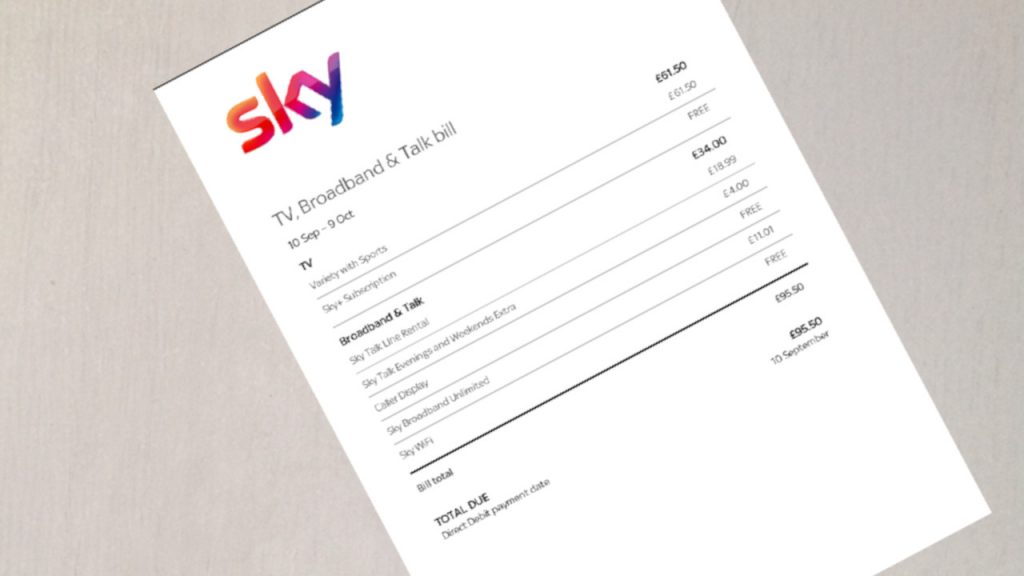
Sky TV bill

How the new Sky TV packages compare

Sky Signature & Sky Ultimate (2020 onwards)

There are two new TV packages. The prices below are the out-of-contract ones, but it’s likely you’ll get a discount for switching over/signing up to a new 18-month contract.

Sky Signature

In 2020, Sky Signature replaced Sky Entertainment as the basic TV package.

This package costs £30 (though new customers or those who re-contract will currently be able to pay less £5 to start – if not more).

It includes the Box Sets package as standard which was previously £5 extra a month, though you could pick and choose which months you had this.

Sky Ultimate

There’s also a Sky Ultimate package which costs an extra £6 a month (again there are discounts for new customers). You might be getting this a flexible add-on, or you might be signing up to a new 18-month commitment.

Sky Ultimate includes the basic Netflix subscription (which normally costs £5.99 a month). You’ll need to be on Sky Q to get this.

Extras

You have to pay extra for additional top-ups though you can pick and choose these every 31 days.

  • Sky HD (£6 a month)
  • Sky Ultra HD & Netflix Premium (£10 a month)
  • Kids (£5 a month)

You can also add on Sky Cinema channels and Disney +.

Sky Entertainment (2018-2020)

Sky Entertainment was introduced in 2018 and if you have this you’re set up as follows:

  • Entertainment (£24 a month for most) – all the entertainment and music channels from the Original and Variety packages

Then there were extra top-ups you can add or remove month-by-month.

  • Kids (£5 extra month)
  • Box Sets (£5 extra month)
  • HD Channels (£5 extra month)

Sky Original, Variety or Box Sets (pre 2018)

The previous changes saw the end of these old Sky TV plans:

  • Original (£20 a month) – the standard Sky TV channels (eg Sky One, Sky Atlantic, Fox)
  • Variety (£32 a month) – additional entertainment (eg Discovery), kids and music (eg MTV) channels
  • Box Sets (£38 a month) – The Variety bundle plus box sets and HD channels

Andy’s Analysis

Will you be paying more or less?

If you only want the very basic Sky TV package, Signature will be more expensive than Entertainment.

However if you have any extras such as box sets then it’ll be a similar cost. If you’re on the older Variety pack then you will be saving money and getting more channels.

The change in price also depends on whether you’ve got a discount right now or not. Often if you’re out of contract it also means the price you pay is more than it was when you signed up.

Should you pay for Netflix via Sky?

It’ll be tempting for lots of people to get Netflix as part of their package and pay for your Netflix via your Sky bill. But should you?

Personally I think it’s better to keep it separate as it gives you more control. The Ultimate package locks you in for the first 18 months, meaning you will pay for your Netflix even if you don’t watch it. 

The only exception is if you want to add HD channels to your Sky subscription and use the mid-level Netflix package.

Signing up for HD channels on Sky will cost you an extra £6 a month every month. This combined with the Ultimate add-on to get Netflix (another £6 a month) totals £12 a month.

However paying for HD and keeping your mid-range Netflix separate (an extra £8.99 a month) means you’d pay around £2.99 more a month.

You can link your existing Netflix account to your Sky account via the Sky Q box or your Sky account.

What to do if you’re on an old Sky TV package

First, work out what you’re paying for now and how much it costs. You need to get a copy of your bill. It should clearly say what package you are on. If it says anything other than Signature or Ultimate for your TV then you’re on an old bundle.

You then need to find out how much they’ll charge you for the new packages. It’s likely they’ll be offering a discount if you agree to a new 18-month contract. 

It can be hard to get through via the phone right now, but you should also be able to see on your online account – or even via your Sky box – whether you’re being offered discounts to switch over to Sky Signature or Sky Ultimate.

Before you agree to a new deal, even if it is a lot cheaper, I think it’s also worth asking why you’ve been overpaying – particularly if you’ve been on an older Variety for the last few years.

You should ask for the money you’ve overpaid back. They might not do this, but you might be able to get a further discount instead or have one of the add-ons (eg HD) given to you for free for a year.

However, it’s better to consider whether it’s even worth staying with Sky at all.

How to reduce your Sky TV bill

You’ve got two options. One if you want to stay with Sky, and one if you’d consider leaving. With both you still get the same channels and you should save some serious cash.

Leave Sky – Replace with NOW TV

Personally I think the best savings are through ditching Sky TV.

I’ve not paid for Sky TV (or Virgin, Talk Talk or BT TV) for six years now. That’s because Sky has another service called NOW TV which has the bulk of the channels, including Sky Atlantic and lots of box sets, and it’s far cheaper.

You pay £8.99 a month for the Entertainment pass. You can actually get it for less through special offers and I never pay more than £5 a month.

Even at full price it’s £21 less every month than the full price Signature pass – which adds up to £252 a year. Even if you manage to get Signature for less, say £25, that’s still £192 a year more than the same channels with NOW TV. You’re also not committed to a 12 or 18-month contract so you can cancel at any time.

You can also buy Kids, Sky Cinema and Sky Sports passes. Kids and Cinema once more work out the same or cheaper than going through Sky and you are also on a 30-day contract.

Sports though is a different case and costs more on NOW TV if you want to watch it at least a few times a week. However there are day and week passes which represent good valueand often discounts on month long passes too.

The big difference between Sky and NOW TV is this is a streaming service, like Netflix or iPlayer. So you can stream live or on-demand, but you can’t record. If you want to record Freeview channels (so BBC, C4, Five etc) then you can pick up a decent Freeview recording box for around £125This should last you at least two years (ours is still going strong in its fifth year) – which means it’s the equivalent of £5.21 a month for 24 months – and then nothing after. Add that on to the NOW TV pass and you’re still saving decent cash.

Stay with Sky – Haggle for more savings

Ok, so if you want to stay with Sky, then don’t accept the first offer. Even if you are offered a discount to swap over, you might be able to negotiate further savings.

Try to get them on the phone or via live chat and politely tell them you think it’s too much money and ask them to see what they can do.

While you’re at it, if you also pay for movies or sports channels, or get internet too, see if Sky will also offer you a saving on these as well. 

If you’re out of contract with Sky then you can help to push your case by saying you’re thinking of leaving. Ask to speak to the retentions department. It’s worth doing five minutes of research to see what other companies are charging.

You will probably have to agree to a new 18-month contract, so do check over the total prices before saying yes. There’s no point accepting free extras if you’re not going to watch those channels or use those services.

Monzo Plus review

After a failed attempt to offer a premium account last year, Monzo has brought back a new look Plus version of the smartphone bank account.

I really like Monzo, especially the way it can help you budget and track your spending. If I used a bank account in that way then I would probably use Monzo.

It’s done really well too. From the early days with evangelical and mainly millennial customers, there are now more than 4 million users. However, they’re not all using it as their main account – which means Monzo doesn’t make much money (if any).

So to get some cash through the doors, it’s offering a premium Monzo Plus account. This is the second try after users rejected a version in 2019, which was axed after five months.

This version of Monzo Plus comes from a different approach. Instead of free insurances, there are improved versions of the already popular features. Here’s what you’ll get and what I think of it.

Rather watch than read? Here’s my review from my YouTube channel.

Found the video useful? Please click through and “like” the video.

How much is Monzo Plus

You’ll pay £5 a month for Monzo Plus, so £60 a year. You can change your mind in the first 14-days, but after that there’s a three-month minimum before you can trade back to the standard account.

The standard Monzo remains free to use (here’s my review).

What you get with Monzo Plus

Here’s what your extra payment will get you and my thoughts on each one.

1% Interest on savings

This is a variable rate on your saving so it could drop at any time. It’s also only on the first £2,000 you have in your account, though it will count across your pots and main balance.

This isn’t great. While you can beat this rate elsewhere you may as well put your money in one of those accounts.

Virtual debit cards

You can have up to five virtual cards on top of your physical debit card. These will have unique details to use online.

This is a great idea in terms of helping stay safe online. If your details are hacked you can quickly close down that card, and not have to change details at every site you use.

Similarly if you lose your physical card you won’t have to amend payments for subscriptions. It’d handy too if you’re paying for something on a site which you’re not 100% sure about.

Of course, you can just get a separate card to use online if you want. And Monese will give free customers one additional virtual card. But it’s a nice idea.

Improved budgeting features

You can already track spending in the standard Monzo account, but with Plus you have the ability to create custom categories and split single transactions into more than one group.

This is a nice to have feature, as is the ability to export all your transactions to Google Sheets. Though I’m not sure many will actually do this!

Boosted auto-savings

You’ll also be able to increase how much spare change goes into your savings pot with the roundup feature.  So if you spent £2.80 with a normal Monzo account you could activate a feature where 20p was automatically saved. With Plus you can increase that by a multiple of two, five or ten. So more money is saved.

But there are other smart fintech apps out there which help you automate your savings more aggressively – and importantly they’ll do that when you aren’t spending too.

View non-Monzo banks

As you can with a number of banks now, Monzo Plus customers will be able to add other current accounts and credit cards to their Monzo dashboard.

The difference is some banks will let you move money between accounts within the Monzo app.

This feature will be common in Fintech thanks to Open Banking, so again, I don’t think it’s worth paying £5 a month for. And it’s not that hard to do it yourself between different banking apps either.

Increased overseas cash withdrawals

The normal Monzo account lets you take £200 out of cash machines abroad with no fees. With Plus you can take out £400.

That’s probably more than enough than you need, but it’s not a reason to get Monzo Plus. You can get unlimited withdrawals with Starling and Virgin Money for a start.

Track your credit report

You’ll be able to see your  TransUnion/Credit Kharma report within the app. Which is nice. 

But you can see this for free already, and it’s important to check your Experian and Equifax reports too (which you can also do for free).

A holographic card

As with other fintech brands, premium users will get a fancy card. For Monzo it’s “Holographic”. Personally I prefer the free “hot coral pink” that’s synonymous with Monzo. 

I really think anyone willing to pay £60 or more just to get a metal or different coloured card while also advocating a bank because it helps them budget is missing the point.

Pay cash in for free

You might think this is a weird one, but you actually have to pay a fee to deposit cash into a Monzo account. Well with Monzo Plus you can make one free deposit each month.

Of course, you can do that at most high street banks – and I think it’s always worth having one of these even if it’s not your main account.

Discounts

The special offers listed at launch are all ones you’ll get elsewhere, such as money off Hello Fresh or Naked Wines when you first sign up. A really pointless thing to promote.

Is Monzo Plus worth it?

No. It’s really not. Even if you already love Monzo, you won’t get anything here that’s worth the £60 annual fee.

Though everything is a nice extra, I wouldn’t pay for any of them. Especially when you can get most of these perks and features elsewhere for free.

Nothing stands out as that special.

But if you do want to get one you can upgrade in your app or via the Monzo website.

Alternatives to Monzo Plus

Here’s a quick list of guides and apps where I’d go to beat some of the Monzo Plus features

Monzo vs Starling vs Revolut

The free version of Monzo is great – but it might not be the best option for you from the different digital banks.

Here’s my comparison of the leaders in the online bank world – Monzo, Starling, Revolut and Monese.

NOW TV price increase: Can you beat it?

The streaming service will be increasing prices again from September. Is it still worth it?

From 1st September 2020, the price of an Entertainment Pass on NOW TV will go up by £1 to £9.99 a month. The Hayu pass will go up by the same amount to £4.99 a month.

A series of price increases

These are yet more hikes in prices for Sky’s streaming service after a number over the last 18 to 24 months.

It’s the second in 12 months for the Entertainment Pass (a year ago it was £7.99), and the Sky Cinema pass jumped by 20% from £9.99 to £11.99 in April 2019. 

And it’s been worse for sports fans. The Sky Sports day pass was £6.99 two years ago, but two increases since then has pushed it to £9.99 – a huge 43% extra. And 18 months ago the Sky Sports week pass went up to £14.99 from £12.99 (it had been £10.99 until February 2018).

Disappearing offers

I’m always tracking the different deals and discounts on NOW TV, and recently they’ve not been so good.

During lockdown there have been hardly any special offers for NOW TV, and it’s been harder to pick up gift cards (particularly sports) and passes bundled with boxes too.

These tend to be cheaper than just buying or renewing a pass direct with NOW TV.

Cynically you could guess that NOW TV knew they didn’t need to entice people along with discounts while they were stuck at home.

Yes, there could be supply chain issues, but I don’t see how this prevents digital offers and even those gift cards from going on sale.

And I noticed fewer offers and less freebies even before this year, which suggests to me a strategy away from attracting new customers to one that brings up the price people pay.

Is it still worth it?

NOW TV vs Sky

At full price, these passes are still significantly cheaper than getting your TV directly from the likes of Sky or Virgin.

You could sign up to a new Sky TV package for £25 a month – £15 more than the new price for the NOW TV Entertainment pass, and £120 more a year.

Yes you’ll get extras with cable and satellite TV such as a box to record programmes, but you’re also be tied into a long contract.

A huge part of the appeal of NOW TV is you can pick and choose each month if you want a certain package or not. So although the TV and film package for a year (at full price) with NOW TV will cost you £263.76, you can easily halve that by only having the passes every other month.

And of course, you rarely have to pay full price for NOW TV!

I’ve managed to utilise all sorts of deals and tricks over the last few years that mean the cost of the Entertainment month pass is always under £5. I’ve even got it free a few times.

And though discounts have been rare recently, I’d expect them to come back to some degree. You should always be able to pay less than full price.

NOW TV vs Amazon Prime, Netflix or Disney

It’s a harder call if you’re thinking of its value versus the other streaming services.

Amazon Prime is £7.99 a month (£5.99 without the extra Amazon benefits) or £79 a year, the most popular Netflix is £8.99 a month while Disney + is £5.99 month.

All have a mix of TV and movies with a price cheaper than the individual NOW TV passes. So in terms of price and content, you will probably be better off with one of the other options.

However, it’s all about what you want to watch, and if you’re a fan of The Walking Dead, West World or other shows that are only on Sky then you’ll want to give NOW TV a go at least some of the time.

The trick is to alternate between the services and only pay for the ones you are watching. I’m actually on a NOW TV break right now as we’ve got a lot of shows to catch up on via Netflix. But we’ll come back later in the year to stream the shows we’ll have missed on NOW TV.

There’s more in this video about the different TV streaming options and getting the best value from them

Can you beat the increases

If you want to make sure you lock in passes at a lower price, then your best bet is to get a discounted gift card.

You can pick up two months of Entertainment from Currys for £10, and you can buy multiples. There are similar savings on the Sky Cinema pass (two months for £15) and week of Sport for £10.

Gift cards tend to last 12 months but it’s worth checking when you buy them if there is an expiration date listed. 

You can also get a bundled Entertainment pass, Cinema Pass and Day sports pass with a NOW TV smart stick for around £29.99. Though this isn’t the best price – it’s often knocked down to £20 – it’s still decent value if you need all three passes and the stick. Plus you can sell your stick to CEX – just make sure you install it and log-on first as the passes are preloaded.

If you have a problem with your passes then you can get in touch with NOW TV via webchat – though I generally find this a bit of a pain!

The other great trick is to cancel your pass – or at least go through the process. Most of the time you will be offered a pass at a discounted price. Sometimes this can be beaten by other deals, but you never know – you might get something dirt cheap.

My guides to saving on NOW TV

Summer Statement – Stamp Duty & VAT cuts, job funding and more

What you need to know about the latest financial policies.

The Chancellor Rishi Sunak today announced a number of measures that the government hopes will kick start the economy. Effectively a mini-budget, the “Summer Statement”, brings through more spending initiatives and tax cuts to help us through the crisis.

After lots of speculation, including the idea that everyone could get a £500 voucher, here are the key policies that could affect you, as well as a little more detail about a few things announced in the last few days.

Listen to more (or while you read) on the Cash Chats podcast

Job Retention Bonus

The Chancellor said the focus of this announcement was jobs. The Chancellor was adamant that the Coronavirus Job Retention Scheme, aka furlough, is still set to finish at the end of October, with contributions from employers starting in August.

After this there will be a bonus for employers who bring people back from the scheme.

If someone is continuously employed after furlough until the end of January 2021, the employer will get a bonus of £1,000 per employee.

To be eligible the employee needs to be paid at least £520 a month in November 2020, December 2020 and January 2021. We’ll get more details at the end of July.

Paid job scheme for 16-24-year-olds

Young people on Universal Credit will receive a total of £2bn via a temporary work scheme called “Kick Start”. The idea is that employers will be funded to give around £350,000 under 25’s a paid six-month placement at the national minimum wage.

The government money will only be for 25 hours, so employers can choose to pay for additional hours or a higher wage. Overheads will also be covered.

It’s to be targetted at those most likely to face long term unemployment and there should be hundreds of thousands of people who can take advantage,

The jobs have to be new jobs and help skill people up to find further work.

Funds for training and apprenticeships

This is alongside money that’ll boost traineeships and work experience. This includes money to fund new trainee schemes to upskill people on things like maths and CV writing while giving employers £1,000 for giving placements of 60 to 90 hours.

There will also be a £2,000 bonus per new apprentice hired, or £1,500 for apprentices aged 25 or over.

VAT cut for hospitality and tourism

The idea of cutting VAT is to get us shopping and spending. It was expected to be across the board but it was targetted at just one industry, and at a much larger than expected too.

This time, the temporary cut will see the rate drop from 20% to 5% in the hospitality and tourism sectors. This includes restaurants, hotels, cinemas, zoos and other attractions.

The change comes into play on Wednesday 15th July until 12th January 2021. We should get more details soon, though for example, cafes or pubs that don’t serve food won’t benefit, nor will places that don’t offer “eat in” or “hot takeaways”. And alcohol won’t be included.

But it does means you’ll see the price you pay at most of these businesses drop. For example, say a cinema ticket was £12, it’ll now be £10.50.

So the individual savings won’t be massive, but they will add up. Say as a household you spent £1,050 in those six months (that’s £175 a month), it would save you a total of £150.

Eat Out to Stay Out

A surprise move was to announce a discount at restaurants throughout August 2020. Moving in on the Tastecard and Meerkat Meals market, the government will subsidise every person who eats out by 50%, up to £10 per head.

It’ll only be at participating restaurants who will charge you the discounted price and claim the money back from the government. It’ll also only be Monday to Wednesday.

Stamp duty holiday

An immediate change is that you’ll only pay stamp duty on properties valued above £500,000. The tax holiday will end on 31st March 2021.

The idea behind this is to get people buying and selling their homes. Importantly this is just for England and Northern Ireland as there are different schemes in Scotland and Wales (though they might do something similar).

So how much will this save? With the average price in the UK £231,855 (as of the latest figures from March 2020), the new stamp duty cost would be zero, saving £2,137.

If you’re in a more expensive area, such as London, the average property price is £485,794. Buyers will be saving £14,289.

Stamp duty before today

The stamp duty charges that will return in March are as follows. Normally there’s no stamp duty on the first £125,000 (£300,000 for first-time buyers), and then you get charged a percentage of the value above this. Just how much this is increases as the property value goes up. 

  • 2% on the next £125,000 (so between £125,001 and £250,000)
  • 5% on the next £675,000 (so between £250,001 and £925,000)
  • 10% on the next £575,000 (so between £925,001 and £1.5m)
  • 12% on anything above £1.5m

There’s no change for properties above £500,001, so after that first half a million is accounted for the ranges will come into play. And there will still be an additional charge if it’s not your first or only property.

Eco subsidies

There will be £2bn worth of grants to help homeowners make their properties more energy-efficient. Those eligible will get up to £5,000 to put towards things like double glazing or loft insulation, floor or cavity wall insulation.

Low-income households will be eligible for 100% of the costs, but for most people the money will only be for part of the work. You’ll need to pay the rest yourself. You’ll also miss out as a renter unless your landlord wants to apply and pay.

It’ll go live in September 2020 and you’ll have to use approved companies to do the work. Around 650,000 households are expected to benefit.

There’s also another £1bn of funds to help reduce carbon emissions in public buildings.

Art funding

Late last week the government announced £1.57bn in funds to help the struggling arts and culture sectors. Around half the cash will be given out as grants.

What’s missing

There’s still no support for the one to three million self-employed, freelancers and Limited Company directors (aka “Excluded UK”).

There also wasn’t any help for non-leisure businesses. VAT will stay at 20% and there was no “helicopter money” voucher scheme.

The best mobile bank: Monzo vs Starling vs Revolut vs Monese

Should you move to a digital-only bank? And if so which one is best?

The world of fintech has brought about a revolution in banking, with digital challenger banks such as Monzo and Starling leading the way with their app-based current accounts, along with Revolut, Monese and the now defunct N26.

These mobile phone only banks are changing our relationships with money, by making it easier for us to track our cash, budget our spending, separate our savings and pay our bills.

Plus they are fantastic for spending on your holiday as there are no fees on transactions and most cash withdrawals.

In this video I…

  • share how to open an account with Monzo, Starling, Revolut and Monese 
  • review the key features
  • break down any charges
  • explain how to withdraw and pay in money
  • look at whether they’re safe to use and if your money is protected 
  • compare them to let you know which bank I think is best for you.

For subtitles, press play and then hit the CC button at the bottom of the video (you might need to tap the video or hover your mouse over it) and you’ll be able to get auto-generated subtitles.

For a transcript, you’ll need to click through to YouTube. Then hit the three dots under the video to access all the subtitles at once. Remember they have been auto-generated by YouTube so there might be the odd word where it thinks I’ve said something else.

If you find this useful, please click to watch this video over on YouTube and then click the “thumbs up” icon as it helps the video appear higher up in YouTube’s search results.

Don’t forget to subscribe to my YouTube channel for more videos.

Further links and reading

Monzo 

Starling Bank 

Revolut

Monese 

The best bank bonuses, interest and incentives

How to stick to a budget 

How to automate your savings

The real cost of an overdraft

The banks that’ll let you pay in a cheque online

Switching your energy bills

How to switch bank

How to watch classic gigs for free online

How to find performances from the likes of Bowie, Beyonce and Billie Eilish to enjoy from the comfort of your own home.

Festival season would normally be kicking off about now (mid-May), but all of them have been cancelled (or will probably be) for this summer, along with any other live music concerts. 

And it’ll be a long time – potentially 2021 – before we get to attend any gigs or concerts again. I saw classic Britpop band Supergrass a few weeks before lockdown came in, so at least I managed to get a gig fix in this year.

Yes, there could be innovations that allow us to experience some kinds of live music while social distancing (there’s been a drive-in concert in Denmark), but these aren’t going to widespread.

So what’s the alternative? Overall, the best place for us to get the live music experience is probably going to be in our homes.

There have been a number of live performances on platforms such as Instagram and Facebook. They’re largely musician in their bedrooms gently belting out low-key acoustic numbers. Which are fine. But I much prefer something closer to a proper live show.

So I’ve been dipping into archive shows online and watching classic concerts on my TV.

Where to find free concerts & replays online

There are so many concerts out there you just need to get searching on one of the following platforms.

I’ve compiled a list of 50 performances which I think are worth watching. I’ve tried to cater to lots of different genres and tastes (including artists I know are popular but not really to my taste) so there’s hopefully something for everyone.

I’ll also share the best of any new shows announced in my weekly Cheap Night In round-up articles.

BBC iPlayer

For the last five years or so, I’ve had my own mini-festivals at home using concerts broadcast on BBC iPlayer such as Glastonbury and the 6 Music Festival.

These have been great, but tend to disappear after 30 days leaving a limited selection outside the summer.

BBC4 does tend to broadcast the odd classic concerts through the year so it’s always worth a look to see what’s available. The BBC has promised to show loads of classic Glastonbury shows at the end of June in lieu of the proper festival.

YouTube

During lockdown many artists (or their estates) have been releasing performances on their own YouTube channels, including Radiohead and Prince. 

And this discovery has led me down a few online rabbit holes. There are thousands of archive performances uploaded to the internet – and since lockdown began I’ve spent hour after hour watching all sorts of classic performances.

I’ve been able to catch some of my favourite bands, plus watch artists in their prime with shows from the 60s, 70s and 80s. A limited release Prince show last week was the highlight.

Watching a classic Prince concert on YouTube at home during Lockdown

Gigs on paid for streaming services

There are also a number of concert films on Amazon Prime, Netflix and Sky Arts (available on NOW TV and Sky TV). 

These are subscription services so you will pay – but are worth checking out if you already have them. There are also ways to save money on each of these platforms.

Netflix

Netflix has the smallest selection but they are newer shows from the likes of Beyonce and Taylor Swift. 

Amazon Prime

Amazon Prime has concert films from mainly older acts. It’s harder to filter searches here to just live performances so it’s trial and error whether you’ll get a gig or a documentary.

Here’s a search for the word “live” in the music genre for titles included for free with a Prime membership.

Sky Arts / Now TV

The biggest selection is via Sky Arts, but again most of the performers are from the 90s and earlier, even if the performances themselves are more recent.

The cheapest way to get this channel is to ditch your Sky or Virgin subscription and instead get a monthly pass from Now TV. 

How to watch the concerts at home

Obviously you can watch all these streaming services on your computer or via an app on your phone or tablet. But the best way to watch is going to be on your biggest screen with the best sound – which probably means your TV.

Most smart TVs, set-top boxes, games consoles and even newer DVD/Blu-Ray players will have a YouTube app making it really easy to stream on your telly. Whether you have the Netflix, Amazon Prime or NOW TV apps is hit and miss depending on your device.

If you don’t have any of these you can buy a smart stick to plug into a spare HDMI slot. Whichever device you use you’ll obviously need decent broadband.

Some of the videos will have adverts. Most of the time an advert is only “pre-roll” which means it’s at the start of a video.

However, sometimes it could appear mid-way through, and even on multiple occasions. If this bothers you there is the option to take out a 30-day free trial of YouTube Premium, which will allow ad-free viewing. 

Deciding what to watch

Obviously my list will have some gaps, possibly your favourites, so I’ve got a few tips to help you find more.

Filter your searches

On YouTube select the filer tab and you will be able to just see videos over 20 minutes long on your search results. 

Check the quality

I found quite a few concert videos listed which are just recordings from the mosh pit via a mobile phone. It’s not always clear this is the case until you watch them, so check them before you get excited about what you’re going to watch.

Finding out which songs are played

Sometimes you might only know a band’s early stuff, or perhaps you don’t want to sit through a three-hour concert (Hello Bruce Springsteen and Led Zeppelin!). 

Well if you’re lucky, a handful of the videos on YouTube will not only list the songs played but also provide the times so you can skip ahead.

If not you can use the website Setlist.fm to see what songs are played on a particular gig. Armed with this you can pick one gig over another, or fast forward between songs.

Curating your own festival

if you’ve ever enjoyed the pub chat with friends to decide your “Fantasy Festival” lineup then you have the chance to curate your ultimate day of bands – and actually watch them!

YouTube has a playlist feature where the next video will autoplay. I’ve used this to compile a list of those I want to watch, and put them in the order I want them to play.

If  you want to take it a little further I also found this website that will allow you to generate your own festival poster based on the bands you’d want to see.


My fantasy festival line-up with gigs I can watch online for free

Is it legal to watch these videos?

If you’re streaming on iPlayer, Netflix, Amazon Prime or NOW TV then everything is absolutely above board. It’s less clear cut on YouTube.

Most of the concerts you find there aren’t official uploads by the artists, labels or events. Instead someone has just posted a copy they don’t have the rights to.

However, YouTube does have some clever licencing software and most copyright holders can demand videos are removed.

On that basis, try as much as possible to only watch those videos which at least have an acknowledgement of copyright and licensing. 

This should mean the artists will get some payment. But if you want to make sure artists are properly remunerated then you can always choose to subsequently buy an album for any of the gigs you watch.

You could also argue that if a video has been left on there for years that the copyright holders aren’t overly worried.

50 live concerts you can watch online

To get you started I’ve looked through all the platforms to find a selection of bands and artists from The Rolling Stones to Taylor Swift to The XX all available to watch right now

How to watch classic gigs for free online

The cheapest way to rent movies online and by post

Avoid expensive services like Sky Store and iTunes and stream new film releases for as little as £3.50… or even for free!

The very first article I wrote when I set up the blog was about how sad I was to see Blockbuster Video shut down. I still miss it! But since broadband speeds have increased it’s – more often than not – a perfectly good experience to stream a movie straight to your TV.

I do this a couple of times a month, usually to catch up on new releases I missed at the cinema. And I rarely pay anything at all. Yep, that’s right. Zero.

And even if I do have to shell out some cash, I’ll never pay more than £3.50, some £2 less than some of the most popular streaming services charge.

And if you don’t want to stream, there are a few options to get your hands on a DVD or Blu-Ray disc too. So here are my tricks to let you save cash when you rent a film.

Some articles on the site contain affiliate links, which provide a small commission to help fund our work. However, they won’t affect the price you pay or our editorial independence. Read more here.

Renting and streaming digital movies

Don’t rent the “premiere” releases

Since the pandemic shut all cinemas we’ve seen some films come straight to home rental, usually at £14.99.

Now, that’s possible cheaper for a family than if you’d gone to the cinema, but if you wait just four months or so, it’ll come down to a regular rental price. Personally I’d be happy to wait and save myself a tenner (at least).

Choose a lower quality stream

Now that most new TVs are 4K, there’s a temptation to go for the best quality rentals. But that, of course, costs more money.

Personally I go for HD (High Definition) rather than 4K/UHD, but you could choose to go for SD (Standard Definition).

You’ll roughly save £1 between each level, with SD usually at £3.50, HD at £4.49 and UHD at £5.49.

Shop around for your rentals

But those prices actually vary depending on where you rent your movie, so it’s important to shop around.

If you’re a Sky Customer then you probably just go to the Sky Store app on your Sky Box and rent films there.  Well, stop. It costs £5.50 for a one-time rental – and that’s just for Standard Definition (SD) quality. A total rip off!!

iTunes isn’t much better with most new release rentals costing £4.49, £4.99 or £5.49. Only a handful of the films I looked at were available for under £3.50.

But shop around and you should be able to get the latest releases at £3.50. The ones I tend to use are

Depending on the film you might find these services don’t actually offer an SD option, with Rakuten the most likely to only have HD or higher. Amazon also tends to present the HD version as the displayed price so you need to choose “More purchase options” to find the cheaper SD price.

A great tool to help you find the prices is a website called Just Watch. You type in what you want to watch and it’ll share what platforms it’s available on and how much.

You can select whether you want to watch in SD, HD or 4K and compare the price if you’re renting with if you’re buying.

As this picture shows, there’s a £2 difference in SD between the different services.

The different prices for Jojo Rabbit as shown on Just Watch

Look for special offers

If you do choose to rent online, it’s often possible to get an even bigger discount. You can even sometimes find deals to pay nothing!

I’ve got a guide I regularly update with the latest offers, but as an idea of what’s out there, here are the ways I’ve saved recently.

Free or cheap Rakuten movie rentals

If you bank with Lloyds or Halifax there are accounts where you can get free rentals every month – subject to conditions.

You can also usually take out a trial with Times + (the digital subscription service for The Times newspaper) and you’ll be able to get a free Rakuten movie each month. The trials tend to cost £8 for eight weeks which isn’t such a great deal just to get a rental, but there are regular 30-day free trials or three months for £3 offers. I’ll update any decent deals here.

And Tastecard (which you can usually get free for 90-days) has also started offering £1 off Rakuten rentals

£1.99 Amazon Instant Video film rentals

If you have Amazon Prime, it’s worth checking what titles are in the regular promotions for members where a selection of latest releases are just £1.99.

Free Chili Cinema movie rentals

There are regular deals for Chili, whether £10 of credit and an Odeon ticket for £5.99 on Groupon or codes to get 50% off movies. I’ll share the best of these on my streaming deals page.

Discounted Google Play film rentals

Every now and then special promotions appear in the Google Play store. These are often for £1.49 rentals, but sometimes you’ll nab a free one. You’ll find them in the banners, just as in the picture below.

Look for discounts like this one in the banners on Google Play

Wait so it’s included in your Netflix, NOW TV or Amazon Prime subscriptions

If you’re already paying for a streaming service then eventually the films will arrive on one of these. Annoyingly it’s tough to tell which one.

Personally I’d avoid NOW TV’s Sky Cinema pass unless there’s a deal going on as the tricks above can make it cheaper to watch the films rather than shell out £10 a month.

Though if you are paying for Sky Cinema via Sky or Virgin then you are massively overpaying and NOW TV is a better option for the same channels.

Here’s a video explaining how the different rental and streaming services compare and which give the best value for money.

Check free services 

Don’t forget that most films broadcast on BBC channels are also available to watch on iPlayer afterwards. 

Rakuten also offers a small selection of free films every week, though from my experience there’s rarely anything worth watching.

Renting films on DVD and Blu-Ray

Rent films and TV by post for as little as £2.75 a film

Though Lovefilm was closed in 2017, there’s still an option to have films (and TV shows) sent via the post. And it’s cheap.

You can get a film for £2.75 sent to your door with Cinema Paradiso (named after the Oscar-winning Italian movie) based on two movies a month. And it could be even cheaper if you watch four or more new releases each month.

The service offers a 30-day free trial. After that there are three levels of monthly packages, which you can cancel or switch between at any time – as long as you don’t have any discs still at home. The options are:

  • £5.99 p/month for two discs a month, but only one disc at a time
  • £9.99 p/month for unlimited discs a month, but just one disc at a time
  • £12.99 for unlimited films a month and two discs at once.

> Sign up to Cinema Paradiso

Rent films from the library

If you like to browse you can pop to your local library and there is often a collection of films to pick from. Unlike borrowing books you will have to pay, but it should only be a few quid.

Most libraries will also let you order films held at different libraries, and you can also reserve discs to make sure you get it next. Once you’ve joined up, also check out if you can access digital loans on e-books and magazines.

Buy them second hand

Retailers like Cex and charity shops often have a huge selection of older DVDs starting at 50p, though you can often find those same films on streaming services – so check you don’t already have access before buying.