How to find out if you’re better off with a meter or set rates.
With some huge price increases on water bills in 2025, any way to save some money is going to be a good thing. SO is a water meter the answer?
Well, the answer depends mainly on how much water you actually use. Sometimes they can save you a decent chunk of cash every year, but others will see their bills rocket when one is installed.
I’d always been unsure about them, but now after a good few years of being charged for the water I use, I can share with you whether it was worth it for me, and how to estimate what one could mean for you.
Plus I’ve some tips to help you reduce your usage and bring bills down further.
Some articles on the site contain affiliate links, which provide a small commission to help fund our work. However, they won’t affect the price you pay or our editorial independence. Read more here.
Paid advertisement
Who can get a water meter?
For most homes in England and Wales you can ask your water company to fit a water meter. It’s normally completely up to you. However, some water companies, including Thames Water, have made it compulsory.
It’s free to get a water meter installed in England and Wales. You’ve usually got one to two years after installation to compare costs. If you find it’s costing you more, you can switch back to your standard rates. That is of course unless you’re in an area with compulsory metering.
Some water meters are smart meters that let you monitor use. Others need to be read by the water company and you have to wait for your bill to find out charges.
In Northern Ireland your water rates are already included and in Scotland a water meter installation isn’t free.
Should you get a water meter?
So how do you know if one is good for you? Well, non-metered water is charged based on the size of your house – a bit like council tax. Water meters on the other hand measure exactly how much you are using.
A simple rule of thumb to decide which is for you is if there are more bedrooms than there are people living in a house. If so then you’re likely to be paying more than you need to for your water.
If you want to get a more accurate picture, then there’s also an online calculator. That’s what I looked at before deciding whether to give the meter a go.
The calculator will give you a rough total which is estimated on exactly how many showers you have a week, how many times you use the dishwasher, washing machine, baths, how many times you flush the toilet and so on.
The problem is if you have more people in a house than there are bedrooms or people use water a lot – maybe you’re a keen gardener regularly using the hose – then it’s very likely to cost you more money.
Switch bonus requirementsSwitch using the Current Account Switch Service and close your old account within 60 days of starting the switch
Deposit requirementsDeposit £1,500 in the first 60 days from opening the account
Direct debits transferred overSet up two Direct Debits before or after the switch from a selected list of household bills
Existing customers?Can't have held any Santander current account on 1 January 2025
RestrictionsCan't have received a switching bonus from Santander already, offer limited to once per person
Eligible accountsOpen a new or hold an existing Everyday, Edge, Edge Up or Edge Explorer current account
£25 Amazon Gift Card requirementsTo qualify for the gift card, you need to complete a full switch using CASS, and make five debit card transactions within 30 days of opening the account.
Because only two of us are living in a four-bedroom house there was always a good chance we’d be paying less with a water meter.
Back in the summer of 2018, before we switched, our annual bill was £590. The calculator estimated a new cost of £376 a year via a meter, a huge saving of £214. So it was a no-brainer for us to give this a try.
Frustratingly, we couldn’t read the meter ourselves, and there was no bill at all for the first 13 months!! When it arrived the total for that first year was pretty close to the estimate at £390. A little more than the estimate, but we were still saving a fair wedge of cash each year.
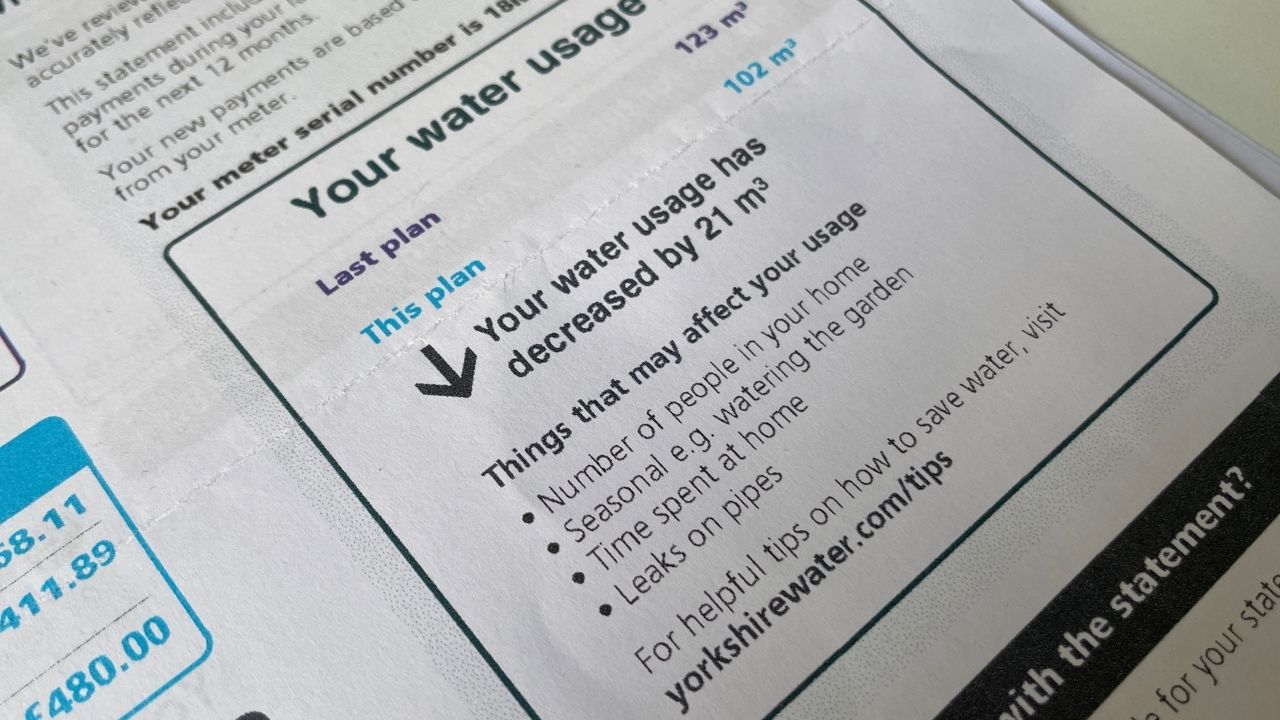
However, since then, our water usage – and our bills – have varied. Water usage in 2019 was 102m3, but a massive 123m3 in 2020 (probably due to lockdowns). This meant our bill jumped up to £480. Still a decent saving, but not as large.
In 2022, usage was down to 78m3, costing £324. Then it went up again in 2023 to 91m3 and a total of £425. The figure for 2024, the last statement I received, was 92m3 at a cost of £481.
That’s still a big annual difference of more than £100 compared to our non-metered charge from back in 2018! And since prices for unmetered rates have increased every year, the actual saving will be far higher.
When I think back to my previous house, where I lived for close to eight years, if we’d switched then and got similar savings we could have been close to a grand better off.
But – bear in mind my savings are based on the water usage of two people. I’ve played around with the calculator to estimate the cost if more people lived here. It’s still cheaper with three adults, but it could easily be £70 or £80 extra each year with four people than the fixed rates. So it’s important you check for your own circumstances.
Get the best of our money saving content every week, straight to your inbox
Plus, new Quidco customers get a high paying £18 welcome offer
How to reduce costs when you have a water meter
If you’ve already got a meter because you’ve moved into a house with a meter, had one for more than two years or compulsory installations are happening, well there are still ways you can cut your bills and it’s very very simple. You use less water.
There are obvious things you can do. For example, turning off the tap when you clean your teeth, or it’s making sure that you don’t necessarily flush the loo every single time. There’s that phrase “if it’s yellow let it mellow, if it’s brown flush it down”. It might sound a bit rough… but it’s true that you don’t necessarily need to flush it every time – and that will save some water.
Free water saving devices
In fact there are all sorts of things you can get which can help you use less water. From special bags that go in the water cistern to reduce the flush through to shower timers. There are even slow release crystals you can put in plant pots which mean you don’t need to water them as often. And they are free from most water companies.
For most providers you can go via Save Water Save Money and enter your postcode. You’ll see what’s available and what you can order for free. Alternatively, just google your water company and see if they offer anything for customers.
With so much quality TV now online from the likes of Netflix and Disney, I’ve taken a look into whether paying for the BBC represents good value for money.
It’s been announced that in April 2025, the TV Licence is increasing by £5 a year, with the annual cost set to be £174.50.
This is the first inflation linked increase in three years, and that’ll continue until 2027. However, it won’t reverse years of underfunding thanks to zero or below inflation hikes, which led to budget cuts – and many would argue a lowering of quality in BBC output.
For some, this latest increase means they’ll advocate for people to cancel their TV Licence now rather than pay more. I’ve shared in this article who needs to have one and who doesn’t.
However for me, the big question isn’t how to ditch the licence fee, but should you?
Some articles on the site contain affiliate links, which provide a small commission to help fund our work. However, they won’t affect the price you pay or our editorial independence. Read more here.
Paid advertisement
Who needs a TV Licence
Here’s when you need a TV Licence:
If you watch any live TV
If you record any TV
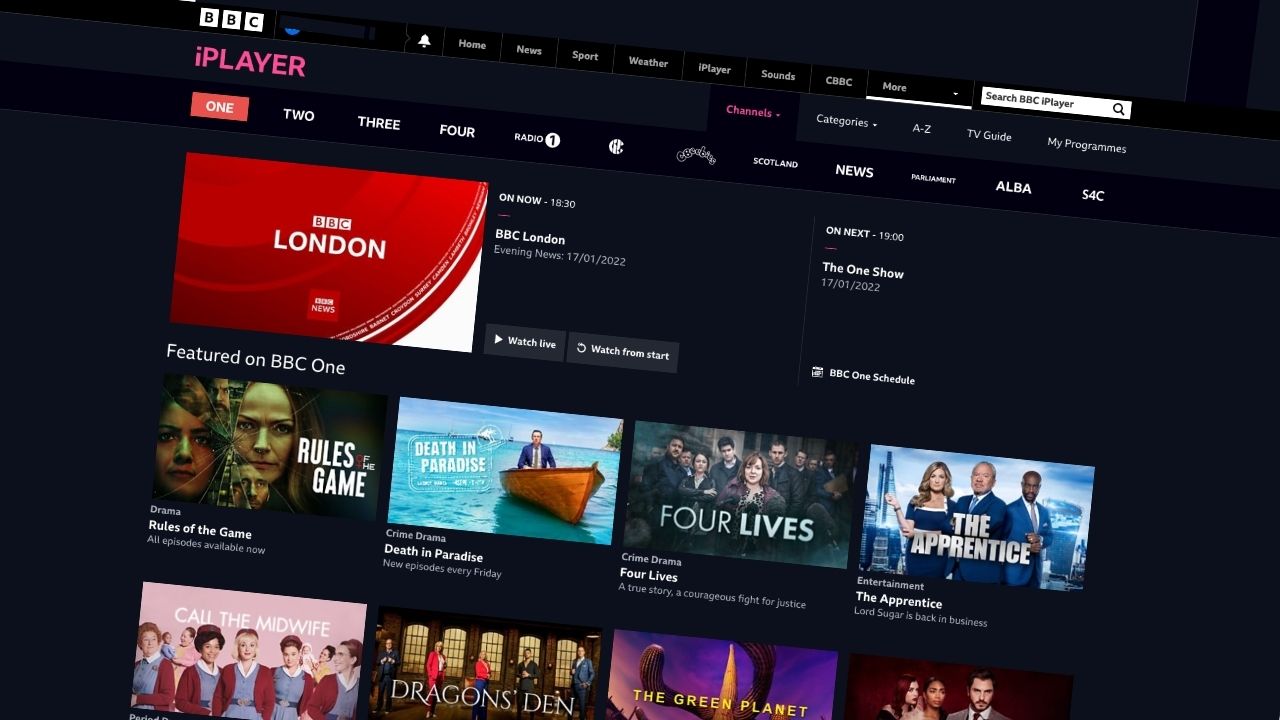
If you watch BBC TV on iPlayer, no matter the device (eg on your phone, games console, TV etc)
Despite more and more of us using streaming services, this is still pretty much most TV viewing.
So realistically the only way you’re eligible to avoid the licence fee is if you only watch online streaming or catch up services (not including iPlayer), and if you never watch or record broadcast TV.
Now if that’s the case, then you don’t have to pay, and I’ve shared further down how you can cancel your TV Licence.
Over 75s
A rule change a few years ago meant not all over 75s get a free TV Licence. However, many will still be able to claim one as long as they already receive pension credit. Here’s more information on the TV Licensing website.
Before we start
Everyone has an opinion about the BBC, especially the news output which those on the right say is too left wing and those on the left say is too right wing. We’re going to put that aside for this analysis and focus just on what you get for the money you pay.
I also want to put my cards on the table here at the start. When I was five or six, I declared that I wanted to work for the BBC when I was older. And I did. From 22 to 33 years old I worked all over the Beeb, before leaving to start up Be Clever With Your Cash. So it’s important to me.
Though it’s certainly not perfect (what large organisation is?). I do believe we’re better off as a country with the BBC than without. And that will obviously inform on my analysis below.
But it’s more than a decade since I left the broadcaster, and so much has changed in that time – not just at the BBC, but also how we consume our media – which goes for me too.
And the cost of living crisis has made every penny we spend so much more important, making value for money as a licence fee payer something that really does need interrogating.
What I watch
So do I get value from BBC TV? Over the last few years my TV viewing has changed drastically. Many of my favourite dramas and comedies can be found on Netflix, Sky Atlantic and Disney+.
Yet I do still watch plenty of excellent normal TV, mainly BBC and Channel 4 (you need a TV Licence to watch or record any live TV). In fact some of the best shows I’ve watched over the last year have been on these channels.
Happy Valley, Ghosts, Traitors, Race Across the World, Match of the Day, Wimbledon, Ludwig and Outlaws (all BBC), through to It’s a Sin, The Great British Bake Off and The Handmaid’s Tale (all C4). And there are plenty of great older shows available on-demand too, such as classic Attenborough, Motherland, His Dark Materials, Peaky Blinders, The IT Crowd and The Bridge.
And I’m not alone. Most TV viewing is of a free to watch channel, whether that’s via Freeview or Sky. And the most-watched shows every year are on the BBC, ITV and Channel 4. Even big import TV shows like Game of Thrones or Stranger Things haven’t come close.
Still, £175 every year is a lot of money. And there are some cheaper alternatives with very good programmes.
How the TV Licence cost compares to other media services
If you pay for the TV Licence monthly at the new price it’ll work out as £14.54 a month.
Elsewhere we’ve seen a number of streaming services hike prices, closing the gap to the licence fee.
Sky’s “on-demand” service NOW is £9.99 a month for the Entertainment channels (not movies or sport), or £119.88 a year – though there are deals to get this even cheaper, often half the price. But if you want HD and to ditch adverts you’ll pay another £6 to £9 each month.
After clamping down on sharing, Netflix starts at £5.99 a month (with adverts), but the most popular package is £12.99 a month, working out at £15588 a year. You can pay more, at £18.99 a month for the top tier
And there are others like Paramount+ (£4.99 with ads, £7.99 or £10.99 a month without adverts), while you can pay for extra content and no adverts via ITVx (£5.99 a month).
So on the whole, though there are more and more of these streaming services, and they all keep getting more expensive, they can be cheaper alternatives (if you get them on their own, or cut the price you pay via offers or go for the basic versions with adverts).
That’s a persuasive argument for ditching the Licence Fee as far as cost goes. However, I believe that as long as you can afford it, you get more for your money from the BBC than the premium services.
Switch bonus requirementsSwitch using the Current Account Switch Service and close your old account within 60 days of starting the switch
Deposit requirementsDeposit £1,500 in the first 60 days from opening the account
Direct debits transferred overSet up two Direct Debits before or after the switch from a selected list of household bills
Existing customers?Can't have held any Santander current account on 1 January 2025
RestrictionsCan't have received a switching bonus from Santander already, offer limited to once per person
Eligible accountsOpen a new or hold an existing Everyday, Edge, Edge Up or Edge Explorer current account
£25 Amazon Gift Card requirementsTo qualify for the gift card, you need to complete a full switch using CASS, and make five debit card transactions within 30 days of opening the account.
The thing people ranting against the TV Licence tend to forget is the money doesn’t just pay for BBC TV drama, documentaries and comedy. It also funds BBC news, sport, CBBC, radio and online.
And it’s these areas which I think make that £14.54 suddenly feel like really good value. So I’ve broken down this price between all the things it pays for and calculated below what I think is a fair representative value for each BBC service.
These figures are just for me – you will have your own views on what you use and don’t use.
BBC TV & iPlayer
My price: £7 a month / £84 a year
So imagine the drama, comedy, entertainment and factual part of the fee was the same price as the other streaming services at £10. Oh and iPlayer.
No matter what you might instinctively think if you just turn the TV on and watch something live, I think if you really looked at what’s on, you’d find plenty of quality new and old content to keep you going throughout the year. We’ve actually got a long list of shows we want to watch and not got around to, and add at least a couple every month.
But let’s say it’s £7, representing half of the money you pay. That’s even cheaper than most of the other options (and no adverts). I think many people would think that’s pretty fair for what you get.
And don’t forget this includes funding the production of BBC programmes you might actually end up watching on a service like Netflix! Without the licence fee they wouldn’t be made in the first place.
BBC Radio & BBC Sounds
My price: £3.50 a month / £42 a year
I’ve got a cool digital radio for the shower. There are four presets, and we’ve got BBC 5Live, BBC 6 Music, Heart 80s and Absolute 90s saved. My god, I hate the adverts on the latter two, making BBC radio essential.
And during the first lockdown in particular I was mainlining 5Live – a fantastic example of national broadcasting when we needed it most.
BBC podcasts are no longer just radio shows put online. Many are commissioned just for BBC Sounds, including the excellent documentary Vishal (produced by my friend Satiyesh) and music shows. Plus it’s a great way to catch up on radio you might have missed.
I do listen to a lot of Spotify, and there are some great podcasts out there (have you listened to our Cash Chats show yet?). So it is possible to get good quality music and speech content (though you need to pay to avoid constant adverts).
However, given the choice between paying for Spotify (at £11.99 a month) and paying for BBC Radio, I’d pick BBC Radio. And at an equivalent price of £3.50 a month I think that’s a bargain.
Get the best of our money saving content every week, straight to your inbox
Plus, new Quidco customers get a high paying £18 welcome offer
BBC Sport
My price: £2 a month / £24 a year
If you had to pay £2 a month, that’s just £24 a year, to get Wimbledon, Match of the Day, 6 Nations and smaller sports like snooker, athletics and so on, plus every few years the World Cup, the Olympics and Commonwealth games, I think most people would think it’s fantastic value – especially when compared to the £14.99 cost to watch Sky Sports for one day on NOW TV.
BBC News
My price £1 a month / £12 a year
This is certainly an area where my view on value for money has changed (though a lot of that is down to budget cuts enforced by the government through frozen or below inflation increases to the licence fee).
I’ll now go to the Guardian first for my news updates, rather than the BBC News website, and even listen to podcasts like the News Agents over Newscast.
However, BBC News is the first place I’ll go for breaking news. And if you’ve ever watched news in the USA, you’ll appreciate not only just how good BBC News is, but how it makes sure the other news networks raise their standards.
I’d say it’s well worth paying £1 a month for this – that’s just 3.3p a day.
CBeebies and CBBC
My price: 75p a month / £9 a year
Let’s say it costs 75p a month (£9 a year) to have these channels – and I don’t even have kids! If you do you probably would say it’s worth paying more to get this essential content.
I grew up watching shows like Going Live, Blue Peter and so on. And more recently my niece and nephew loved programmes like Justin’s House and Operation Ouch.
And during the pandemic the BBC really raised the bar in shows to help with homeschooling.
Yes, you can get other kids shows via Sky but these are largely cheap overseas imports and I don’t think they have the same education and quality you get from the BBC.
BBC Online
My price: 0p a month
In previous years, I’d allocate 50p a month for this, as it was the place I’d go to check the weather, the news, the football scores and more? Now I hardly visit it other than to play Sounds or iPlayer, which I’ve covered in other sections. So lets treat it as something you get as part of your ‘contribution’ to news, sports etc.
Other stuff
My price: 29p a month / £3.50 a year
Then there’s plenty of stuff we don’t see, but do benefit from.
There are technology developments which make a big difference to how we watch TV (such as iPlayer) and how other programmes are made by other people (like the cameras built for Blue Planet).
We might not listen to the World Service, but it does a fab job of promoting the UK around the world and supporting nations that really need it – while also building ‘soft power’ across the globe.
Oh, and the licence fee is also used to make sure everyone in the UK gets broadband, especially rural areas. It did the same for digital TV.
Right, I’ll shut up now. But let’s say we pay 29p a month towards all this (a total of £3.50 a year).
Money well spent or a waste of cash?
So just to quickly summarise, for me the £14.54 monthly TV licence cost could be broken down like this.
£7 a month for all the drama, comedy and documentaries (£84 a year)
£3.50 a month for all the radio (£42 a year)
£2 a month for sport (£24 a year)
£1 a month for news coverage (£12 a year)
75p a month for children’s TV (£9 a year)
29p a month for the innovations (£3.50 a year)
plus all the BBC websites
I still think the licence fee is a really good investment. In fact I think these values I’ve assigned are too probably too low for what you get, especially in the cases of sport and radio.
Yes I have made up the values above (in reality the split is different), and there will certainly be parts you don’t use at all. But it’d be easy to justify assigning higher values to the ones you use and less to those you don’t – for example if you’ve got kids you’d probably think £2 a month for CBBC is great value.
And if you consider what you might pay for all the separate parts at commercial rates, even if you only chose one or two, you’d likely pay just as much.
Should the Licence Fee be scrapped?
Andy’s analysis
I do recognise there’s growing resentment in some parts of the public, particularly by people who simply don’t watch any BBC (or live) TV at all. I’ll often see posts in money saving Facebook groups about scrapping it, with the majority of the hundreds of comments in favour of ditching it.
However, much of what I see in these conversations is misinformed, and fuelled by media like the Mail and Murdoch’s News UK (The Times and The Sun), and the previous Conservative government, who all have vested interest in getting rid of the BBC.
So I hope this article can help balance some of the arguments (I find it frustrating that the BBC’s own impartiality policies prevent it from delivering any decent defence).
Like the NHS, we’d really miss the BBC if it was gone. No matter how many amazing US imports are available to watch, there’s still fantastic TV made in the UK, and a big part of it is down to the BBC. Even if you still think it’s too much money, I do think that it’s important we fight to keep the BBC independent and strong.
Alternatives
If people genuinely don’t use any BBC service then I do think it’s unfair that they should be forced to pay for it. It seems something really does need to change. But what?
It’s really tough to find a solution that could protect what the BBC stands for and enable it to produce the services it does to the standard it does without the full fee.
I also think there is a chance that for lots of people the cost will go up in order to get all the services. A report from the BBC said it’d likely cost £37 a month to get all the services.
That doesn’t sound too far off. The pick and mix approach to Sky via NOW TV can save you cash versus a normal Sky subscription, but if you want Entertainment, Cinema, Kids and Sport you’re still looking at paying £60 a month.
An advert funded model is another option, but ITV, Channel 4 and Channel 5 aren’t swimming in cash, and adding the BBC into the market will mean there’s less money to go around. So we’ll see all the free-to-air channels suffer.
And we could see the BBC outbid for some of the important big events and programmes by the likes of Amazon – forcing people to shell out more.
I imagine it’d have to be some kind of blended model. Perhaps some services funded by a reduced licence fee with others subscription only.
How to stop paying the Licence Fee
If you genuinely don’t watch any BBC TV, reckon you could do without, or don’t feel you should pay for the other BBC services then you can cancel your licence.
You can tell TV Licensing that you don’t require a licence here. Just make sure you don’t watch any live TV or use iPlayer.
You’re likely paying hundreds of pounds too much on your mobile phone.
For the first 12 years of having a phone, I followed the same pattern. A two year contract with a shiny new handset, which was then renewed with an upgraded phone, and then repeated when each contract ended.
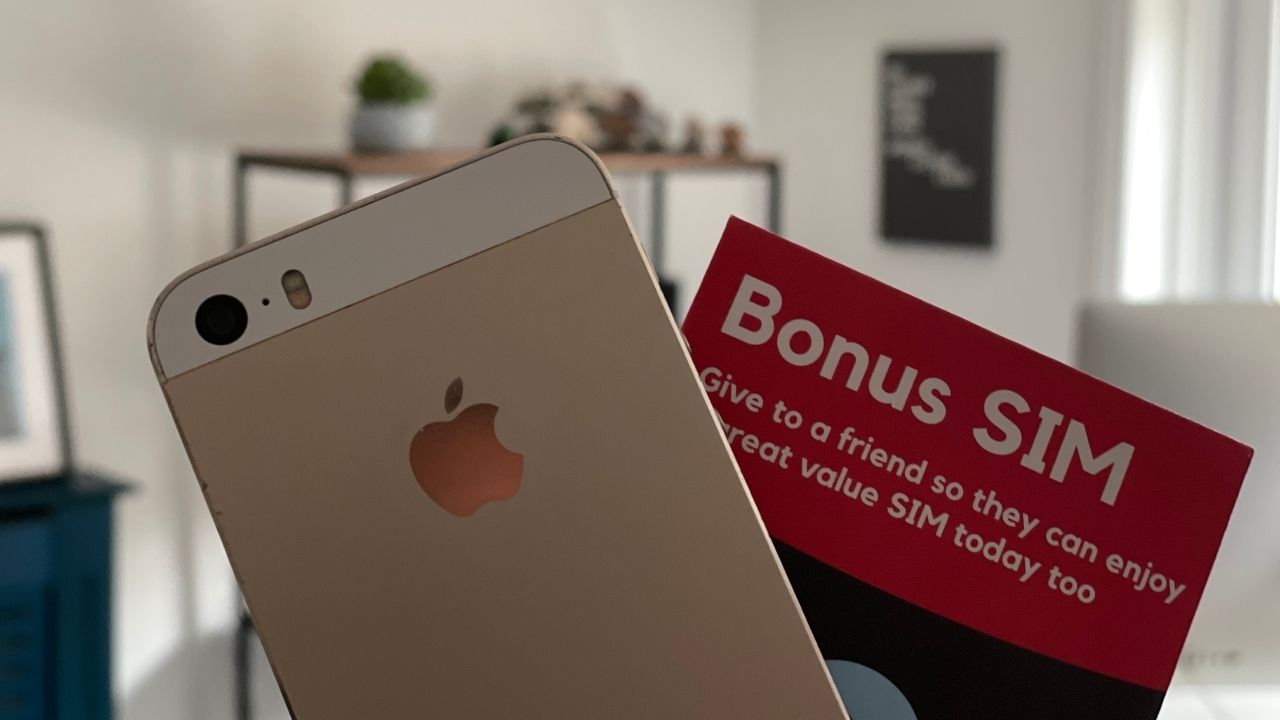
But a decade ago I switched things up. I moved my tariff to a new network, and bought a new handset direct from Apple. Since then I’ve moved between networks on a regular basis and bought and sold new handsets. And saved a ton of cash.
And you can do it too: from going SIM-only through to downsizing your data, there’s no reason you should be paying more than £8 to £10 a month. Here’s how you can save on your mobile phone contract.
Some articles on the site contain affiliate links, which provide a small commission to help fund our work. However, they won’t affect the price you pay or our editorial independence. Read more here.
Paid advertisement
Split your handset and your tariff
Go SIM-only
The best prices are often with SIM-only deals. Here you keep your old handset or buy a new one separately and pay just for your minutes, texts and data. Since you aren’t paying for a new phone, the monthly costs are also considerably less.
You can get contracts that run from 30 days to a year, giving you far more flexibility than the 18, 24 and even 36-month deals you’re tied to with handsets (though longer SIM-only deals are still available).
At the time of writing you should be able to get a more than adequate data allowance from the major networks for under £8, and potentially as low as £5 for networks offering 5GB. And that’s before you factor in cashback or other offers.
Don’t get your handset via your network
Once you go SIM-only you’re no longer caught in that bi-annual cycle of getting a new phone when you don’t really need to. Ideally you’ll keep your handset for more three or four years. But with poor batteries, broken screens and ‘depreciated’ operating software (when updates are no longer supported on older phones), we all need to upgrade at some point.
However, you should generally avoid getting one as part of your contract. Most networks will charge you a premium on top of the handset price to get a new phone bundled with your SIM.
It’s very rare for these deals to work out cheaper, particularly for the latest handsets. Instead, you’ll save money buying it outright from Apple, Samsung or the likes of John Lewis.
Of course, the high cost of these handsets can be a barrier, but even then you don’t need to resort to including it in a contract. Apple and Samsung often offer 0% finance for two years, while you could choose a 0% purchase credit card instead. Do check your credit score first though.
Don’t forget to sell your old handset too. There are a number of sites that’ll give you a fixed amount, or you can hope for a better price via sites like eBay. Here’s more on selling old phones.
Get the best of our money saving content every week, straight to your inbox
Plus, new Quidco customers get a high paying £18 welcome offer
Choosing your new phone tariff
Whether you stick to a combined phone and SIM deal or split them up, you can still bring down the cost.
Don’t pay for more data than you’ll actually use
One of the biggest ways we waste money on our mobiles is via upselling, and now the networks are all about getting us to pay for more data than we need.
A few years ago when I haggled a new SIM-only contract with Three, the salesperson said “It’s only £3 more for 20GB”. Sounds good. Except I didn’t need 20GB. I didn’t really need the 12GB I had (but that was bizarrely cheaper than the 5GB option).
And I see this upselling all the time. There are always a number of promotions offering unlimited data at what looks like fantastic prices. But you really don’t need unlimited data, so however good the price, you’re still overpaying.
Most of you will be fine with 5GB or 6GB, perhaps less, while heavier users are still likely fine with under 12GB. And that’s assuming you can’t connect to wifi at home or work to use data even less. It’s easy to check your usage history via your account. So far this year I’ve used between 5.3 and 6.57 GB each month – and the latter was when I was on holiday!
Saying that, those who also get broadband with Virgin Media should take a look at O2 as you’ll get double data, worldwide roaming and double internet speeds via an offer called Volt. Just make sure you’re getting a decent price on each service.
Don’t just stick to the big companies
You’ll have spotted that most of the cheap deals are with smaller networks. And I bet you’re warry of switching in case you can’t get reception.
Well, there are actually only four different phone networks – O2, EE, Three and Vodafone. All the others “piggyback” on one of these. So, for example, Giffgaff runs on O2 and Lycamobile uses EE.
This means you get exactly the same reception as someone on the host network but at a far lower price. The only real difference will be in customer service, though you’ll also lose network-specific benefits from the big brands, such as O2 Priority Moments.
I’ve written in more detail about these so-called ‘virtual mobile networks‘, including which ones operate on which main network.
It’s also relatively easy to bring your number with you. My moves across different networks all took less than 24 hours though it might take longer if weekends or bank holiday get in the way. Just ask for a PAC number, which you can get just by texting your network.
Switch bonus requirementsSwitch using the Current Account Switch Service and close your old account within 60 days of starting the switch
Deposit requirementsDeposit £1,500 in the first 60 days from opening the account
Direct debits transferred overSet up two Direct Debits before or after the switch from a selected list of household bills
Existing customers?Can't have held any Santander current account on 1 January 2025
RestrictionsCan't have received a switching bonus from Santander already, offer limited to once per person
Eligible accountsOpen a new or hold an existing Everyday, Edge, Edge Up or Edge Explorer current account
£25 Amazon Gift Card requirementsTo qualify for the gift card, you need to complete a full switch using CASS, and make five debit card transactions within 30 days of opening the account.
Text INFO to 85075 and you’ll receive a message from your network outlining if you in our out of contract. If you are still locked in you’ll also be told how much it’d cost to end the deal early.
Make a note of this date, and you can usually negotiate with your network up to 30 days before the end of a contract. This gives you the chance to see if you can get a better deal with your current network, and if not start the process of moving to a cheaper one.
But if you’re already passed that minimum term, you’re free to hunt for a new deal.
Compare prices
Just as you would with your gas or broadband, it’s important to see what other networks are offering. MoneySupermarket or Uswitch are decent price comparison sites, though they don’t include all the SIM-only networks.
You’ll also often find lower prices for the big networks via these sites, allowing you to access some (though not all) of the freebies available by those companies.
Check for cashback
If you’re switching network or upgrading without a new handset there’s less of a chance for cashback, but it’s worth checking anyway. Try both Topcashback and Quidco for SIM only too. And if you’ve never used cashback sites don’t forget the new member bonuses to get even more back!
You can also earn cashback to knock more off your bill using the app Airtime, but only with the major networks and a handful of others.
Call your network to see if they’ll negotiate
It’s still worth calling your network to see if they can match or beat the total savings you’ll find from the tips above. It helps to do some research first so you know what you can get if you switch.
Then ask to be put through to the ‘terminations’ or ‘disconnection’ team as they’ll usually have more sway. You can even do this over live chat if you prefer.
I did this the most years with Three. I either had my price knocked down or data added for the same price, beating what I’d get elsewhere. None of these deals were available on the Three website, but came from saying I wanted my PAC.
A warning here though. You will be starting a new contract if you do this, which will overwrite pre-existing offers such as free roaming with some networks.
Top paying interest, ethics and a decent switching bonus make the account worth considering again.
There’s been a revamp of the account. Not only does it offer one the highest interest rates (for some), newbies can also now get 1% cashback on spending. Plus you can nab a decent switching bonus. It also ranks well as an ethical bank and scores highly for customer service. However, the building society has ditched the large 0% overdraft.
So are these extras enough to make it your main account? Here’s what you get with the FlexDirect, and whether you should open up an account.
Some articles on the site contain affiliate links, which provide a small commission to help fund our work. However, they won’t affect the price you pay or our editorial independence. Read more here.
Paid advertisement
What is the Nationwide FlexDirect account?
The FlexDirect account is a current account from the Nationwide Building Society. It’s free to open and use, though you do have to pay in at least £1,000 a month to get the interest. That doesn’t need to be in one go, or stay in the account.
You cannot get the account if you already have four or more Nationwide current accounts.
Unlike many competitors, Nationwide has a decent network of branches you can access across the UK, and there’s also a phone support line.
In account interest of 5%
Nationwide’s FlexDirect account is one of the few current accounts that pay interest on balances held in the main account. And it’s usually a much better rate than you’ll get in normal easy-access accounts.
You can get 5% interest on savings – which is hard to beat right now. The rate is also fixed, at 5% for the entire year.
And you can boost your earnings if you’re in a couple. You can each have an account, and then open up a joint account too, meaning you’ll earn the 5% on £4,500.
You have to pay in £1,000 every month to qualify for the interest. This can’t be from another Nationwide account.
Sounds good? Well it has its limits.
First, there is a very important rule that could be an issue – this rate is for first-time account holders only. So if you’ve had the FlexDirect account before, you won’t get the new rate, even if you open up a new account.
You also only earn money on the first £1,500. Above this you get 0%. This means if you have the full amount possible in the account for 12 months you’ll make £75.
Also the rate also only lasts for one year (after that it drops to 1%), so you will want to move your money in 12 months.
A new feature is cashback on spending with the debit card. It’s only for new customers who’ve not had a FlexDirect in the past. You also need to be paying in the same £1,000 each month to trigger this as you do the interest, though that’s a single payment for both perks, not each.
As with the 5% interest, this cashback is only for the first 12 months. It’s also capped at £5 cashback each month, so it’ll only apply to the first £500 you spend each month.
Cashback won’t be paid on gambling, crypto transactions or cash withdrawals.
FlexDirect 0% overdraft
Sadly with the addition of the 1% cashback, Nationwide has ditched the sizeable 0% overdraft that was available for the first year.
In its place there will be a £50 interest free buffer across all Nationwide accounts. Our guide to the cheapest overdrafts will help you find a larger alternative – though there aren’t many options left now.
Nationwide had an ongoing £175 incentive for bank switchers which ended 31 March 2025. It could return at any time.
The previous offer was open to new and existing customers, so if you open or upgrade to a FlexDirect account you’ll be eligible.
You can only claim the cash once on a personal account, but unlike other banks, you can get an extra bonus if you switch a joint account (there’s just one payment for both of you on this). So as a couple you could have three switching bonuses in total.
Though there’s no guarantee it’ll still be on offer in 2025, for the last two years Nationwide has offered members with an active current account and savings or mortgage product on top, a £100 ‘Fairer Share’ bonus. Here’s everything you need to know about when Nationwide last offered this free cash.
Nationwide’s app
So far so good. Now the bad. The app is one of the main reasons I moved my main banking from Nationwide to Starling a few years ago.
There have been some massive improvements, but it still falls short of the features you get from challenger banks like Monzo, Starling and Chase.
So what does it do? You can activate a couple of features to help you save. One, Impulse Saver lets you add money to your savings account from the homescreen of the app.
The other is a round-up feature, as you see with many other banks. If you turn this on a small amount of money will be transferred each time you spend. So say you spend £1.20 on your debit card, 80p will go to savings.
You’re also able to lower your contactless limit, freeze your card and block gambling transactions.
My big frustration is that you still need a card reader. Though a recent update has reduced how often this is required, including for app payments, you can’t throw it away. And it’s not clear when you will and when you won’t need it – it just says “for some other things”, which looks like could still include setting up new payees. Of course, that might not be a bad thing as it does add an extra layer of security, but it’s not something most of the other banks I use require.
You also can’t access card details, and it’s a few clicks to find and copy or share account numbers. There are also no tracking or budgeting features.
Get the best of our money saving content every week, straight to your inbox
Plus, new Quidco customers get a high paying £18 welcome offer
Account ethics
Something I’ve been thinking about more over the last few years has been how the money I keep in a bank is being used. It’s not sitting in a vault, it’s being invested and loaned by the bank. And that could mean it’s used for things I really don’t agree with – from supporting arms manufacturers through to funding new oil pipelines.
If this bothers you too then Nationwide is regarded as one of the best options. A big part of this is that it’s a building society rather than a bank, which means it has to use 75% of its holdings to lend to home buyers.
That prevents it lending large amounts to unethical sources – but it also has a positive investment policies. For example your money will not be invested in fossil fuels.
Nationwide is also a mutual – meaning it’s owned by and run for the benefits of its customers (or members) rather than shareholders.
Ethical Consumer rates Nationwide ahead of all the other major banks, so it’s a good bet if you want to put your money somewhere other than low-scoring banks such as HSBC, Natwest, Barclays, Lloyds, Santander and co.
And while the top-rated current account for ethics is from Triodos, that comes with a £3 monthly fee and a more limited app, so Nationwide represent a good alternative.
Should you open a Nationwide FlexDirect account?
Andy’s Analysis
With savings rates dropping on easy access accounts, Nationwide’s FlexDirect has sprung back into contention. That 5% can be beaten, but not with a fixed rate.
The £1,500 limit for this rate will be a frustration for some (especially since the balance used to be £2,500 a few years ago), but if that’s not a worry and you want to lock in a rate it’s worth a look – for one year only though.
And the switching offer is a fantastic extra too, especially if you’re a couple who can also switch a joint account.
The app has also improved massively, though it’s not as good as the offering from digital banks Monzo, Starling or Chase.
The cashback might sounds good, but it is limited by the £5 monthly cap – and it’s only for one year. You can beat this with a credit card like the American Express Nectar.
But, vitally in my opinion, it’s a great account to go for if you’re concerned about how your money will be invested.
What do customers say?
Customer reviews on our sister site Smart Money People rate the FlexDirect account at 4.24 out of 5, liking the customer service and the availability of high street branches. The app is where people think it could do better.
Nationwide Flex Direct summary
Cashback
1% cashback on spending for the first year (capped at £500)
Interest
5% AER (fixed) interest on the first £1,500 saved for 12 months (drop to 0.25% after a year)
Access to 6.5% AER (variable) Flex regular saver (max £200 a month)
Overdraft
£50 0% buffer
Fee
None
Requirements
Pay in £1,000 a month
Multiple accounts?
Two – one personal and one joint
Notes
Transfers in from other Nationwide accounts don’t count towards the £1,000
Kindles can be great ways to read on the move. While you may prefer to hold a proper book, the Kindle can be an essential item for holidays and travelling.
It’s also possible to save a lot of money on the books you buy with hundreds of Kindle titles on sale at just 99p, and many more available for free.
And these aren’t just books you’ve never heard of. — selections change all the time, but you can get bestsellers and Booker and Pulitzer Prize-nominated titles.
Here are the best ways to get free or cheap ebooks for your Kindle.
Some articles on the site contain affiliate links, which provide a small commission to help fund our work. However, they won’t affect the price you pay or our editorial independence. Read more here.
Paid advertisement
Free Kindle books for all
Kindle Unlimited free trials
For £9.49 a month you can get access to Kindle Unlimited – a library of over 1 million Kindle books (as well as magazines and audiobooks). This is a subscription so you’ll keep paying every month unless you cancel it.
However, there’s also a 30-day trial to give it a go. After that, it’s £9.49 a month. You should be able to take a free trial every 13 months (so 12 months after a 30-day trial ends).
Amazon Prime members can sometimes get a longer trial though the offer you’ll get can vary. Click the link below to see what you can get.
It’s possible to pick up free Kindle copies of older books that are no longer under copyright.
For example, a quick look has found titles like Homer’s The Odyssey, Tolstoy’s War and Peace and HG Wells’ The Time Machine all part of a series called Amazon Classics. And the vast majority of the titles in this group are free with only a handful coming in at £1.99.
You can also see all the free Kindle books via the EReaderIQ website. However, there are so many books listed that it could take you hours to go through them all and find anything decent.
You can filter by rating to help weed out the trash, and you may want to select “also available in paperback” (not that there won’t be some decent self-published books).
If you have Amazon Prime then you’ve got access to Prime Reading, a selection of titles you can read for free, including the Harry Potter series. It’s a smaller version of Kindle Unlimited.
There are some decent books in this selection, so it’s worth taking a look if you haven’t already, or if you’ve been disappointed in the offering before.
Another offer for Prime members, First Reads gets you a copy of a new title that hasn’t been released yet. A new selection is released on the 1st of each month.
Switch bonus requirementsSwitch using the Current Account Switch Service and close your old account within 60 days of starting the switch
Deposit requirementsDeposit £1,500 in the first 60 days from opening the account
Direct debits transferred overSet up two Direct Debits before or after the switch from a selected list of household bills
Existing customers?Can't have held any Santander current account on 1 January 2025
RestrictionsCan't have received a switching bonus from Santander already, offer limited to once per person
Eligible accountsOpen a new or hold an existing Everyday, Edge, Edge Up or Edge Explorer current account
£25 Amazon Gift Card requirementsTo qualify for the gift card, you need to complete a full switch using CASS, and make five debit card transactions within 30 days of opening the account.
You can also pick up very cheap books every day on Amazon. Prices can go up and down all the time, but there are a couple of regular offers to keep an eye on.
99p daily deals
Every day Amazon sells five or six titles for just 99p (or just over). These deals last just 24 hours before new offers replace them. I’ve picked up quite a few titles from this deal and have signed up for a daily email so I get a nudge to check what is on offer.
On the 15th of every month, a new selection of 80 different Kindle books is made available at just £1 each. These titles are usually also available via Kindle Unlimited.
Prices of Kindle books can jump up and down all the time and it’s easy to miss a book your after at a lower price.
However you can actively track specific books and set up alerts so you’ll know if it drops to a price you are happy to pay. You can also track by author.
It’s back on that EreaderIQ website. You do need to enter your email address to access this feature and though a donation is welcome you don’t have to pay.
Kindle device deals
You don’t actually need a Kindle to read Kindle books – you can download the free Kindle app to your computer, phone or tablet.
However it’s a better reading experience if you do get one, and there are often deals to bring down the cost.
Cheap Kindle device trade-in deal stack
If you’ve an older Kindle you can trade it in for 20% off a new one, but if you time this for when the Kindle is on offer (such as on Prime Day or Black Friday), that 20% should come off the original price (make sure you check!).
So a £94.99 Kindle, reduced to £79.99, would be discounted by £19 to £60.99.
And even better, there could be gift card on top of this, depending on the age and condition of your existing Kindle. For me, I was offered a £30 gift card for my two year old Kindle Paperwhite, and £20 for my wife’s seven-year old version.
Using the £20 voucher brings the total we’d pay down to £40.90 – more than 55% off.
You could supersize this stack and opt for the Kindle Kids edition. This is the ad-free Kindle, comes with a two year warranty, and a case (though the cases are now very kiddy). You’ll need to set it up with a kid’s account, but you can then log out and log in with your own – and it’ll work as normal.
It retails are £114.99, but can be reduced to around £94.99. With the trade-in 20% discount, you’d pay £71.99. A gift card of £20 would bring it down further to £51.99.
Most of us have no choice when paying Council Tax – but there are ways to make sure you aren’t paying too much.
Along with everything else, my Council Tax bill has gone up. For my council, it’s up by 6.4%, which works out as an extra £15 a month. This is the biggest annual hike I’ve experienced, and it adds up to £175 extra over the year.
Though I’ll be able to afford it, I know not everyone will – and some might have seen larger increases. Many councils have voted to increase by the maximum 4.99% that’s allowed, and few others have been forced by financial issues to trigger referendums for even larger hikes.
So I thought it was a good opportunity to share with you ways you might be able to pay less, or at least make how you pay work better for you.
What is Council Tax?
Your Council Tax largely pays for local services, so the amount you pay is set each year by your local council. It varies all over the country.
Some of the money will also go towards funding social care as well as police and fire services in your area.
There are eight ‘bands’ of council tax, all based upon the approximate value of the property in 1991. A is the lowest, H the highest.
You can get cashback from Santander
There are two current accounts you can open which help you save on your Council Tax bill. Though these current accounts have fees, you generally make the money back on cashback from bills, including Council Tax as long as it’s paid by Direct Debit.
The Santander Edge and Edge Up current account will give you 1% cashback on your Council Tax. The money is returned to your account along with cashback on other bills, such as energy, broadband and water. However you will pay a monthly fee.
If you already have the Santander 123 or 123 Lite accounts (now closed to new customers), then that has a lower monthly fee. You can read my comparison of the four accounts to see which I think is best.
To be fair, most of you won’t be able to cut the monthly rate unless you fit one of these exceptions:
Living alone? In which case you’re able to get a 25% discount on the rate. If you’re the only adult but have children under 18 or not in education, then you qualify for the discount too as a sole adult
Students pay nothing if they’re in full-time education
If you are unemployed or meet other conditions, it’s possible to claim Council Tax Reduction payments, which could be as much as 100%
Got a second home? You might be able to get a discount too. It’s up to the local council, but if it’s furnished it’s possible to get up to 50%. If it’s empty for two years or more, they can charge more
If someone has passed away, there is no charge for six months
Disabled people who need a bigger house to accommodate space for wheelchairs or extra bathrooms can get their band reduced down a level for example they’d pay C rates on a D property
Adults who are medically classed as having a severe mental impairment will get 100% discounted if they live alone or with others who don’t pay, 50% if you live with a carer only, and 25% if you live with just another adult
Live in carers can get a 25% to 50% discount if they meet the conditions
Get the best of our money saving content every week, straight to your inbox
Plus, new Quidco customers get a high paying £18 welcome offer
You can check to see if you’re paying too much
Use this government site (or this one in Scotland) to see what band houses around you are in. If it looks like houses around you are less, it might be worth appealing. The StreetCheck website is good to find out neighbouring postcodes.
You can also see what neighbouring houses are valued at, to help get a sense of whether yours is worth more or less. Zoopla is good for this. You’ll ideally want to see valuations from 1991 as changes could have taken place since then.
If both look good, you can try to appeal. If successful you’ll not only get a discount going forward, but also backdated payments.
Be aware though that the council could also choose to raise your band – and how much you pay (and for any neighbours who are also then found to be underpaying).
I’ve taken a look and most of the nearby houses are all on the same band, so it’s unlikely I’d be able to get it changed to a lower band.
You can pay Council Tax over 12 months if you’d prefer
Most Council Tax bills are set to be repaid over 10 months, meaning you don’t pay anything in February and March. For some this break gives a little breather after Christmas to pay off extra expenses.
I choose to spread the cost over 12 months instead of 10, so I know exactly what I’m paying each month. You need to ask your council to change this if you want to do the same.
Switch bonus requirementsSwitch using the Current Account Switch Service and close your old account within 60 days of starting the switch
Deposit requirementsDeposit £1,500 in the first 60 days from opening the account
Direct debits transferred overSet up two Direct Debits before or after the switch from a selected list of household bills
Existing customers?Can't have held any Santander current account on 1 January 2025
RestrictionsCan't have received a switching bonus from Santander already, offer limited to once per person
Eligible accountsOpen a new or hold an existing Everyday, Edge, Edge Up or Edge Explorer current account
£25 Amazon Gift Card requirementsTo qualify for the gift card, you need to complete a full switch using CASS, and make five debit card transactions within 30 days of opening the account.
Get 2-4-1 cinema tickets, free e-books and more from The Times’s digital membership, Times+.
When you subscribe to The Times you not only get to read the digital version of the newspaper (which is usually behind a paywall), but also access to its reward programme Times+.
At full price I think it’s too much, but if you can take advantage of the special trial offers that run throughout the year you’ll be able to get access to some great savings.
Some articles on the site contain affiliate links, which provide a small commission to help fund our work. However, they won’t affect the price you pay or our editorial independence. Read more here.
Paid advertisement
Times subscription deals and trials
The standard trial is one month free, but throughout the year there’s often a three months for £3 deal which is far better waiting for. Occasionally you can also get a month free trial. I’ll share the best deal below.
Times+: one month free trial
The usual offer is a one month free trial. Start the offer in the middle of a month and you’ll be able to claim the monthly freebies twice! Just remember to cancel (more on this below).
This deal appeared via a pop up, so I’m not sure how long it’ll last! You’ll pay just £1 a month for the first thee months. Make sure you check the offer is showing when you click the link, in case it has changed.
Switch bonus requirementsSwitch using the Current Account Switch Service and close your old account within 60 days of starting the switch
Deposit requirementsDeposit £1,500 in the first 60 days from opening the account
Direct debits transferred overSet up two Direct Debits before or after the switch from a selected list of household bills
Existing customers?Can't have held any Santander current account on 1 January 2025
RestrictionsCan't have received a switching bonus from Santander already, offer limited to once per person
Eligible accountsOpen a new or hold an existing Everyday, Edge, Edge Up or Edge Explorer current account
£25 Amazon Gift Card requirementsTo qualify for the gift card, you need to complete a full switch using CASS, and make five debit card transactions within 30 days of opening the account.
Every month a select title is available to download, sometimes two. This used to be Kindle books via Amazon but has now moved to a different service called Glose. You can read the titles via apps for iOS and Android.
Fee audio book every month
You also get a selected audio book for free from Glose.
Get the best of our money saving content every week, straight to your inbox
Plus, new Quidco customers get a high paying £18 welcome offer
Cancelling Times Plus
This can be a bit of a pain as you have to phone up to cancel your trial and they will try very hard to persuade you to stay. The last time I did this it took 15 minutes! But if you have your phone on speakerphone you can do this while you’re doing something else!
Also, it’s important to do this early. I call up at least two weeks before the trial ends to make sure no early charges are made.
Save when you buy tech, apps, music or anything else from Apple
Apple gift cards can be used in the Apple Store (online or on the high street), on Apple Music, the App Store for iCloud or anything else paid for via your Apple account.
This article might contain affiliate links, which provide a small commission to help fund the blog. However, they won’t affect the price you pay or the blog’s independence. Read more here.
Apple gift card sales and deals
Apple: 10% back on gift cards at Asda (ended)
Until 5 March 2025, Asda Rewards customers (it’s free to sign up) will get 10% back to their Asda Rewards Cashpot on Apple gift cards over £50.
You can buy in store at Asda or online. If it’s the latter, make sure you use the same email address that’s used for your Asda Reward account.
Switch bonus requirementsSwitch using the Current Account Switch Service and close your old account within 60 days of starting the switch
Deposit requirementsDeposit £1,500 in the first 60 days from opening the account
Direct debits transferred overSet up two Direct Debits before or after the switch from a selected list of household bills
Existing customers?Can't have held any Santander current account on 1 January 2025
RestrictionsCan't have received a switching bonus from Santander already, offer limited to once per person
Eligible accountsOpen a new or hold an existing Everyday, Edge, Edge Up or Edge Explorer current account
£25 Amazon Gift Card requirementsTo qualify for the gift card, you need to complete a full switch using CASS, and make five debit card transactions within 30 days of opening the account.
Is it worth adding the fee-paying extra to your Barclays current account?
Barclays customers generally get a poor deal for bonuses and freebies, and the Blue Rewards scheme has been pretty poor compared to other banks.
You get a 4.87% AER rate on savings and free Apple TV+. I’ve taken a look at whether it’s worth signing up.
What are Barclays Blue Rewards?
Barclays Blue Rewards is an add-on you can choose to put on your Barclays current account. You’ll need to pay a monthly fee, which is currently £5 a month. This makes it one of the most expensive add-ons for current accounts.
For the monthly amount, you get an exclusive 4.87% savings account and free Apple TV+ streaming, and other benefits come along every now and then.
Barclays Blue Rewards requirements
First, you have to have a Barclays current account. You can’t get Blue Rewards if you already have Barclays Avios Rewards, though you can change over.
Barclays Premier current account holders can no longer add this to their account, though they’ll get the Rainy Day Saver and Apple TV+.
To get the rewards you need to:
Deposit £800 into the current account every month
Pay £5 a month fee
Register for online banking or app banking (app only for new customers from 4 September 2024)
Be over 18 years old
It’s worth noting that the £800 doesn’t need to stay in the account, so you can withdraw it to a different current or savings account (or spend it), straight away.
What you get with Barclays Blue Rewards
Rainy Day Saver: 4.87% on up to £5,000
This Rainy Day Saver offers an exclusive rate of 4.76% gross / 4.87% AER for Blue Rewards members. Though you can hold up to £10 million there, you’ll only earn the rate on the first £5,000.
It’s fully easy access, so you can take out and deposit the money as and when you want. There’s only one account per person, whether that’s in sole or joint names.
To find and open the account in the app, go to the Products tab at the bottom of the screen, click savings, then “see all accounts”. You’ll then see the Rainy Day Saver account to open. You can also open it online, over the phone or in branch.
Interest from savings is paid straight into the savings account, so if you have the full £5,000 saved you’ll want to withdraw the extra on top each month and move it to a better paying account.
Note this is different from the Blue Rewards Saver which pays far less.
Apple TV+ & MLS season pass
A new offer since June 2024 is free Apple TV+, worth £8.99 a month. This alone is worth £107.88 a year, so even with the £60 annual fee, you’re in profit.
However, there are regular free passes for Apple TV+, even for previous customers. I’ve had 25 months free in the last 41 months, and have never paid a penny! And even if you’re happy to pay full price for it, there’s really not enough content on there to justify a whole year.
You can also add on Apple’s Major League Soccer (MLS) season pass for free, which if you would pay for normally could represent a decent saving as it costs £99 for a year.
1% cashback
From September to November 2024 there was 1% cashback on spending with your Barclays debit card. This may return again this year. It was a decent offering but since it was only temporary and can be matched or beaten elsewhere it’s not a reason to sign up for or stick with Blue Rewards.
Exclusive offers
From time to time there are other offers and competitions. The main one to check is up to 15% cashback at selected brands via the Barclays Cashback Rewards feature – though you can also get this for free via a Barclaycard.
Switch bonus requirementsSwitch using the Current Account Switch Service and close your old account within 60 days of starting the switch
Deposit requirementsDeposit £1,500 in the first 60 days from opening the account
Direct debits transferred overSet up two Direct Debits before or after the switch from a selected list of household bills
Existing customers?Can't have held any Santander current account on 1 January 2025
RestrictionsCan't have received a switching bonus from Santander already, offer limited to once per person
Eligible accountsOpen a new or hold an existing Everyday, Edge, Edge Up or Edge Explorer current account
£25 Amazon Gift Card requirementsTo qualify for the gift card, you need to complete a full switch using CASS, and make five debit card transactions within 30 days of opening the account.
Blue Rewards have always been the poor cousin to better schemes from Halifax and Lloyds, and even NatWest/RBS.
The changes in 2024 and the rate drop in 2025 put not just Blue Rewards, but also Barclays, right at the bottom of the pile. When you look at everything you get, you need to decide if £60 a year is worth it.
I think not.
Yes, the savings account could be worth up to £243.50 per year, but you can get similar or better rates elsewhere, especially when you factor in that monthly fee, which brings the effective interest rate down to 3.56% if you save the full £5,000.
First, you need to have a Barclays current account. Once you’ve got this, you need to sign up for Blue Rewards from your online banking or the app.
Get the best of our money saving content every week, straight to your inbox
Plus, new Quidco customers get a high paying £18 welcome offer
How to cancel Barclays Blue Rewards
If you decide you don’t want to continue with Blue Rewards you can easily cancel it in your online or app banking. I did in on the app in just a few seconds.
Open up your app and choose Blue Rewards from the home screen
Scroll down to the bottom of the screen
Select “Leave Barclays Blue Rewards”
Tick the box at the bottom of the screen
Press the “Confirm” button
Any money you have left or pending in the Blue Rewards wallet will be moved to your current account. If you want to re-join, you’ll have to wait at least two days.
Alternatives to Blue Rewards
Barclays isn’t the only bank to offer extras, and many have benefits without having to save any money. You could choose to switch your account to a different bank (and maybe nab a switching bonus) or you can simply open up extra current accounts.




 Featured switching deal

 Customer rating
3.8/5
Customer rating
3.8/5