

Contactless limit now £100: Good or bad?

With the spending limit set to jump to £100, I’ve taken a look at the pros and cons of tap and pay.

I’ve been using contactless since it launched in 2007. It’s so easy that I rarely use cash or Chip and PIN at all. Tap for this, tap for that…

And with the pandemic I think we are all grateful that we don’t have to use the keypad for every card transaction.

I’m not alone. We’ve all been using contactless in the UK so long now that it’s second nature.

Each year more and more transactions are made with a simple tap, particularly with debit cards where 64% are contactless. It’s slightly lower for credit cards (46%) – probably because we’re likely to spend more money on these cards, which may have been beyond the £45 limit.

But that’s all set to change, with the limit now jumping up to £100 from 15 October 2021 (though since card terminals need to be updated it might be later for some retailers).

It’s a big increase. Only 18 months ago the limit was still £30. While some people are worried it’s too high a limit, others are looking forward to paying more this way.

So is it a good or bad move by the Government? Here’s my take on everything from security to convenience.

Some articles on the site contain affiliate links, which provide a small commission to help fund our work. However, they won’t affect the price you pay or our editorial independence. Read more here.

Watch the video or keep reading

Are contactless cards safe?

One big fear with contactless is that it’s easy for someone to steal your card and spend your money. That’s totally true, and though it doesn’t actually happen much, I’d imagine the £100 limit will make card theft more appealing to crooks knowing they can buy more expensive items.

The other worry is that people could scan your card without you realising but holding a reader against your wallet. This sounds scary but in reality it’s far more complicated and there’s apparently no evidence this happens.

But even with these risks, there are protections. First up, card rules state that you have to enter your PIN after five contactless transactions or when you spend a total of £300 across multiple contactless purchases.

(If this happens to you it might appear that your card has been rejected – just try again but this time insert your card rather than tap it and enter your PIN. Here’s more on how this works.).

So the most a crook could spend is £300, and probably less depending on when you last had to enter your PIN.

And if this does happen, then you will get your money back. So you won’t lose out financially, though it will obviously inconvenience you.

Limiting contactless fraud

You can also limit any losses with most banks by enabling a couple of features in the app. One is to get instant notifications each time the card is used. If one pops up on your phone and it wasn’t you, then you know to take action.

And that action can be as simple as freezing your card. Most banks offer this feature now, and it’ll stop whoever has your card spending any more money.

It’s also far better than cancelling your card if you think it’s lost but there haven’t been signs of fraud. If it later turns up you can unfreeze it and keep using it.

You could also consider a RFID wallet. This has aluminium lining which essentially stops anyone scanning your cards. Personally I’ve not bothered with this as the risk is so low.

Changing your contactless limit

A handful of banks are adding in the feature to set your own personal contactless limit. I don’t really think this is necessary based on the other measures outlined above, but if you feel happier this way then it’s worth a look.

The banks doing this are:

BankPersonal contactless limit
Bank of ScotlandIncrements of £5 between £30 and £100
HalifaxIncrements of £5 between £30 and £100
LloydsIncrements of £5 between £30 and £100
Monzo Increments of £5 from £0 to £100 AND total spend when PIN required
StarlingIncrements of £10 between £10 and £100

Other banks might add this feature later. Alternatively some apps let you turn off contactless completely, or you might be able to ask your bank for a debit or credit card which doesn’t have contactless. Again, I think this isn’t going to be necessary for most people.

Making it easier to spend

The convenience of contactless is just how easy and fast it is to spend. The new £100 limit will mean even more purchases are eligible for contactless. For me it means I’ll be able to tap the majority of the time – it’s very rare I buy anything in a shop that costs more.

But that has a flip side too. Other payment methods, cash in particular but Chip & PIN too, introduce levels of friction to every transaction.

When you hand over notes and coins or look at the total on a PIN keypad, you are much more aware of what you are spending. And this registers, even subconsciously. You are more likely to adjust future spending and have a more accurate idea of how much is in your account.

A few years ago on holiday in America I was shocked they still asked me to sign for card payments – but it really made me think about my total spending.

But with contactless it’s so easy to just tap and not even look at the total. And that will happen more often with the £100 limit.

Though it removes some of the convenience, you can reduce the impact this has by asking for receipts. This also has the added advantage of ensuring you haven’t been overcharged.

And going back to banking apps, checking transactions on there as they go through should help register that you have parted with cash, as well as seeing the impact on your total balance.

It’s also possible that some banks might add in the facility for you to set your own lower contactless limit – a good idea if you’re worried you’ll spend more than you should.

Limits are even higher on smart devices

Of course, contactless isn’t just something on cards. You can also use the same technology to pay with mobile devices via Apple Pay, Google Pay and Samsung Pay.

And the £100 limit doesn’t count with these. In fact the only limits are if a retailer wants to have their own in place. A friend told me he used an iPhone to pay for another iPhone!

The reason you can spend more is that these cards have secondary security measures – things like your thumb print or facial recognition.

And it’s possible we could see that technology come to cards too. A few years ago Natwest trialed biometric debit cards – though we’re yet to see them roll out to customers.

How to make your TV smart for less

Making your dumb TV into a smart TV will save you money.

Watching TV can be very expensive, especially if you pay for the likes of Virgin or Sky. Yes, these channels are often packaged with your broadband and phone line, but I still think you’re paying over the odds. The full Sky package is currently over £100 a month (without internet or phone).

Despite this cost, and so many streaming services, a barrier to ditching them is because people want to be able to watch programmes on an actual TV, not via their computer. But thanks to streaming sticks and boxes I ditched pay TV years ago.

Here’s how you can cut the cord with Virgin and Sky and watch the streaming services using your remote.

Some articles on the site contain affiliate links, which provide a small commission to help fund our work. However, they won’t affect the price you pay or our editorial independence. Read more here.

How to make your TV smart

All streaming services work through the internet. You can of course access them all on your computer or phone, but lots of smart TVs, games consoles and DVD players will now have apps built in. We have a Samsung smart TV and it lets us watch iPlayer, Netflix, NOW TV, Amazon Prime, YouTube, rental services such as Rakuten and more.

But that’s one of the few brands which has all the services. It’s more likely that you’ll only have one or two of these if any. So how do you make sure you can watch the service you want to watch?

Well you don’t need to buy a new TV. You can buy a cable to connect your laptop to your TV, but it’s a pain to have these running across rooms. It’s better to buy a smart stick or box which plugs into your current telly.

Over the years I’ve used a fair few of them, but before I get into the options available, you need to make sure that your TV is compatible.

How to connect a smart device to your TV

  • You will need a spare HDMI slot (or two) on your TV. This is where you will connect the device. If you have an older TV without any HDMI slots you can buy adaptors (like this one), though the quality won’t be as good.
  • Next you’ll need a power socket to plug the stick or box into. Some will be able to get power from a USB socket on the TV, though I find these a little unreliable.
  • Plus you need to have an internet connection. Though you can hardwire in some of the devices, most require wi-fi.
  • Once connected you will need to follow the instructions to set up (they’re all pretty easy to set up). You then log-in to your account. If you can’t find the service you want, but it is included, you might need to add it the app. Again that’s easy to do.

Sorted? Right, here are your main options. Just to be clear, you still need to pay for the streaming subscription each month on top of the cost of the streaming device.

What about recording freeview TV?

For many the downside of ditching pay-TV is you lose your Sky+ or TIVO box. Though all the streaming sticks will let you watch Freeview content on demand, none will record. And we all know sometimes it’s nice to stack up an entire series of Masterchef to binge, or be able to skip the adverts. Sadly most streaming services, with the exception of Netflix and Amazon Prime (for their exclusive programmes at least), often have a window of four to 12 weeks to watch something. And you can’t avoid the adds on All 4, ITV Hub and My5.

Well, there’s an easy solution. You can buy a Freeview+ or YouView+ box for around £125 and this will let you record any Freeview channel, such as BBC, ITV, Film Four, Dave and The Food Network.

Or you can often get the box for free with your broadband provider. As long as you stay with them for the minimum contract you get to keep the box. You might have to pay a little for the basic pay TV option. We did this a few years ago via BT and it works fine without a subscription. However, Sky and Virgin boxes only work if you are paying a monthly fee.

Sadly if you really want to record Sky channels you will need to get a contract with Sky, Virgin, BT or TalkTalk.

Passive income from bank rewards

Is it worth opening multiple current accounts to earn monthly rewards?

I’m a bit of a bank account geek, and have tried and tested most of the UK ones – often as part of nabbing a switching bonus of £100 or more.

But these cash incentives aren’t the only way to make money from your account. There are quite a few which will give you a smaller cash reward every month if you meet certain criteria.

Often that is a requirement to pay in a set amount each month. Sometimes there’s also the need to pay out some direct debits or spend a minimum amount. You might also need to log into your app on a regular basis.

It’s all simple enough. But is it worth the effort? Here’s my take on which ones to open and which ones to avoid. Plus how much you could make if you opened them all up.

The essential reward accounts

If you’re not sure how many current accounts, these are good ones to start with.

With these three accounts combined you’ll make around £160 a year, give or take a tenner since the Santander 123 Lite account cashback value will depend on the size of your household bills.

The Club Lloyds account doesn’t give cash but a choice of “lifestyle benefit” such as cinema tickets or a magazine subscription. I’ve given it a monthly value of £3.50, though it could be more.

Halifax RewardSantander 123 LiteClub Lloyds
Reward£5.00£7.00£3.50
Fee£0.00*£2.00£0.00*
Monthly profit£5.00£5.00£3.50
Annual profit£60.00£60.00£42.00
Requirements includePay in £1,500 a month Pay in £500 a monthPay in £1,500 a month
Spend £500 on debit cardTwo direct debits (though five or six to get full cashback)
Keep balance above £0Paperless
Log in once every three months
More detailsMy Halifax Rewards reviewMy Santander 123 Lite reviewMy Club Lloyds review
* if you pay in £1,500 a month

The next three reward accounts

If you want to take it further you can open up three more reward accounts, each earning you £3 a month after fees. So there’s potentially £108 extra a year from these accounts.

These are definitely worth adding to or upgrading existing accounts you have with the banks to get the cash. But the smaller returns mean you need to weigh up whether you are happy to do the admin required to apply and then manage the accounts.

Barclays Blue*Natwest RewardRBS Reward
Reward£7.00£5.00£5.00
Fee£4.00£2.00£2.00
Monthly profit£3.00£3.00£3.00
Annual profit£36.00£36.00£36.00
Requirements includePay in £800 a monthTwo direct debits of at least £2Two direct debits of at least £2
Two direct debitsLog into mobile appLog into mobile app
*changing in March 2022

The final three rewards

These final accounts are for completists only and personally I’ve not bothered with them. They require minimum usage of your debit cards – 30 for each of the TSB accounts and 60 for the Co-operative Bank account. I think that’s too much hassle.

But if you want to go through with these then you’ll get an extra £80 in the first year. The TSB accounts can earn you cashback via Quidco, worth an extra £30 to £60 (and sometimes more) on the first one you open.

TSB Spend & SaveTSB Spend & Save PlusCo-operative Bank Everyday Rewards
Reward£5.00£5.00£2.20
Fee£0.00£3.00£0.00
* limited to six months
Monthly profit£5.00£2.00£2.20
Annual profit£30.00£24.00£26.40
Requirements include30 debit card transactions30 debit card transactions60 debit card transactions
Four direct debits
Pay in £800 a month
Keep balance above £0

Getting more as joint accounts

If you have someone you can open a joint account with then you can get the rewards again with a handful of the accounts.

It’s probably worth doing this for the Halifax and Club Lloyds accounts, earning an extra £102 a year. I think adding another TSB Spend & Save Plus account makes very little sense as that’s another 30 debit card transactions you’ll need.

Halifax RewardClub LloydsTSB Spend & Save Plus
Reward£5.00£3.50£5.00
Fee£0.00£0.00£3.00
Monthly profit£5.00£3.50£2.00
Annual profit£60.00£42.00£24.00
Requirements includePay in £1,500 a monthPay in £1,500 a month30 debit card transactions
Spend £500 on debit card
Keep balance above £0

Even more accounts for your partner

And if you’re opening accounts with someone else, they can obviously also open up their own accounts. It’s not quite the same list as for you as there’s no point having a second Santander 123 Lite account (you can’t earn cashback twice on your bills), which brings the most they’ll earn for opening a Halifax Reward, Barclays Blue, Natwest Reward, RBS Reward and Club Lloyds down to £210.

How much you can make?

Obviously it depends on how many accounts you open, and whether you’re also able to open up those extra joint accounts.

But sticking with those first six account will get you £270 a year. Add in a second (joint) Halifax Reward and Club Lloyds boosts that to £372.

And if the person you have the joint account with opens those same ones except for Santander 123 Lite, you’re looking at another £210 and a total of £582 a year.

If you wanted to go extreme and add in the TSB Spend & Save, TSB Spend & Save Plus and Co-operative Bank Everyday Rewards you could add on another £80 for your own accounts, and another £50 for joint accounts.

Andy’s analysis

These rewards are great ways to earn extra cash every year, and in the most part pretty easy to manage. But they’re only worth opening if you feel the return is enough.

That could mean you just stick with the first three accounts and only look at others if there’s an extra reason to open one, such as a bank switch offer.

Still, even I draw the line at the TSB and Co-operative Bank accounts. if you already have them and use them as your main account you might find it easy to meet the debit card transaction requirements. But I’d argue you’re better off switching that account to a different bank for a reward that takes less effort!

Meeting the reward requirements

I’ve said it’s easy to have more than one of these accounts, but you do have to make sure you meet the different requirements.

As I’ve written about elsewhere, this can be quite simple – even automated. Do read my full guide which also shares tips to help you find extra Direct Debits.

Make even more money from your bank

If you open up any of these accounts, make sure you also take advantage of other benefits. The Natwest and RBS accounts, for example, make you eligible for a 3.04% paying regular saver – and you can have one with each account.

And don’t forget the biggest earners – bank switching. You might want to wait for Halifax to offer a cash bonus for opening an account. In the past Natwest and Lloyds have let existing customers switch in for a bonus, so you might not have to wait to open those (though I can’t guarante it).

Get “work perks” and a cash bonus with a new ISA

This cash hack will help you save regularly at big brands including John Lewis, Tesco and Odeon.

Some of you will get access to all sorts of deals and discounts via your employer (if you’re not sure – ask your HR department!) or membership of something like health insurance. These work perk benefits can be pretty good, often giving money off gift cards and cheap cinema tickets.

I’ve had access to different ones in the past from working at the BBC, having BUPA health insurance, and a Scottish Friendly ISA. But what if you won’t work for a company with a scheme, or can’t afford things like BUPA?

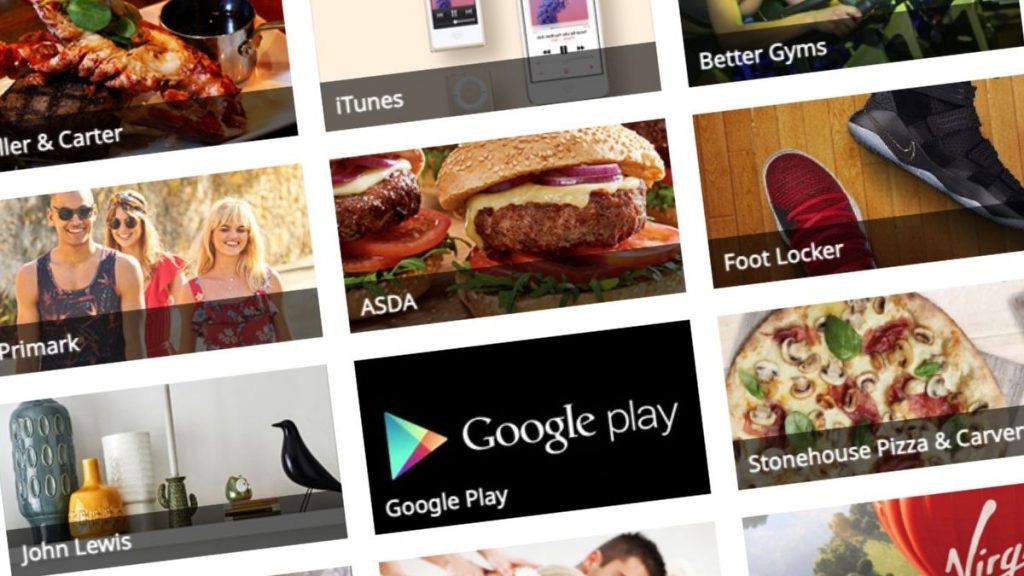
Work perk discounts on brands such as John Lewis and ITunes

How anyone can get access to a “work perks” scheme

I’ve found a way that’ll get you access to one of these schemes – and there’s no need to change your job, or sign up to insurance with a high monthly fee in order to get these discounts.

Instead the trick shouldn’t cost you anything. In fact it’s possible that you could make around £150 on top (more on this in a bit).

These deals are available via an investment company called Scottish Friendly, and to get them you are required to open an ISA and invest money.

There’s obviously a risk with Investment ISAs that you could lose a little bit of money – investments go up and go down. Plus you can only open and pay into one of these accounts each year. More on this further down the page.

First though, a little about the types of discount you’ll get so you can decide if it’s worth it.

What you get with from Scottish Friendly’s perk scheme

Discounted gift cards 

The gift cards you get can be physical or digital. Some are reloadable, so once you’ve got the first one it’s easy to add more money one. Though gift cards have risks, use them right and you can stack them with other offers as they’re treated as if they were cash. At the moment the offers include:

  • 5.5% off John Lewis or Waitrose
  • 4% off Asda
  • 4% off Morrisons
  • 5% off Sainsbury’s
  • 4% off Tesco
  • 6.5% off M&S
  • 4% off Uber
  • 3% off Ikea
  • 6.5% off Argos
  • 7.5% off Asos
  • 5.5% off Primark
  • 4% off Wickes
  • 9.5% off H&M
  • 13.5% off Sky Store
  • 7.5% off Curry’s
  • 4.5% off B&Q
  • 8.5% off Body Shop
  • 6.5% off Ticketmaster
  • 6% off Pizza Express
  • 9.5% off One 4 All cards (which you can spend at places such as John Lewis)
  • 9.5% off Pizza Hut
  • 9.5% off All Bar One and other Mitchel and Butler pubs

All correct at the time of writing.

Cheap cinema tickets

Membership also gives you discounted cinema tickets. Obviously cinemas haven’t reopened yet, so these deals aren’t running, but are worth considering when they do.

You can get 2D tickets from all the big chains. Whether it’s cheaper than other similar schemes, such as Tastecard or Kids Pass does depend on the chain and location you pick. And you might be able to save money via these other deals. Even so, it’s a good option to have on hand.

Some chains also allow you to upgrade to 3D or premium seats, or save on your snacks in advance. You can also save on annual memberships. These are actually pretty good savings. A year of Cineworld Unlimited (outside Central London) is 23% less than full price, and a year of Odeon Limitless (also outside London) is 27% less.

Chains include

  • Empire
  • The Light
  • Merlin
  • Odeon
  • Showcase
  • Vue

Other entertainment discounts

Though paused due to the pandemic, there are also discounts for theme parks such as Alton Towers and Thorpe Park, experiences such as the London Eye and Go Ape, and memberships to things like National Trust.

Money off in restaurants

You’ll get a card you can flash at various restaurants for money off, including the following:

  • 3.5% off Uber Eats or Deliveroo
  • 9.5% off at Costa
  • 10% off at Tortilla
  • 20% off at Carluccio’s
  • 20% off at Frankie & Bennies
  • 25% off at Prezzo

All correct at the time of writing.

How to get these discounts

Open up an ISA

You’ll need to open up an Investment ISA with Scottish Friendly to get the rewards.

Deposits start from £10 a month. You can stop these at any time, and keep the ISA open even with no money left it in – which should mean you keep access to your perks and discounts.

There are fees attached, so your money could be worth less when you take it out than when you put it in. But they could also have grown.

It’s really important to point out that you can’t pay into more than one investment ISA in a financial year. So if you’ve already done this in 2021/2021, you’ll need to wait until April 6th 2022.

And either way, by following this trick it does prevent you from paying into another investment ISA in the 21/220 financial year. You’ll be able to pay into a different type of ISA, such as a Cash ISA, or Lifetime ISA.

So you need to be sure that you wouldn’t rather shop around for a different investment ISA.

Get your welcome bonus

With the My Easy Choice ISA you can also get a gift card reward when you go direct, starting at £15 up to £45, depending on how much you deposit. It’s an easy win.

  • If you deposit £10 to £14.99 a month you’ll get a £15 voucher
  • If you deposit £15 to £19.99 a month you’ll get a £20 voucher
  • If you deposit £20 to £24.99 a month you’ll get a £25 voucher
  • If you deposit £25 to £29.99 a month you’ll get a £30 voucher
  • If you deposit £30 to £34.99 a month you’ll get a £35 voucher
  • If you deposit £35 to £39.99 a month you’ll get a £40 voucher
  • If you deposit more than £40 a month you’ll get a £45 voucher

And until 13th April 2021 there’s an extra £10 added to all gift cards.

You get the reward voucher within 28 days of your first payment, and you can use the voucher at shops including John Lewis.

Buy vouchers via your Friendly Rewards account

Once you’ve done this, you’ll be sent details to access your Friendly Rewards account, and you can start taking advantage of the discounted gift cards.

How to get up to £150 extra cashback on your ISA

If you want to walk away with a potentially larger profit thanks to cashback, then you need to follow these steps. It’s all pretty easy, but I do have a few major warnings, which I’ll get to in a bit.

Go to a cashback site

Go to a cashback site – ideally TopCashback or Quidco. Then search for Scottish Friendly. You might see a few options. To get the most money you probably want the Investment ISA option rather than the Junior ISA.

Andy’s Top Tip

If you’ve never used Quidco or Topcashback then check out my page with the latest welcome bonuses for new users. They can be worth up to £17 on top of other cashback you earn.

You won’t get the bonus for getting the ISA with Scottish Friendly so you’ll need to also shop elsewhere, but there are thousands of brands to choose from, including M&S, ASOS and Booking.com.

Choose an ISA

*Rates correct at the time of writing *

Choose one of the Scottish Friendly cashback offers. At the time of writing, you can get £200 from Quidco and £150 from TopCashback.

*THE REALLY IMPORTANT BIT 1 – Investment ISAs*

As I said earlier when you open an investment ISA, your money is at risk. Hopefully the money you put in will go up in value, but it could fall.

And there will be fees which will reduce this initial investment. Even if you’re planning on opening an investment ISA, Scottish Friendly won’t necessarily have the lowest fees, so it’s worth comparing your options. I’m only suggesting Scottish Friendly for an ISA because of the work perks trick, not as an ISA.

And do read all the terms and conditions of your ISA so you know what you’re committing to. 

*THE REALLY IMPORTANT BIT 2 – Getting your cashback*

To qualify for the cashback there are two key requirements. One is to invest the money for at least 60 days.

Plus, the cashback will only be paid once you’ve made payments into your ISA at least equal to the value of the cashback. So if that’s the £200 cashback, you need to invest at least £200.

But there’s another clause which will probably reduce the cashback you get. The only Scottish Friendly ISA available via the cashback sites is a My Moneybuilder Select ISA – not the ones mentioned above.

These have a £50 exit fee if you cancel and cash out the ISA earlier than five years. So you either need to be prepared to leave your investment in the ISA for that time, or lose some of your cashback.

And don’t forget cashback can take a while to pay out – so you might not get the extra money for months.

Don’t forget you can still go direct and get the bonus gift card without having to lock in your money.

As ever with cashback sites, make sure you follow the instructions to ensure your click tracks.

Example

So if you can invest £100 a month for two months, you’ll be eligible for £200 in cashback from Quidco.

If you then withdraw the £200 investment and pay the £50 early withdrawal fee, you will get around £150 back, give or take any loses or gains made on the initial investment and fees charged.

Don’t close the ISA down though as you want to keep access to the discounts and benefits described above.

After some time the cashback payment of £200 will be processed and available to claim from your Quidco account.

If you can afford it, you might want to keep the £200 in the ISA until at least five years have passed to avoid the early exit fee.

Do you know any other hacks that will get you access to work perk schemes without expensive membership fees? Let me know in the comments below.

How to claim working from home tax relief

With 47% of employees having worked from home in 2020, there’s a good chance you’re able to claim between £62 and £140 in tax relief.

If you’ve been required to work at home at all in the last year then you are eligible to get back some of the tax you’ve paid. You can do this for the whole 12 months even if there was only one day where this happened!

It’s also really easy to do thanks to a microsite set up by HMRC to process it for the 2020/21 tax year.

Update – And you can also now claim in the same way for 2021/22!

Most people are looking at receiving £62.40, though those who pay a higher rate of tax will be doubling that. A handful will be able to get £140.

Keep reading for everything you need to know about who can claim and how to do it, or watch this video with a step-by-step guide to applying.

What is working from home tax relief?

The logic behind this is you will have incurred extra household expenses while at home – from heating to insurance.

Who can claim?

Normally you can only claim for the weeks you’ve actually had to work from home. But that’s different for this last year.

You only need to have been required to work from home for one day since March 23rd 2020 (when lockdown began) to get the rebate for the entire 2020/21 year, and again for the 2021/22 year.

However, if your employer has already covered extra expenses you aren’t eligible. Also, you shouldn’t claim if you have chosen to work at home.

How much can you claim?

The tax relief is dependent on a few things – largely what you are claiming for and the rate of tax you pay on your income.

You can work out exactly how much extra you’ve spent on permitted expenses to claim the exact amount of tax back, but you do need to have receipts or proof of the extra costs.

What’s probably easiest for most people is to go with the set allowance. For the financial years 2020-21 (April 6th 2020 to April 5th 2021) and 2021/22 , it’s set at £6 a week. For previous tax years the rate is £4.

It doesn’t mean you’ll get £6 back for every week. Instead you’ll get the tax back on that £6, which works out as follows:

  • Basic rate taxpayers (charged 20% tax on most of your income) will get 20% of £6 back – a total of £1.20 a week. That’s 62.40 a year.
  • Higher rate taxpayers (40%) will get double that at £2.40 a week. That’s £124.80 a year
  • Additional rate taxpayers (45%) will get a little more at £2.70 a week, and £140.40 a year.

How will you get the money?

You won’t receive the money as a lump sum to your account or as a cheque. Instead, your tax code will be altered to accommodate this extra allowance. So essentially claiming really this means you’ll pay less tax each month.

How to make a claim

To make things easier there’s a government “microservice” most people can use. This uses the set £6 weekly allowance.

However this shortcut is only for those who don’t already fill in a self-assessment form. Those people will have to wait until they fill that in for that full tax year once it ends.

You can also claim for previous years but only for the days you were at home, and not via the microsite.

You’ll be asked:

  • Are you only claiming tax relief on your expenses for working from home? (Answer “Yes”)
  • Do you complete Self Assessment returns? (Answer “No”)
  • Has your employer paid your expenses for working from home? (Answer “No”)
  • Did you start working from home because of coronavirus (COVID-19)? (Answer “Yes”)

To make the claim you need a government gateway ID and password. This should take 10 minutes online. You’ll need your National Insurance number and either a payslip/P60 or your passport.

Once you have this you simply log in and follow the instructions. Don’t forget to claim from 23rd March 2020 if you were working from home then too.

What about 2021/22?

Money Saving Expert reported on 6th April 2021 that the microsite will carry on working for the new financial year, and you’ll be able to claim once more for the full year even if you only worked from home once.

If you didn’t claim for 2020/21 then you can still do this on the site.

How I manage my multiple bank accounts

Here’s how to manage direct debits and cycle money to get current account perks.

It’s a good idea to have more than one current account, but with each extra account comes more admin. The good news is that most of the task can be done in one go early on, and then looks after itself! Here’s how I do this for all my accounts.

Current account admin

From cashback to monthly rewards, there are all sorts of incentives and freebies you can get with multiple current accounts. And don’t forget bank switching bonuses.

But many account switches and perks require extras like direct debits or minimum deposits each month. They also have fees and other requirements. Get them wrong and you could miss out or even lose money.

All this can put some people off. But it’s actually a lot easier to manage than you’d imagine, and I think the reward is well worth the effort.

Regular readers will know I have 15 different current accounts at the moment so I’ve got to have processes in place to make sure I don’t accidentally go overdrawn on one or miss out on a perk on another.

Minimum transfers

Many accounts require me to pay money in every month. If I didn’t I could miss out on all those little bonuses or get charged a monthly fee.

The good news is the money doesn’t need to remain in the account, and in most cases doesn’t need to be in one go, so you can hack this by moving the same money through all the accounts. Still that’s potentially a lot of transfers to process, which can take time.

If you have more than two or three accounts, then automation is the key. Set up standing orders to move the money on the same day each month. You can do this easily in your online or app banking.

If you do have multiple accounts with the same provider, transferring between them often doesn’t qualify (eg Halifax to Halifax), so you’ll need to factor this in.

Remember, it’s not just minimum deposits you need to cover here. There are those account fees, and in some cases you’ll want to be adding money to regular savers each month, so they need to be factored in.

There are three methods here:

The endless cycle

One trick is to move the same cash from account to account so it cycles through each one and back to the start, then repeats itself the next month and so on.

For example, you’ve got £2,000 in account a, which you transfer to account b, then to account c, then account d and finally back to account a. Then it repeats the next month, and so on.

The back and forth

Another option is to set up a standing order out of one account into another, and then back the next day. And then move the money into another account and back.

So you’re move £2,000 from account a to account b, then back to account a. Then move £1,000 from account a to account c, then back to account a. And so on.

It makes sense to spread these out through the month so you’re still only moving the same amount of cash. to make sure there is cash in the account to leave it in the first place.

The bitesize transfer

If you don’t have a large amount in your account to keep moving around, you can split the requirement into smaller chunks.

You can use either the endless cycle or back and forth methods to automate this – you’ll just have more standing orders in action.

Let’s say you have an account requiring £2,000 each month, you could use the same £500, and just deposit it and withdraw it four times to total a cumulative £2,000.

Account fees

Reward accounts are great – though you normally need to pay for them. As long as you’re making more that you put in then they can be worth it.

Direct debits

Quite a few switching offers and perks require a couple of direct debits each month. Often it’ll say ‘active’ direct debits, which technically could include any payment that has been taken in the last year.

But for the most part these direct debits have to come out every month to qualify – ruling out annual or quarterly payments.

If you run out of the obvious direct debits, there are a few easy ones you can set up which won’t cost you anything.

Collect rewards

Not all accounts will pay directly into your account. Instead, you sometimes need to cash out your payments.

  • NatWest Reward (You need to log into the MyRewards site)
  • RBS Reward (You need to log into the MyRewards site)

Log into the app

There’s one final ongoing requirement with some accounts – you might need to log in to your online banking or app on a regular basis.

How I manage multiple accounts

Andy’s top 3 current account perks

Making sure everything is OK

The standing orders and direct debits should all take care of themselves, but I’ll always check in. In part that could be required to trigger a reward, or to claim the perk itself.

But most importantly it’s to ensure nothing has gone wrong and there’s no risk of going overdrawn. I’ve set up two spreadsheets to keep an eye on things.

The first tells me all the standing orders and direct debits in and out of each account. If I need to amend the size of a standing order (for example when switching banks), I know exactly which is which. It only updates if I change bank.

The other spreadsheet is more active. Every month I open up the apps for my accounts and write down the balances. I try to do this in the first week of the month. This way I know exactly how much I have in each account, and overall.

What each account requires

Minimum transfers

These accounts that require a minimum deposit each month to trigger perks. Remember some bank switch offers might also require this.

Account (a-z)PerkMonthly deposit required
Barclays Blue RewardsFree Apple TV+£800
Bank of Scotland Vantage3% interest on £4,000 to £5,000£1,000
Chase 1% cashback on groceries and travel spend£1,500
Halifax RewardsNo fee£1,500
Club LloydsFree Disney+ w/ ads or 6 cinema tickets and no fee£2,000
Nationwide FlexDirect5% interest and 1% cashback (year 1 only)£1,000
NatWest Reward£2 reward after fee£1,250
RBS Reward£2 reward after fee£1,250
Santander Edge1% cashback on bills£500

Account fees

You’ll need to pay a monthly fee to have the following accounts, though in a couple of cases you can avoid paying this.

Account (a-z)PerkMonthly fee
Barclays Blue RewardsFree Apple TV+£5
Halifax RewardsNo fee£3 (avoided if you deposit £1,500 a month)
Club LloydsNo fee£5 (avoided if you deposit £2,000 a month)
Monzo PerksFree railcard, Uber One, free cinema tickets, free Greggs£7
NatWest Reward£5£3
RBS Reward£5£3
Santander Edge1% cashback on bills & 6% saver£3
TriodosEthical banking£3
TSB Spend & Save Plus£5 a month£3

Direct debits

You won’t want all of these accounts, but just to give you the full idea, here are the account perks that require direct debits.

Account (a-z)PerkDirect debits required
Club Lloyds3% interest on £4,000 to £5,000Two
Halifax Reward3% interest on £4,000 to £5,000Two
NatWest Reward£2 reward after feeTwo
RBS Reward£2 reward after feeTwo
Santander Edge1% cashback on billsAt least two
Zopa Biscuit2% cashback on direct debitsAt least one

Debit card spend

This is a more common requirement for bank switching, but you might need to use your debit card for some perks

Account (a-z)PerkDebit card use
Chase Bank1% cashbackCapped at £1,500 spend a month
Nationwide FlexDirect1% cashback for one yearCapped at £500 spend a month
TSB Spend & Save£5 cashback for six months20 payments a month
TSB Spend & Save£5 cashback20 payments a month
Trading 212Up to 1.5% cashbackCapped at £15 cashback a month

Collect rewards

These accounts require you to manually withdraw rewards.

  • NatWest Reward (You need to log into the MyRewards site)
  • RBS Reward (You need to log into the MyRewards site)

Log into the app

You must log in to the app to qualify for these accounts.

  • NatWest Reward – every month
  • RBS Reward- every month

The best bank mobile apps

How do Starling and Monzo compare to the apps from the high street banks?

App banking is getting bigger and bigger. I very rarely log in to online banking on a computer, hardly ever visit a branch and only phone up when there’s a problem.

So it’s vital that I can do everything I need to do on my app. And sadly my main bank for years – Nationwide – is really limited, requiring a card reader to add new payees and missing many of the features that started on new digital banks but increasingly copied by established banks.

I’d go as far as to say that how good a bank’s app is the number reasons to choose a bank for your everyday banking.

Watch my full analysis in this video, or keep reading to see the features broken down app by app.

Bank features compared

I’ve compared the features on 13 different banking apps, from digital challengers Monzo, Starling and Revolut through to high street titans Barclays, Halifax and HSBC.

My top app banking features

So, what do I look for in a banking app? There are all sorts of things you can do – from adding photos of your receipts to individual transactions through to paying in a cheque. Lots of nice to haves.

But there are some basics which are essential – and surprisingly not all banks offer them. Here’s what I’ll check if I am going to use an app.

How easy is it to use?

Ease of use and being able to find everything are really important. Of course the more you use an app, the more familiar it’ll be, but there are some apps which are better than others

Can I set up new payees and amend existing ones?

I hate it when an app won’t let me do everyday things such as set up a new payee or amend a standing order. These are essentials that mean I’ll be able to do the basics whenever I want.

Sometimes there are payment limits on large transactions, largely to combat fraud, and I’m ok with these. It’s rare I transfer big sums so it’s only an occassional inconvenience.

Does it offer instant notifications?

More banks now offer this on their apps, and it’s a handy budgeting feature. You’ll get a notification on your phone as soon as the payment processes allowing you do check the amount is correct and also get aheads up of any fraud.

Can I search old transactions?

I want an app that’ll go back for at least 18 months and also offer filer options such as payments in or out.

Can I copy my account details?

This innovation is simple but so useful. With a couple of taps I can copy by account number and sortcode to share with people, or to enter into direct debit forms.

Does it let me control the card

Finally, it’s essential that my banking app lets me freeze my card. This is a security measure where you can stop anyone using your card if you lose it.

Extra app features I love

I’m a happy camper if the app contains all of the above, but there are extras offered by some banks which you might not be aware exist.

Look out for:

  • Able to pay in a cheque (read more on this here)
  • Able to see PIN
  • Able to see debit card number etc
  • Savings pots & features
  • Virtual debit cards

App features you don’t really need

Of course, just because a bank app does something all shiny and new, it doesn’t mean you need it.

The biggest one here is being able to add other bank accounts to your app dashboard via Open Banking. This is a great idea, but the banks that do offer it only allow you to connect to a small range of banks.

You’re better off going for an app that is designed for and allows you to connect credit cards such as Yolt or Money Dashboard.

Similarly the auto-savings feature you’ll see with most banks (except Monzo) is a variation of the “Save the change” or “top-up” method where small amounts are transferred from your main account to a savings pot when you spend. There are better options out there, such as those from Plum and Chip.

My top bank apps

So taking the above into account, which apps get my vote?

Monzo & Starling

As you’d expect, the banks which have been created from scratch to work primarily via apps are the best. You can do pretty much everything and more.

I really like the savings and budgeting features in Monzo, especially the way you can connect to IFTT to gamify savings.

If you want to have an easy life banking, then Starling does everything really well.

Revolut is worth a shout too, particularly for its virtual and disposable debit card feature. But as a bank I prefer the other two.

Barclays, Halifax & Lloyds

If you want to stick with an established bank then I was surprised to see how far along Barclays, Halifax and Lloyds have come.

Bank-by-bank app feature lists

Here’s where you can see what each bank offers.

Barclays app

SavingsSavings potsNo
Auto savingsNo
BankingEasy transferyes
New payee in appNeed debit card
New SOYes
change SOYes
pay in chequeYes
share account detailsYes
BudgetingAnalyse spendingYes
Set BudgetNo
Add other banksYes

Bank of Scotland
Halifax
Lloyds
Nationwide
NatWest
RBS
Santander
Instant notificationsYes
See upcoming regular paymentsYes
See pending paymentsYes
Go back more than one year3 years +
Filter in/outYes
Download statementsPDF
Add receipts/notesNo
ManagementFreeze cardYes
See PinYes
See card numberNo
Order new cardYes
Gambling blocksYes
Spending controls (eg block contactless)Yes
Update personal infoYes
Biometric log inYes

First Direct app

SavingsSavings potsNo
Auto savingsNo
BankingEasy transferYes
New payee in appYes
New SONo
change SONo
pay in chequeYes
share account detailsNo
BudgetingAnalyse spendingNo
Set BudgetNo
Add other banksNo
Instant notificationsNo
See upcoming regular paymentsYes
See pending paymentsYes
Go back more than one year6 months
Filter in/outYes
Download statementsPDF
Add receipts/notesNo
ManagementFreeze cardYes
See PinNo
See card numberNo
Order new cardYes
Gambling blocksYes
Spending controls (eg block contactless)No
Update personal infoYes
Biometric log inYes

Our podcast

Listen to Cash Chats, our award-winning podcast, presented by Editor-in-chief Andy Webb and Deputy Editor Amelia Murray.

Episodes every Tuesday.

Andy and Amelia with the text "Cash Chats Personal finance podcast"

Halifax app

The Halifax Rewards account can earn you £5 a month so it’s worth looking at. Here’s my review.

SavingsSavings potsNo
Auto savingsYes
BankingEasy transferyes
New payee in appYes
New SOYes
change SOYes
pay in chequeYes
share account detailsyes
BudgetingAnalyse spendinglimited
Set BudgetNo
Add other banksYes

Bank of Scotland
Barclays
Barclaycard
First Direct
Lloyds
M&S Bank
MBNA
Nationwide
NatWest
RBS
Santander
Instant notificationsYes
See upcoming regular paymentsyes
See pending paymentsYes
Go back more than one year3 years +
Filter in/outNo
Download statementsPDF
Add receipts/notesNo
ManagementFreeze cardYes
See PinYes
See card numberNo
Order new cardYes
Gambling blocksyes
Spending controls (eg block contactless)yes
Update personal infoYes
Biometric log inYes

HSBC app

As I don’t have the app for this bank there are a few TBCs here.

SavingsSavings potsNo
Auto savingsNo
BankingEasy transferYes
New payee in appYes
New SOYes
change SOYes
pay in chequeYes
share account detailsNo
BudgetingAnalyse spendingNo
Set BudgetNo
Add other banksNo
Instant notificationsRolling out
See upcoming regular paymentsBalance After Bills
See pending paymentsYes
Go back more than one yearTBC
Filter in/outTBC
Download statementsPDF
Add receipts/notesTBC
ManagementFreeze cardYes
See PinNo
See card numberNo
Order new cardYes
Gambling blocksYes
Spending controls (eg block contactless)TBC
Update personal infoYes
Biometric log inYes

Lloyds app

The Club Lloyds account is a decent bet for freebies and interest on savings. Here’s my review.

SavingsSavings potsNo
Auto savingsYes
BankingEasy transferyes
New payee in appYes
New SOYes
change SOYes
pay in chequeYes
share account detailsyes
BudgetingAnalyse spendinglimited
Set BudgetNo
Add other banksYes

Bank of Scotland
Barclays
Barclaycard
First Direct
Halifax
M&S Bank
MBNA
Nationwide
NatWest
RBS
Santander
Instant notificationsYes
See upcoming regular paymentsyes
See pending paymentsYes
Go back more than one year3 years +
Filter in/outNo
Download statementsPDF
Add receipts/notesNo
ManagementFreeze cardYes
See PinYes
See card numberNo
Order new cardYes
Gambling blocksyes
Spending controls (eg block contactless)yes
Update personal infoYes
Biometric log inYes

Monzo

This looks at the free Monzo account. The paid options have some added features. Here’s more on Monzo Plus and Monzo Premium.

SavingsSavings potsYes
Auto savingsYes
BankingEasy transferYes
New payee in appYes
New SOYes
change SOYes
pay in chequeNo
share account detailsYes
BudgetingAnalyse spendingYes
Set BudgetYes
Add other banksNot on free
Instant notificationsYes
See upcoming regular paymentsYes
See pending paymentsYes
Go back more than one yearYes
Filter in/outYes
Download statementsPDF, CSV, QIF
Add receipts/notesYes
ManagementFreeze cardYes
See PinYes
See card numberYes
Order new cardYes
Gambling blocksYes
Spending controls (eg block contactless)No
Update personal infoYes
Biometric log inYes
ExtrasPay friends instantly
Split bill

Nationwide app

As much as I love Nationwide as building society, I really hate the app. Here’s my review of the Nationwide FlexDirect account.

SavingsSavings potsNo
Auto savingsYes
BankingEasy transferYes
New payee in appNo
New SONo
change SONo
pay in chequeNo
share account detailsNo
BudgetingAnalyse spendingNo
Set BudgetNo
Add other banksNo
Instant notificationsNo
See upcoming regular paymentsNo
See pending paymentsNo
Go back more than one year15 months
Filter in/outNo
Download statementsNo
Add receipts/notesNo
ManagementFreeze cardYes
See PinNo
See card numberNo
Order new cardYes
Gambling blocksNo
Spending controls (eg block contactless)No
Update personal infoNot address
Biometric log inYes

Natwest

SavingsSavings potsNo
Auto savingsNo
BankingEasy transferYes
New payee in appYes
New SOYes
change SOYes
pay in chequeNo
share account detailsYes
BudgetingAnalyse spendingYes
Set BudgetYes
Add other banksYes

Allied Irish Bank
Bank of Scotland
Barclays
Danske Bank
First Direct
First Trust
Halifax
HSBC
Lloyds
Monzo
Nationwide
NatWest
RBS
Santander
Ulster Bank
Instant notificationsYes
See upcoming regular paymentsNo
See pending paymentsYes
Go back more than one yearYes
Filter in/outYes
Download statementsPDF
Add receipts/notesNo
ManagementFreeze cardYes
See PinNo
See card numberNo
Order new cardYes
Gambling blocksYes
Spending controls (eg block contactless)Yes
Update personal infoNo
Biometric log inYes
ExtrasGet cash

Revolut

SavingsSavings potsYes
Auto savingsYes
BankingEasy transferYes
New payee in appYes
New SOYes
change SOYes
pay in chequeNo
share account detailsYes
BudgetingAnalyse spendingYes
Set BudgetYes
Add other banksYes

Amex
Bank of Scotland
Barclays
Danske
First Direct
HSBC
Halifax
Lloyds
M&S Bank
Monzo
Nationwide
Natwest
RBS
Santander
Starling
TSB
Ulster Bank
Instant notificationsYes
See upcoming regular paymentsYes
See pending paymentsYes
Go back more than one yearTBC
Filter in/outTBC
Download statementsPDF, XLS
Add receipts/notesYes
ManagementFreeze cardYes
See PinYes
See card numberYes
Order new cardYes
Gambling blocksYes
Spending controls (eg block contactless)No
Update personal infoYes
Biometric log inYes
ExtrasVirtual Card
Group bills

Santander

Another app I don’t currently have access to so there are a handful of gaps.

SavingsSavings potsNo
Auto savingsNo
BankingEasy transferYes
New payee in appYes
New SOYes
change SOYes
pay in chequeNo
share account detailsYes
BudgetingAnalyse spendingLimited
Set BudgetNo
Add other banksNo
Instant notificationsTBC
See upcoming regular paymentsTBC
See pending paymentsYes
Go back more than one yearTBC
Filter in/outYes
Download statementsTBC
Add receipts/notesTBC
ManagementFreeze cardYes
See PinYes
See card numberNo
Order new cardYes
Gambling blocksYes
Spending controls (eg block contactless)Yes
Update personal infoTBC
Biometric log inYes

Starling

Starling is a feature packed app. Here’s my full review of the account.

SavingsSavings potsYes
Auto savingsYes
BankingEasy transferYes
New payee in appYes
New SOYes
change SOYes
pay in chequeYes
share account detailsYes
BudgetingAnalyse spendingYes
Set BudgetYes
Add other banksNo
Instant notificationsYes
See upcoming regular paymentsYes
See pending paymentsYes
Go back more than one yearYes
Filter in/outNo
Download statementsPDF, CSV
Add receipts/notesYes
ManagementFreeze cardYes
See PinYes
See card numberYes
Order new cardYes
Gambling blocksYes
Spending controls (eg block contactless)Yes
Update personal infoYes
Biometric log inYes
ExtrasSplit bill

TSB

This is for the Spend & Save account. Older accounts don’t have the savings pots feature.

SavingsSavings potsYes
Auto savingsYes
BankingEasy transferYes
New payee in appYes
New SOYes
change SOYes
pay in chequeNo
share account detailsYes
BudgetingAnalyse spendingNo
Set BudgetNo
Add other banksNo
Instant notificationsNo
See upcoming regular paymentsNo
See pending paymentsYes
Go back more than one yearYes
Filter in/outNo
Download statementsNo
Add receipts/notesNo
ManagementFreeze cardNo
See PinNo
See card numberNo
Order new cardYes
Gambling blocksNo
Spending controls (eg block contactless)No
Update personal infoNot Address
Biometric log inYes

Virgin Money

Here’s my review of the Virgin Money M Plus account, including a video looking at the app in more detail.

SavingsSavings potsYes
Auto savingsNo
BankingEasy transferYes
New payee in appYes
New SOYes
change SOYes
pay in chequeYes
share account detailsYes
BudgetingAnalyse spendingYes
Set BudgetYes
Add other banksNo
Instant notificationsYes
See upcoming regular paymentsYes
See pending paymentsYes
Go back more than one yearTBC
Filter in/outYes
Download statementsPDF
Add receipts/notesNo
ManagementFreeze cardNo
See PinNo
See card numberNo
Order new cardYes
Gambling blocksNo
Spending controls (eg block contactless)No
Update personal infoNo
Biometric log inYes

Premium Bonds: Are they better than savings accounts?

Will you get £1million, or will you get nothing?

With interest rates so low there’s been a huge increase in the amount of money invested in Premium Bonds as people hope to get a better return on their cash.

But hope is the key here. Though there’s a chance you could win £1 million, there’s no guarantee you’ll get anything.

Here’s what you need to know about Premium Bonds, and how they compare to other savings products.

Keep reading or watch this video (or both)

What is a Premium Bond?

A Premium Bond is essentially a government savings account you buy from National Savings & Investments.

Rather than earn interest on the money invested as you would with a normal savings account (if it’s offered of course), you’ll be entered into a monthly prize draw. And this will keep happening for as long as you keep the Premium Bond.

Each bond costs £1, though there’s a minimum purchase of £25, which would give you 25 entries into that draw. The most you can have are 50,000 bonds, which means there’s a cap of £50,000 you can save.

Any money you win is tax-free and your savings are protected by the Treasury, and that initial investment can’t lose value.

The money is easy-access and you can cash them in whenever you want – though it can take up to eight working days to reach your linked current account.

How much could you win?

The top prize is £1 million, and there are two of these available each month. So in theory you could win £24 million a year! But of course you won’t.

The current prize rate with Premium Bonds is 1.4% (it was 1% from December 2020 to May 2022, and could change again). This doesn’t mean you’ll get a 1.4% return on your savings. Instead on average £1.40 is paid out for each bond. On average.

But most bonds win nothing. Zero.

And that’s because all the money paid out to all the winners is made out of prizes ranging from £25 up to that £1 million. So it’s impossible for every bond to get that quid.

Here are all the prizes on offer for June 2022

Prize valueNumber of prizes each month
£1,000,0002
£100,00010
£50,00019
£25,00040
£10,00098
£5,000196
£1,0002,764
£5008,292
£10037,922
£5037,922
£254,747,097
Prizes for the May 2022 draw. You can see monthly updates on the NS&I website

So though you’re more likely to get a £25 prize than any of the larger ones, it still leaves 100 billion bonds winning nothing each month!!

And while each bond has an equal chance of winning any of the prizes, the more bonds you have the greater the chance is that you’ll win something.

Money Saving Expert has a calculator which works out what you’d get with a typical amount of luck which is helpful to get a closer idea of a more realistic return – though of course since it’s all random it’s no guarantee. You can also see how lucky you are compared to others.

Premium Bonds vs savings accounts

* The following tables are based on a 1% prize rate and will be updated in June 2022 *

I’ve used MSE’s calculator to work out those potential winnings (based on average luck) over a year and therefore what interest rate you’d need to get the same amount from a savings account.

Amount savedAverage winningsEquivalent interest rate
£10000%
£1,00000%
£10,000£750.75%
£25,000£2000.8%
£50,000£4500.9%

Of course you can still win a prize with just £25 worth of Premium Bonds, it’s just incredibly unlikely. The calculator also says you’ll likely win £50 with £5,000 saved, which is 1%, but that seems to be a bit of a blip. Having fewer bonds will mean you’ll win less, so I’ve not put it in this table.

Right so how do these rates compare?

Well the best easy-access account right now pays 0.5%. So you’re likely to beat this with Premium Bonds for savings above £5,000.

But as I frequently share, you can get higher rates on some of your cash. Here are my top picks:

AccountInterest rateMax depositInterest earned in a year
Virgin Money M Plus Account2.02%£1,000£20.20
Chip+11.25%£2,000£25
Club Lloyds Current Account0.78%*£5,000£39
Club Lloyds Monthly Saver 1.5%£400 a month£38.91
Marcus Easy Access 0.5%(£4,800 fed into the above monthly saver)£11
* 0.6% on first £4,000, 1.5% on next £1,000

As you can see, each of these accounts will get you a guaranteed better return than the average chance of luck does with Premium Bonds with the same amounts.

Though that rate is much closer with the £5,000 amount in Lloyds, remember that interest is guaranteed – plus you get freebies on top such as monthly movie rentals or cinema tickets.

If you use all these accounts listed above you’ll save a total of £12,800, making a total of £134.11 in interest over a year, which is the equivalent of 1.05%.

(N.B This calculation was before Marcus dropped its rate to 0.4%. on 16th March, but the difference is £2 less in a year).

Read more about my top three savings accounts

How much you need in savings to make Premium Bonds worth it

If you’ve got savings up to and including £12,800, I’d focus my attention on The Virgin M, Chip+1, Club Lloyds and a leading easy-access accounts.

Where you put further savings depends on how much more money you have. Less than £5,000 and you will probably be better off putting more into that Marcus account (or equivalent) and probably drip-feeding it into another regular saver.

But if you have £5,000 or more, the average luck rates suggest that you could instead move on to Premium Bonds. However, there’s an important upper limit.

Though you can put £50,000 into Premium Bonds, you don’t have to. And you probably shouldn’t.

That’s because you don’t want to have too much saved in easy-access accounts. Really you only need to have enough cash to cover one of two things – an expected expense or an emergency.

When you’re saving for a specific purchase – from a house deposit or wedding through to a holiday or new phone – you’ll know much you need access to.

The general rule of thumb for emergency savings is three to six months of essential expenses – the costs you would have to cover if you lost your income. Following the pandemic you might want to make that last a little longer.

But beyond this, with interest rates so very low in general you are better off thinking about putting any remaining cash aside for the long term, whether that’s topping up your pension, paying off your mortgage or investing in the stock market.

So, going back to that initial £12,800 in the top savings accounts, and the minimum £5,000 Premium Bonds needed to beat the best easy-access account… we’re now at a total of £17,800.

How long would that last you in an emergency? I’d imagine six months easily, probably more.

So really I think Premium Bonds only become worth a look for most people if you need to have more than £17,800 in easy-access savings.

(Update 16/3/21- the upper limit on the balance you can earn interest on with the Chip+1 account has been increased from £5,000 to £10,000. After fees this gives the equivalent interest rate on the full £10k saved as 1.06%. That is a guaranteed rate and higher than the potential return with Premium Bonds. Here’s my full analysis.)

It’s different for additional rate taxpayers

A quick note that the situation changes if you are an additional rate taxpayer (meaning you earn more than £150,000 a year). If this is you, then you won’t have a Personal Savings Allowance, which means you’ll pay tax on your interest.

The Cash ISA limit is £20,000 (and that’s shared with Stocks and Shares ISAs), so Premium Bonds can work out as the most tax-efficient way to have cash savings.

What if you fancy your chances?

Of course, you might think that it’s too much hassle spreading your cash around multiple accounts for minimal returns. And you might not be wrong there.

Let’s say you’ve got £5,000. Put it in that easy access account paying 0.5% and you’ll make £25 interest in a year.

Would you spend £25 a year on Lotto tickets or scratch cards? Well, maybe Premium Bonds is a better alternative. You might win, you might not, but you’ll keep that initial investment.

When to save with Premium Bonds

So in summary, Premium Bonds could be a good option for you if:

  • You need more than £17,400 in easy-access savings
  • You are an additional rate taxpayer
  • You just fancy a flutter
  • You’re ok with the idea of getting nothing

How to get Premium Bonds

You have to be over 16 years old to buy Premium Bonds for yourself. If you are buying them for children, the account will be held by the parents/legal guardians until the child reaches 16.

The easiest way to buy them is via the NS&I website, though you can also get them via post or on the phone.

When to buy Premium Bonds

The Premium Bond draws take place at the start of each month, but you’re only eligible for each draw on bonds that have been invested for a full month.

This means you’re better off buying them at the end of a calendar month than at any other point.

How to check Premium Bond winners

You will need to enter your account number (called a Holder Number) into the NS&I Premium Bond prize checker.

If you’ve won you’ll see just how much, and you can use the same tool to see any previous wins you might not have known about.

You can listen to me talking to Money Saving Expert’s Helen Saxon about Premium Bonds in this episode of my Cash Chats podcast.

M&S Bank to close all current accounts

What to do if you have a Marks & Spencer Bank current or savings account.

In August, all existing current accounts at M&S Bank will close, and the linked monthly savings account will also shut. The accounts are already closed to new customers.

All 29 in-store branches will also close at the start of July, though the bank will carry on providing credit cards, loans, insurance and other savings accounts.

The retailer says it’s “evolving” to reflect the way customers use their bank, with the branch closures a reflection of the move to online banking.

So if you’re an M&S Bank customer, what do you need to do?

Your current account

If you do nothing, the account will be frozen in August and you’ll have to contact the bank in order to access any money left in there. So it’s important you either withdraw your money and close the account or switch your account. I favour the latter.

Switching your M&S Bank account

It’s really easy to to do this via the Current Account Switch Service (CASS), and comes with a guarantee that all payments in and out will be moved to your new account. Plus, if you switch you’ll also be able to nab a freebie from a different bank keen to get your business.

If you’re overdrawn there’s no guarantee a new bank will also offer you an overdraft, so it might be worth looking at options to clear that if it’s a worry.

Switching takes seven working days, so there’s no rush to move. You’ve got time to wait and see what switching offers come along, but there are some you can get if you want to switch right away.

HSBC Advance Account: Free £125

You’ll only be able to switch to this account for the bonus if you opened your M&S Bank account prior to 1st January 2018.

If you are eligible you’ll need to transfer over two direct debits or two standing orders. The latter are really easy to set up. You’ll get the payment within 20 days of the switch completing.

First Direct: Free £100

As with the HSBC switch, you’ll need to have opened the M&S account before 1st Jan 2018. You need to pay in £1,000 within three months, and the money will be paid within 28 days of this happening.

This is a good option if you want to keep the £250 0% overdraft buffer, and First Direct is the only other bank to offer it.

Virgin Money: Free wine & charity donation

This account from Virgin Money will give you 12 bottles of Virgin Wine and a £50 charity donation via Virgin Giving.

You need to transfer or set up two direct debits and put £1,000 into the linked easy-access saver and keep both active until you’ve got your free wine.

More on these and other bank rewards and offers in my ultimate bank account guide.

Closing your M&S Bank account

You can do this by contacting M&S Bank, though you’ll need to have a zero balance first. If you don’t do this it’ll automatically be closed in August.

You will still be able to see the balance online or via the app after this date – but to access any cash left in there you’ll need to contact the bank.

Statements

You won’t be able to access old statements once the account is closed, so it’s worth downloading these.

Your monthly saver

On hearing the news I’m sure a lot of customers will be frustrated about this linked regular saver closing – it will have been the reason for lots of people to open the account in the first place.

Though the most recently opened monthly savers were only paying 1%, many will still be part way through a year set at 2.75%.

The good news is you’ll get the interest for the full year, no matter how long left you have to save. The bank will assume you’ve paid in the maximum £250 a month and add interest accordingly.

If you want to get the best rate for your savings once you withdraw it from the monthly saver, or find a new regular saver, here’s my updated list of the top paying accounts.